Week- 5 - Solid meshing
ABSTRACT:
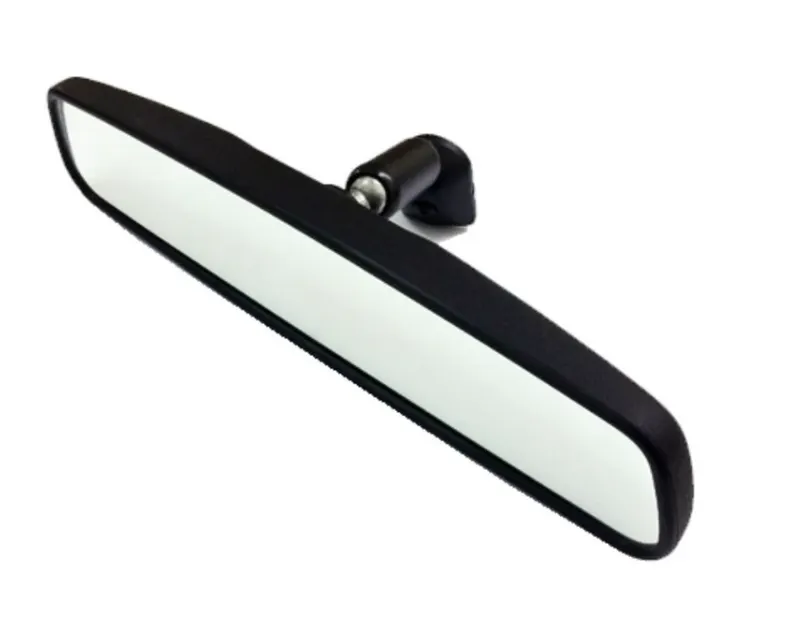
By using CAE Pre-Processing Tool ANSA & to develop Tetra meshing for a Rear-View Mirror
METHODOLOGY:
1. Importing the CAD geometry in ANSA
2. Checking out the errors and Assigning Property ID (PID) for each surface.
3. Assigning Quality Criteria
4. Meshing and Improving Mesh Quality (Ortho Tria & Tria Mesh is used).
5. Generating Volume Mesh
INTRODUCTION:
Keeping safety, strength, and many design aspects, Rear View Mirror has to undergo many conditions, and the final CAD
outcome is considered for pre-processing in ANSA.
PROCEDURE:
1. Importing CAD Geometry of Rear View Mirror in ANSA:
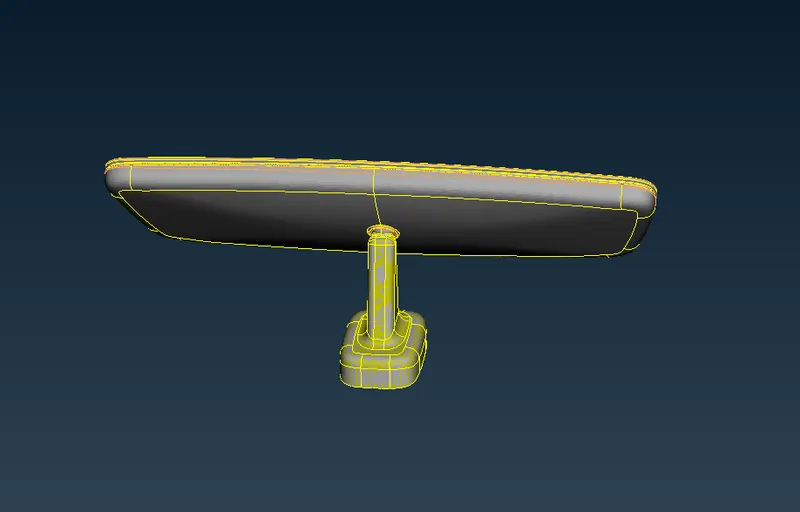
After successfully importing the Rear View Mirror geometry we need to give the topo to the model and Target Length/ Average
Length which is assigned as 1 under Mesh Mode<Perimeters
2. Checking Out for Errors and Assigning Property ID (PID) for each Surface:
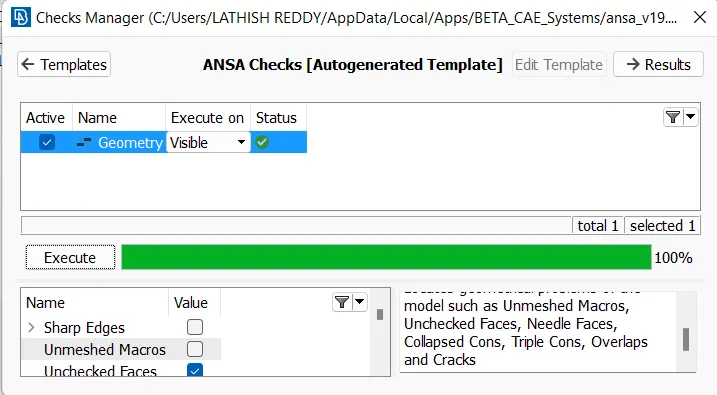
We need to perform the geometry check under CHECKS Manager in order to see any geometrical problems of the model such
as Unmeshed Macros, Unchecked Faces, Needle Faces, Collapsed Cons, Triple Cons, Overlaps, and Cracks.
ANSA detects some errors and we need to ensure that these need to fixed manually or by just running the automatic fix
command and confirm that there are no geometry errors there in the model.
For any component, we need to assign Property ID(PID) for each and every part so as to differentiate individual checks in our
process in later stages.
This helps in switching to different parts specified upon user requirements.
Make sure that the model is always Gray which indicates Positive in ANSA where yellow stands as Negative.
Use the Orient option under Faces in Topo Mode to change the color of the model to Gray if it’s so. (Orient<Visible).
3. Assigning Quality Criteria:
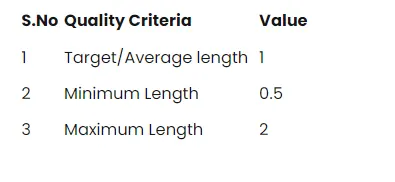
The average length alters the shell element length of the component.
The remaining values are assigned in the Quality Manager or just tapping the F11 key.
Each element in the Mesh should qualify the Quality Criteria given.
After assigning the values given for the quality check, we need to perform the topological clean up before meshing
Topological Clean-Up:
So as to acquire the smooth flow of mesh a CAE engineer should do topological clean-up for each and every corner of the
model and examine, remove unwanted CONS by using different options available under Module Buttons, mostly used keys are
cut, release, insert & delete
4. Meshing and Improving Mesh Quality (Ortho Tria & Tria Mesh is used):
Meshing:
After Topological Clean up, consider meshing each and every part separately.
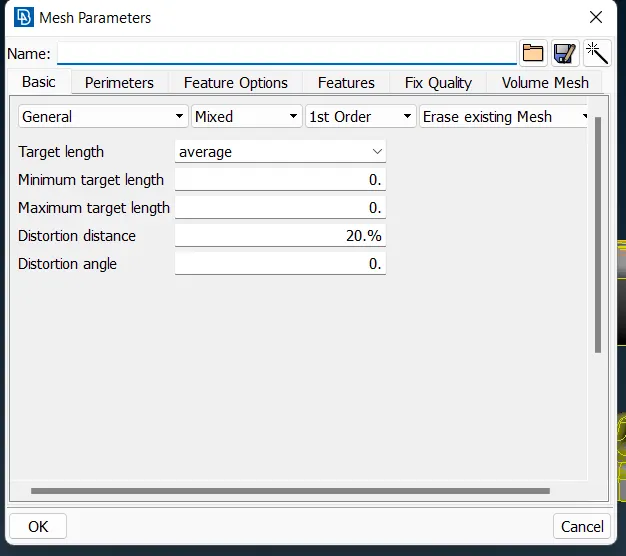
Assigning the Mesh Quality with Ortho Tria & with 1st order elements.
One can use different methods in order the Mesh the surfaces, I used the Spot Meshing option under Mesh Generation in Mesh
Modules Buttons.
Spot ensure the user a good Mesh flow across the selected part and ANSA provides a decent outcome for the selected region.
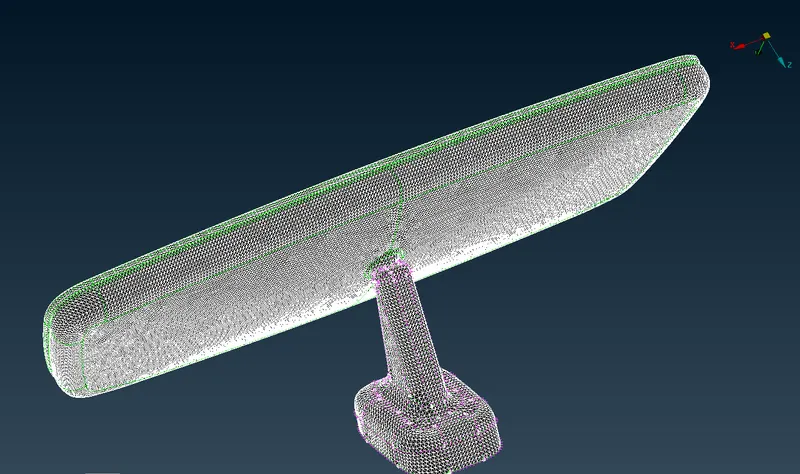
Here I meshed every part separately for accurate mesh flow and at corners
Once the Meshing is done, try to reconstruct the Mesh generated and Smooth it for enhancing the Mesh.
Improving Mesh Quality:
Once the Meshing is done with the desired quality criteria, we need to ensure there should be no unnecessary rotating Trias
elements in the model.
And OFF elements should be zero in order to achieve quality.
Trias elements can be adjusted using the Split & Swap options under Element Option, smooth the elements again and again till
the flow is fine and accurate.
In some cases, use the MV Free option under the Grids bar to clean the Tria elements from the Edges.
No kinks & raised edges are present in the model.
5. Generating Volume Mesh:
After generating the Mesh, we need to define the Shell object to solid and then Mesh it and assigning quality criteria.
S.No Quality Criteria Value
1 Tet collapse 0.2
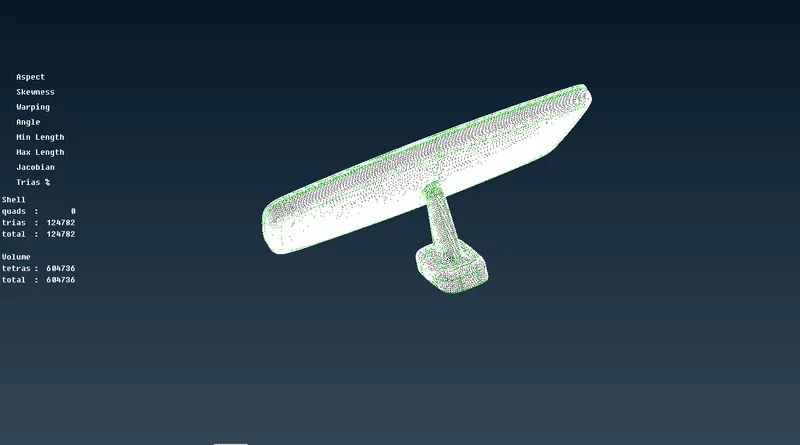
Tetra Rapid & Tetra FEM are mostly used in order to define the mesh under volume.
Volume Property ID is defined separately with respect to the PSHELL ID.
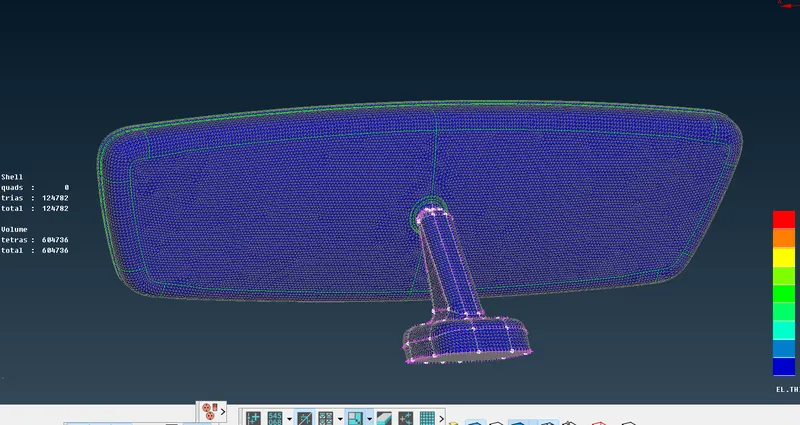
Switch on the Bounce & Volume option and OFF the Geometry & FE-Mode in order to view the Volume Mesh generated on the
Rear-View Mirror surfaces
RESULT:
A 3D Rear View Mirror is Meshed successfully, giving the quality criteria and performed the Meshing, Improving Mesh Quality
using different tools with the help of ANSA and Volume Mesh is generated to define it as a solid object.
Learning Outcome:
Meshing on Shell using Tetra & Tria Mesh with respect to the quality.
Generating Volume Mesh under VMesh to generate a solid model.
Analyzing the volume generated for the Model.
Zero OFF elements and Tet-Collapse errors.