Week- 5 - Solid meshing
Aim :
For the given Rear view mirror component, check for the geometrical errors and mesh the Surfaces with the given 2D element Quality criteria.
Objective :
- To understand the Tetra Meshing on the components
- To define volume for the component
- To Mesh the volume using volume mode
- To Mesh the model as a solid component
- To understand the volume mode
Procedure :
- First we import the geometry in the ANSA
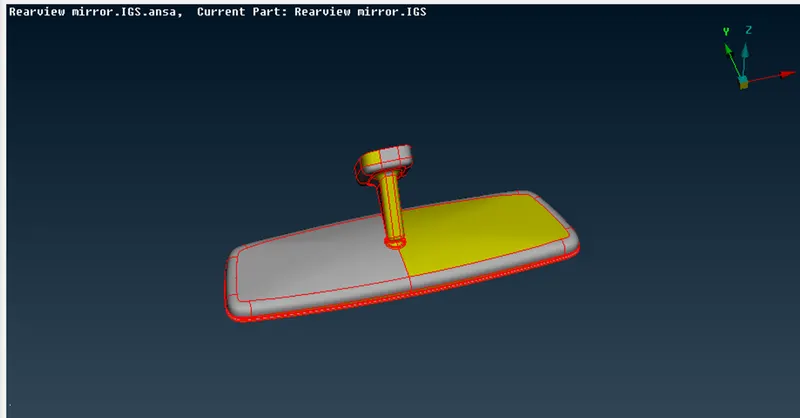
- Then have a clear understanding of the geometry
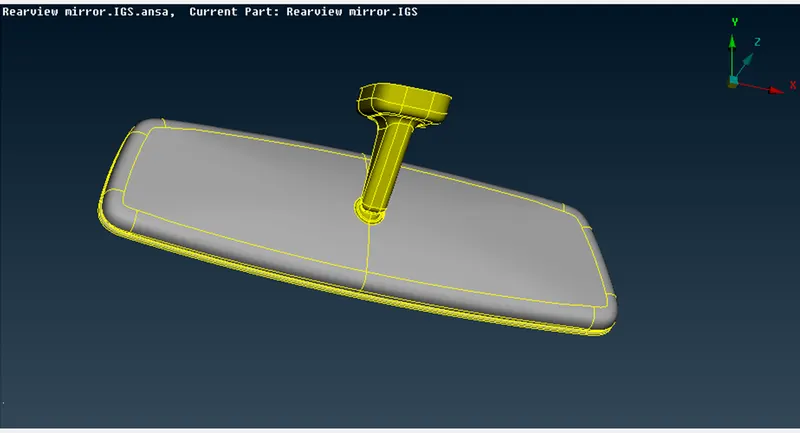
- Next step is to check the geometry
- If ANSA show some errors fix them with auto fix until the geometry in clean
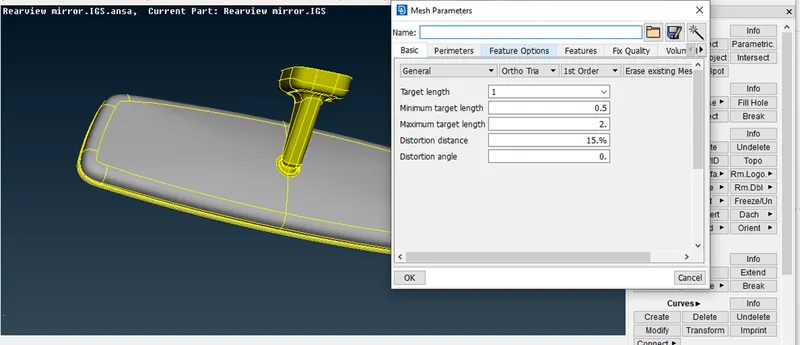
- Then we go the set the MESH Parameter as per given
- Next we set the Quality critria as per given
- Then we switch to Mesh Module
- Go to MESH GENERATION > SPOT MESH > SELECT and check whether the element type is ORTHO TRIA
- Start meshing with the curvature of features area with ORTHO TRIA
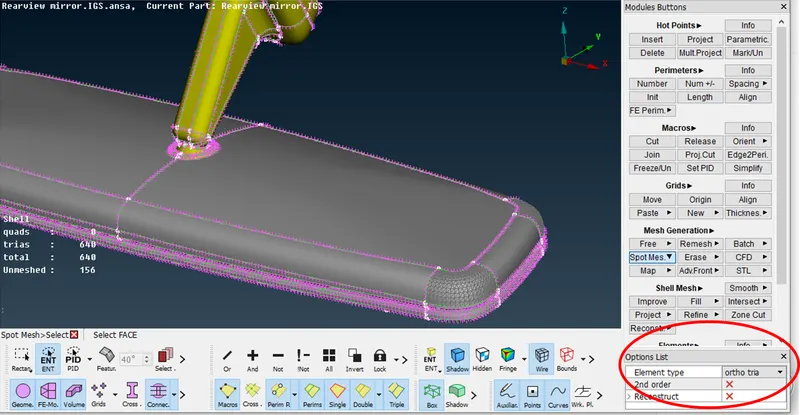
- Faces having no curvature or feature or flat faces can be meshed with TRIA
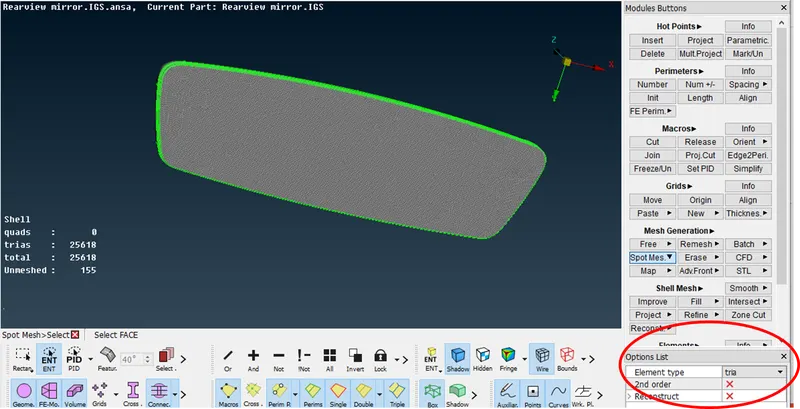
- After all the faces are meshed now we can proceed to volume meshing
- Now go to PROPERTIES and one by one properties for defining volume
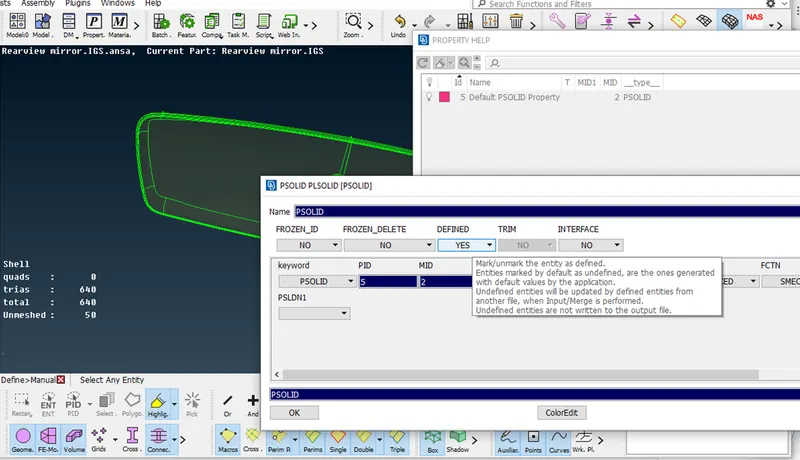
- Go to VOLUMES > DEFINE > MANUAL > SELECT > THE PROPERTIES > NEW PID > SOLID PID > OK
- Define the volume separetly as per the no of properties
- Hence 4 Voumes will be defined as unmeshed
- Go to VOLUMES > LISTS > RIGHT CLICK > REMESH > TETRA RAPID > Ok
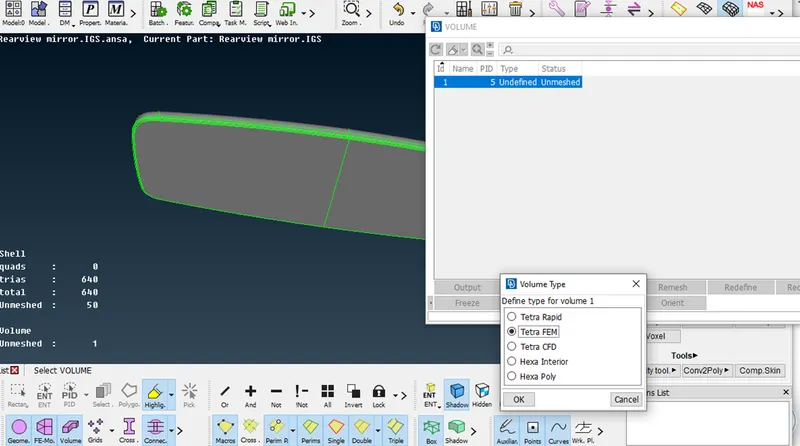
- Now, Volume mesh is done.
- Now, Go to DRAWINGS STYLES > HIDDEN and check for OFF elements
- For element failing for TET Collapse go to Improve > Move and Move the nodes in such a way that they are moved inside the volume,not disturbing the surface.
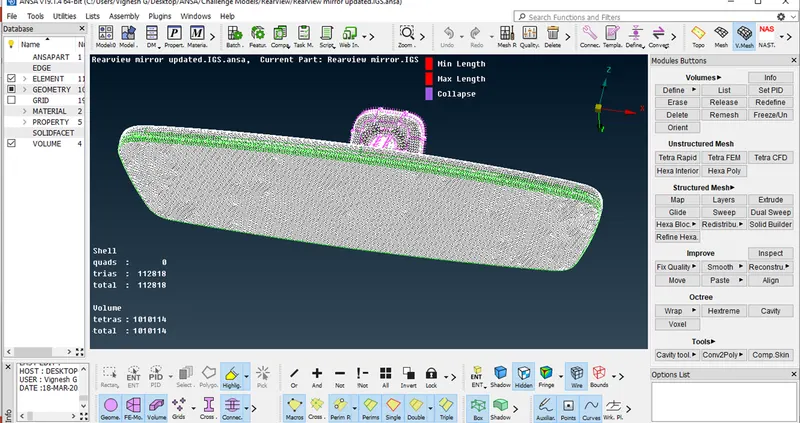
- Check for any Kinks and Raised edges and if any eliminate them
- Now, the Meshing is complete
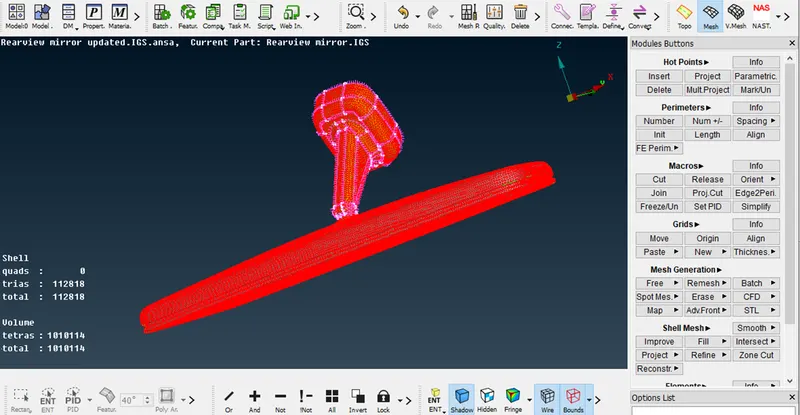
- TETRA FEM Result
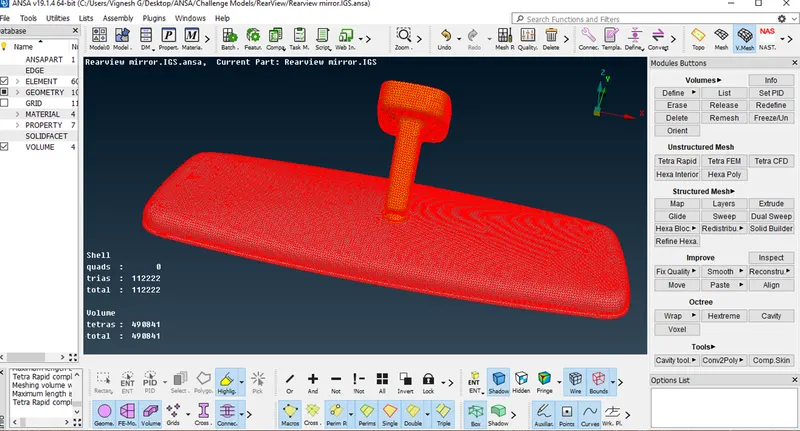
- TETRA RAPID Result
Conclusion
- The Rear View Mirror Model is Meshed with Tetra Element.
- Volume Meshing or Solid Meshing is practiced on the model
- Hence, as the TETRA RAPID Mesh elements are less , the time taken processing also less . Hence go with TETRA RAPID instead of TETRA FEM method