Week - 4 - 2D meshing for Plastic components
Aim :
To extract the mid surface and mesh the given bottle cap component using given quality critria and assign correct thickness to the property
Quality Critria :
|
S.No |
Quality Criteria |
Value |
|
1 |
Target/Average length |
1 |
|
2 |
Minimum Length |
0.5 |
|
3 |
Maximum Length |
3 |
|
4 |
Aspect |
3 |
|
5 |
Warpage |
15 |
|
6 |
Skewness |
45 |
|
7 |
Jacobian |
0.7 |
|
8 |
Minimum Quad Angle |
45 |
|
9 |
Maximum Quad Angle |
135 |
|
10 |
Minimum Tria Angle |
30 |
|
11 |
Maximum Tria Angle |
120 |
|
10 |
Tria Percentage |
15 |
Procedure :
- First we need to import the given model and check the geometry errors . if any errors occur try to Auto fix those errors
- Next go Mesh Module and set the length as 1 for better cons resolution
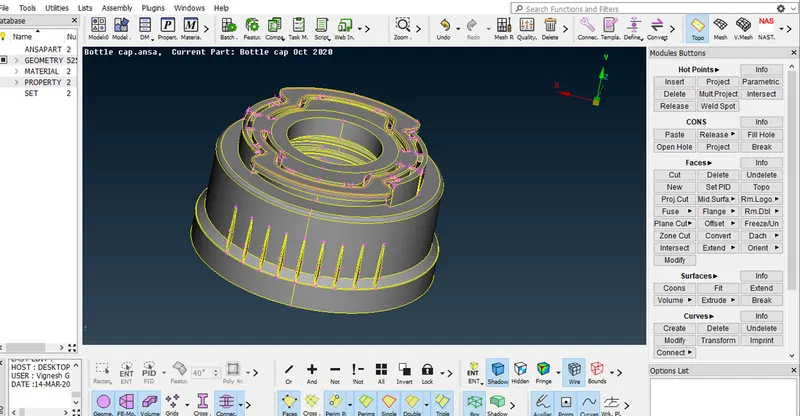
- Use the NOT , OR & I NOt tools to separate the surfaces for taking mid surface
- Then mesure the thickness of the different area to get idea to extract the midsurface
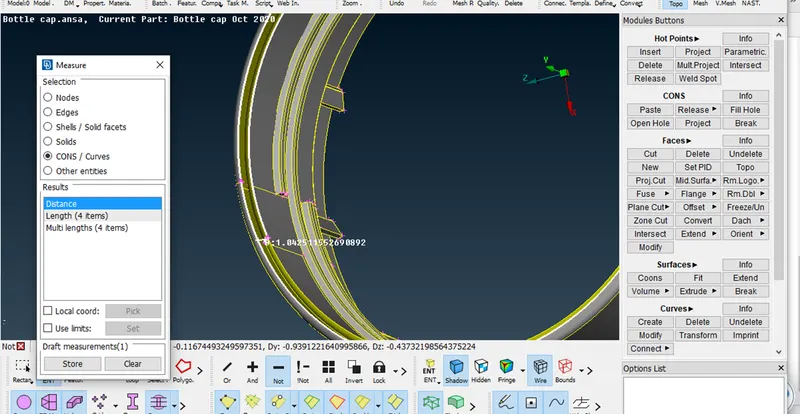
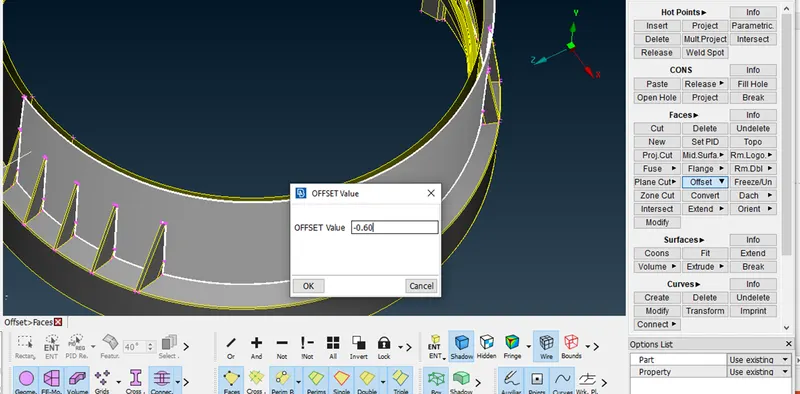
- Now , the thickness of the two surfaces are same overall we should use the FACES > OFFSET option and assign the thickness and select the faces to give the negative value when the arrow in opposite side
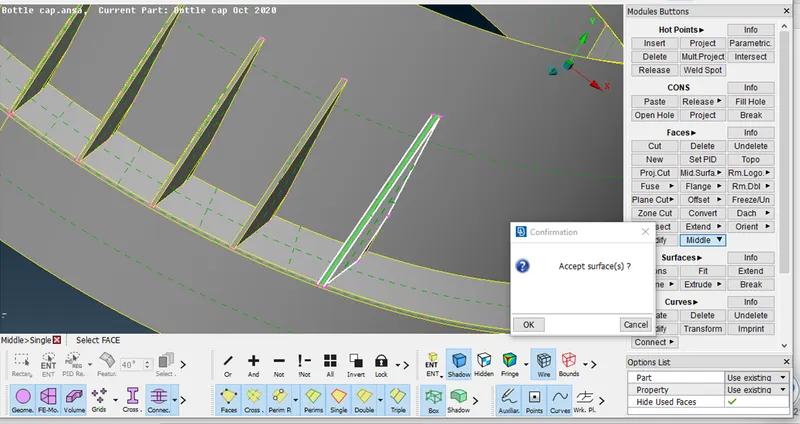
- The Model has varying thickness in some surfaces those surfaces are extracted by using MIDDLE tool for ribs we can use both but the surfaces are single use middle single now mid surface are generated
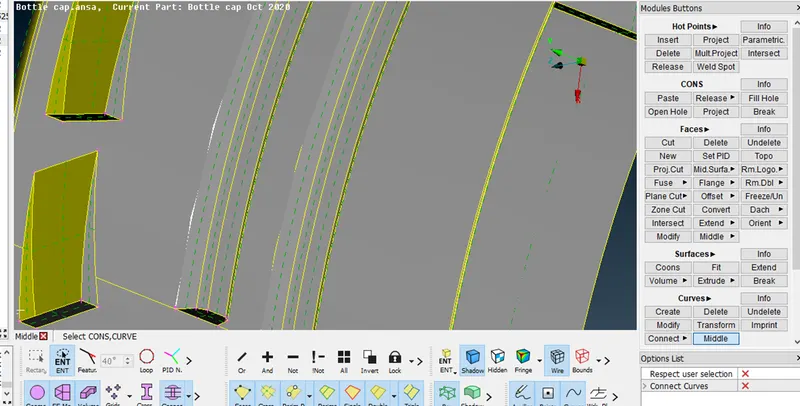
- Here we have some threads in the bottle it has trapezium shaped surface for those surfaces take MID CURVE to get a exact mid surface
- Select CURVES > MIDDLE and select two curves one by one and click ok get mid curve
- Now project the Mid curve to mid surface and now use those curves to create new surfaces and the midsurface is generated
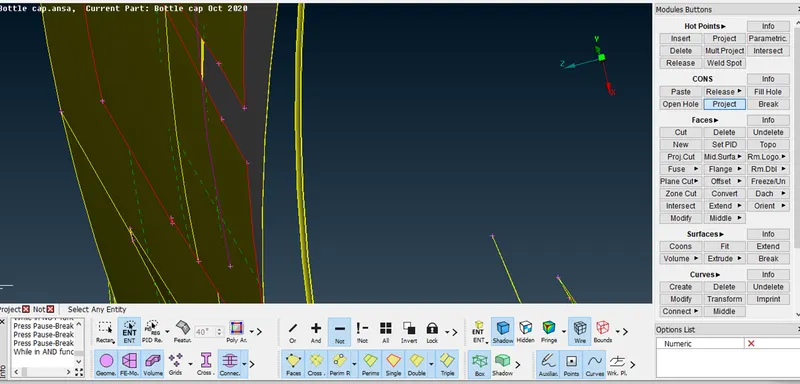
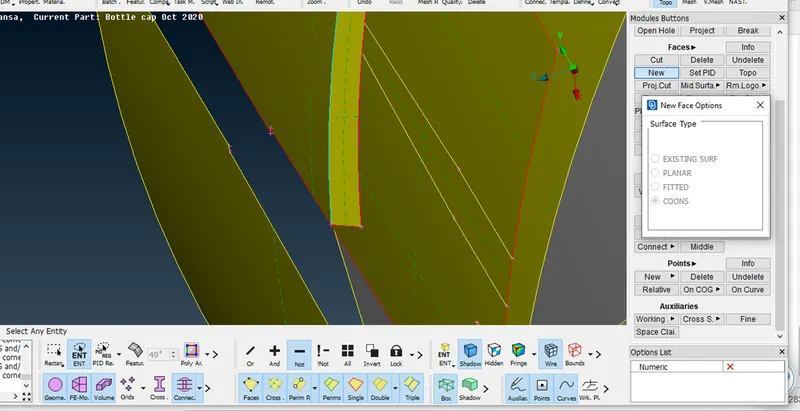
- We have some ribs having varying thickness in the inner bottom of the model . use FACES > MIDDLE to get the mid surfaces for the ribs
- Now extend the free edges FACES > EXTEND select the free edges and select the midsurface and the mid surface conncected with the another major midsurface
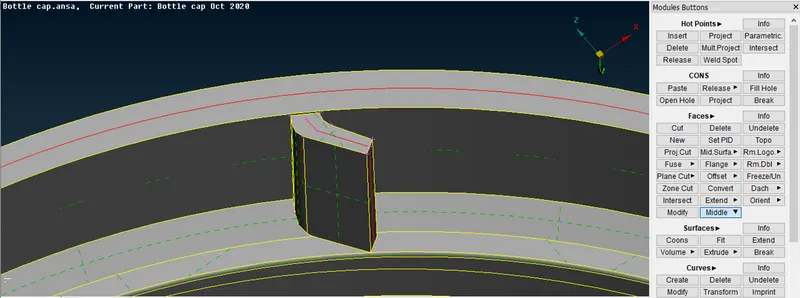
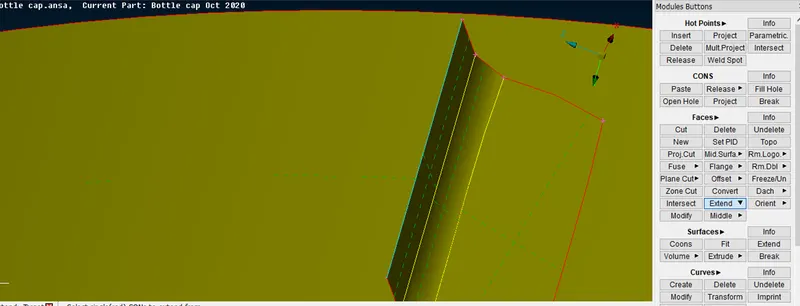
- Now transform the ribs around the surface as copy by using TRANSFORM > COPY > ROTATE select the midsurface of ribs and select rotate now give x and dx value for axis of rotation and give the copies and click finish to get a ribs for create axis of rotation we have to create axis of rotation we have to create COG Points and select the circle and finish the operation
- Now get a midsurface for teeth in the model. we can use midcurve option to create a midcurve and project the opposite side con to the mid surface and now click the mid curve and projected curve to create the new surface
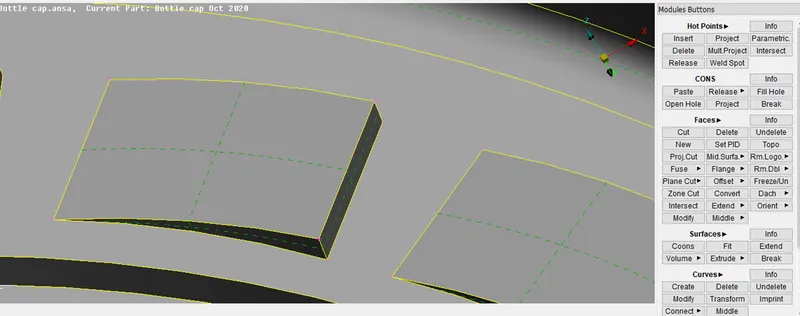
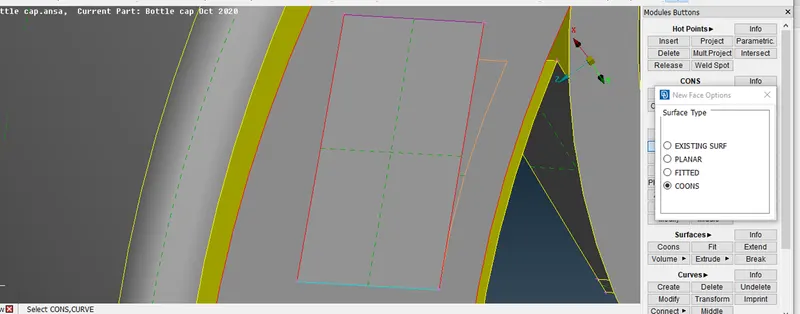
- Follow the same procedure for transform the teeth . Here we have some more steps to create the copy. select the angles tab and give the value then click ok.
- Now teethe are created around the area.
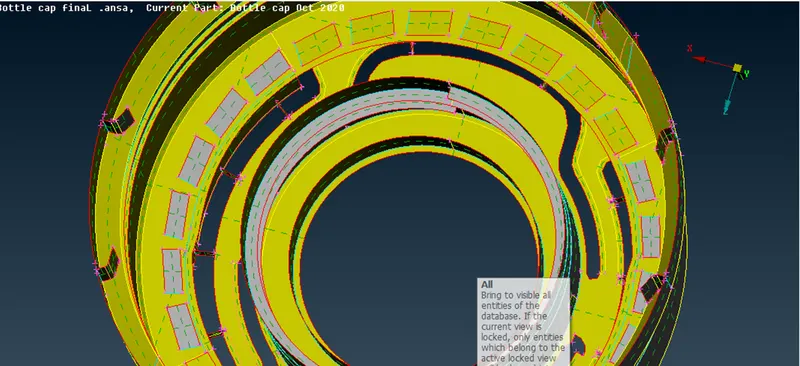
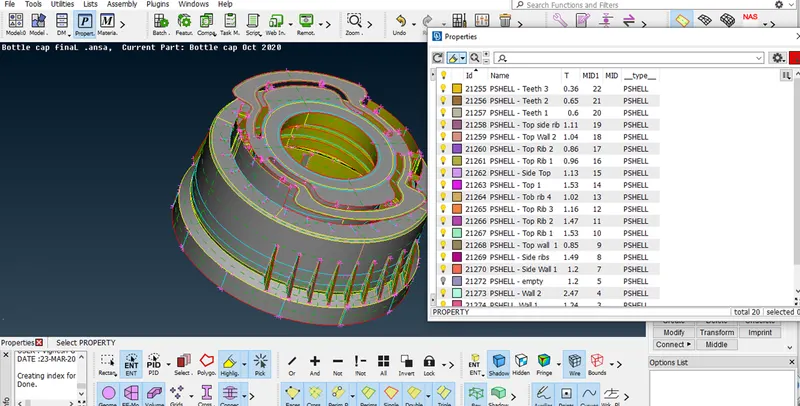
- Now assign the thickness for the midsurface we have some varying thickness surfaces so that we have to create graudual thickness variation under one surface.
- We can create property easily . select PROPERTY > NEW > PSHELL > ASSIGN > THICKNESS > ASSIGN NAME
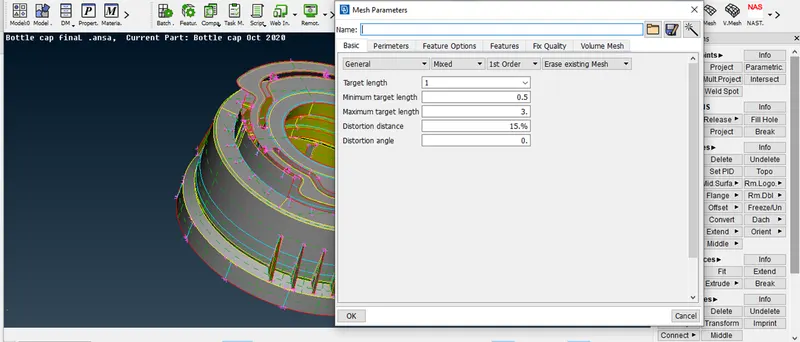
- Now we can move to mesh the model . First set the Mesh parameter as per critria and select ok
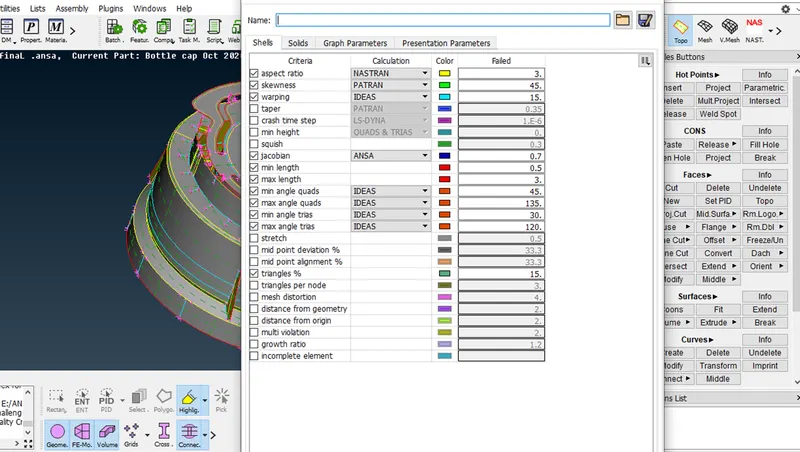
- Then set the Quality critria as per given standard and click apply & ok
- Next select the macros and select BEST MESH in mesh generation option . Mesh generated in the selected macros . follow the same procedure for Mesh generation
- Now use the RE-CONSTRUCT tool for remesh the existing mesh
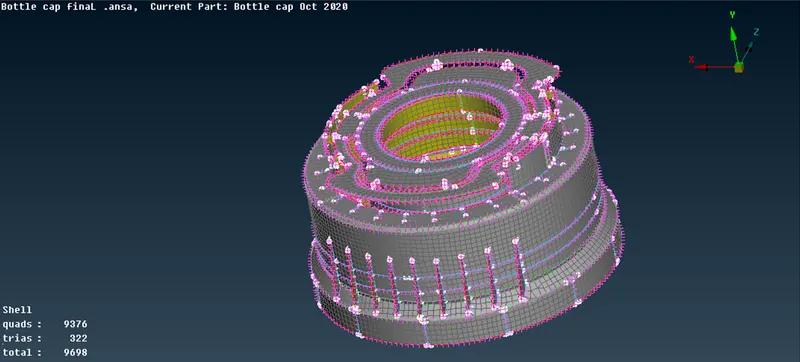
- Now use Split , Paste , Swap option for reduce the opposite trias , back to back trias in the existing mesh in the model
- Now the mesh are generated check for quality critria and the failed elements are corrected using tool like smooth , reconstruct and fix quality move in the mesh module
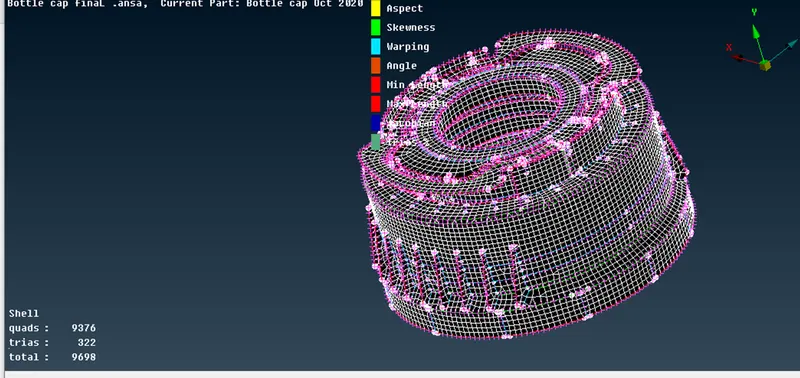
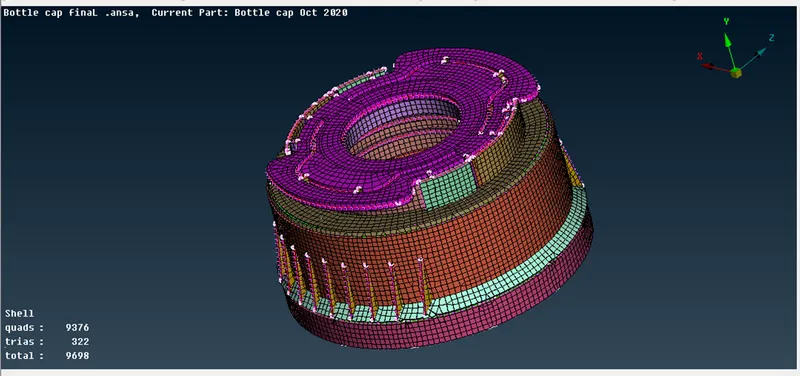
- Now select the draw shell as solid tool in presentation parameters tab to see the thickend solid pattern of the model
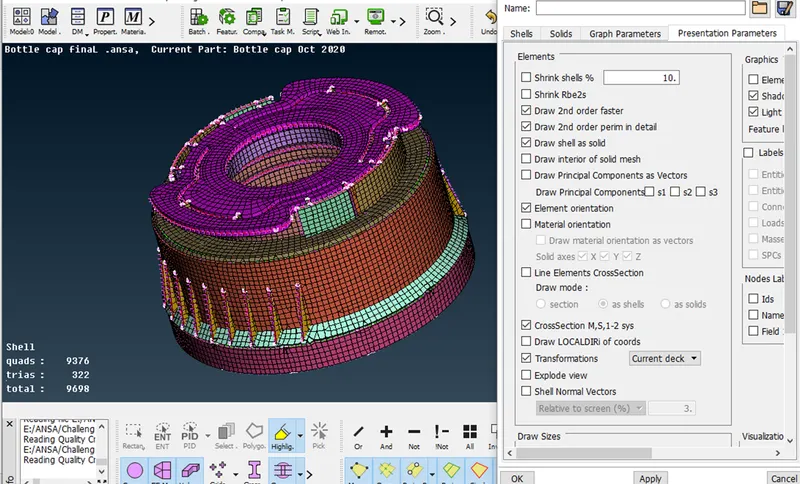
- Final Meshed Component
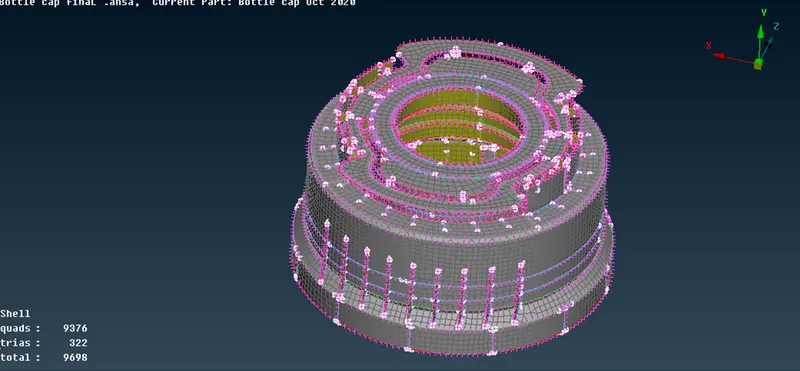
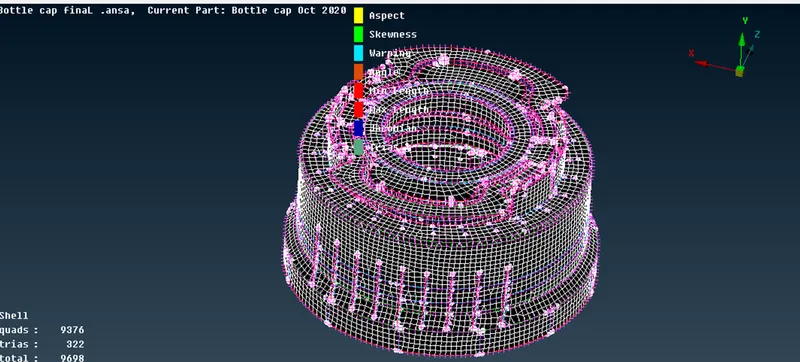
- Final Shell elements represented as solid component
Outcomes :
- Learned to use the different kind of tool to create a midsurface , to create a surface using mid curve to transform the pattern of surface of the model
Conclusion :
- The given Bottle cap model is meshed with given quality critria using mid surface and assign various thicknss among the surfaces.