Week - 5 - Modelling Spotwelds
Objective:
To model the spot-weld for the given assembly parts using beam and solid elements. Furthermore to perform a crash test analysis with given properties
Procedure:
- Import the keyword file from the existed location. The given model consists of two shell parts (meshed)
- The unit system we're going to use is gm, mm, ms
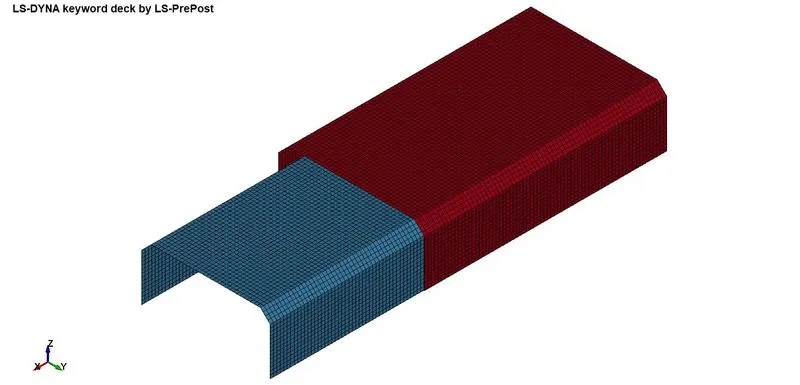
Rigid wall
- For an infinite wall, create a Rigid wall using Create an entity or Rigid wall → Planar. The rigid wall is created since it is an undeformable object, as we are going to concentrate the result of the spotweld using beam and solids
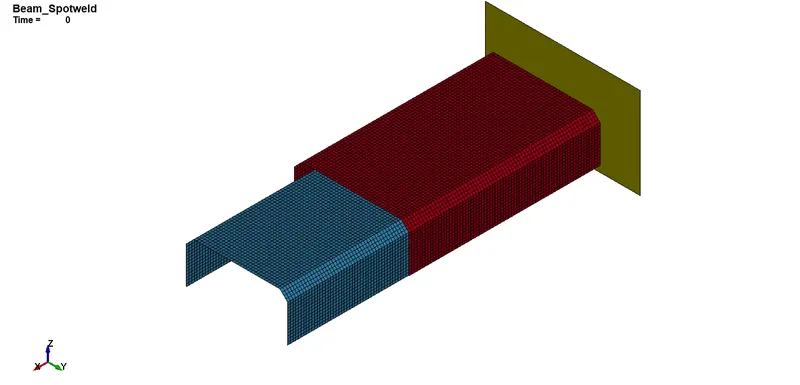
Cross-section
- For section, I used SET_ELEMENTS, SET_NODES to define the specific GLSTAT force or use Section_Beamcross from Create entity
Beam
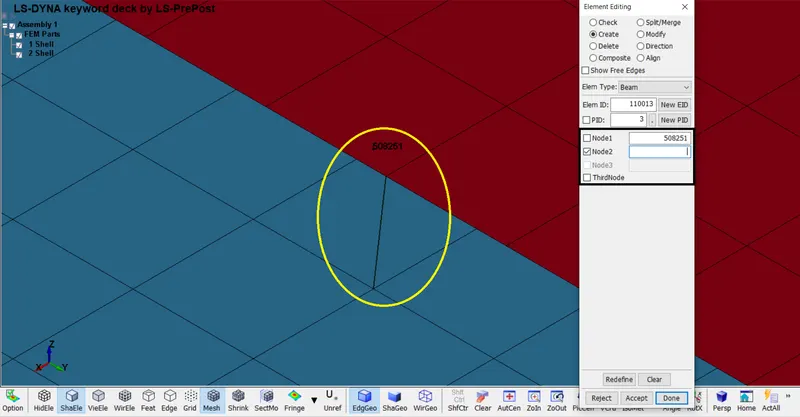
- The beam option is used here for a spotweld purpose by Mesh →Element edit →Elem Type(Beam) →Create →Node 1, Node2 →Accept →Done
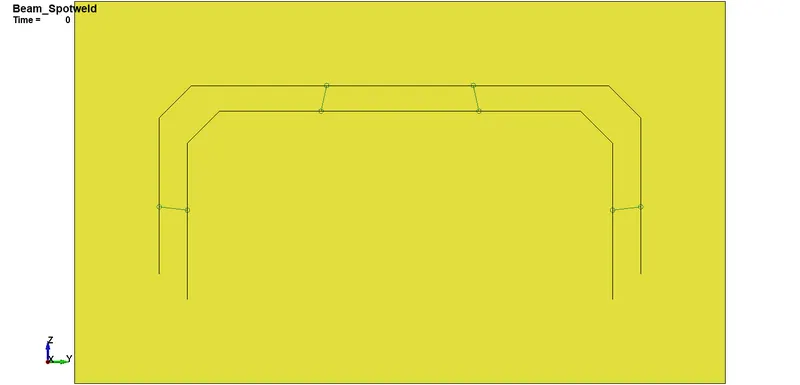
- Create 4 beams intersectionally across the model to report the force of spotweld
Solids
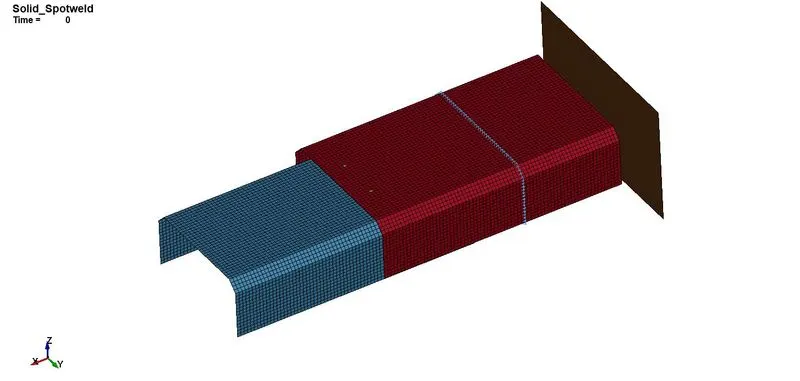
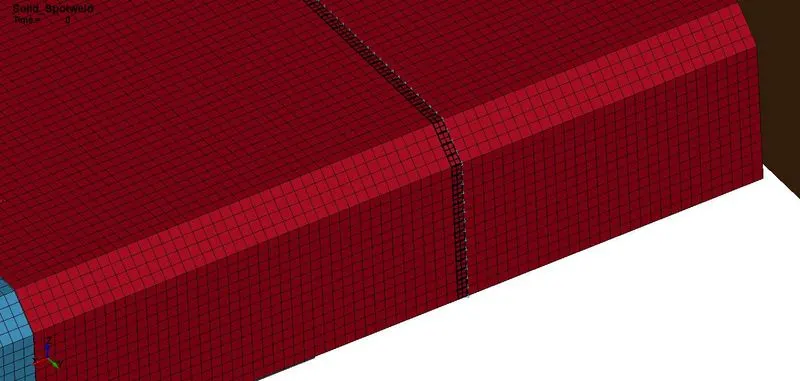
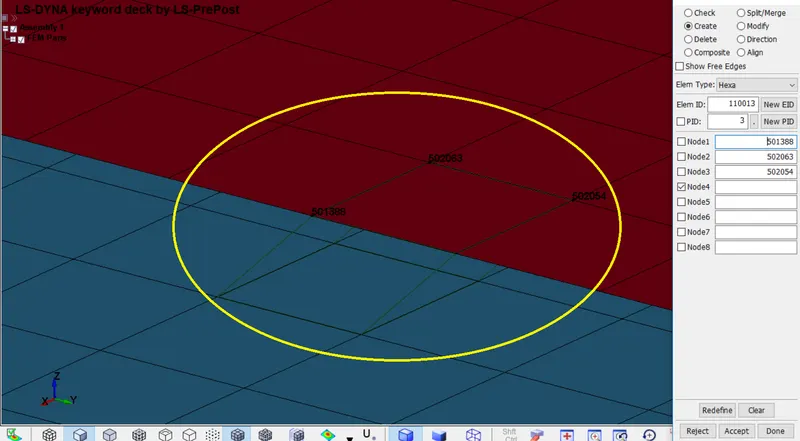
- The solid option is used here for a spotweld purpose by Mesh →Element edit →Elem Type(solid) →Create →Node 1-4, Node5-8 →Accept →Done
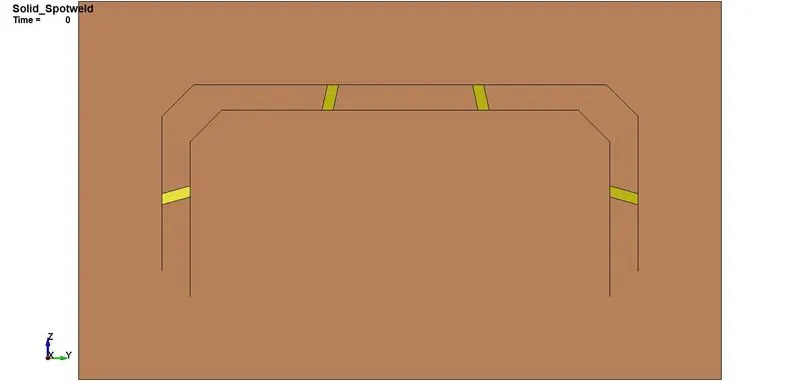
- Create 4 solids intersectionally across the model to report the force of spotweld
Material(Beam & Solids)
- For this model, we are assigning steel properties
- The following type of materials we used are,
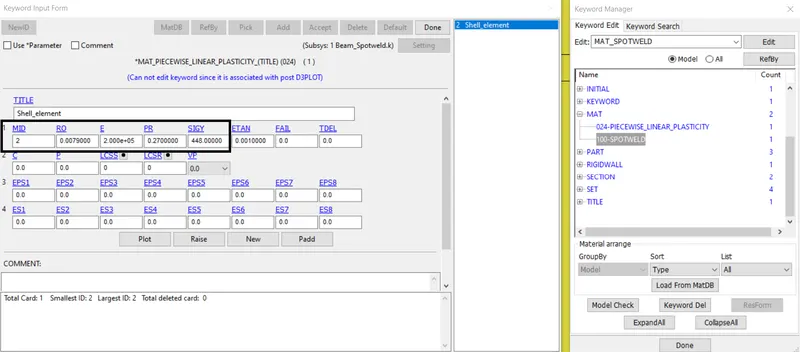
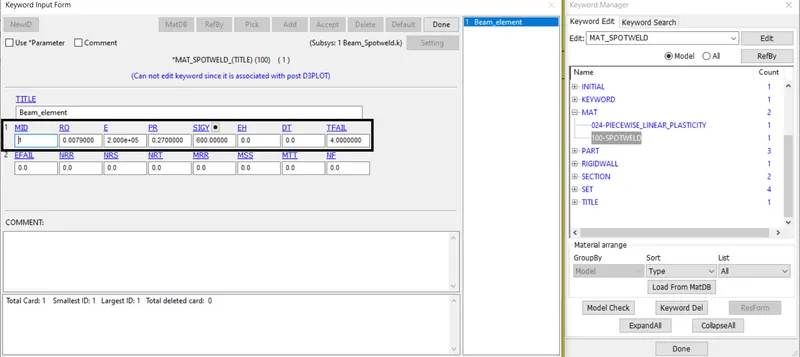
For shell part MAT_024 (PIECEWISE_LINEAR_PLASTICITY). This material is recommended as a starting point for elastic-plastic behavior
For beam & solid part MAT_100 (SPOTWELD). This material is recommended only for spot welds, TFAIL is used to get beam deleted
Section
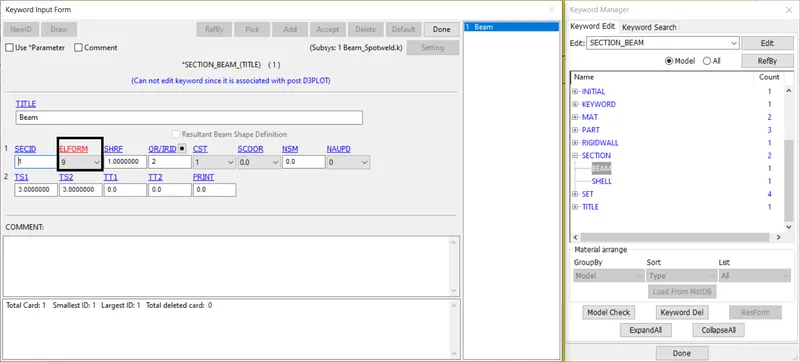
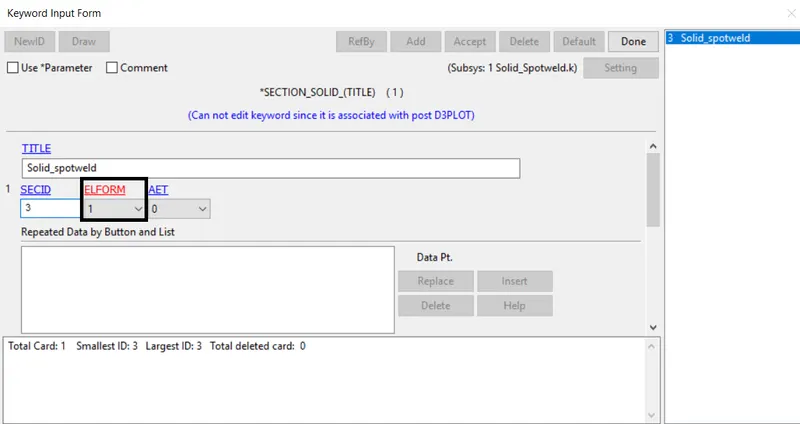
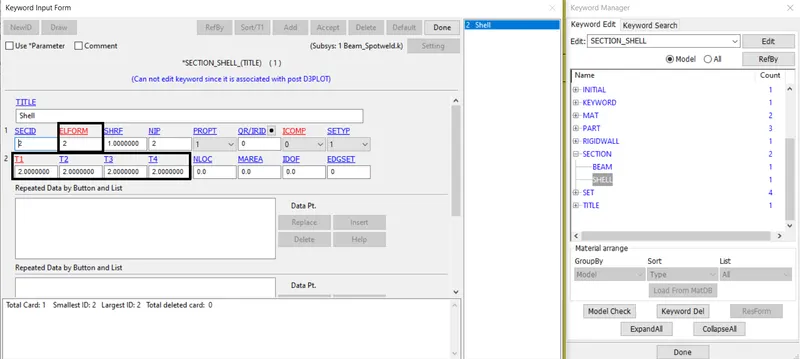
- For the spotweld, we're using sets of section namely Beam, Solid, and Shell as specified on the material part
*SECTION_BEAM is used under the ELFORM 9 which is referred to use for spotweld MAT with a thickness value of 3mm as an inner and outer diameter (TS)
*SECTION_SOLID is used under the ELFORM 1 which is referred to as point corotational for *MAT_MODIFIED_HONEYCOMB
*SECTION_SHELL is used under the ELFORM 2 which is referred to Belytschko-Tsay (default) with a thickness value of 2mm as nodal thickness (T1-4)
Part
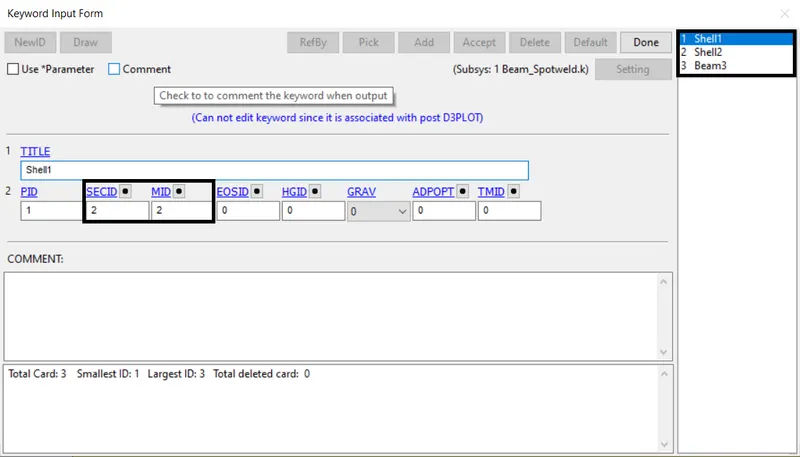
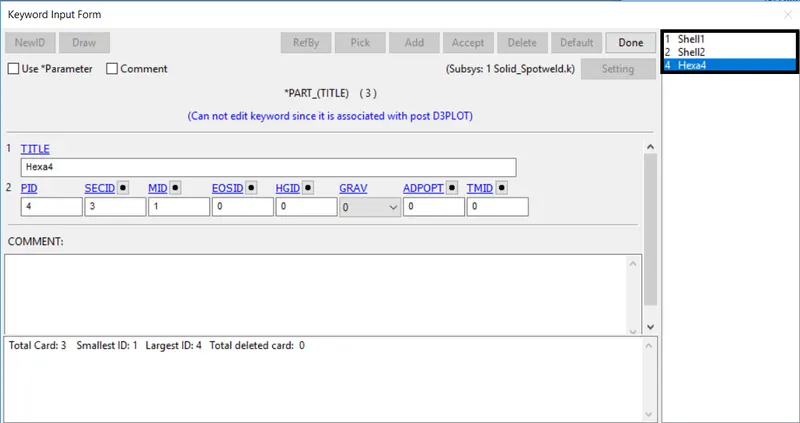
- The respected SECID, MID is assigned to the Part_ID to ensure the properties
Contact
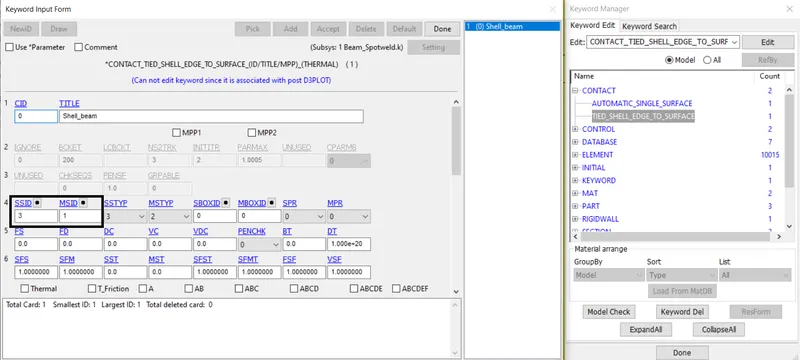
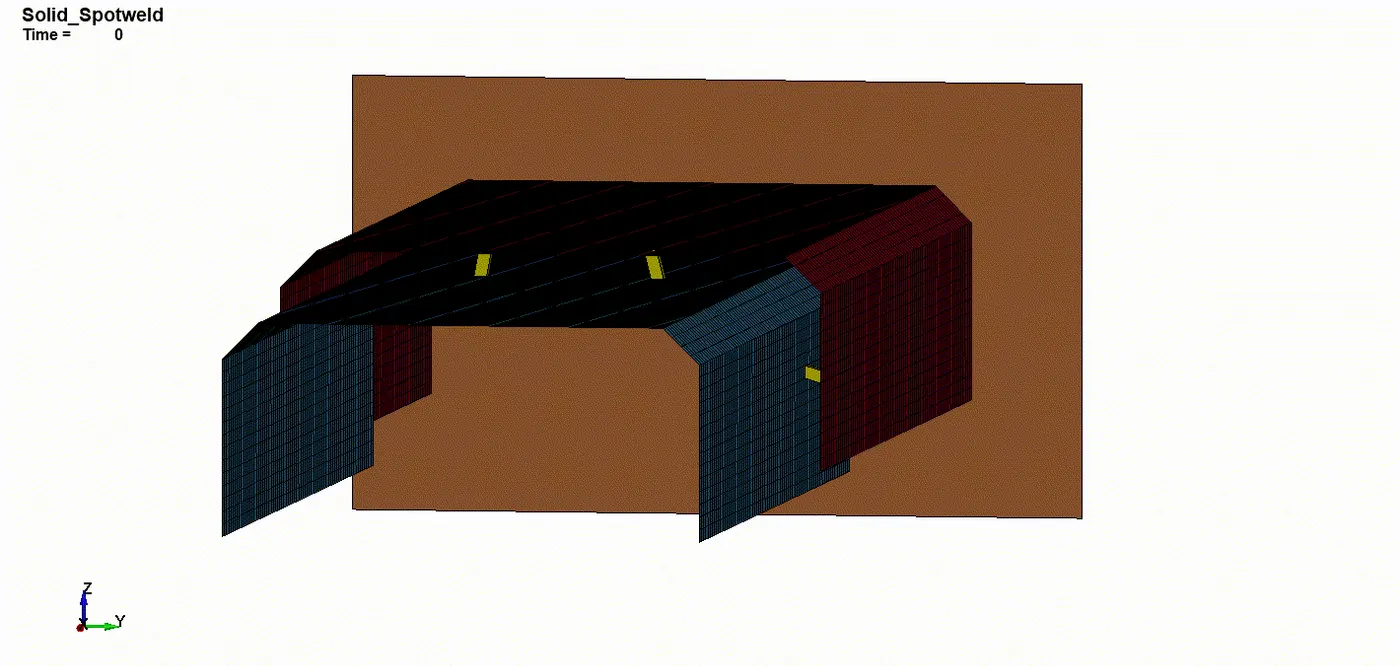
- Since the shell part is crashed onto the Rigidwall. We need to create a contact between the Spotweld shell part and the Beam
We are going to use the contact called TIED_SHELL_EDGE_TO_SURFACE. The spot weld box is set to be master and the beam is assumed to be a slave
- Since the shell part is crashed onto the Rigidwall. We need to create a contact between the Spotweld shell part and the Solid
We are going to use the contact called SPOTWELD. The spot weld box is set to be master and the solid is assumed to be a slave
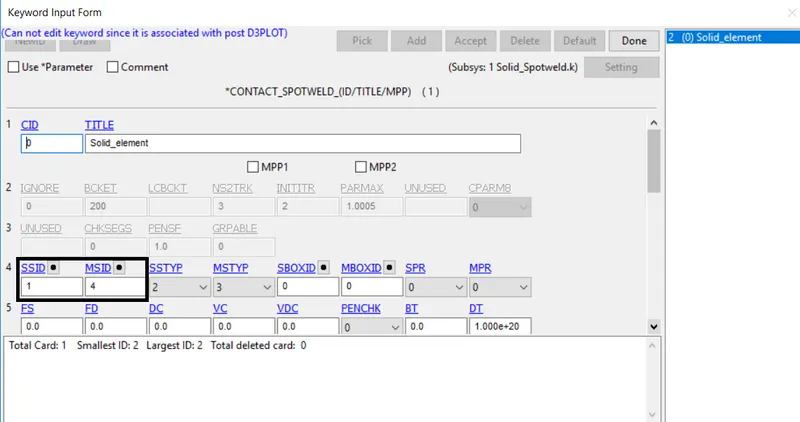
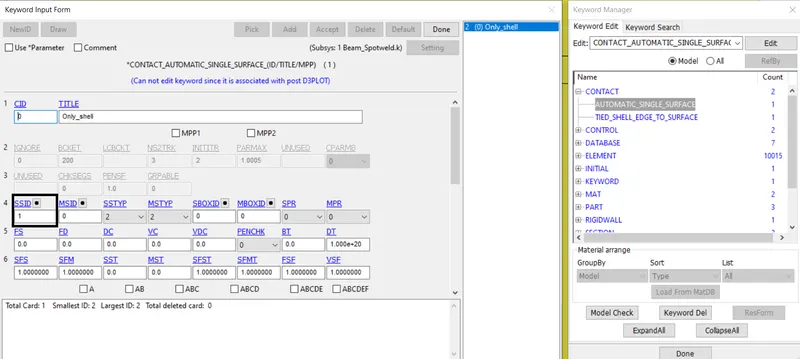
- Again finally, since the shell part is crashed onto the Rigidwall, shell parts may or may not lead to penetrations
We are going to use the contact called AUTOMATIC_SINGLE_SURFACE. The spot weld box is set to be a slave to prevent failure or breakage of shell parts
Initial Velocity
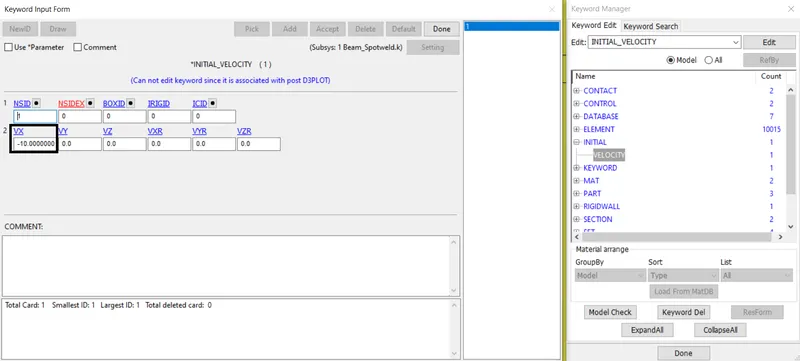
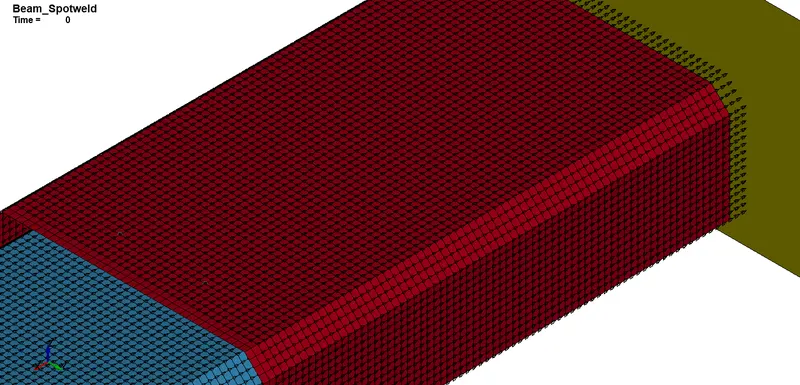
- An INITIAL_VELOCITY_NODE is defined to move the Box to make contact(crashed) with the wall. In such a way we could plot the graph value using the simulation progress
Control cards
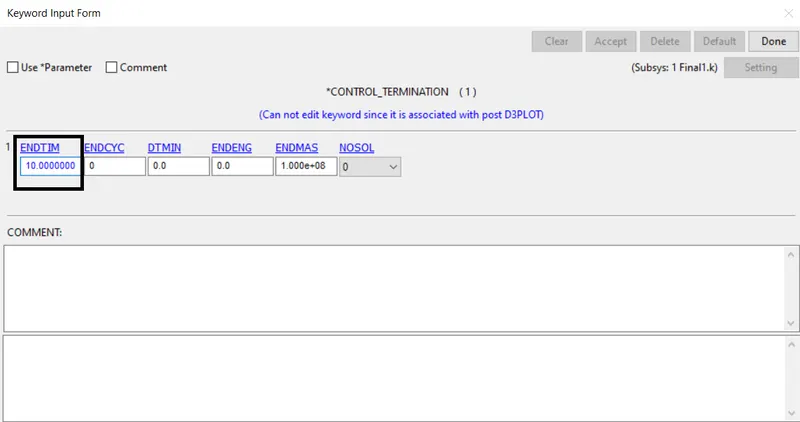
- Control_Termination is to define the simulation end time. It is set to 10 ms
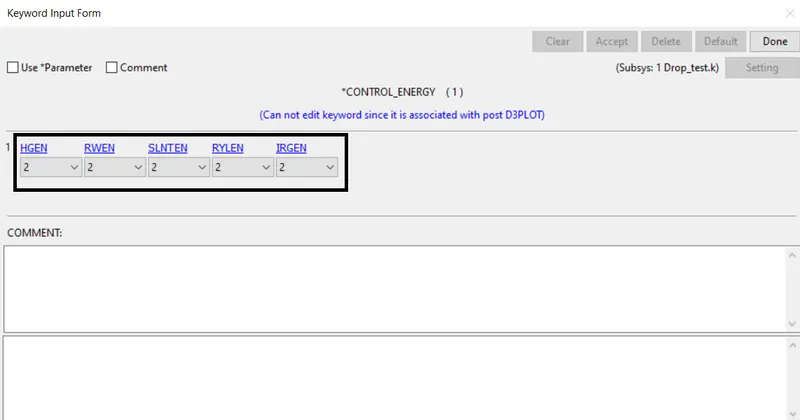
- Control_Energy is provided to plot the graph values from GLSTAT
Database
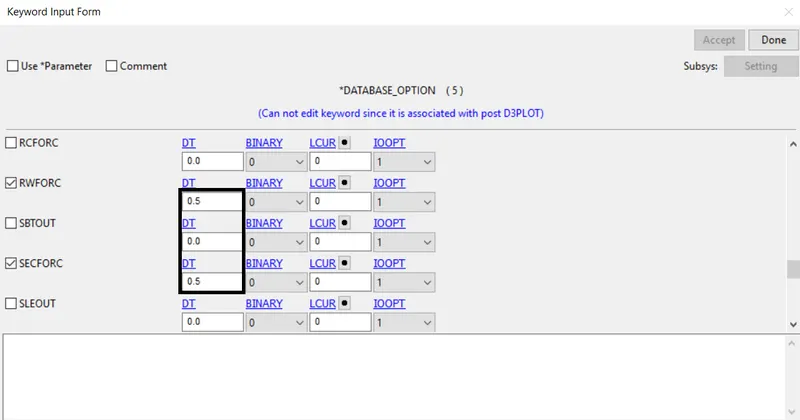
- BINARY_D3PLOT - It defines the frequency at which the animation file is to be created and is set to 0.5ms
- CROSS_SECTION_SET - It determine defined planar value using SET_Node_List, SET_Part_List
- EXTENT_BINARY - It interpolates strain data output using History, STRFLG 1
- ASCII_option keyword
The output request in ASCII format, The following keyword are activated
| GLSTAT | Global Statistics |
| RWFORC | RigidWall Forces |
| SECFORC | Cross Section Forces data |
| SWFORC | Spotweld Nodal Constraint Reaction Forces |
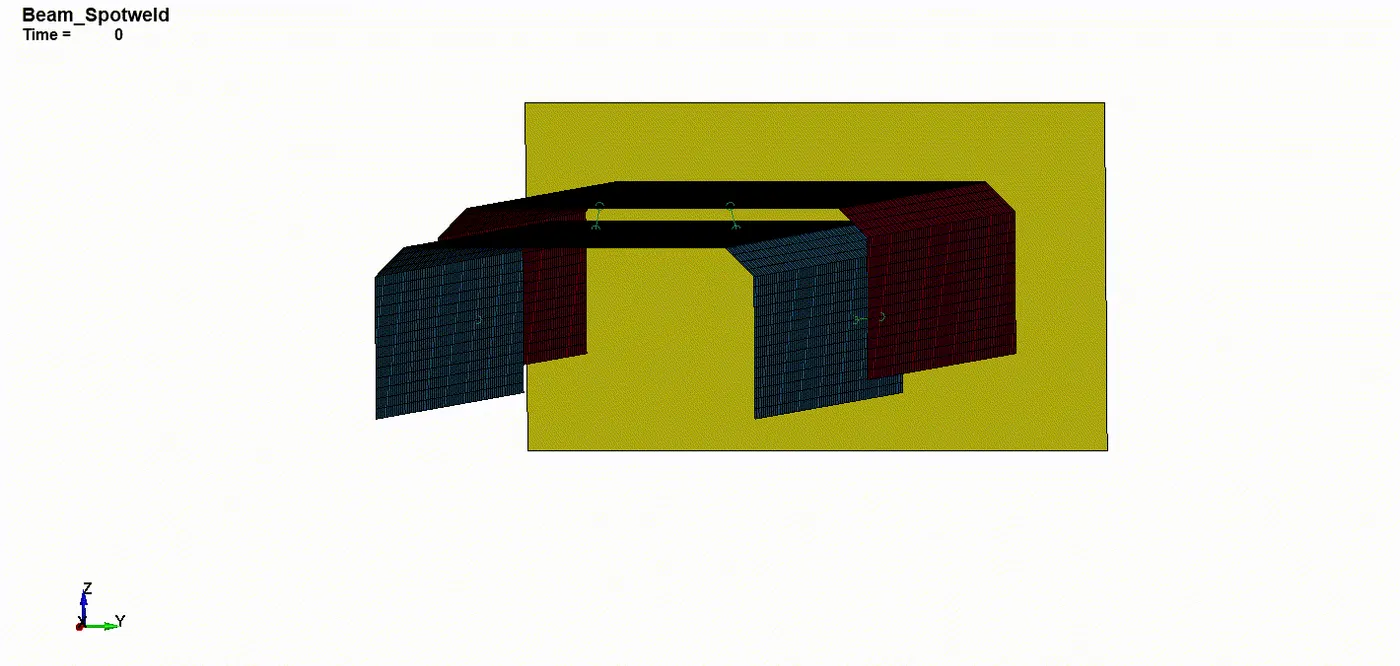
Output - Beam spot welds
The following video depicts the beam element get failed during the simulation of crash
Von Mises Stress - Beam spot welds
The maximum stress attained on this 2mm thickness of beam-spot weld analysis almost 4.480e+02 at elem 101265. As the tube crushes the stress get peaked exceed its maximum value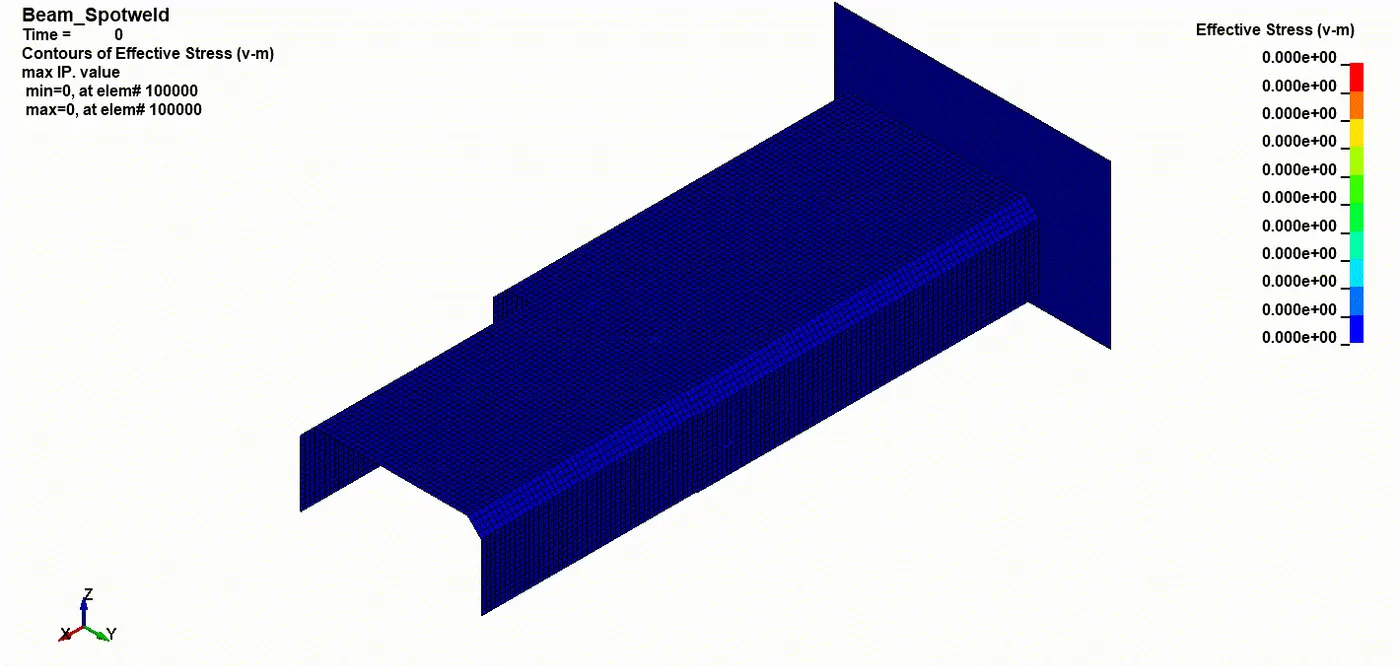
Energy graph - Beam spot welds
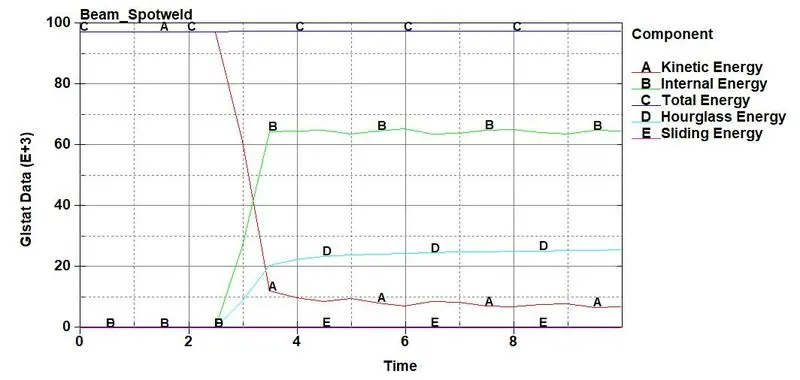
- The Kinetic energy 1.21e04 of the spot weld drops down as it hits the Rigid wall and at the same time Internal energy 6.47e04 is gained by the crashing due to the impact
- The Total Energy 9.76e04 is a Straight line with no deflection is directly proportional to the slight increase of Hourglass energy also with Sliding energy
Axial & Shear force - Beam spot welds
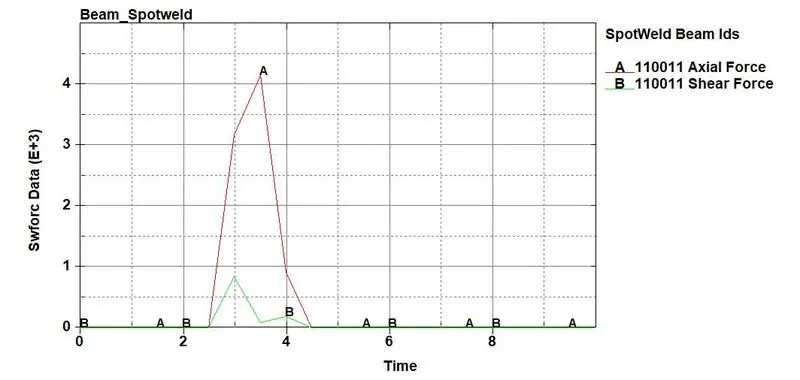
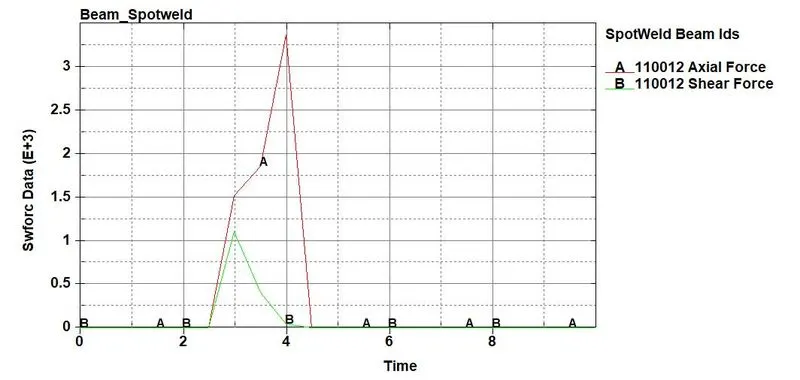
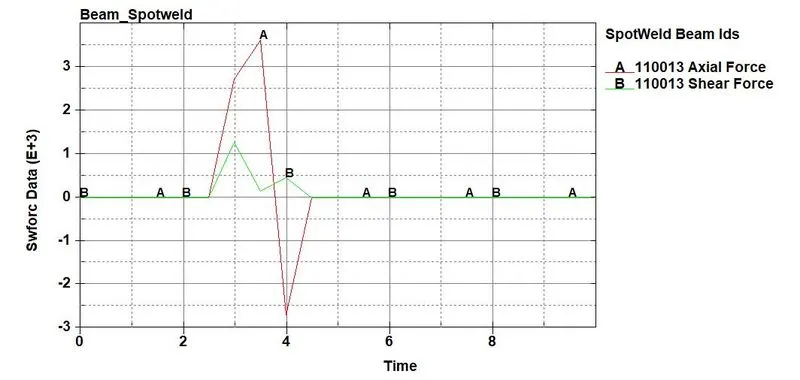
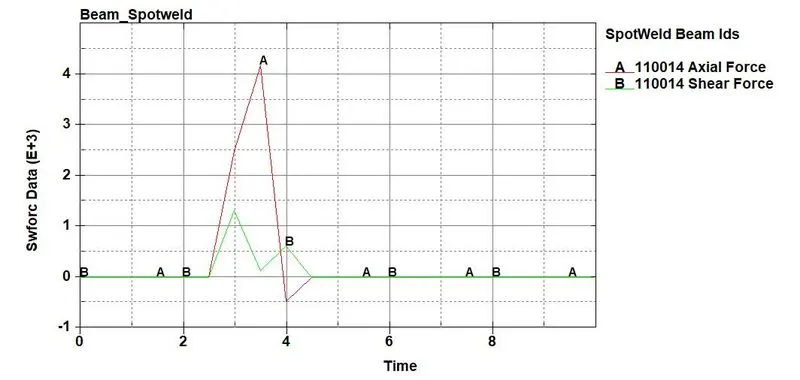
- The following graph plots the various values of axial and shear forces act on the simulation process
Output - Solid spot welds
The following video depicts the solid element get failed during the simulation of crash
Von Mises Stress - Solid spot welds
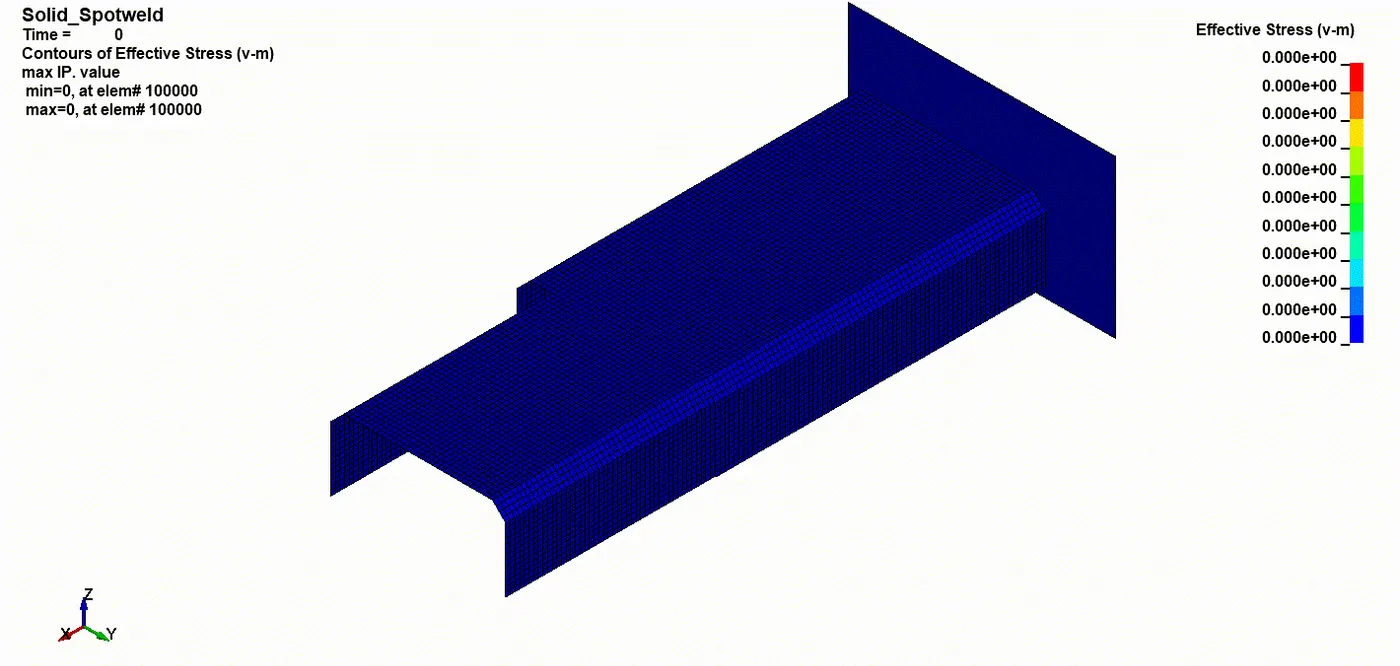
The maximum stress attained on this 2mm thickness of solid-spot weld analysis almost 4.463e+02 at elem 105602. As the tube crushes the stress get peaked exceed its maximum value
Energy graph - Solid spot welds
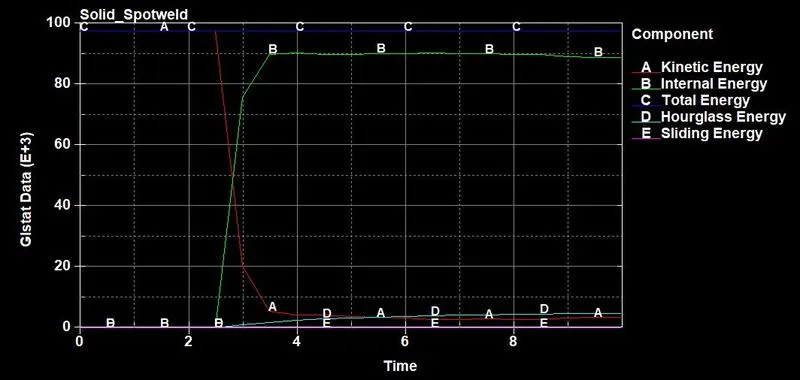
- The Kinetic energy 5.32e03 of the spot weld drops down as it hits the Rigid wall and at the same time Internal energy 9.02e04 is gained by the crashing due to the impact
- The Total Energy 9.77e04 is a Straight line with no deflection is directly proportional to the slight increase of Hourglass energy also with Sliding energy
Axial & Shear force - Solid spot welds
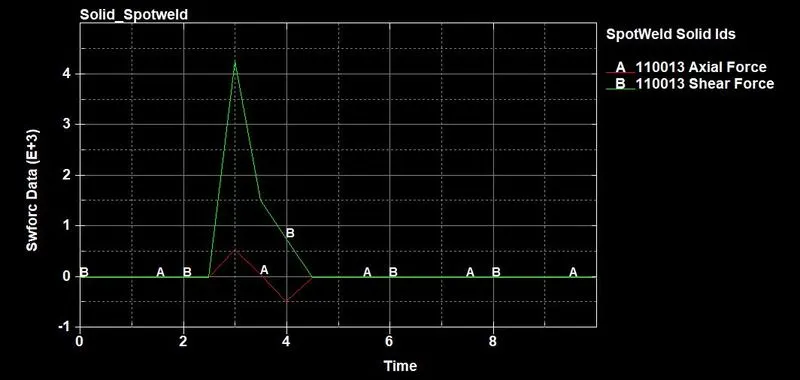
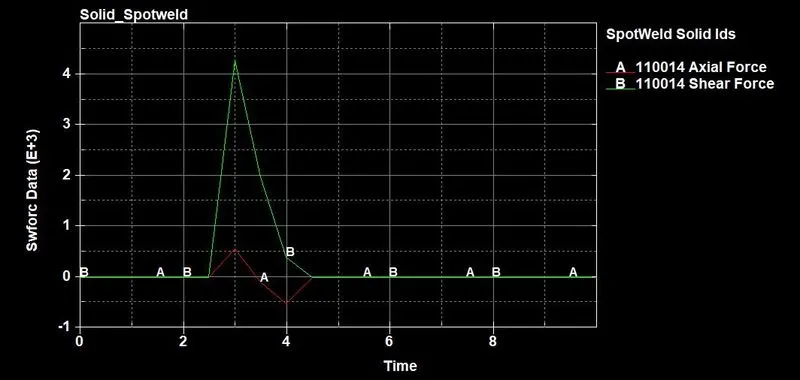
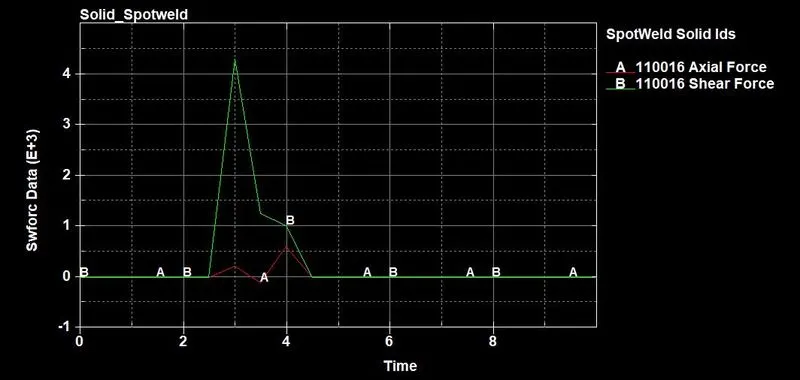
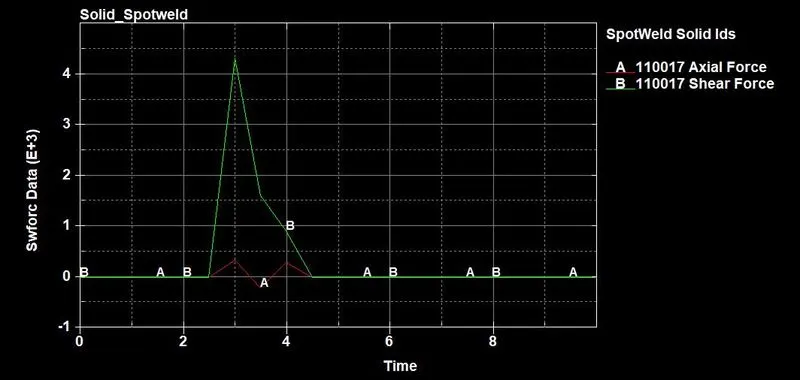
- The following graph plots the various values of axial and shear forces act on the simulation process
Conclusion:
Thus the model spot-weld for the given assembly parts using beam and solid elements are understood, analyzed, and simulated using given properties along with the various graph