Week - 5 - Modelling Spotwelds
Aim:
We have to create the spotweld connections between the two thin plate from the given model by using of the beam and hexa elements from
the LS-Dyna.
Procedure:
1.Firstly open the LS-Dyna pre-post software and import the given .k file to perform the connections as mentioned.The imported geomentry is
shown in the below fig.
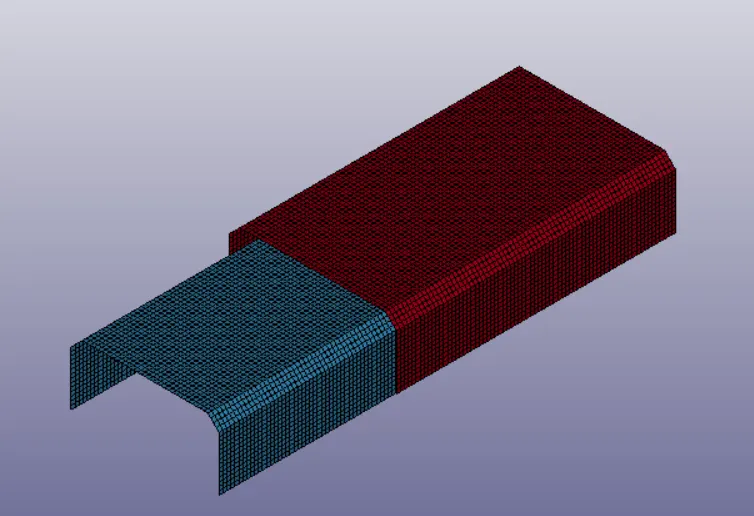
2.From the above shown fig we can noticed that that there are two differrent types of thin plates which are left with no connections.So we need to
create a spotweld connections for connecting of the both thin plates.
3.So to do that we need to create the required elements between the two thin plates and we need to assign the spotweld material for that
elements.
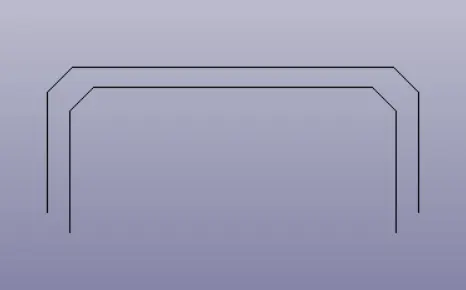
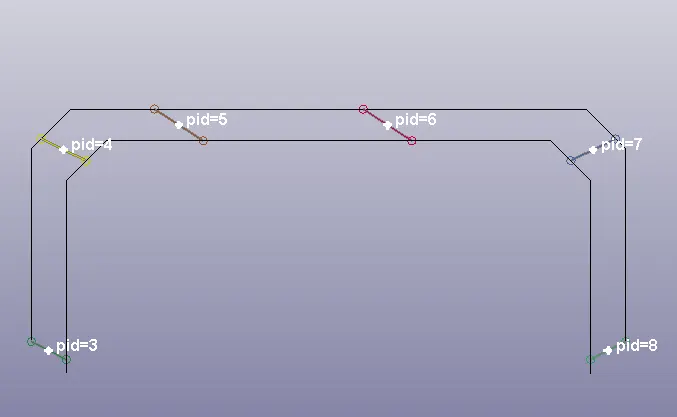
4.For creating the beam type spotweld connection, go to the element generation and with the help of two nodes we can create the different
number of beam elements.
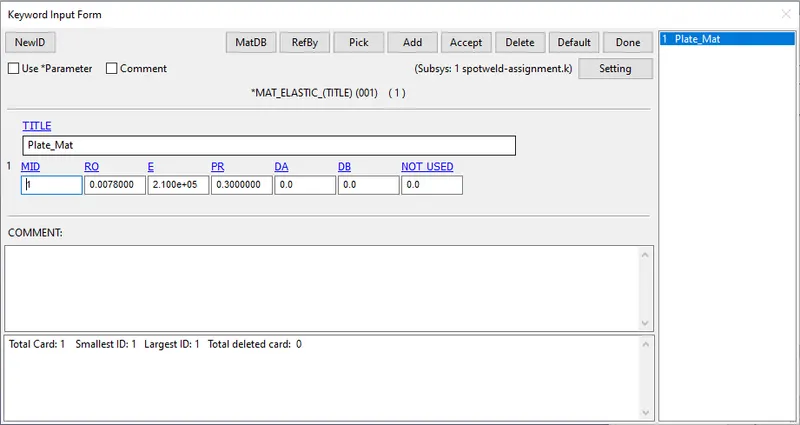
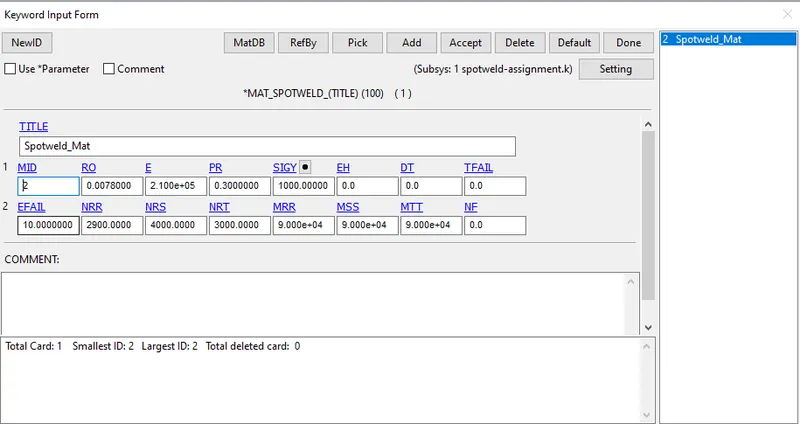
5.After that creating the two material cards.one for the plates and other for the spotweld as shown in the below fig.
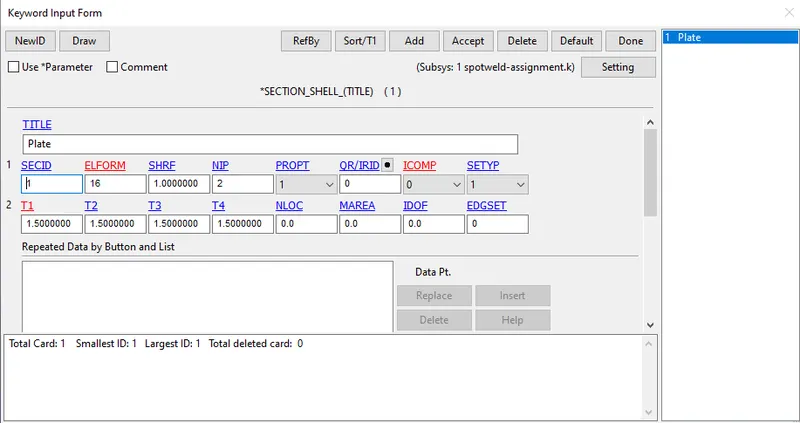
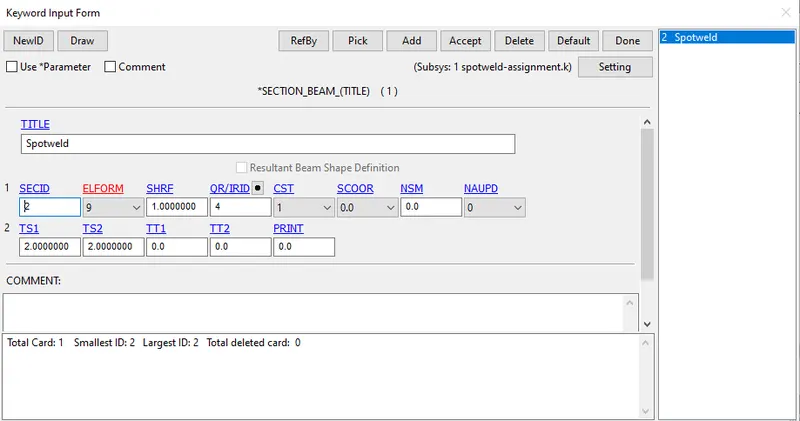
6.After creating the both material cards, now create one section shell and one section beam as shown in the fig below.
7.Now arrange the both created material cards and section cards to the parts in the given model as shown.
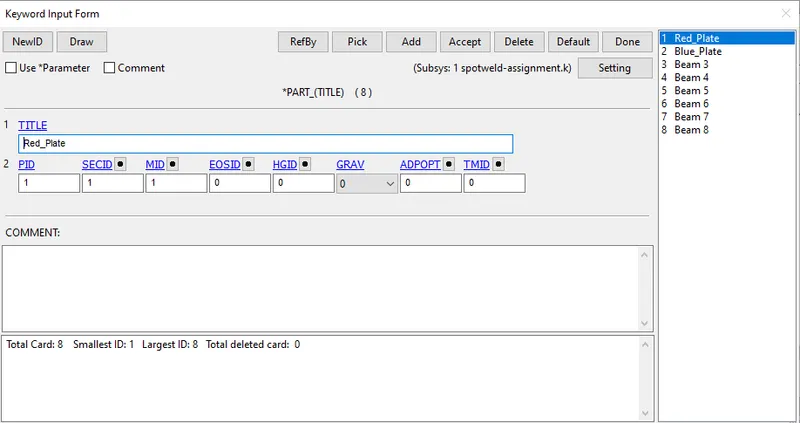
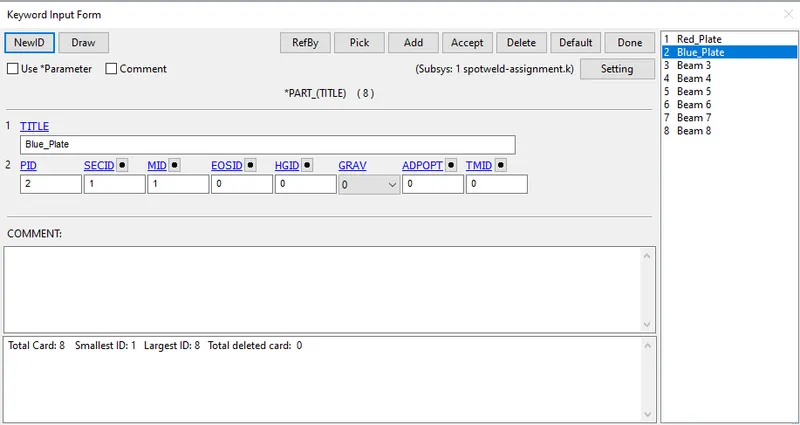
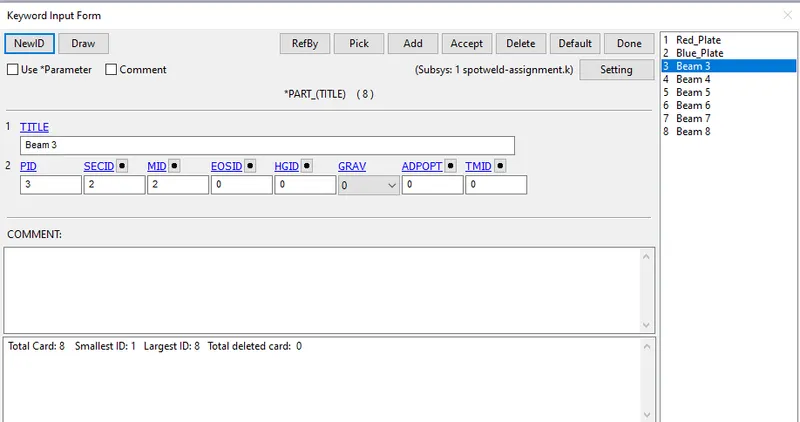
Note:For the remaining beam elements repeat the same process as shown in above fig.
8.Now give a initial velocity for both the thin plates and give the velocity of Vx=13.8 mm/ms as shown in the below fig.
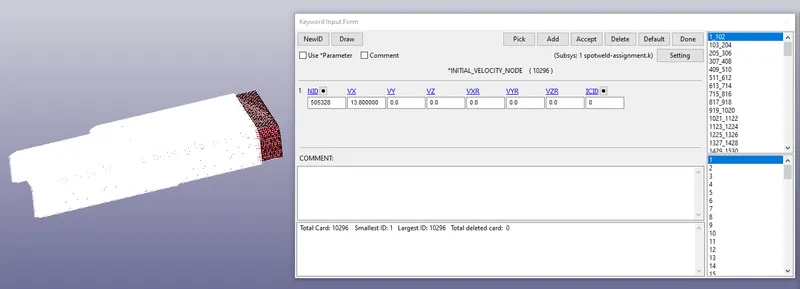
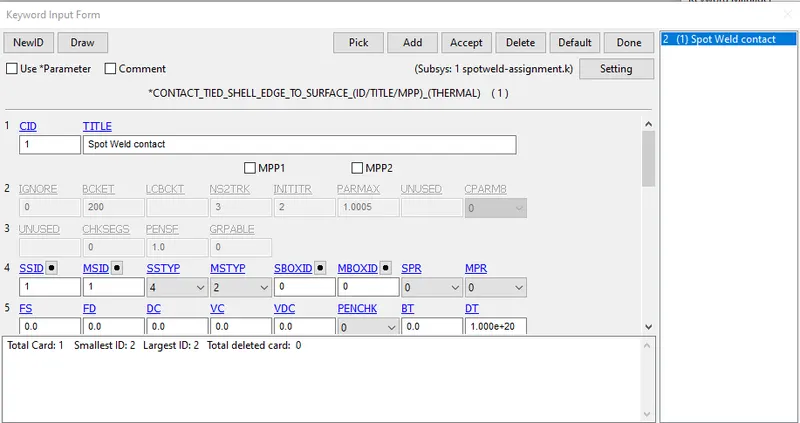
9.Now create the contacts for both the plates as assigned in the below fig.
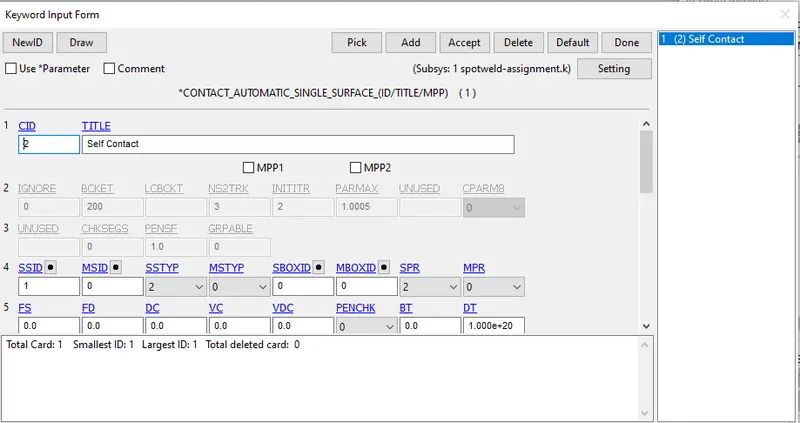
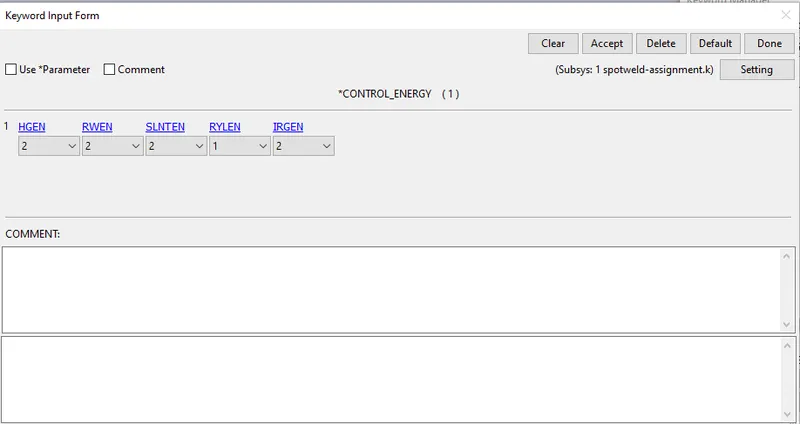
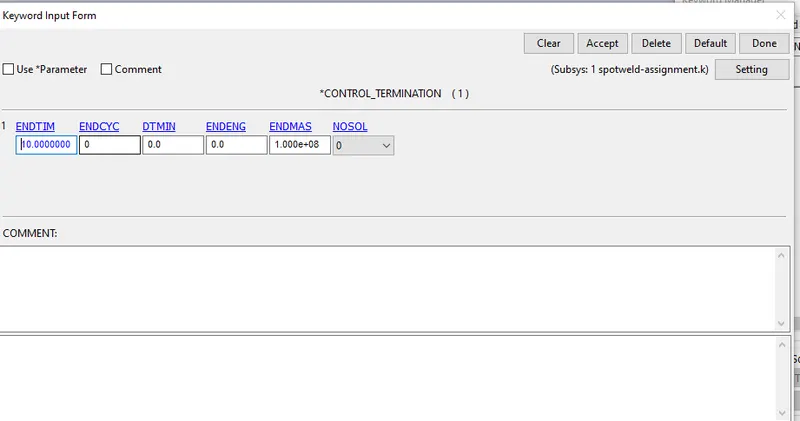
10.Now create the control energy card and control termination card and assign the values as shown in the below fig.
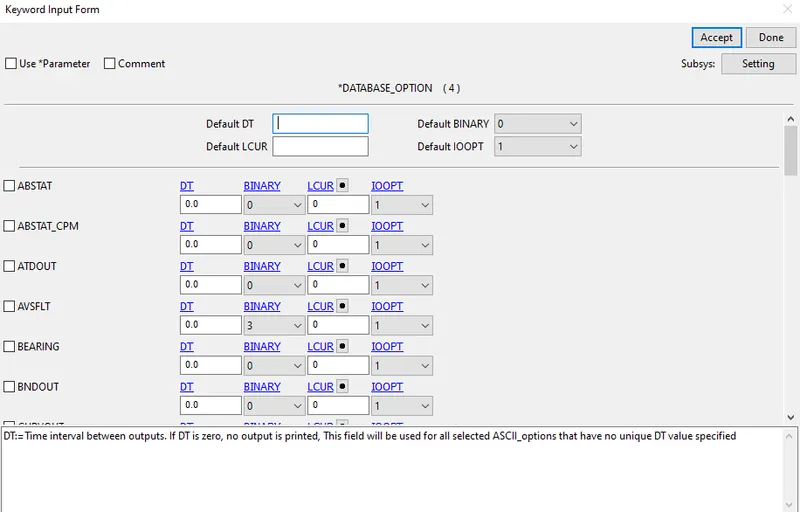
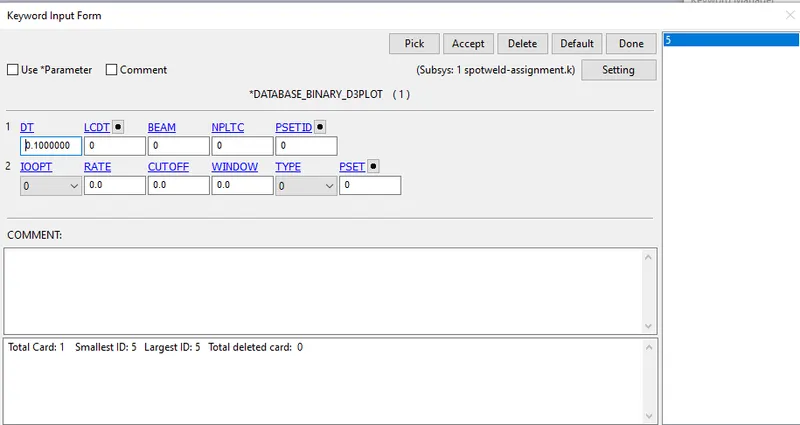
11.Create some output cards such as GLSTAT,MATSUM,RCFORC And SLEOUT and change the DT value as 0.1 from the database option as shown in
the below fig.
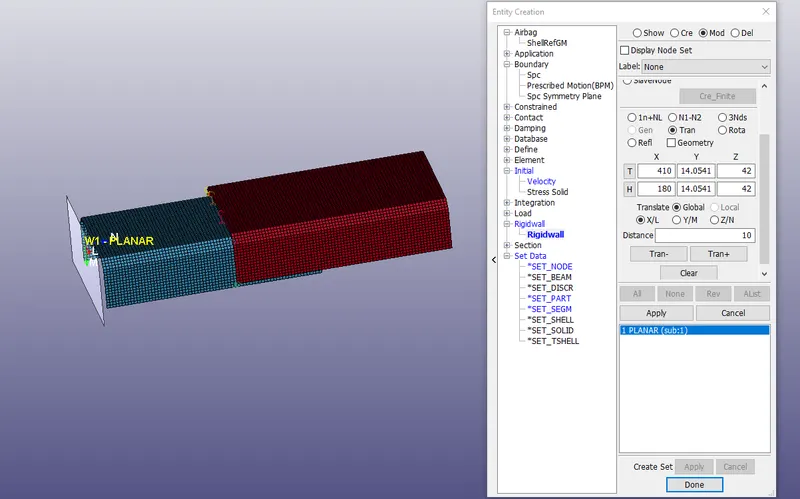
12.After that now create a rigid wall with a distance of 10mm in x-axis direction as shown in the below fig.
13.After the creating and arranging the all required cards as mentioned just run the analysis as we know about it.
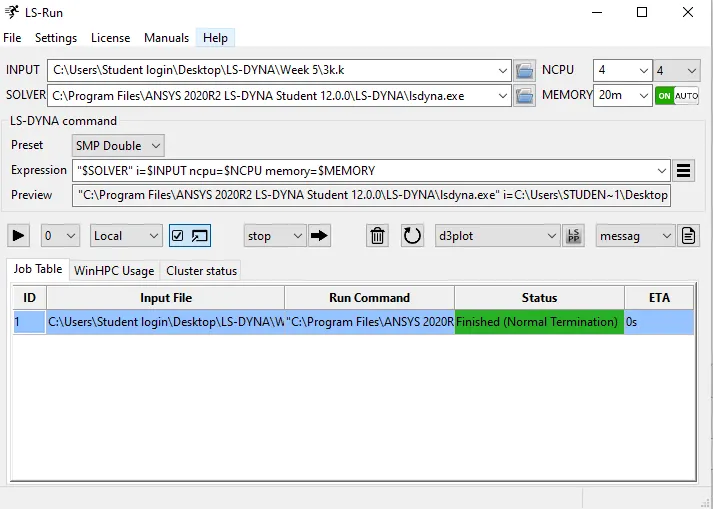
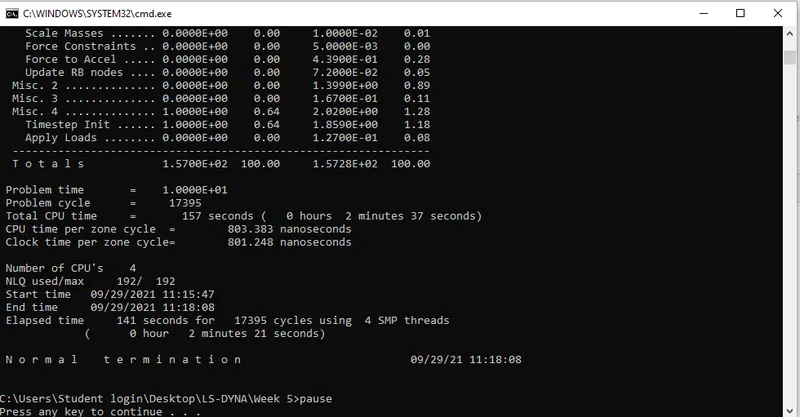
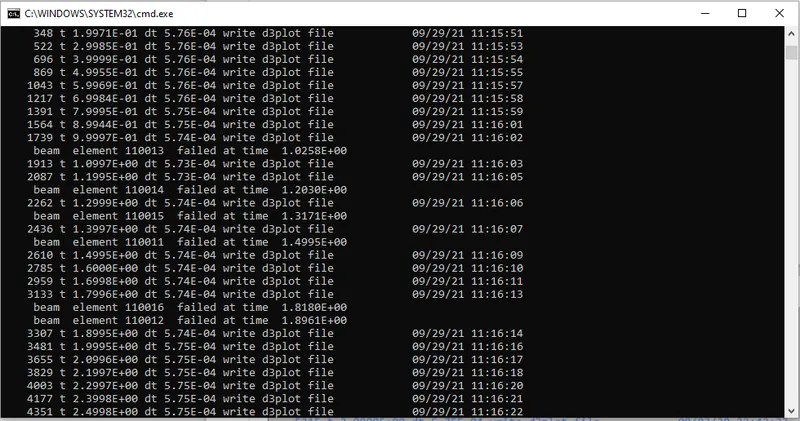
14.After running the simulation successfully the LS-Run will say the the simulation has been done in Normal Termination.
Results for spotweld using beam element and tied contact:
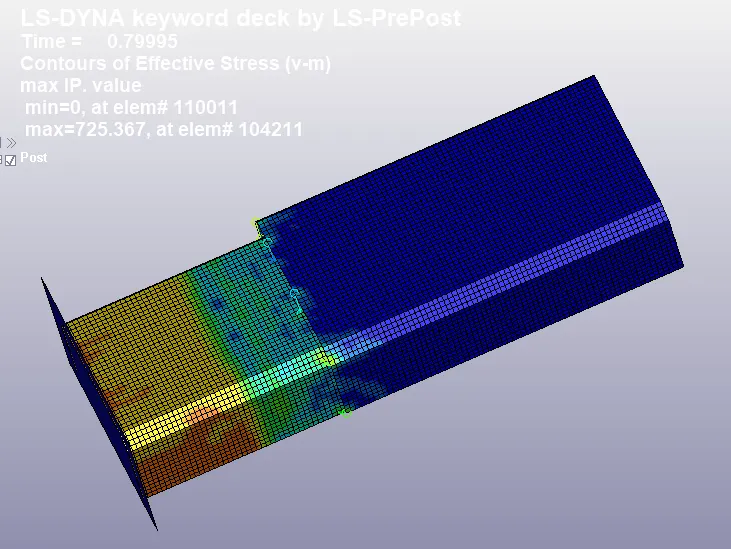
The beam is failed at nearly 1.2ms which is half the termination time.
Von Misses Stress
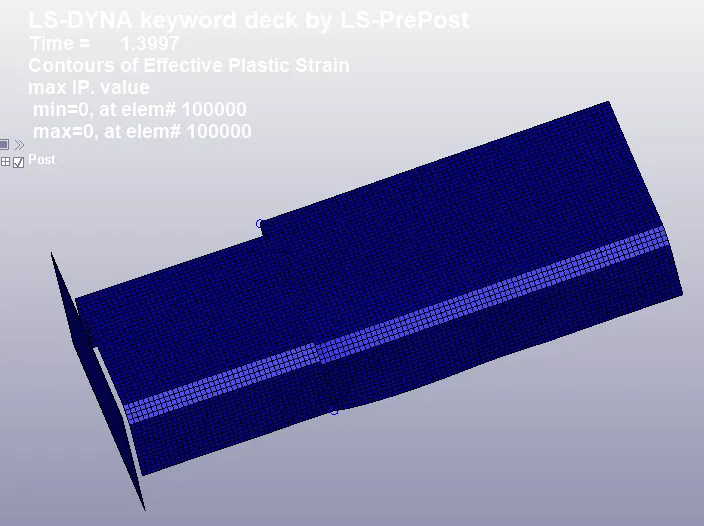
Effective Strain
Energy Plot
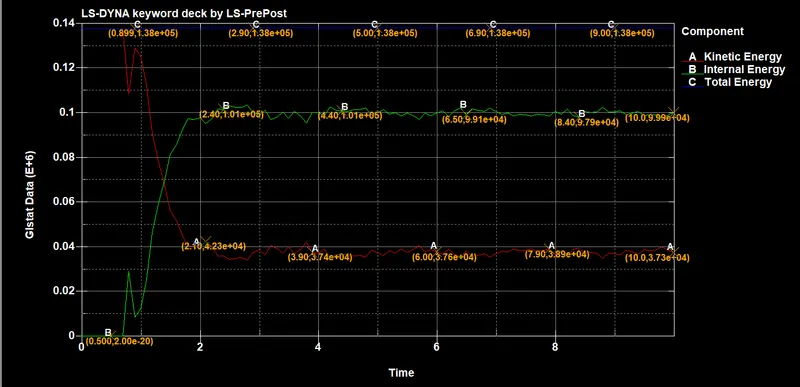
The kinetic energy at 10ms is 3.83e+04 N-mm.
The Internal energy at 10ms is 3.89e+04 N-mm.
The Total energy at 10ms is 38e+04 N-mm at the end of the simulation.
Sliding And Hourglass Energy
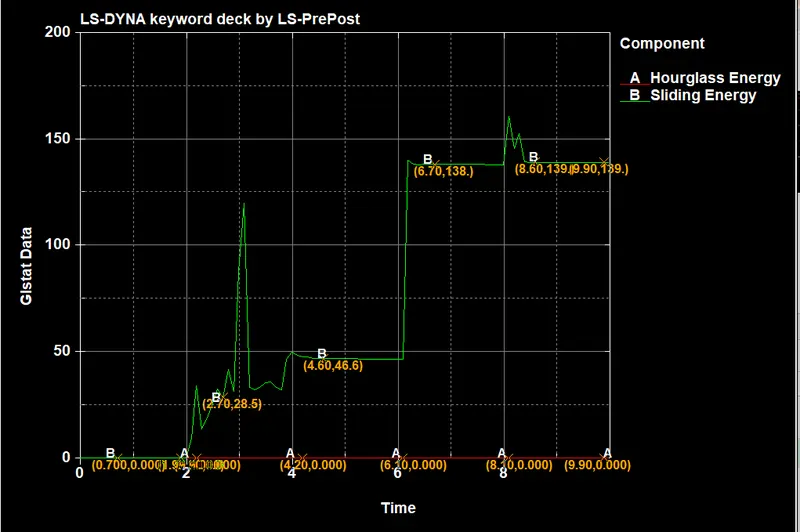
Results for spotweld using solid element and spotweld contact:
15.For the creation of solid element and spotweld contact,create them as mentioned in the below images.
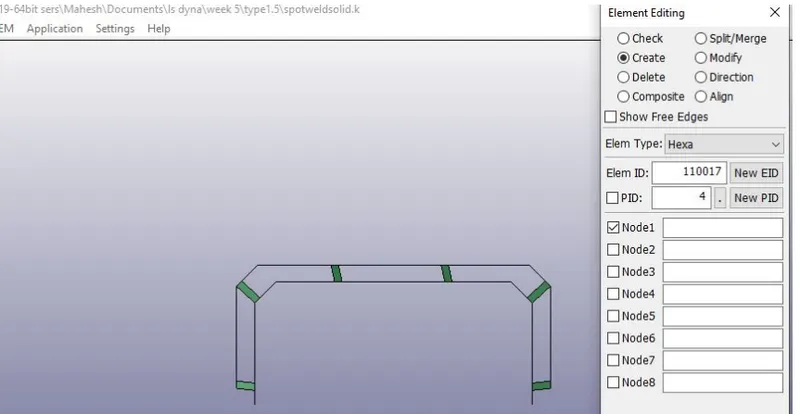
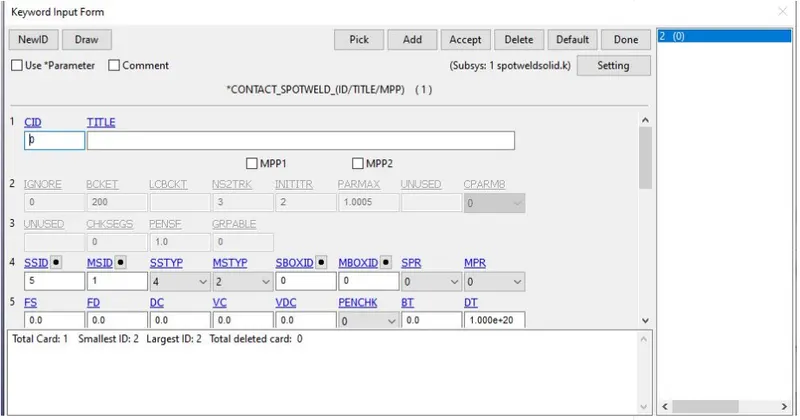
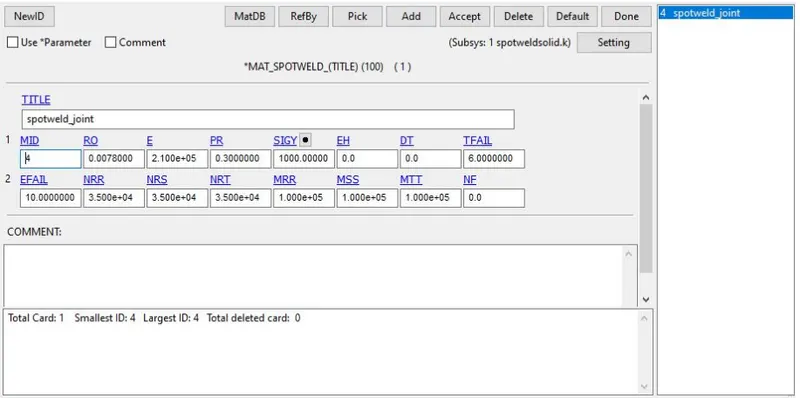
16.After creating them,run the analysis as we discussed.The results are shown in below.
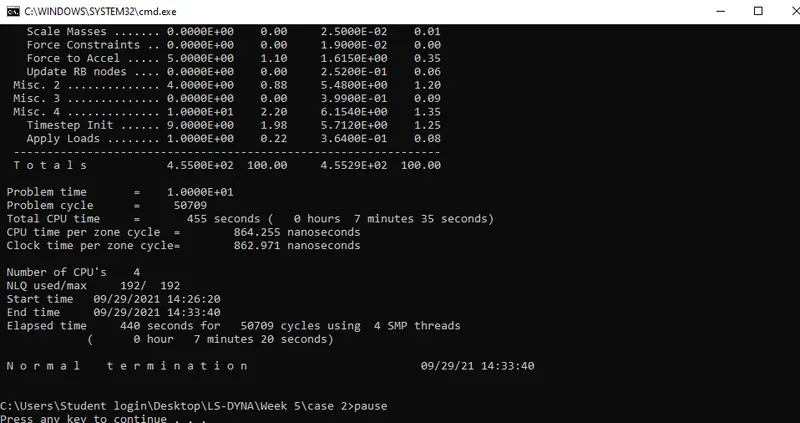
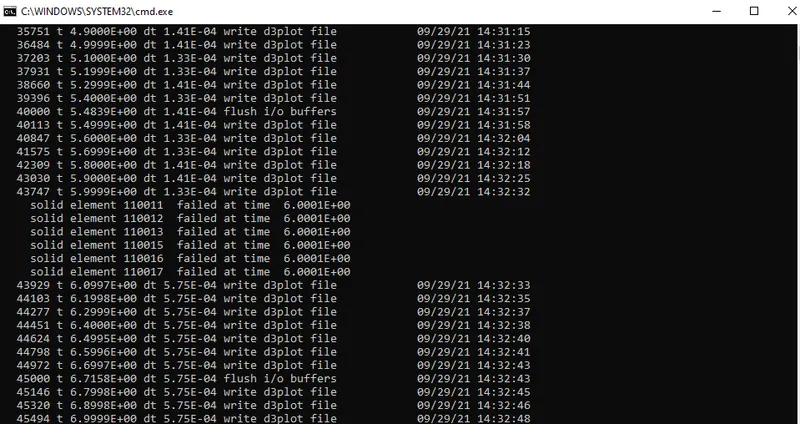
The beam is failed at nearly 6ms.
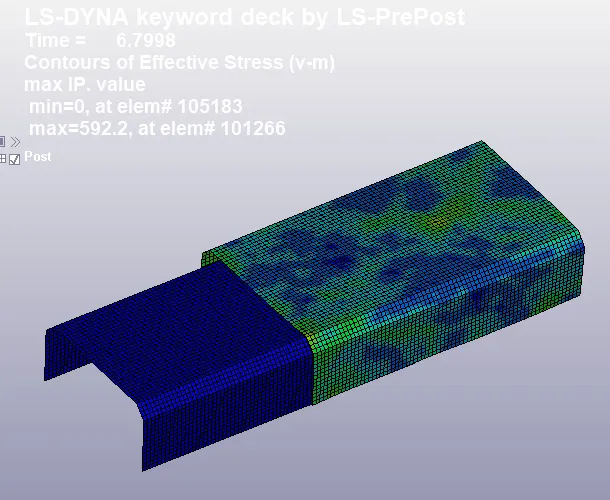
Von Misses Stress
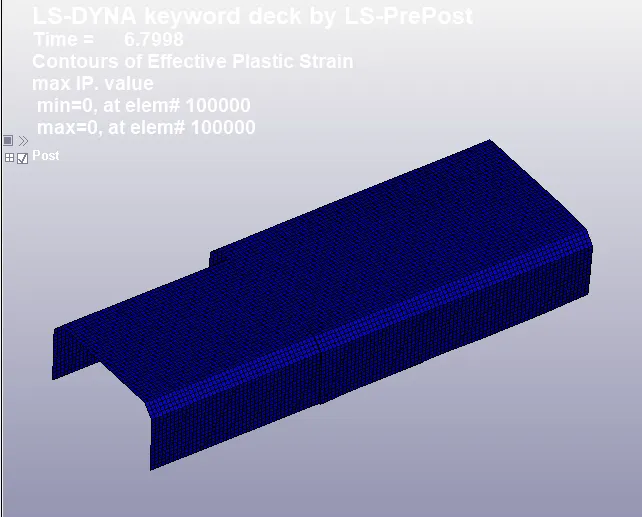
Effective Strain
Energy Plot
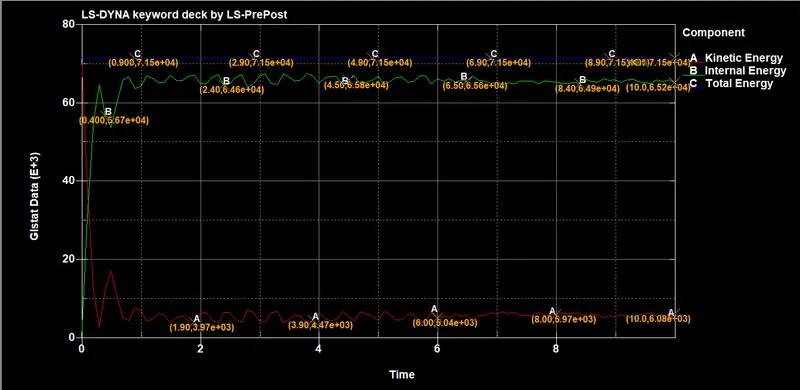
The kinetic energy at 10ms is 6.08e+03 N-mm.
The Internal energy at 10ms is 6.52e+04 N-mm.
The Total energy at 10ms is 7.15e+04 N-mm at the end of the simulation.
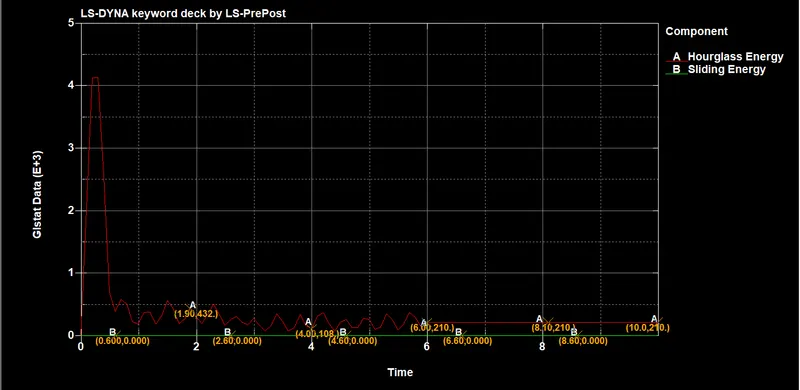
Sliding And Hourglass Energy
comparison between Internal Energy,Total Energy And Kinetic Energy:
| Spot Weld | kinetic energy | Internal energy | Total energy |
| Beam | 3.83e+04 | 3.89e+04 | 38e+04 |
| Solid | 6.08e+03 | 6.52e+04 | 7.15e+04 |
Conclusion :
- We have done the simulation on two types of Spotweld in the sheet metal separately and compared the results.
- The Spotweld failure criteria values were calibrated according to fail at half of the termination time.
- As we saw the Solid element spotweld experience more stress than beam Element and the Internal energy of the Solid element is very higher than the beam element.
- And we can also conclude from the result that the solid element is stiffer than the beam element and offer great resistive force against the losing.so the Solid element is preferable for a realistic condition.