Week 5 Challenge : Surface wrap on Automotive Assembly
Aim:
To check geometrical errors, and delete surfaces that are unnecessary for Surface Wrapping.
Procedure:
Step 1: Geometry Analysis and cleanup
- It is important to keep in mind that we're going to surface wrap which requires only the surfaces that are going wrapped to be free from Single Cons and Overlapped surface.
- Surface Wrapping makes the geometry as a single volume for external flow analysis
- Import the Geometry file of the Engine into the ANSA
- Carefully Delete the unwanted surfaces and parts using the universal delete option
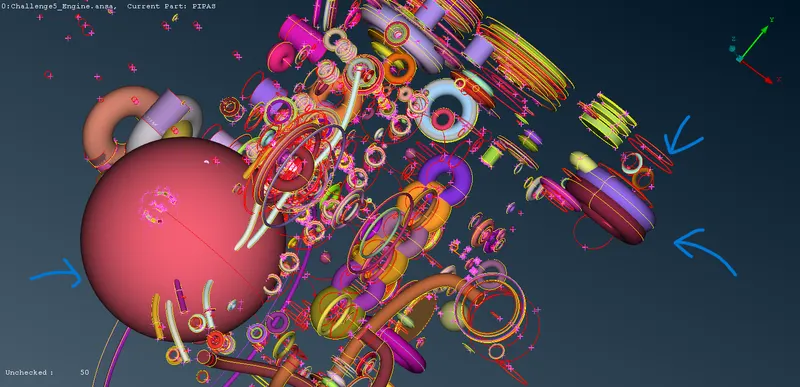
- Patch the holes in the outer surface of the engines using TOPO-->Faces-->New-->COONS
- Similarly import the geometry file of the gearbox and transmission and delete the unwanted parts and surfaces from them
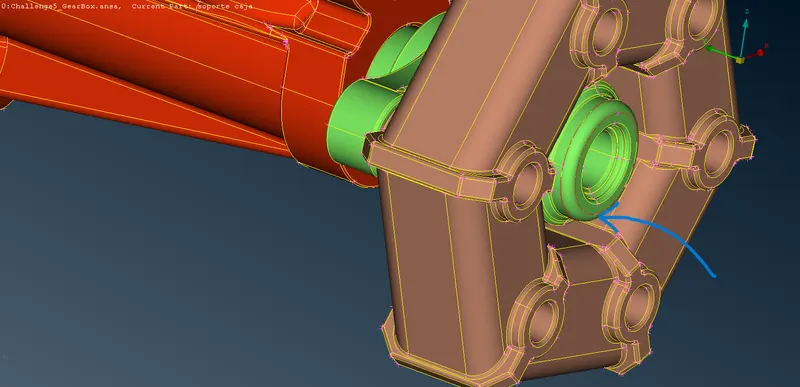
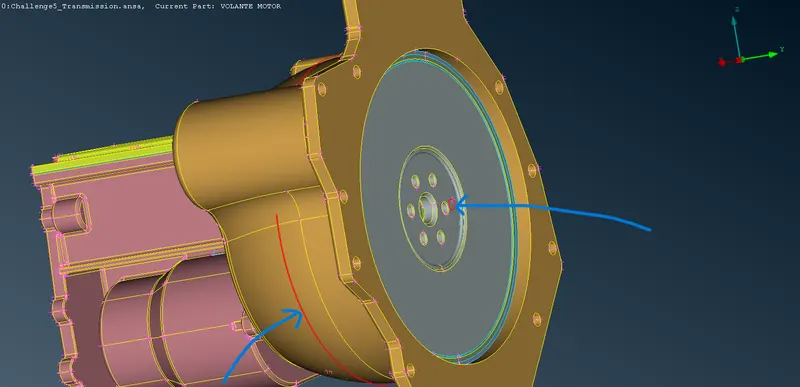
- After Completing the geometry cleanup open File-->Merge and select the files of the components that need to be merged one by one
Step 2: Surface Wrapping
- Before moving to Surface wrapping open PID and open Compress and select ok inorder to delete empty PIDs
- Go to MESH-->Elements-->Wrap-->Constant Length
- In the Constant length box Double click on empty and double click on empty below parameters
- In Castellation assign Target length as 3 and select ok
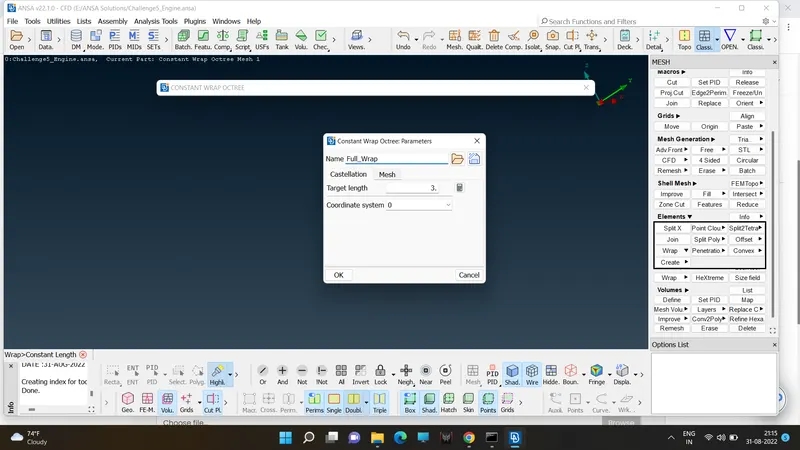
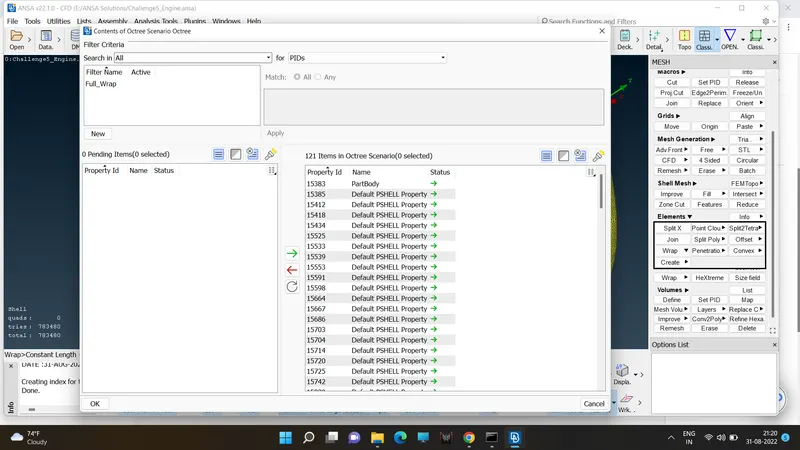
- In constant length box double click on 0 below contents and move the items in pending to octree scenario and press ok, Then press Run and wait for the Result
Learning Outcomes:
Learned to create Surface Wrapping.
Result:
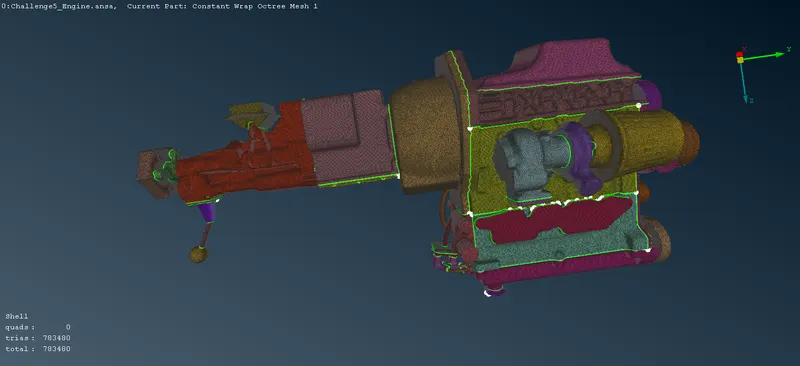
Surface Wrapping has been done for the entire assembly
https://drive.google.com/file/d/1AKIFx4y84CbvqMnpHgFcbaxGHOm19sOj/view?usp=sharing