Week 5 Challenge : Surface wrap on Automotive Assembly
OBJECTIVE
The primary objective of this project is to prepare the given engine, gearbox, and transmission models for surface wrap in ANSA. This involves identifying and rectifying any geometrical errors, deleting unnecessary surfaces, merging the models, and finally performing the surface wrap operation with a target length of 3 mm.
PROCEDURE
Surface wrapping in ANSA is located under MESH>elements>Wrap and currently supports two sub-options depending on the Octree that is used in the background:
• Constant Length; Creates a uniform size mesh suitable for simple applications where the level of detail is not so important and a quick result is required.
• Variable Length; Creates a variable size mesh, with a higher level of refinement for handling proximities and capturing feature lines of complex geometries.
We are using constant length wrap Function Octree>Wrap>[Constant Length] to create a fully watertight and clean surface
mesh, starting from shell elements or Macros, without the need for any geometry cleanup. Although
it does not capture the feature lines of the model as accurately as Wrap>[Variable Length], it can
generate a good quality surface mesh in a fraction of the time.
-Import models
Import the engine, gearbox, and transmission models into ANSA. Ensure that the models are in a compatible format.
Carefully examine each model for any potential geometrical errors, such as intersecting surfaces, gaps, or non-manifold geometry. Use appropriate tools to detect and visualize these errors.
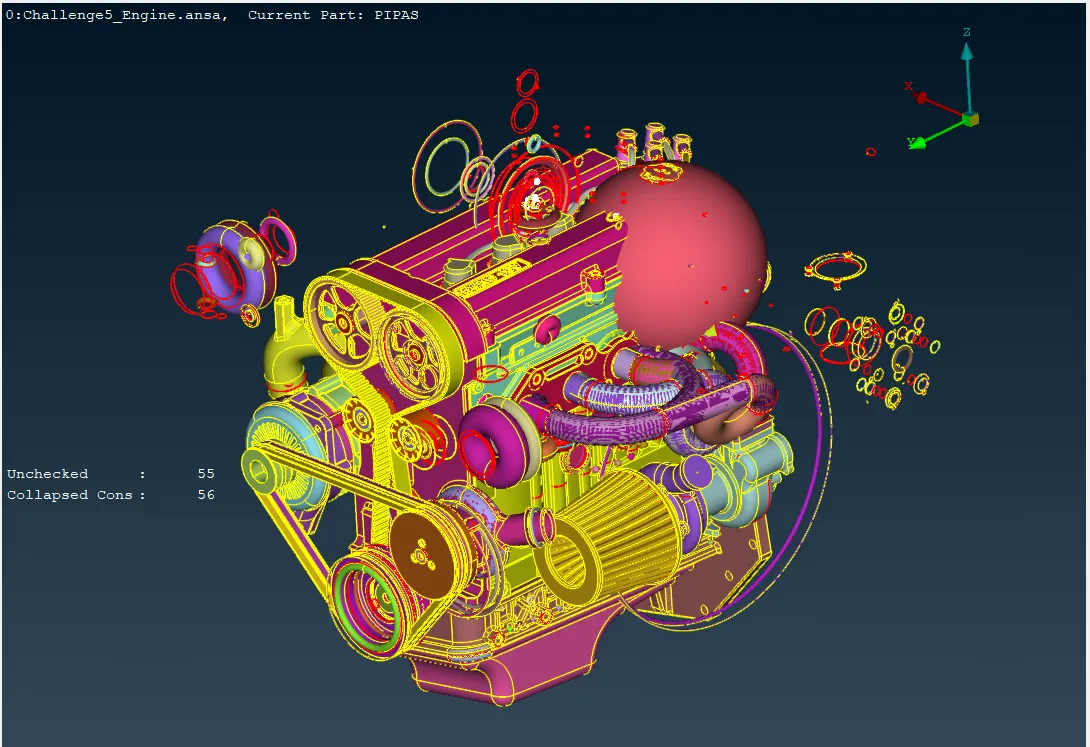
-Delete unwanted surfaces & Fill hole
Identify surfaces that are not required for the surface wrap operation, such as internal cavities or features that do not contribute to the overall shape. Use ANSA's selection tools and delete commands to remove these surfaces.
Remove Unnecessary Features that don't contribute to the structural or functional behavior of the components like in the screen snip,
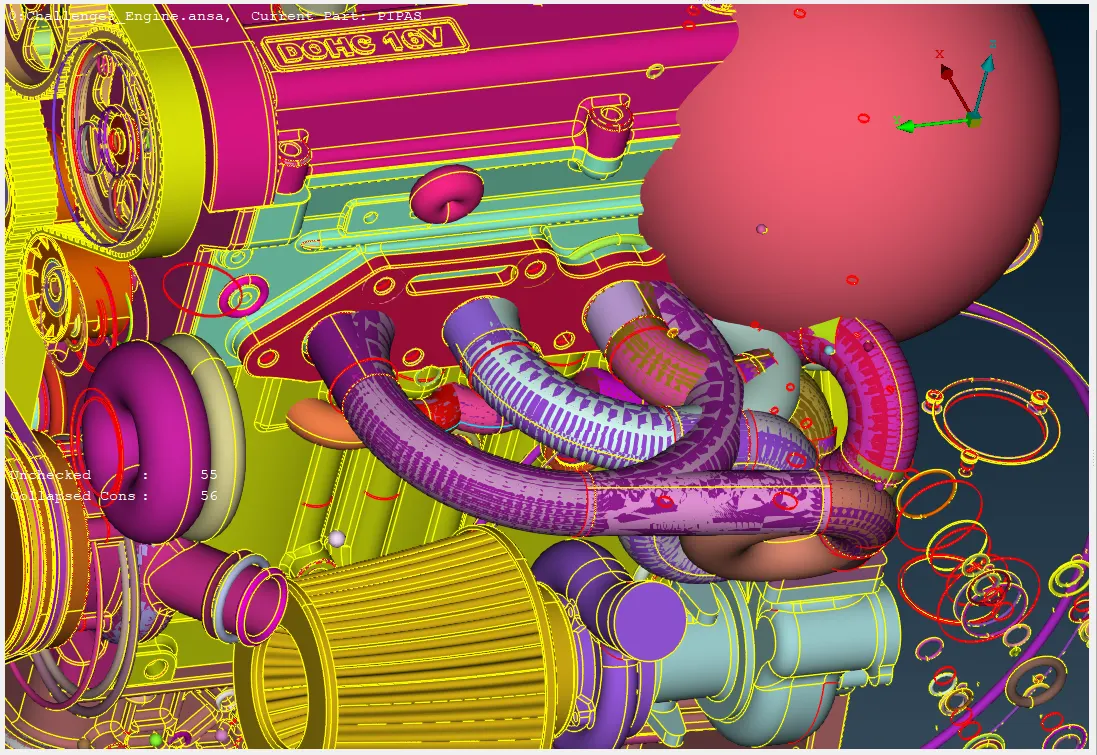
Generally, it's best to remove holes whenever possible to ensure a successful and accurate surface wrap operation. Holes can introduce complexities and potential errors into the wrapping process, leading to less reliable and less accurate results.
If holes are part of the design or serve a specific purpose, they may need to be retained. In such cases, careful consideration should be given to how the surface wrap process will handle these holes.
Very small holes may not significantly affect the surface wrap results. Depending on the size and the specific application, they might be left in place.
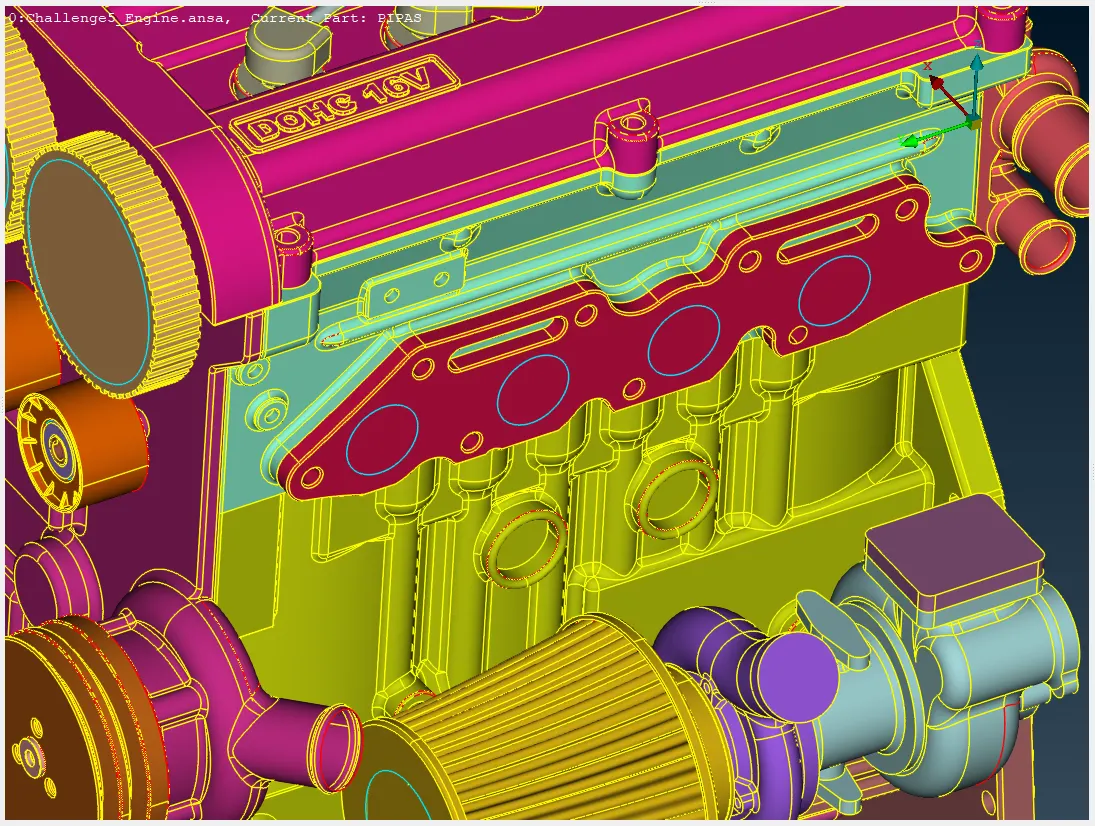
Single cons and triple cons are not typically considered problematic in surface wrapping, as long as they are well-formed and do not introduce significant distortions or numerical issues. In general, the goal is to minimize the number of single cons and triple cons while maintaining a reasonable mesh quality.
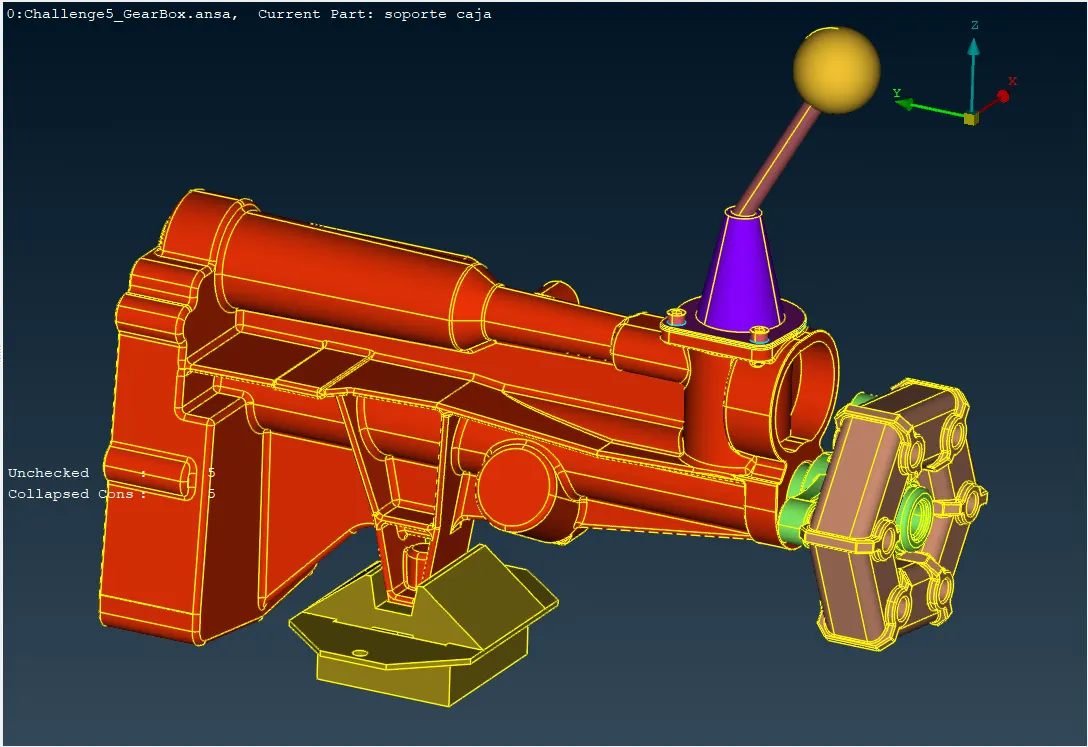
Remove unnecessary features, fill holes, and correct errors like intersecting surfaces or gaps to preserve the model's integrity by importing gearbox and transmission models.
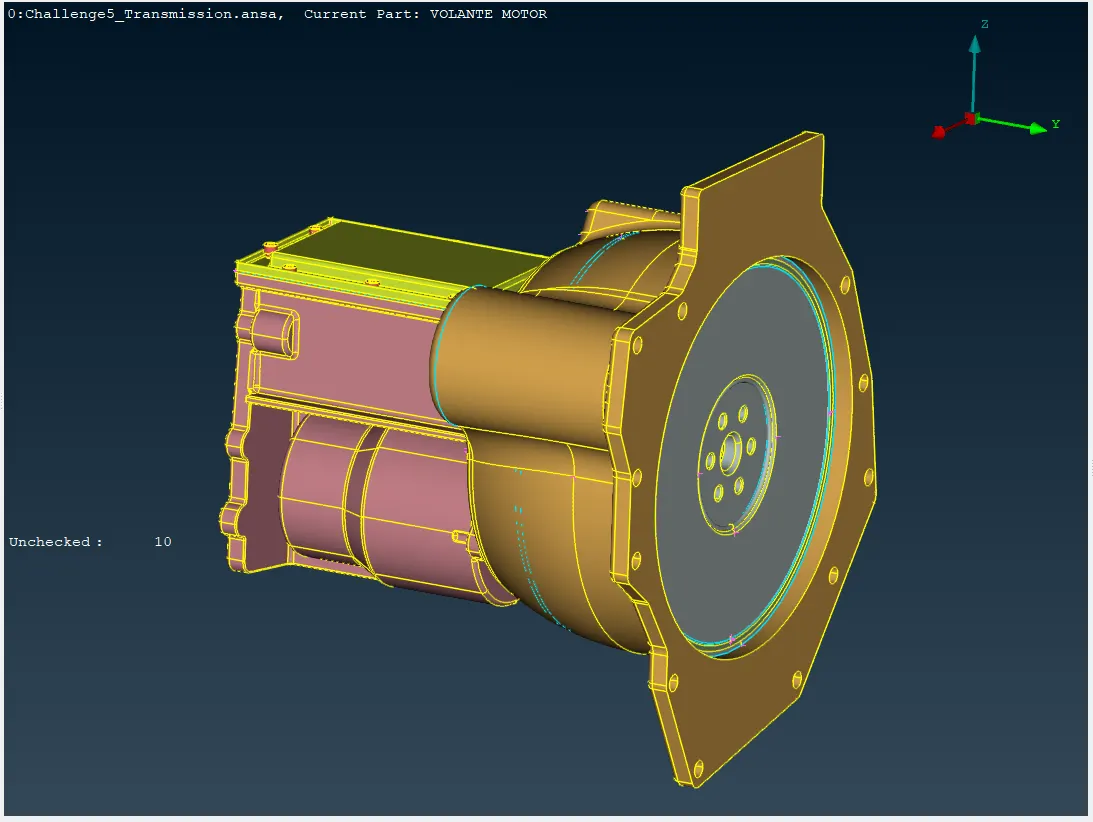
-Merge models
Combine the three individual models into a single assembly using ANSA's assembly tool, File>Merge and import gearbox and transmission model.
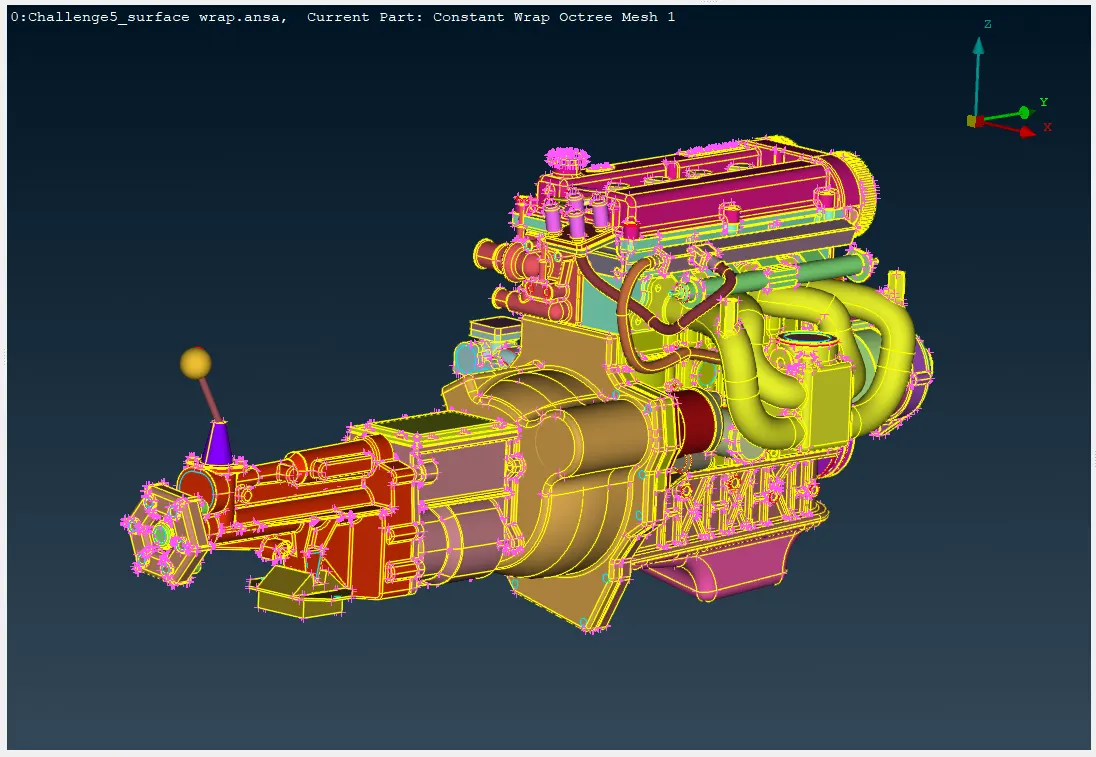
Ensure that the models are aligned correctly and that there are no conflicts or overlaps between them.
-Surface Wrap
Surface wrapping is a crucial process in many engineering applications, particularly in finite element analysis (FEA) and computational fluid dynamics (CFD).
The starting input of Element>Wrap>[Constant Length] can be FE-mod STL mesh or even unconnected and intersecting components. In case unmeshed geometry is selected keep in mind that geometry resolution length is important to have an accurate representation of the unmeshed model.
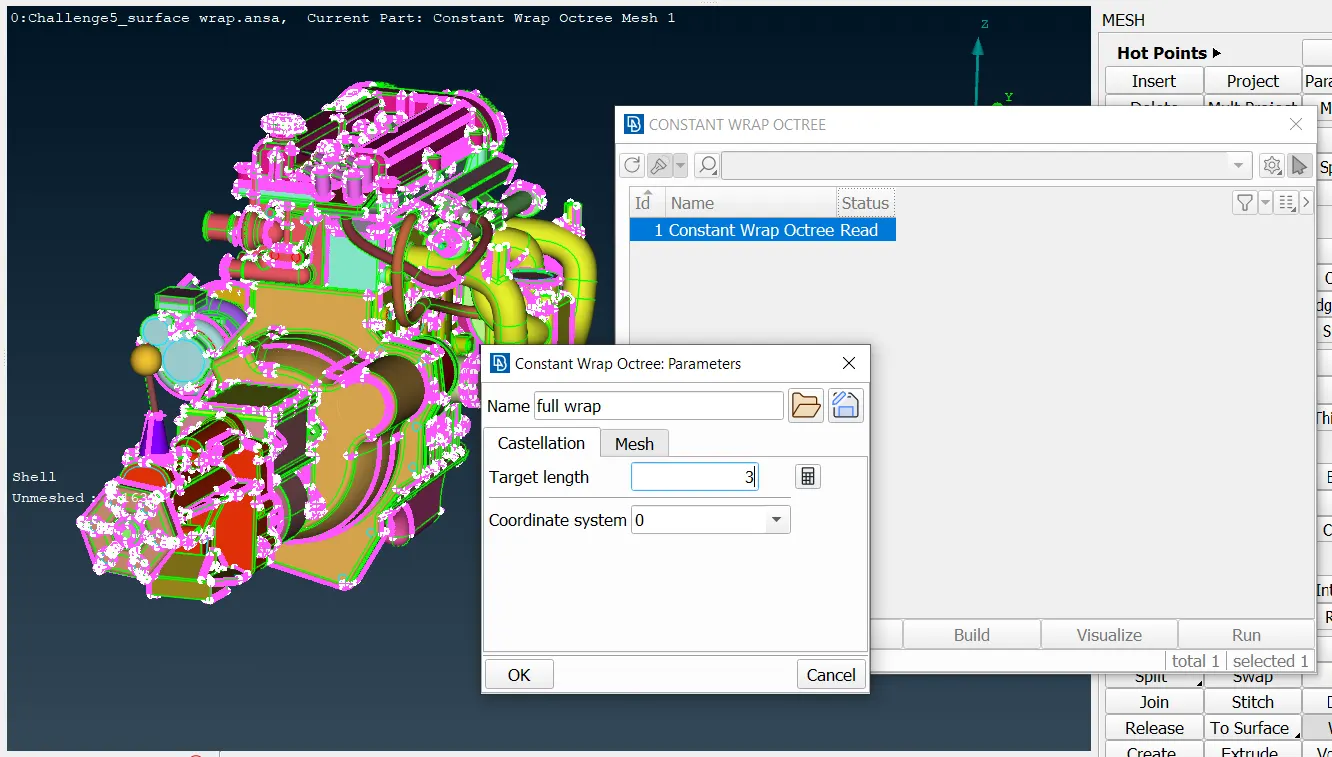
It can be used for various analyses like CFD, NVH and more. Function can be applied either on Selected or on Visible Macros or even shell elements. While the function is activated, the Constant Length Wrap window opens where the user can specify the parameters.
Specify the target wrap length of 3 mm in the surface wrap settings, constant wrap octree>Target length
The smaller the size, the more detail will be captured but the more possible leaks may take place.
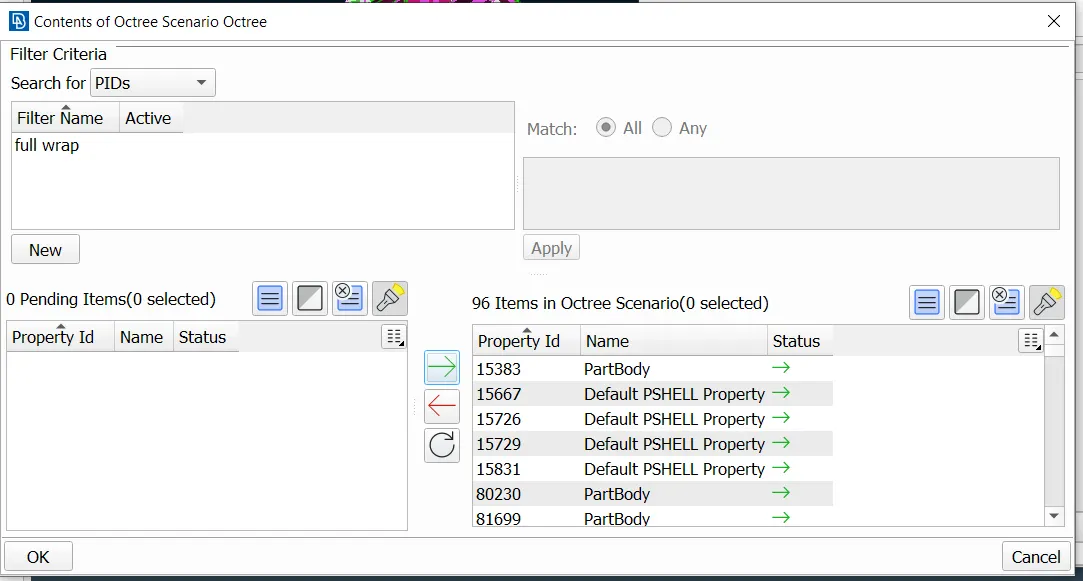
in the contents tab we can specify the PIDs to the surface wrap function, but if there is more unwanted PIDs are present use compress function before entering into content tab.
Utilities>compress function To reduce the size of the database. Under the GEOMETRY tree, there are the different entities (Faces, Curves, etc) that have been deleted but are still stored in the ANSA database for undelete. Activating their respective flag and pressing OK will remove them completely from the database.
Specify points in space where you do NOT want the wrap octree to leak into. If leaks are found ANSA will stop and create curve paths through it so that the user can close them.
Pressing Next the created octree mesh is displayed. Press Run to see the final wrap mesh.
The function can be used on FE-mod mesh or meshed or unmeshed Macros. For a more detailed wrap mesh with feature capturing, use the Variable Length wrap.
LEARNING OUTCOME
Gain expertise in using ANSA for geometry cleanup, model merging, and surface wrap operations.
Outer/Inner N largest/Seed points: The user is able to obtain the inner or outer watertight surface mesh.
Leak points: Specify points in space where you do NOT want the wrap octree to leak into. If leaks are found ANSA will stop and create curve paths through it so that the user can close them.
Target length: Specify the size of the shell mesh. The smaller the size, the more detail will be captured but the more possible leaks may take place.
Smooth factor: The resulting surface mesh may deviate slightly from the original model as it is smoothed in space. The magnitude of the smoothing varies from 0 (none) to 1 (max).
Mode: Select which mode should be used for the nodes and edges of the wrap mesh, as shown on the left.
Assign properties from structure: Specify if the wrap mesh should project (map) the PIDs of the original model to the wrap mesh.
Create new properties: Specify if all new created wrap elements should get in a new PID.
Create new single property per volume: Specify if all new created wrap elements should get in a new PID per Volume.
Develop knowledge of the principles and procedures involved in performing surface wrap operations in ANSA, including setting target lengths, applying wrap algorithms, and adjusting wrap parameters to achieve desired results.
RESULT
The engine, gearbox, and transmission models were successfully imported into ANSA and inspected for geometrical errors. The three models were merged into a single assembly, ensuring proper alignment and avoiding conflicts.
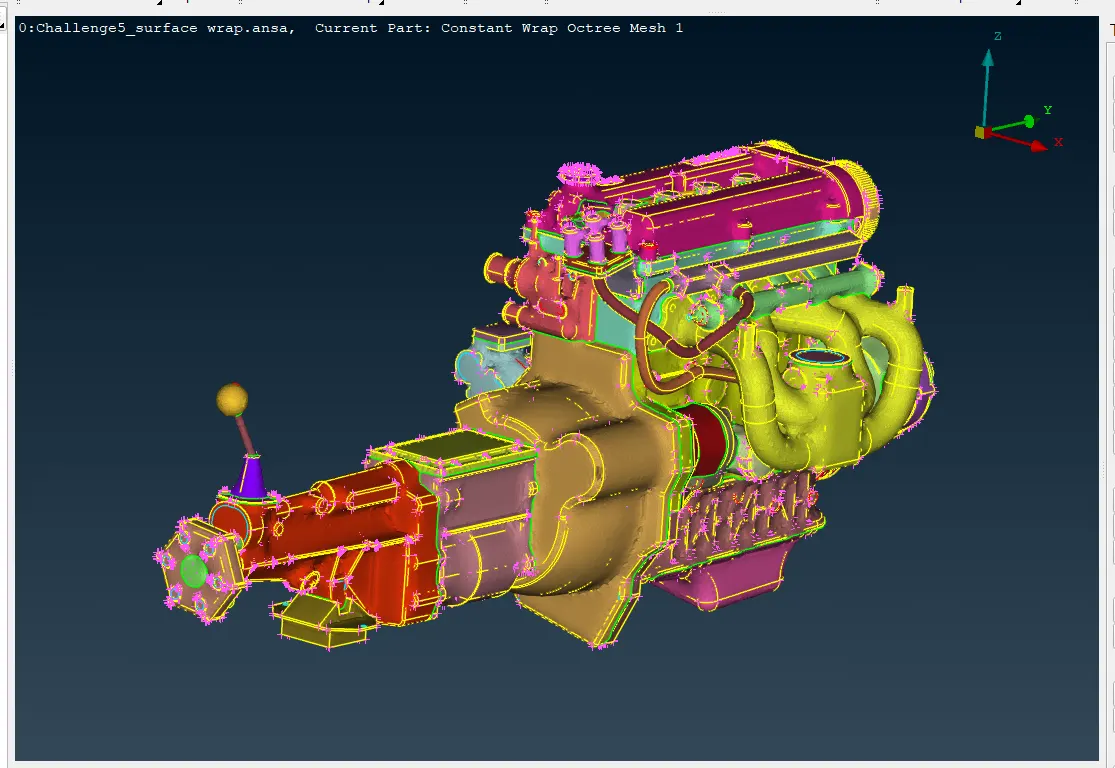
The surface wrap operation was performed with a target length of 3 mm, resulting in a wrapped surface that meets the specified requirements.
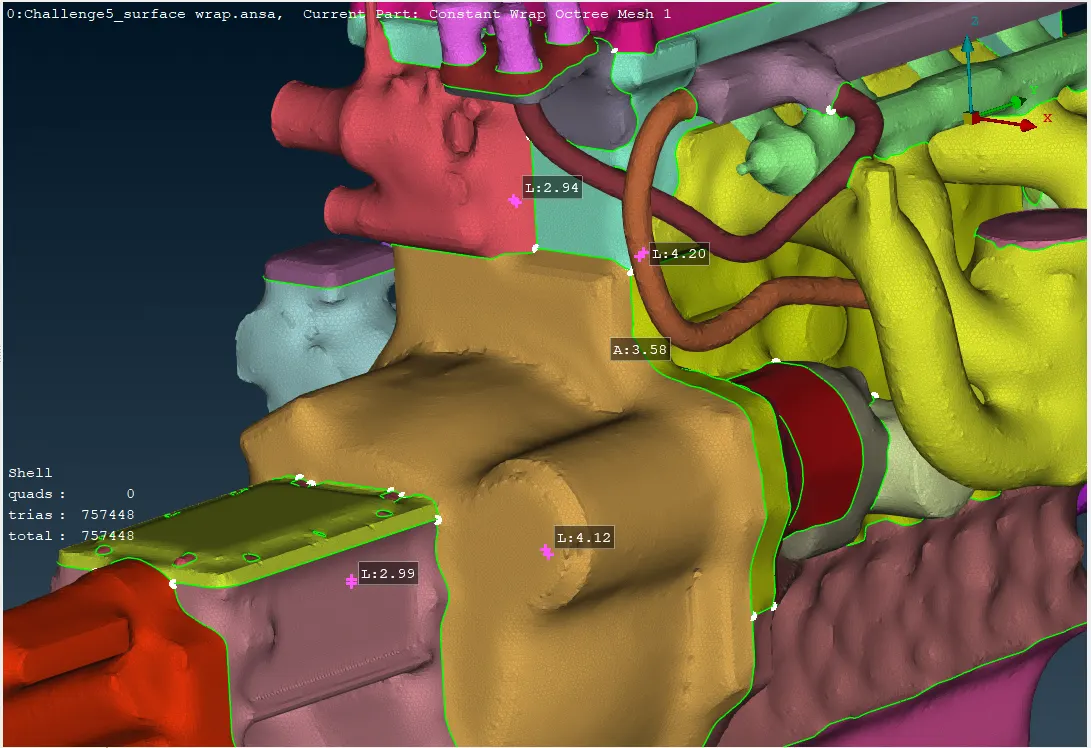
it clear that the element size are close to the target element size (3mm) indicates that the algorithm was able to create a mesh that reasonably conforms to our specified requirements.
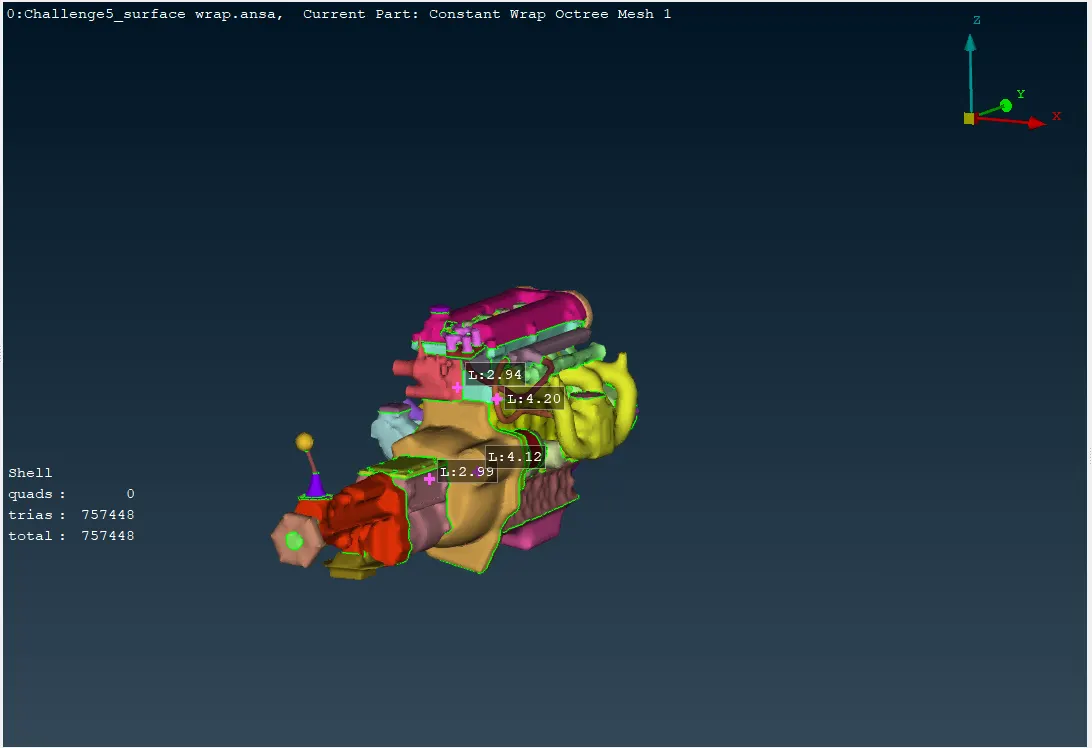
After surface wrapping with a target length of 3mm, 757K trias are needed for the wrap. While a higher number of triangles generally indicates a finer mesh, But it's important to consider the Mesh Quality, computational cost, and specific Applications and the requirements of the subsequent analysis.
CONCLUSION
This project has successfully demonstrated the process of preparing complex CAD models for surface wrap in ANSA. By following the outlined steps, it is possible to identify and correct geometrical errors, remove unwanted surfaces, merge models effectively, and apply surface wrap operations to achieve the desired results. The skills and knowledge gained through this project are valuable for various engineering applications that involve surface analysis and modification using ANSA.
Project model drive link: https://drive.google.com/file/d/1tQnrrNsFwl1hlU-17gzXhfrknddUdQok/view?usp=sharing