Week 5 Challenge : Surface wrap on Automotive Assembly
AIM `to`
For the given models, check for the geometrical errors and delete surfaces which are unwanted for Surface wrap as shown in the videos. After clearing geometry, Merge all 3 models and perform surface wrap.
Target length for Wrap = 3 mm
Write a detailed report on steps followed to finish this challenge.
MODELS USED `to`
|
Engine
|
Transmission
|
GearBox
|
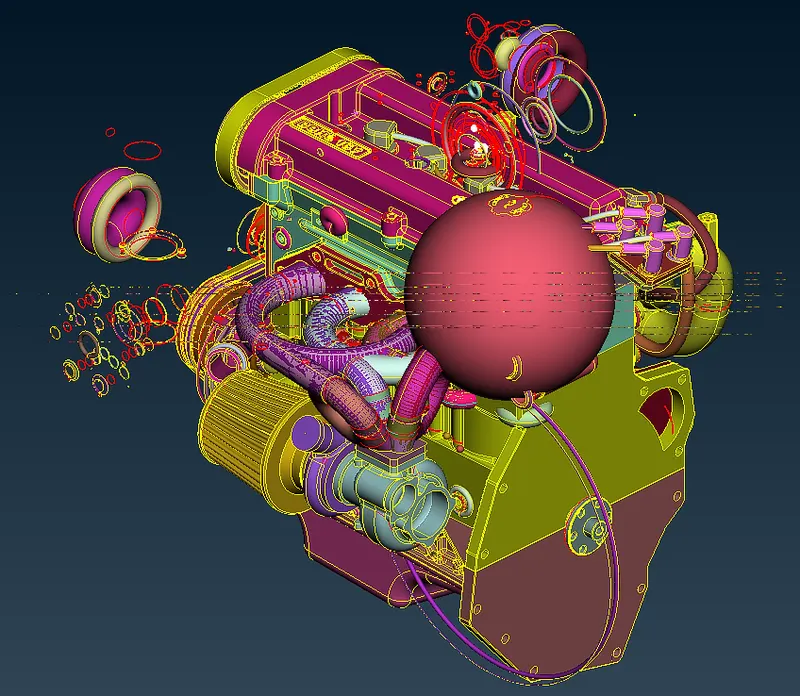
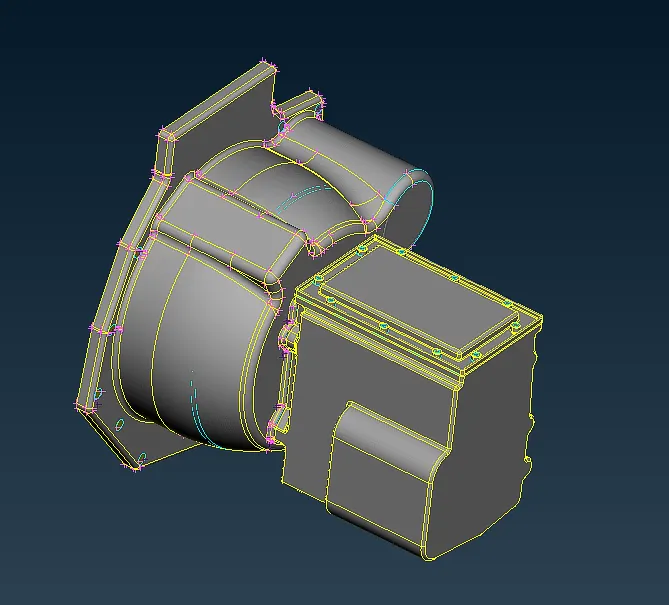
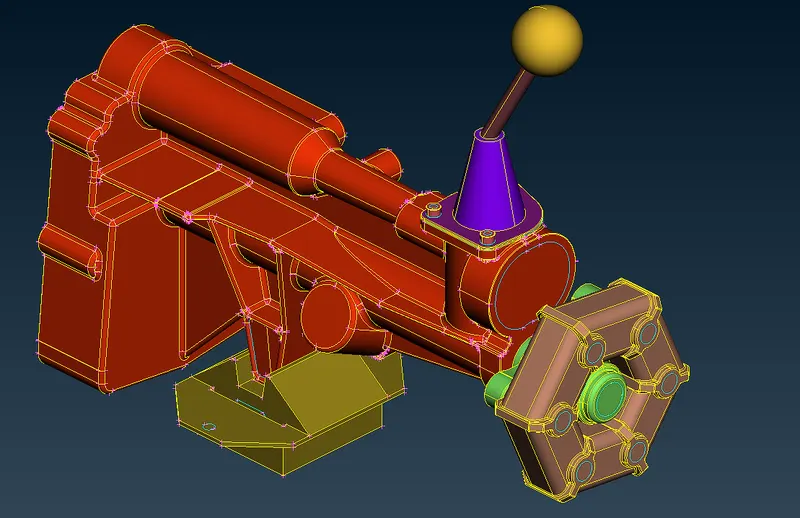
OBJECTIVES `to`
- The given models (3 no:s) are having unwanted surfaces which are geometrically not required for producing a water tight geometry. These surfaces must be removed.
- Each of the models are separate files, hence they must be assembled into 1 geometric file.
- The assembled geometry must be surface wrapped with an elelment size of 3 mm. The Wrap [Constant Length] is a very fast algorithm used for the creation of a watertight triangular surface mesh of uniform size length from an assembly of unconnected or intersecting components. It can be used for various analyses like CFD, NVH and more.
PROCEDURE `to`
Geometric cleaning `to`
- The engine block geoemtry had unwanted surfaces similar to rings. These structures would have used in creating fillets or producing not-so sharp edges on the geoemtry. As per the the simulation, these are not neede and also would lead to unwanted computational power and size, while meshing. Hence they were removed using the commands DELETE and NOT options. The cleaned geometries are shown as in below. For gear box andd transmission, not much cleaning was needed. They had already liitle surfaces for deletion.
|
Engine
|
Transmission
|
Gear Box
|
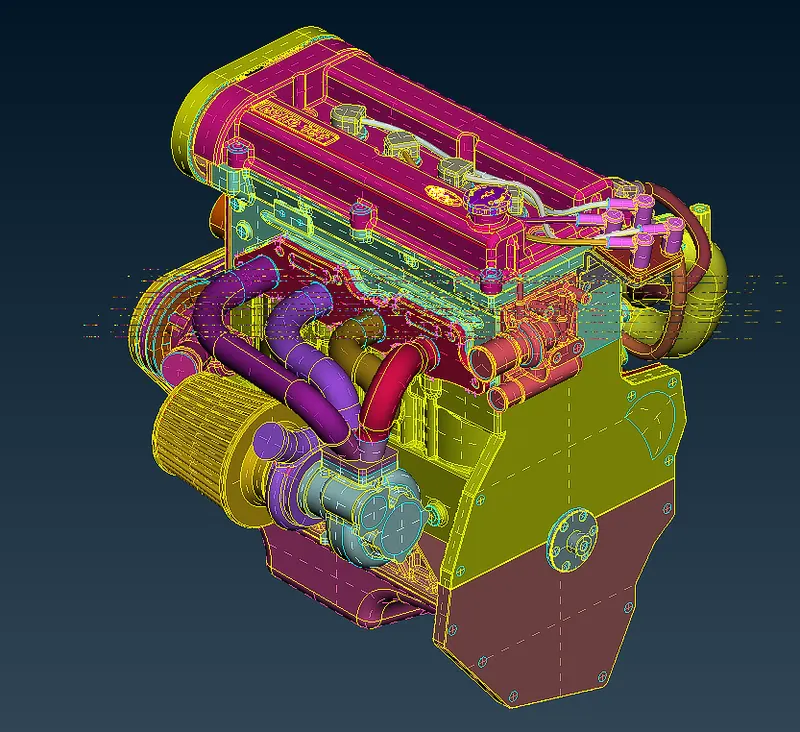
2. These surfaces were assembled by merging each one of them to otehrs. This is done by FILE > MERGE > (Selecting the required geometry)
|
Isometric View
|
Side view
|
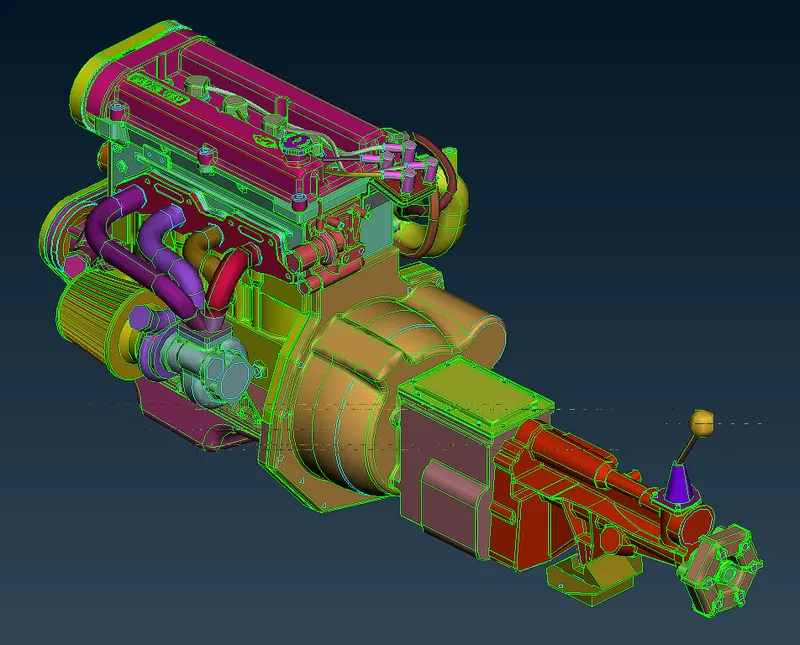
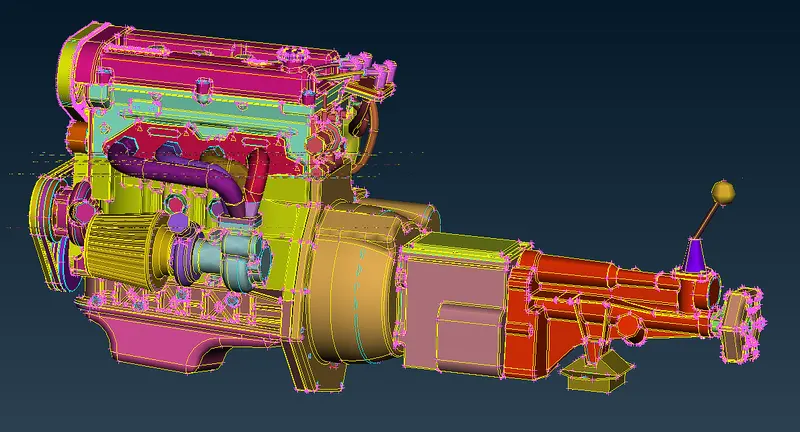
3. Note thatafater assembling, the geometry having holes are closed using the reuired shapes by the commands FACES > NEW > COONS in the TOPO deck. This is for producing a water tight geometry which is required for surface wrapping
4.Now the surface wrapping is left. This done by going to MESH deck > ELEMENTS > WRAP > CONSTANT LENGTH . This will generate a dialogue box as shown below.
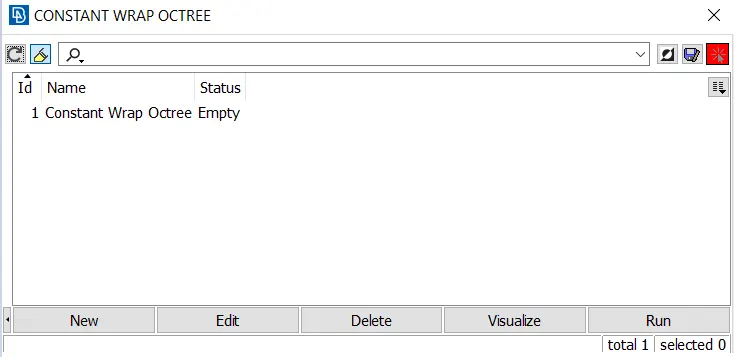
5. Double click on the "Constant Wrap Octree". Followed by the below dialogue box will be opened. Double clicking on the "CFD parameter" and "0".
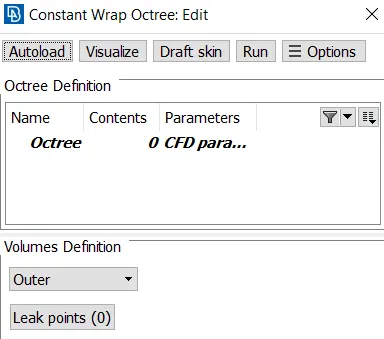
6. Then another dialogue box for specying the mesh size. Give target length as 3mm
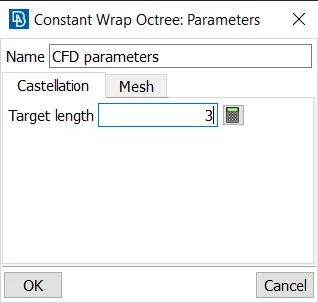
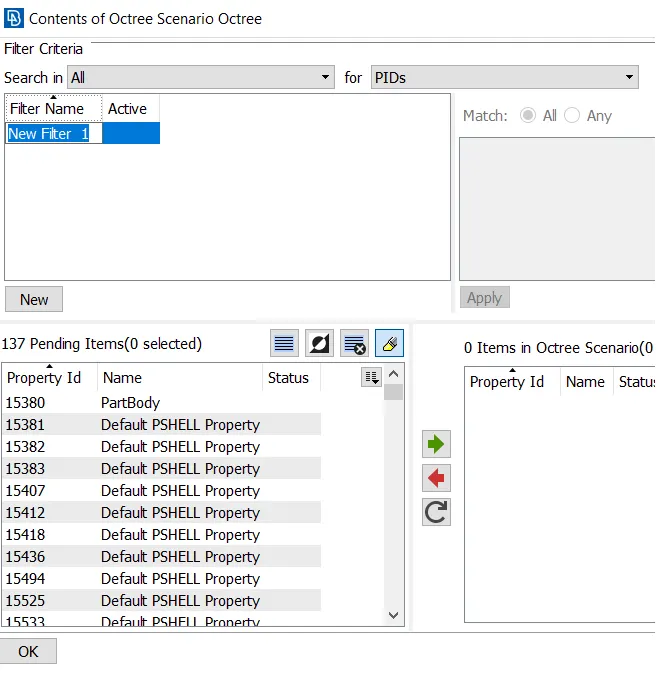
7. Selecting the PID's from the property ID for surface wrapping.
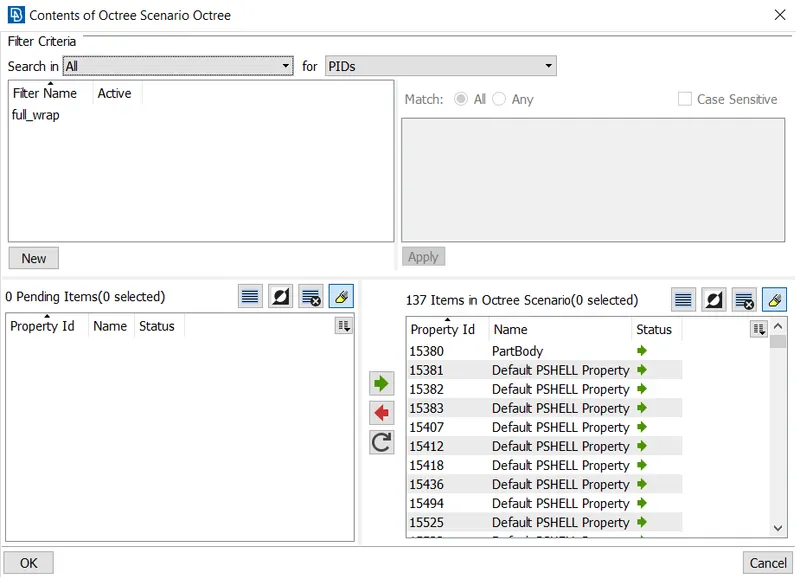
8. Now the wrapping dialogue box will list out the total PID's taken for meshing (i.e. 137 PID's). Then apply RUN button.
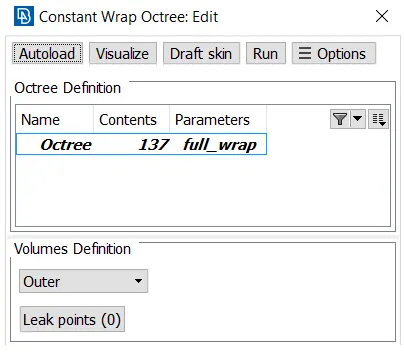
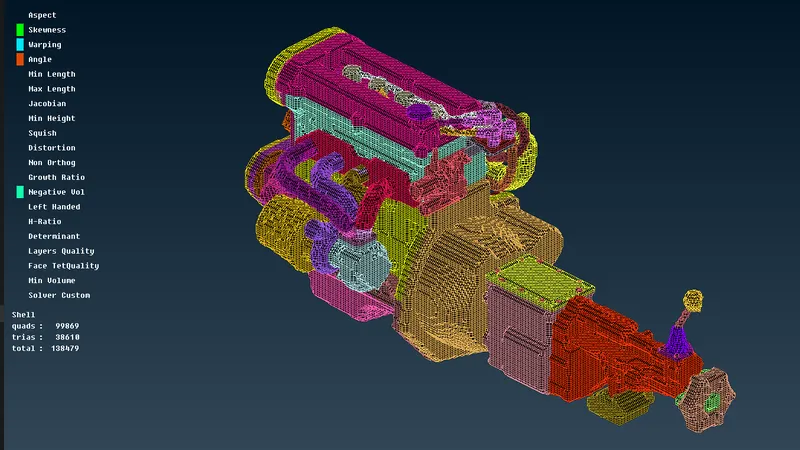
9. Now this will take sometime, based on the computer specification. The result of surface wrapped engine components are shown below.
CONCLUSION `to`
The geometry of Automotive assembly was successfully surface wrapped as shown above. The 3 components of assembly were separately geometry cleaned for better wrapping. The unwanted surfaces were deleted. They were nicely assembled for getting a good water geoemtry This was possible only by closing all the pen surfaces present in assembled geometry.
GDrive `to`
https://drive.google.com/drive/folders/1A1IyH8_MgIhBDYg62CH7GHB-ZupJLQg0?usp=sharing