Week 5 Challenge : Surface wrap on Automotive Assembly
AIM
To check for geometrical errors in the given design and annalysis of surface and executing surface wrap on the given design
OBJECTIVE
-To learn and experience the GUI of the ANSA software and the features provided by the software for the domain of Computational Fluid Dynamics .
- to learn about the features of the design like hot points,cons ,cut sections and the commands like or,and,not used to isolate the surfaces of the design for the study .
-To learn about cons like single,double and triple cons and their role in the design and their effect in the meshing of the surface
-Learning the use of features under faces command and how it is used to rectify the surface errors present in the given design and to make the surface close for getting a perfect surface meshing of the given specimen.
-learn to use hot points command to remove and assist a proper surface generation
-learn how to use properties command and how to remove overlapping surfaces
-learn about merge command
-learn about surface wrap
PROCEDURE
- First open the design of Engine in ANSA Software
- annalyse the design of engine and remove the surface that all are not required to be part of surface wrap
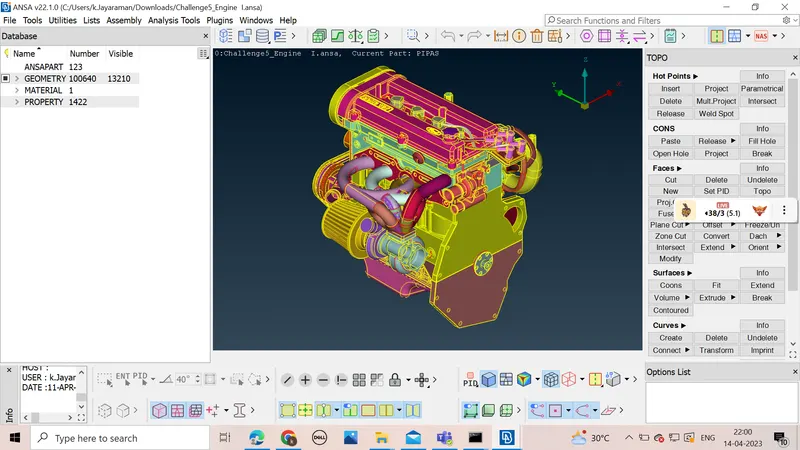
- we have to remove the fillets ,features that are not connected with engine surface
- we have to remove the overlapping surface in the external part of the specimen
- we have to remove the smaller features from the model
- We should check for the single cons present on the surface of the design
- we should clear all the single cons present on the surface
- we should annalyse the design from all the four sides and check for the remaining errors
- After that we will fill all the holes by using the fill hole command
- after this we will save it and move to next design
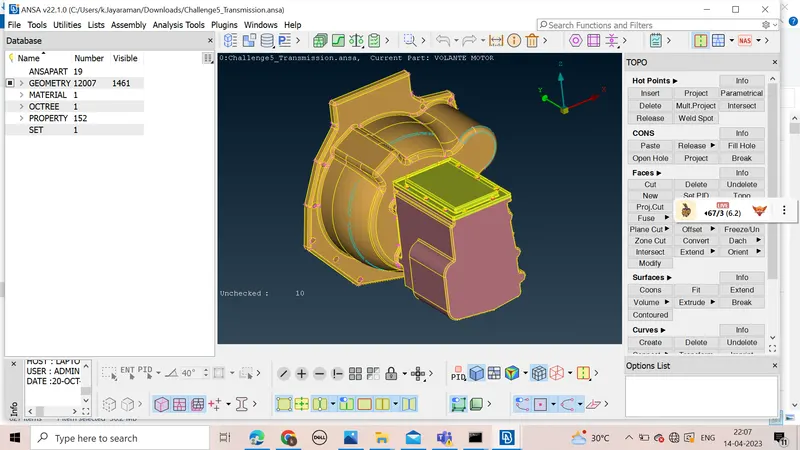
- we will annalyse the design and delete all the surfaces and features not required for the surface wrap of the design
- After deleting the surface we will check for all the single cons and triple cons present on the surface and correct it
- we will now fill alll the holes in the given design
- we will annalyse the design from all the veiws and then save it
- we will now open the third design and we will annalyse it and make all the correction and delete the unwanted surface
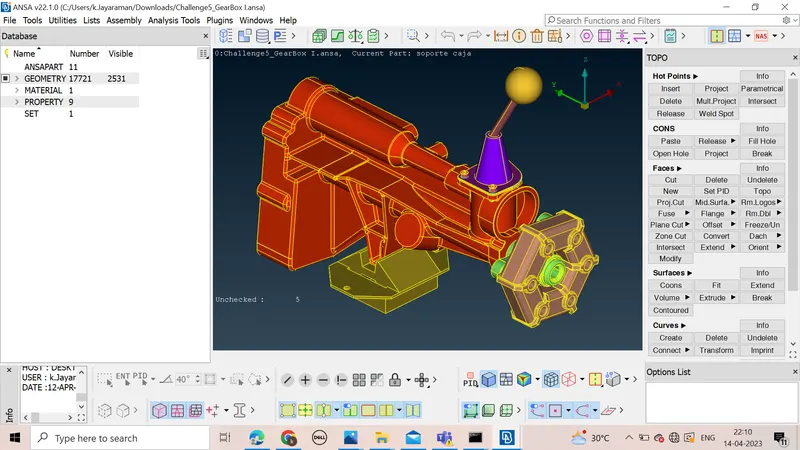
- we will fill all the holes present in the design and then annalyse it in all the three veiws
- we will save the design
- we will now open the engine design and use Merge command to merse transmission and gear box with the design
- after merging we will check the design and annalyse the design that the merging is proper or not
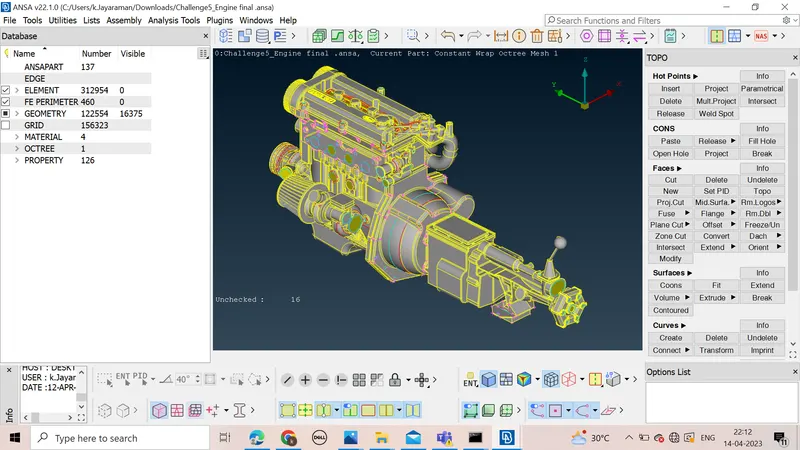
- after that we will proceed with surface wrap for our model
- after that we will go to wrap under the classical mesh
- we will delete unwanted PIDS using compress command
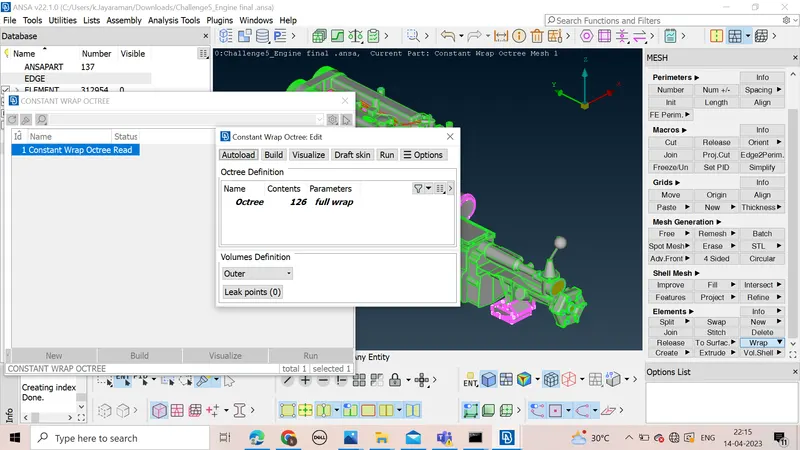
- we will select Surface wrap octree and enter the parameters and select all th ePID and then ok
the surface wrapping will be completed and we will save the Model 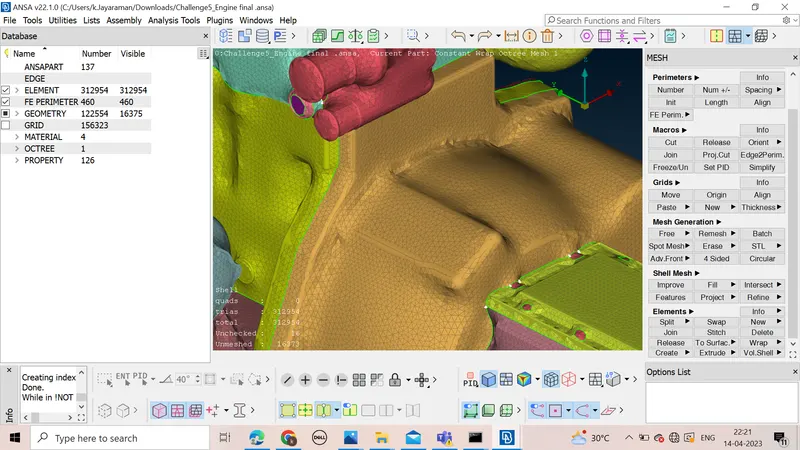
LEARNING OUTCOMES
*got a experience of the GUI of ANSA software
*learnt how to remove errors in surface by adding hot points and cutting sections using cut for meshing under TOPO command
*learn how to use geometric checks for the given design and how to clear the errors present in the design
*learn how to generate new faces and patching up of holes and other unsurfaced error
*learn how to assign properties to different surfaces of the given design and colours to them
*learn about the surface wrap feature from classical shell
*learn about the importance of surface wrap and errors associted with it
RESULT
The given model was annalysed and the errors were rectified and the unwanted surfaces were deleted and the surafce wrap of the given Model was completed with target length of 3mm
link for the submitted design -https://drive.google.com/file/d/1ugKBwFfyWeduLs4WD1zXbaqMYlSzH5-9/view?usp=sharing