Generation of Surface wrap on Automotive Assembly
Aim- To generate surface wrap on Automotive Assembly
Procedure –
There are so many unwanted and unchecked surfaces are present in the geometry. So our first task is to delete this unwanted and unchecked surfaces.
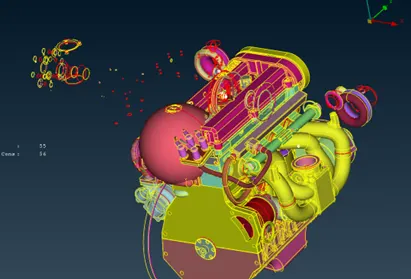
After deleting the unwanted faces and surfaces the geometry looks like this
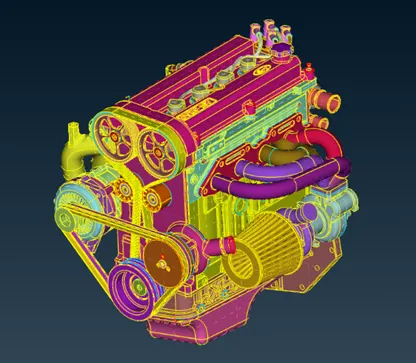
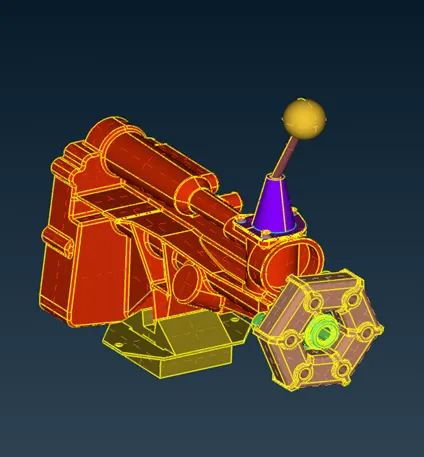
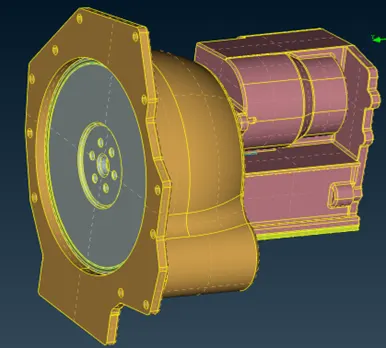
This completes geometry clean-up for surface wrapping. Also we ensure that there should be no hole present in the geometry. If there, then it should be filled/closed.
In the engine geometry there are so many unwanted and thin parts are present. This surface will not capture surface wrap properly. So, this needs to be deleted.
By selecting merge option from file tab we can merge different models into one single geometry.
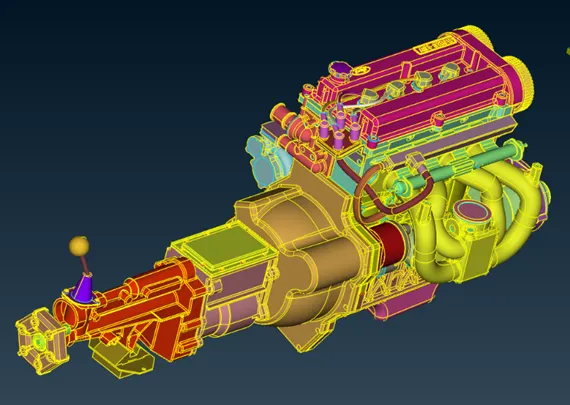
After this process we should also check again for the holes and fill it by generating new surfaces.
Now, for the surface wrap we should change our GUI into meshing.
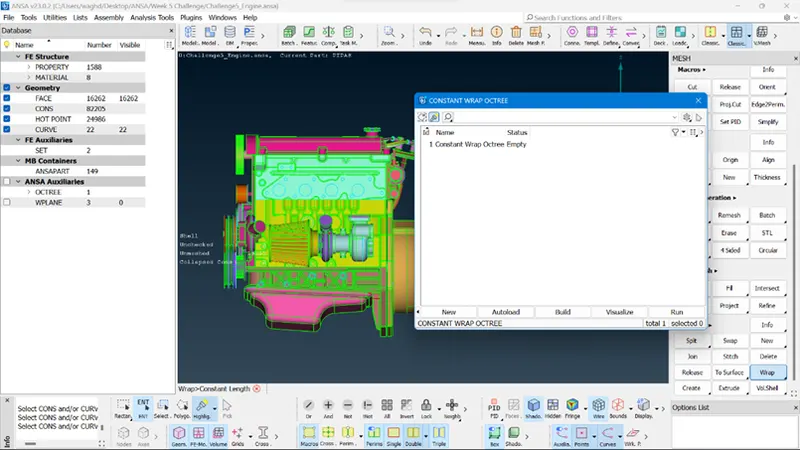
For Surface wrapping there is option in Element group>Wrap>Constant Length.
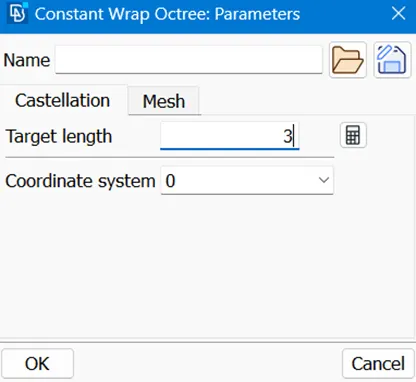
Since we are using constant mesh size(3mm) throughout component we are selecting constant Length option.
After clicking on status we get a dialogue box in which we are suggest to give surface wrap parameters,
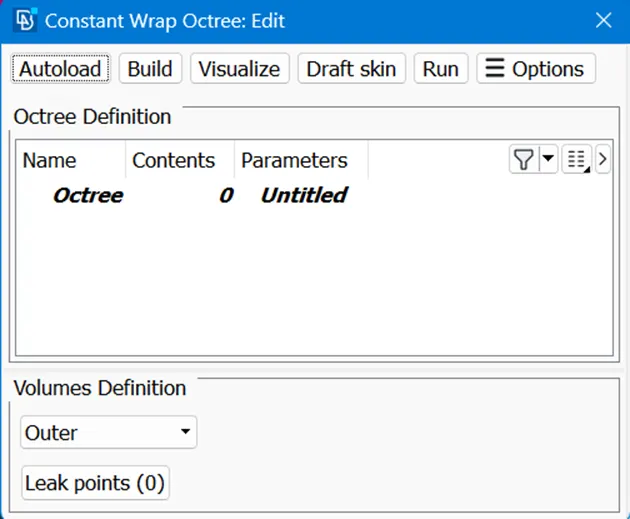
Then input parameters.
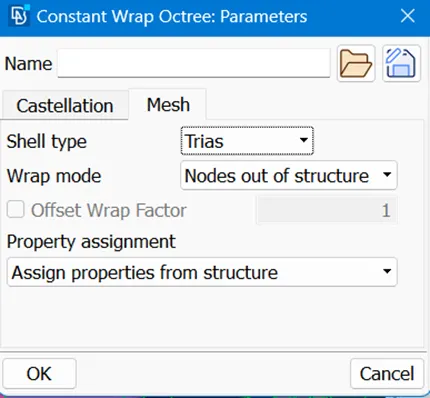
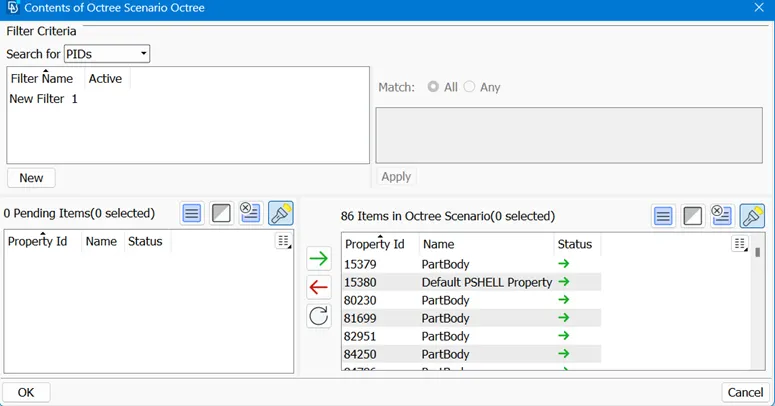
After defining parameters we have to give contents for the particular geometry. Before doing this we should delete unwanted PIDs by compress tool.
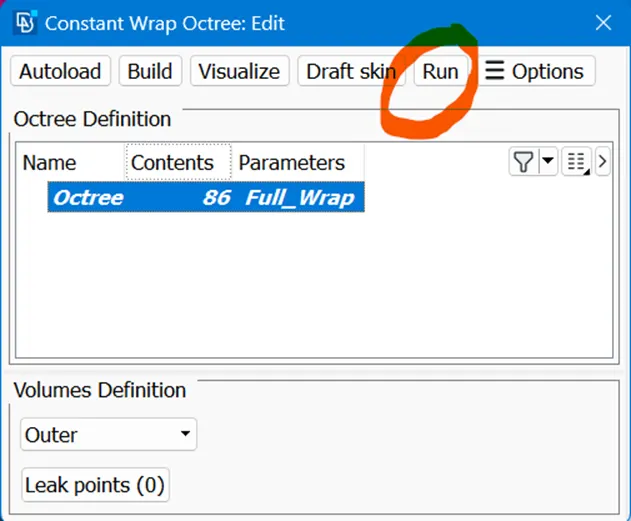
Then click on Run to generate the Surface Wrap.
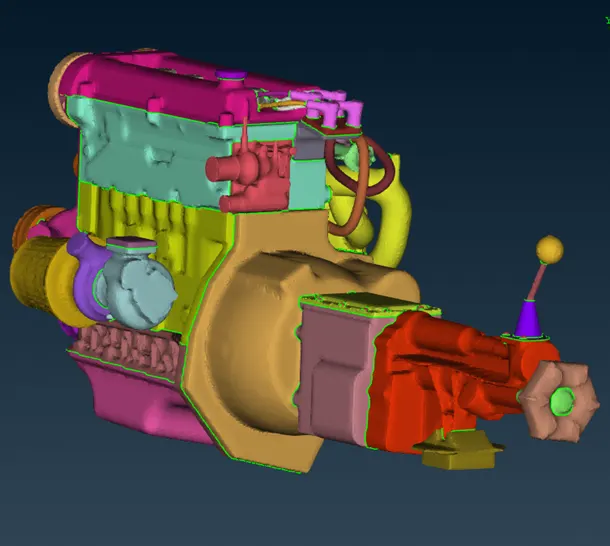
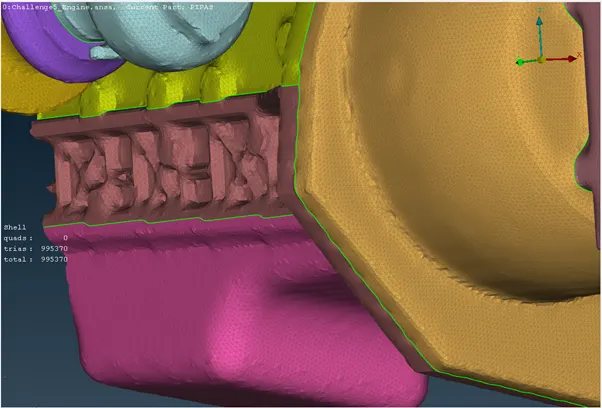
Then it will generate Surface Wrap as shown as follow
Learning Outcome- By doing this I am able to generate surface wrap on different components.
Result – The Surface Wrap of Automotive Engine Assembly is successfully generated.
Conclusion – By generating Surface Wrapping on the given components we observed and learned the single volume of surface wrapping and different properties of it.
https://drive.google.com/file/d/15NySWdLkNgwIZ7Mfaf2PFOoAwlHwwnII/view?usp=share_link