Week 5 Challenge : Surface wrap on Automotive Assembly
Title: - Surface wrap on automobile assembly
Aim:- To perform surface wrap on automobile assembly with given target length.
Theory: - Surface wrap means performing wraping (surface mesh) operation over the outer surface and doesn't include the interior surfaces. It is done on complex geometries.
Problem statement: -
For the given models, check for the geometrical errors and delete surfaces which are unwanted for Surface wrap. After clearing geometry, Merge all 3 models and perform surface wrap.
Target length for Wrap = 3 mm
Procedure: -
1. There are 3 different models given : Engine, Gearbox and Transmission. Start working on the geometric cleanup of engine model. Import the model into the ANSA software and then change the view from ENT to PID.
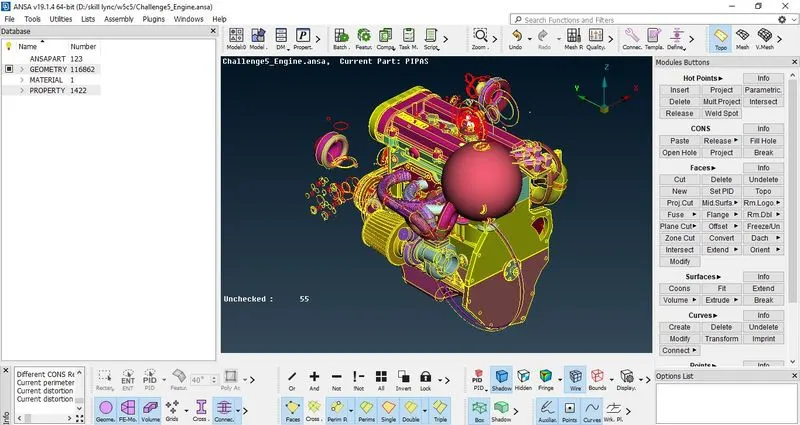
Figure 1: - Importing the engine model into the ANSA software and changing the view from ENT to PID mode
2. It can be observed that there are unnecessary surfaces present which has no connections to the main engine, delete the surfaces which are unnecessary.
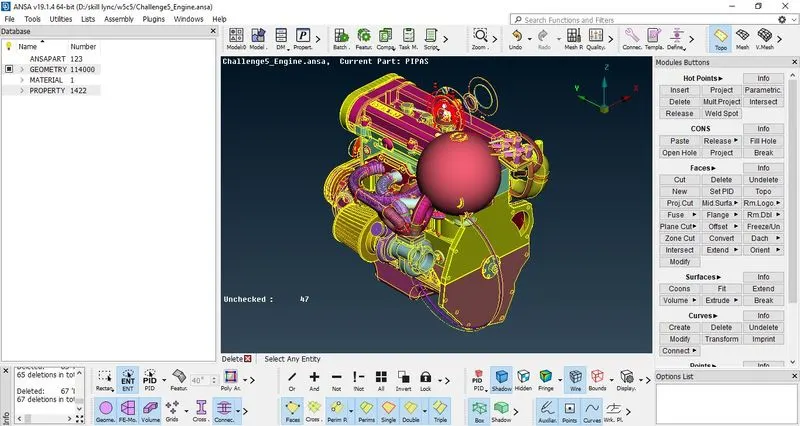
Figure 2: - Deleting the unnecessary surfaces
3. Since we are performing the surface wrap, it is required that geometric cleanup is to be done only on outer regions. Now use the NOT option and select the main parts of engine so that the main engine components are hidden and only unnecessary surface is visible. Lock the view so that it can be seen that only unnecessary surfaces are present.
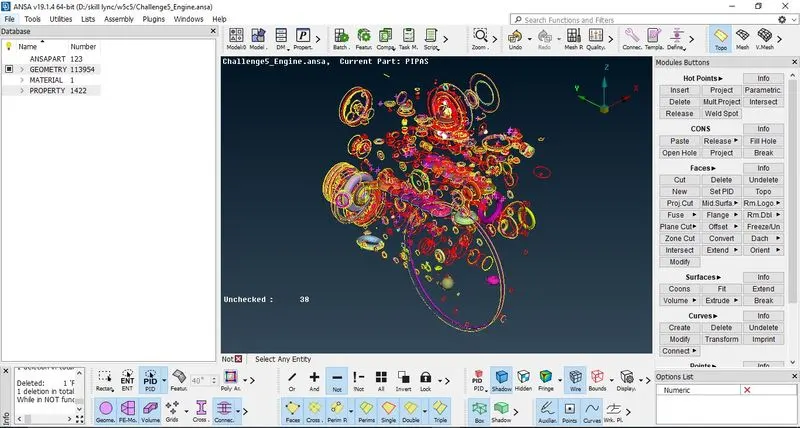
Figure 3: - Hiding the main components of engine and making universal delete over the unnecessary surfaces
4. Make a universal selection on the unnecessary surface and delete. Remove the Lock View and the click on All for surfaces to be visible.
5. Now try deleting the overlapping surfaces if possible to remove the triple CONS.
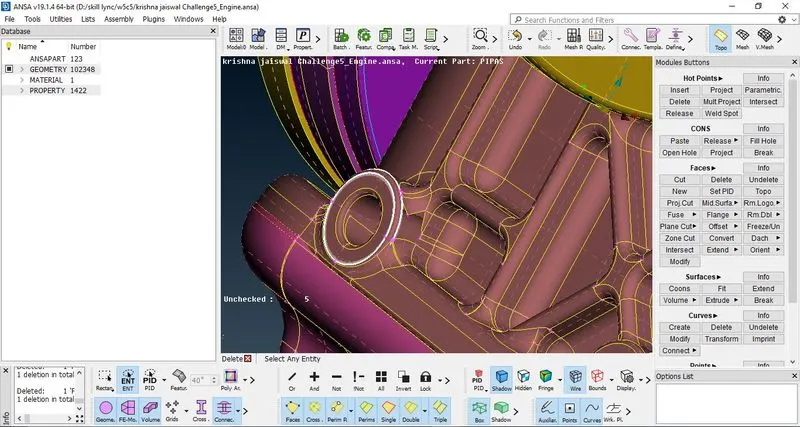
Figure 4: - Removing the triple CONS
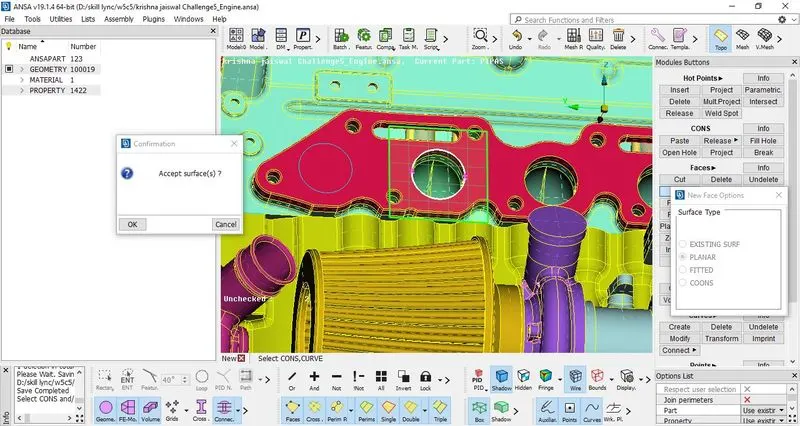
Figure 5: - Filling the holes by creating the surfaces
6. Now since surface wrap is to be performed it is mandatory that the surfaces must be closed. Create new faces and close the holes present in the model.
7. Thus check whether any outer surface has any triple or single CONS, if present remove the CONS by deleting and then creating new surfaces or using TOPO.
8. This completes the geometric cleanup of engine model. Save the model. Repeat the steps for gearbox and transmission model.
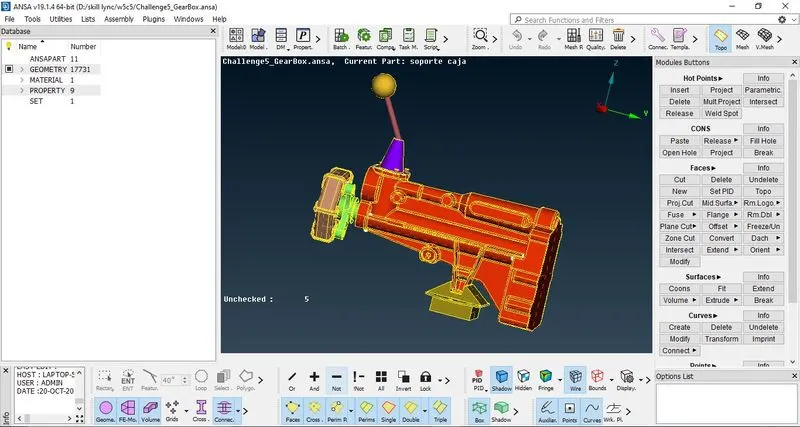
Figrue 6: - Importing the gearbox model
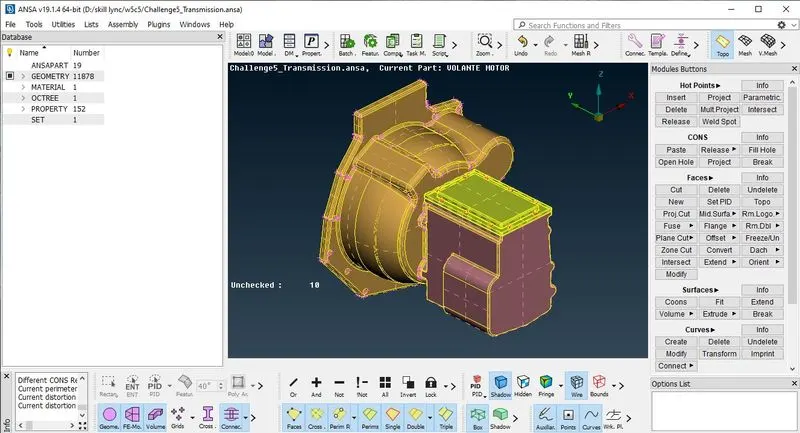
Figure 7: - Improting the transmission model into another window
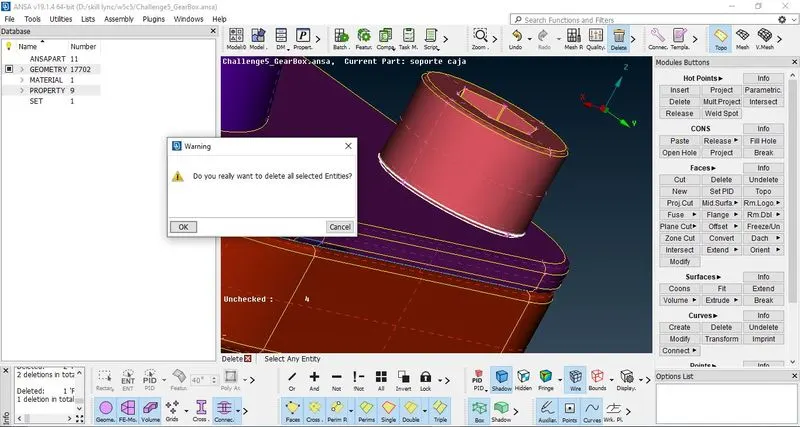
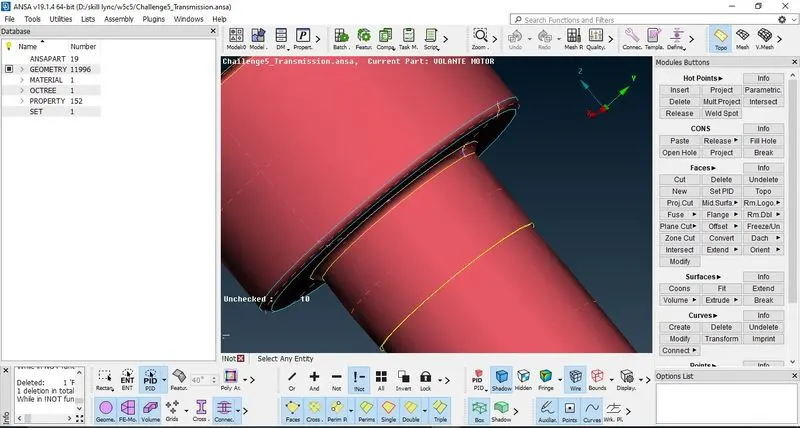
Figure 8: - Deleting the unnecessary surfaces to remove the triple CONS
9. After performing geometric cleanup of outer surfaces of both the models, save the models. Then it is required to assemble all the three models. Again open the saved engine model and then in the above toolbox go to merge option, import the models one by one. While importing the model> Merge for the current model (with autofit option ON)> Ok to Confirm, always check for the warnings and errors. If there are no errors confirm the selection so that the model will be imported. Thus all the models are imported and merged into one model.
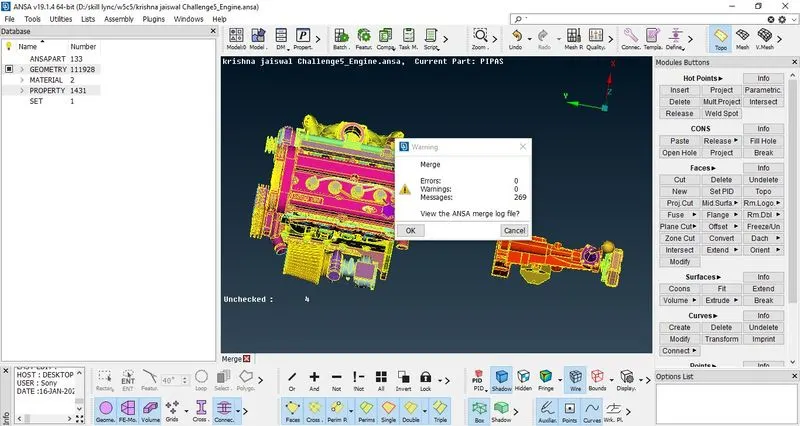
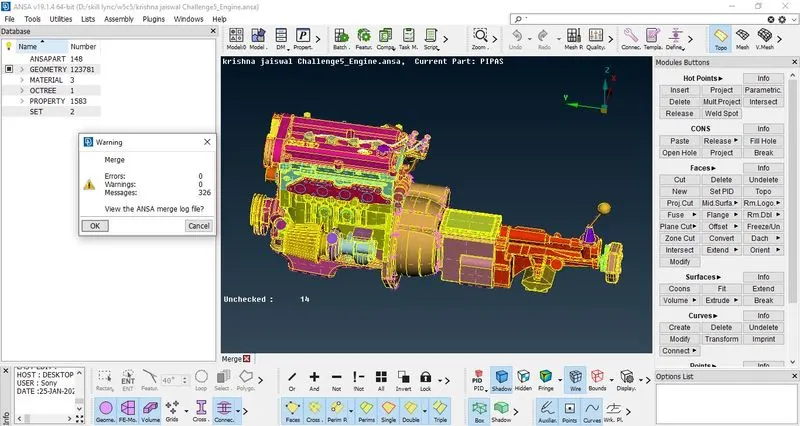
Figure 9: - Importing the model one by one and merging all together
10. Change the Menu from TOPO to Mesh. Now go to properties manager (PID manager), it can be seen that there are unnecessary PID's, use compress option in the toolbox to delete the unnecessary PID's.
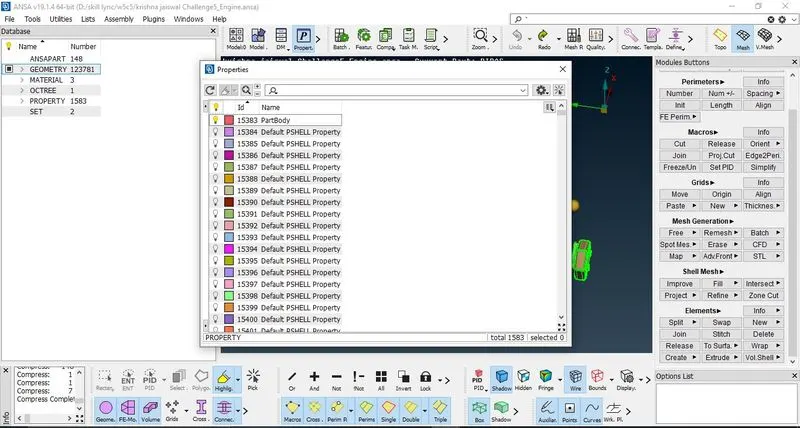
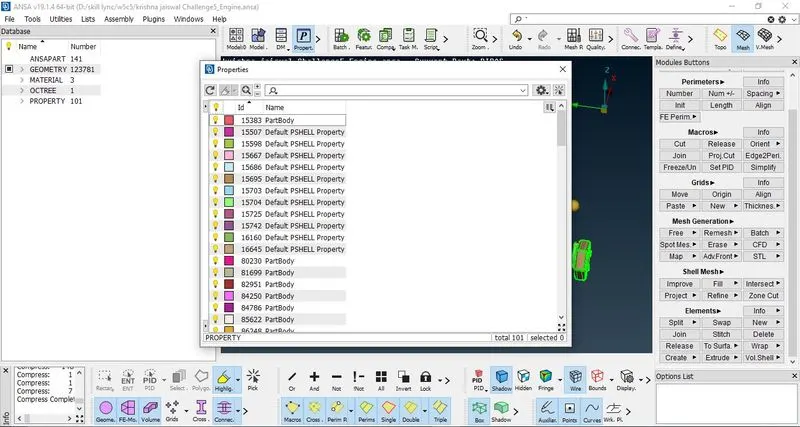
Figure 10:- Unnecessary PID's are removed using Compress option
11. To perform the surface mesh with target length = 3mm, go to elements> Wrap> Constant length> double click on constant wrap Octree since it shows as empty and it is required to give the target length> change the parameters in edit menu (opened) > change the target length = 3 > Ok to confirm. Then add all PID's in the contents menu by double clicking on it> make seletion of all PID's using Ctrl+A> Ok to confirm. Then Run the operation. Thus surface wrap is done.
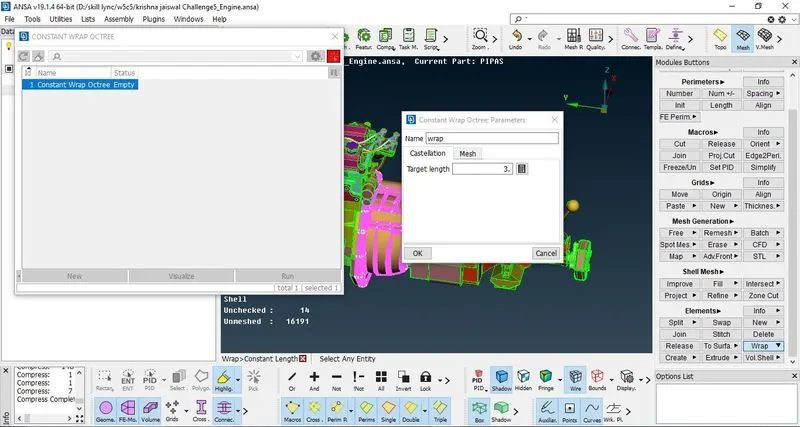
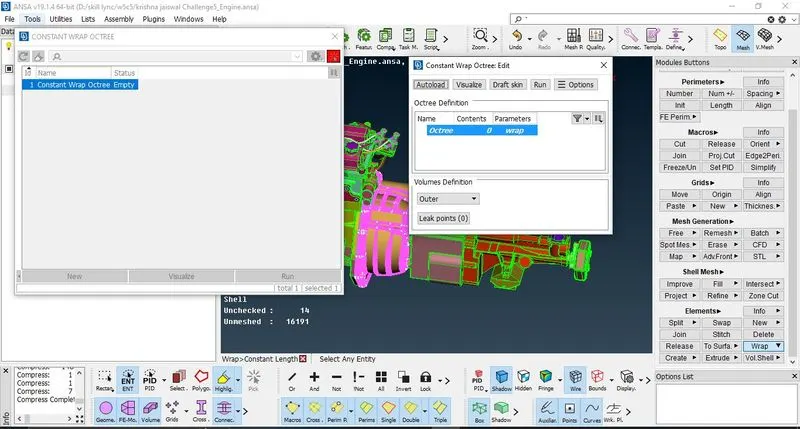
Figure 11: - Performing the wrap operation with target length = 3mm
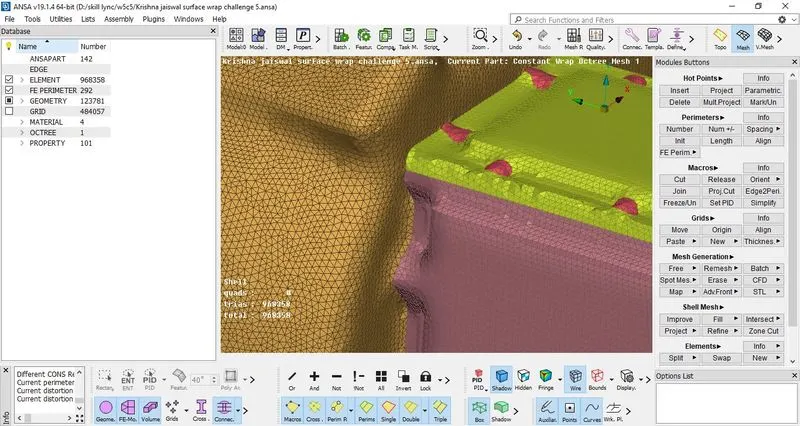
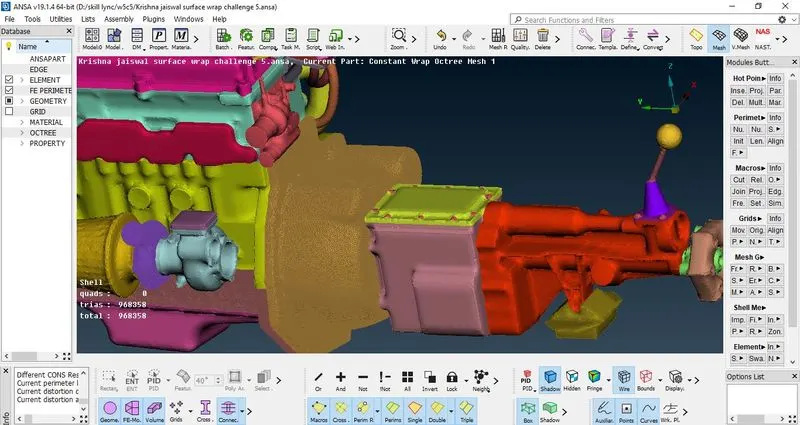
Figure 12: - Completed surface wrap of automobile assembly
This completes the surface wrap of assembled models.
Results and Conclusion: - This completes the surface wrap of automobile assembly after geometric cleanup of all the models and assembling it.
Learning Outcomes:- Surface wrap theory and how to perform it was learned, surface wrap is done on complex geometries.
Link to download the model: -
https://drive.google.com/file/d/1z4bO_xebyaVhdsrpd5ab33AZJuDmgoJa/view?usp=share_link