Week 5 Challenge : Surface wrap on Automotive Assembly
SURFACE WRAP ON AUTOMOTIVE ASSEMBLY
https://drive.google.com/file/d/1Kn3GtfUyC2sgOyhovHyUiObsbxAWGTj2/view?usp=share_link
AIM;
To do surface wrap of the automotive assembly with given parameters .
PROCEDURE;
step-1;Topological cleanup
first open the engine file and delete all the unwanted surfaces .
Delete > select the surface > Middle click > ok.
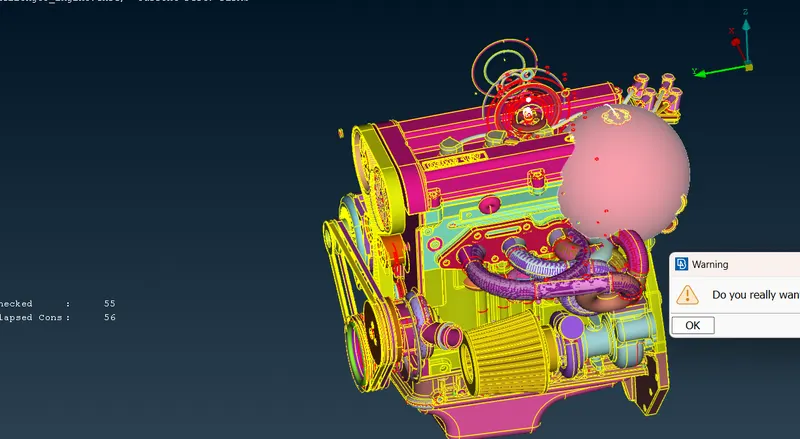
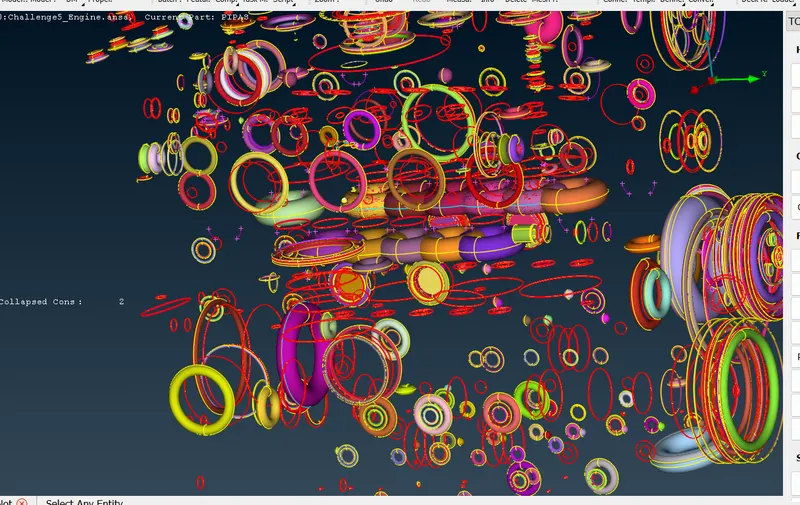
here in thin model we can see many overlapping surfaces delete them all which are causing problem with outside geometry.
Many loop and spheres can also found which is created when designing the model also delete then which interfere with out side geometry.
note*- If you want proper CFD analysis the wrap of the component and shape of the geometry should be exact.
Use different tools for deleting the unwanted surface(ent,hide option,pid etc).
cover all the holes present in the model which cause ineterfernce with surface wrap.
Step-2 ;open all the three models in single window.
file > merge(select the file ) > model action (merge with current model ) > enable (merge point & MB containers) > ok
merge Engine ,transmission and gear box in one GUI.
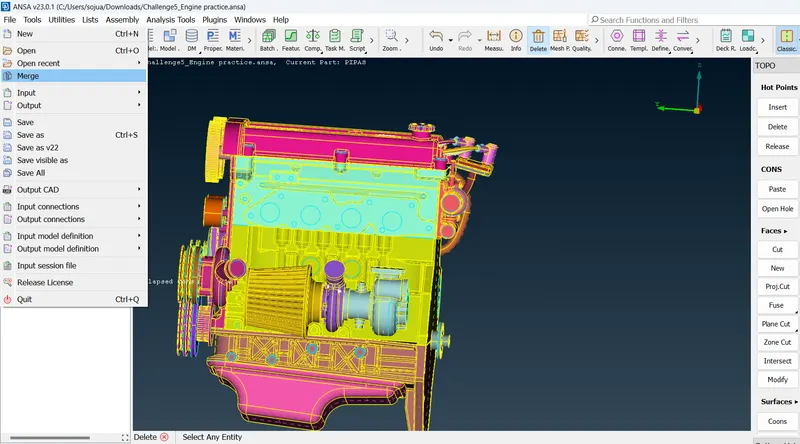
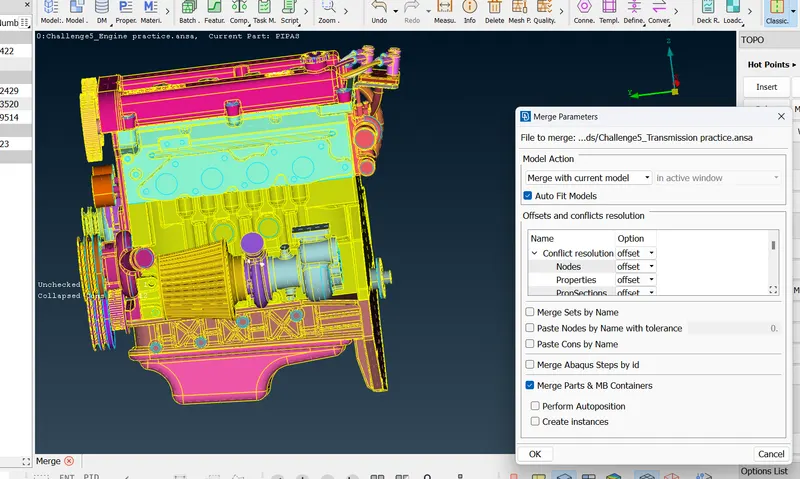
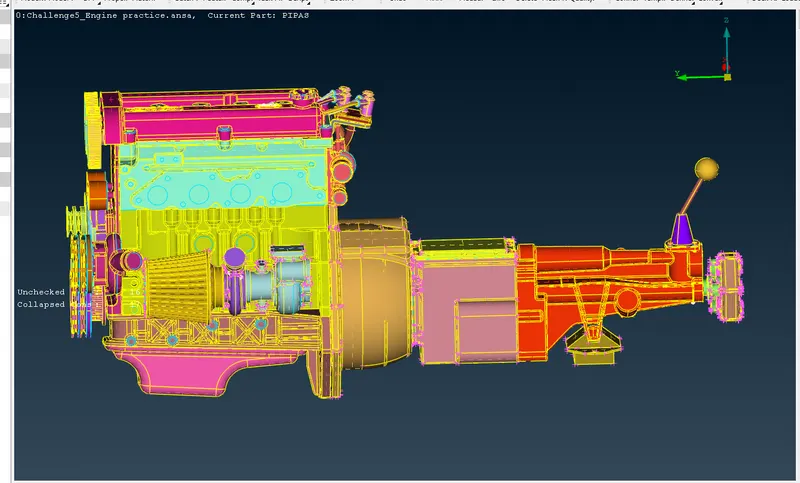
*it is important to fill or cover holes in all this three parts before surface wrap is important.
Step-3;surface wrap
Mesh > Elements > wrap( constant length) > constant wrap > double click on untitled > castellation length(3mm) >enable (nodes out of surface & assign properties from structure) >give name ( Full_wrap) > ok.
(*note - If the target length is less it will take more time to do surface mesh ,it will capture the surface properly & if target length is larger it will take less time time to do surface mesh but it won't capture surface properly)
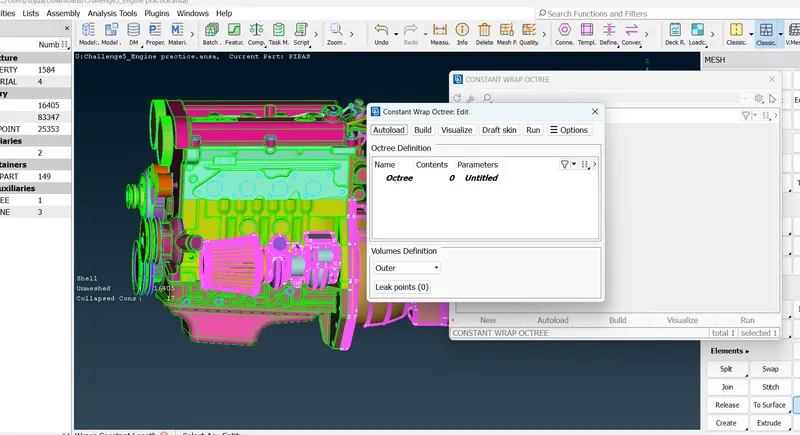
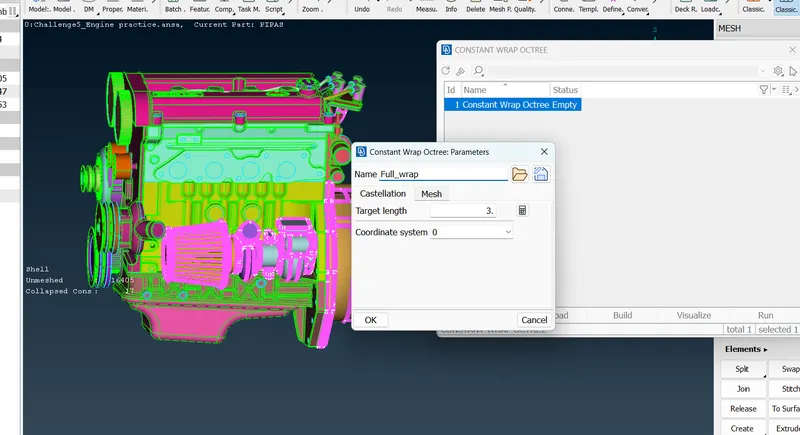
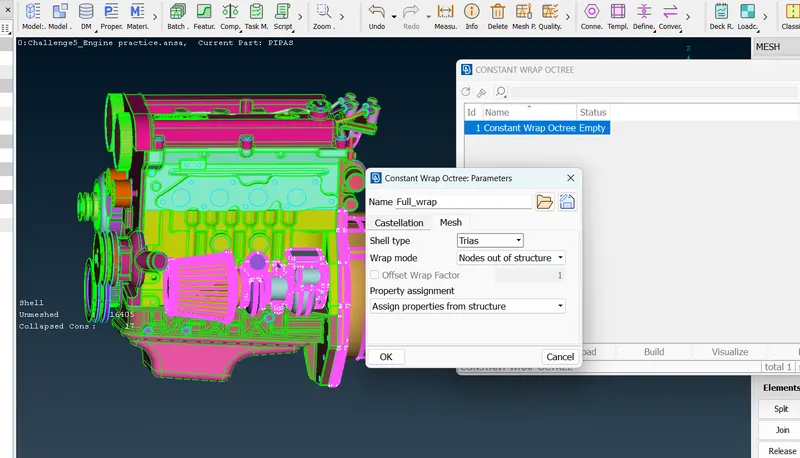
Delete all unnecessary PID'S from the properties using compress option.
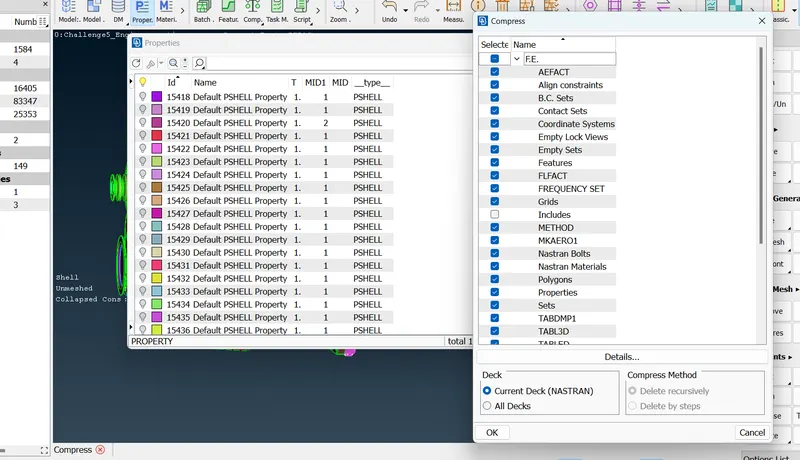
contents(0) > double click on contents > name (full _wrap) > select all PID (By ctrl+A) > click on move icon > ok.
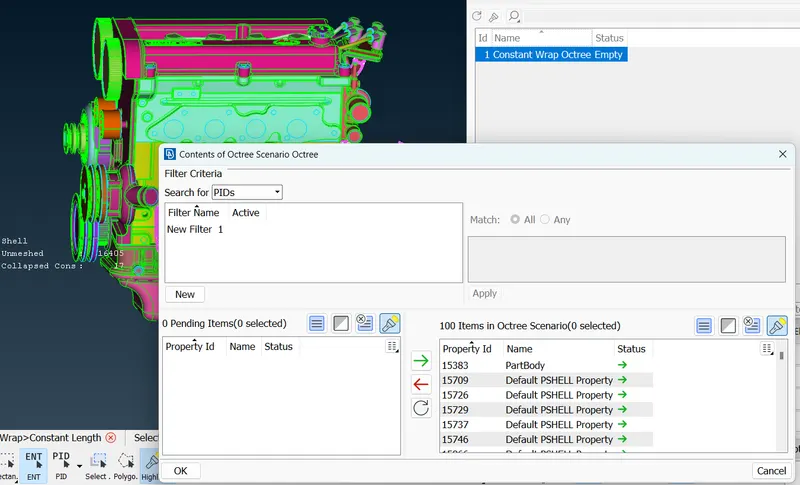
click on 'RUN'
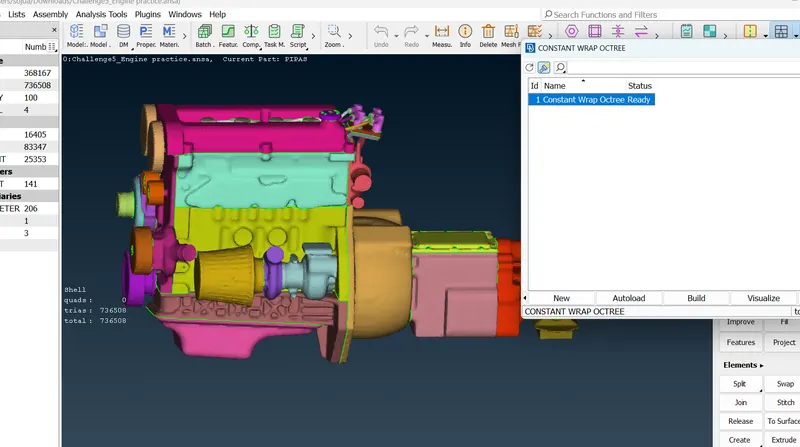
After compeleting the surface wrap check the component have one volume by hiding the parts on both ends.
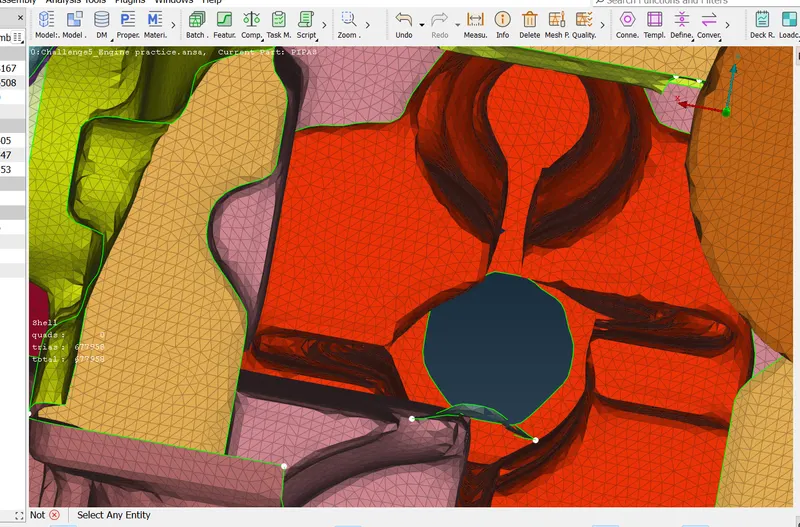
For comparing parent geometry with surface wrap by disable the (FE-Mode) and compare them.
LEARNING OUTCOMES;
By doing this exercise will come to know;
- How to do the surface wrap of complicated component.
- Merging the parts which is in different files inorder to open in a single window.
- Topological cleanup of the surface geometry which are interfering surface wrap.
RESULT;
we got the surface wrap on 'Automotive Assembly' with given mesh length and one volume .
CONCLUSION;
In complicated components like automotive assembly it's difficult and more time consuming process inorder to prepare the model for volumetric mesh by making the component in one volume but by doing surface wrap it is easy and less time consuming when compare .
https://drive.google.com/file/d/1Kn3GtfUyC2sgOyhovHyUiObsbxAWGTj2/view?usp=share_link