Week 5 Challenge
Question No 1 Answer:
Aim: Generate manual wind loading in the design report based IS code as per the following input
- Basic wind speed = 39m/s
- Terrain category 2
Procedure : Calculations of wind load is calculated in excel sheet and explianed below:
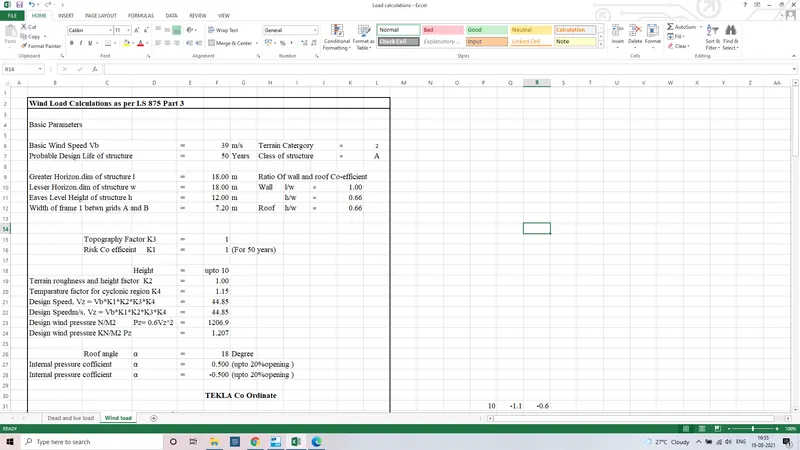
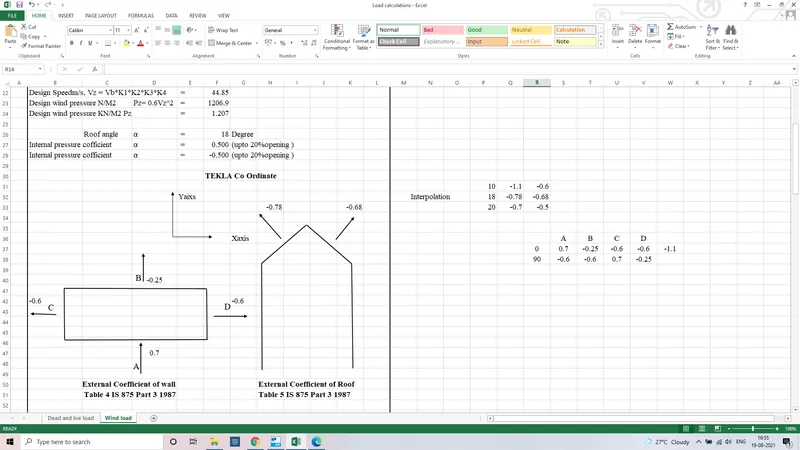
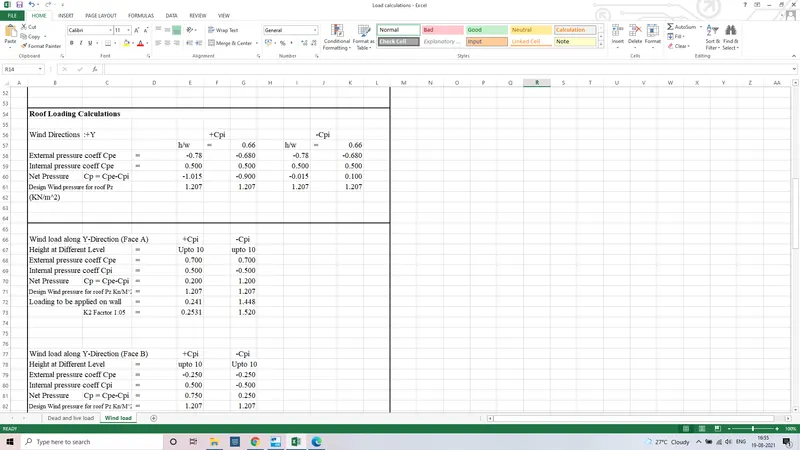
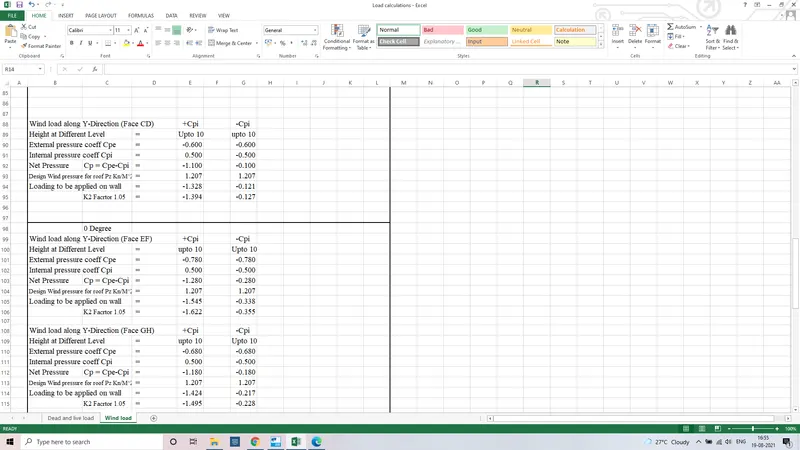
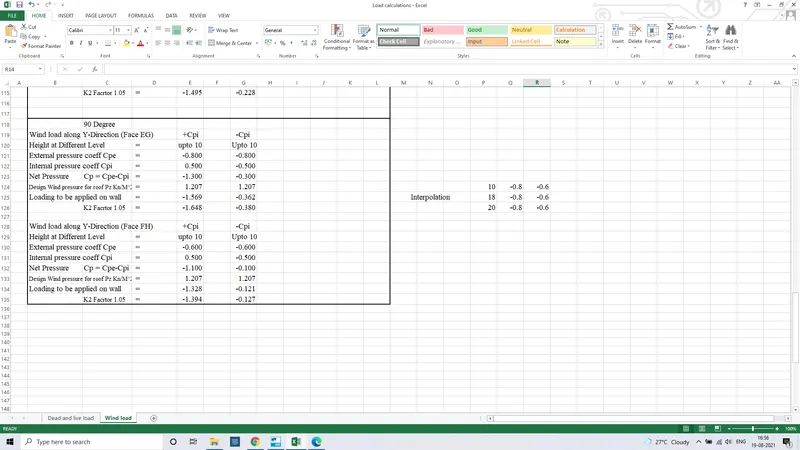
Conclusion : Hence Complete Calculations of wind load done using IS 875 Part 2 considering each wind directions in Proper manner.
Question No 2 : Answer
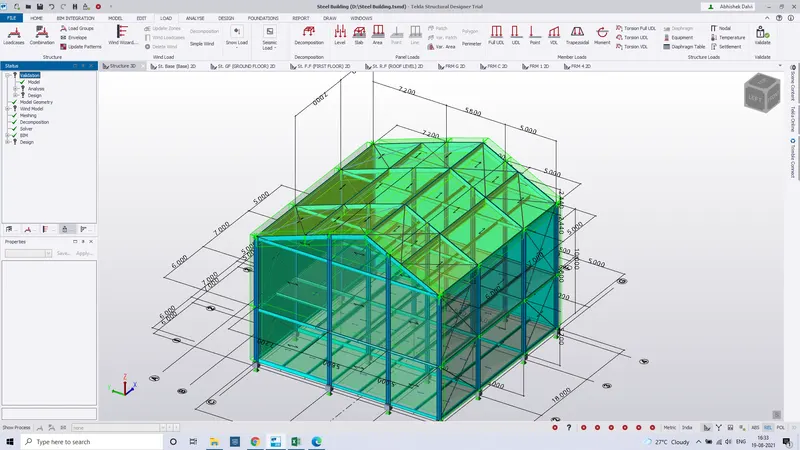
Aim : Based on the above calculation apply the loadings on the mode.
Procedure :
Step 1 : Calcualtions are done in excel spread sheet and according the value of wind speed is found through IS 875 Part 3.And then following steps are done for application on the model
step 2: To apply value of wind load firstly Click on lOad tab
Step 3: Click on Lad Cases through ribbon tab
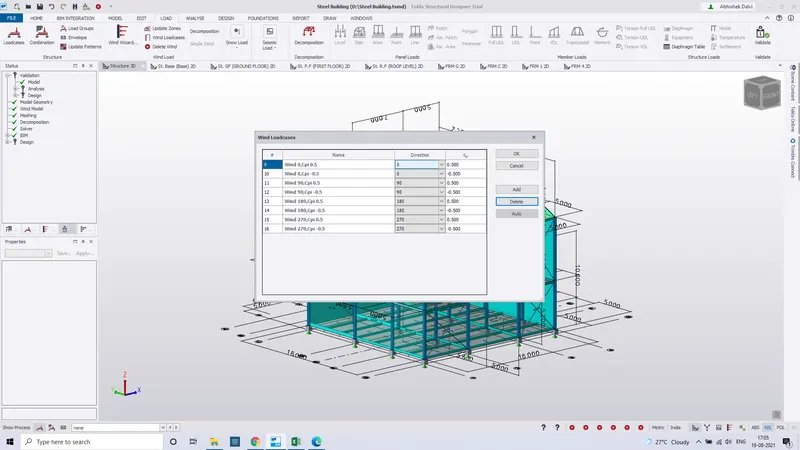
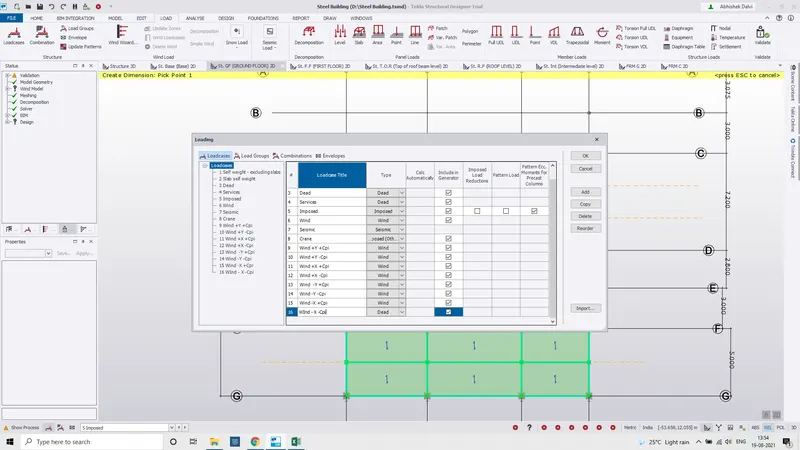
Step 4 : After load cases create various Wind load such +cpi And -cpi in Y direction and +cpi and -cpi in X direction by clicking on Add tab and select wind type similarly create various Wind load in load cases.
Step 5: Click On loading window below screen and bottom select WInd +Y direction +Cpi and then select Global Y and insert +cpi value whichever should be applied.
Step 6 :Select Frame of One side of building where the load should be applied.
Step 7 :Click on area tab to apply load and select the area panel where the load should be applied.
Step 8 : Click on patch load if the load should be appiled in limited area.
Step 9 : Similarly Select various outer wall frames where the load should be applied.
Step10 : To Wind load on roof activate roof panel first
Step 11 : Create wind load in X direction with +cpi and -cpi external coefficients.
Step 12 : Start applying by selecting X Direction in Loading Window and add value select global Z and Insert value calculated through Excel File and Start applying using Area LAoding
Conclusion : Hence Wind load Is applied using suitable value from Wind calculation spread sheet which consist values of EXternal coefficients +Cpi and -Cpi value in various directions.
Question NO 3 : ANswer
Aim : On a separate model generate wind loading using wind wizard
Procedure:
Step 1 : Click on Load Tab
Step 2 : Click on wind Wizard through ribbon.
Step 3 : Tick the cyclonic effect through wind option and click next.
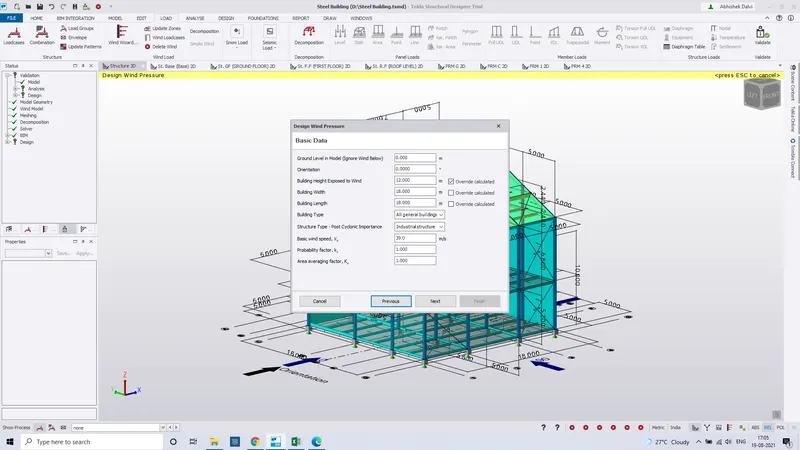
Step 4 : Fill Correctly the basic data required in wind wizard and set design speed at 39m/s and click on next.
Step 5 : Then Select terrain as open terrian and set 10m height.
Step 6 : Watch out the result and report view and click next and then click on ok and Finish.
Step 7 : Then Click on wind load cases and click on add tab.
Step 8 : Then according to co efficients value cpi + and cpi - similarly create for 0,90,180,270 degree.
Step 9 : Like these way the wind load will be shown in loading window with respect to various degree +cpi and -cpi
Step 10 : In these way wind wizard is generated.
Conclusion : Hence Wind Wizard is generated with proper setting on separate model shown above.