Week 5 Challenge
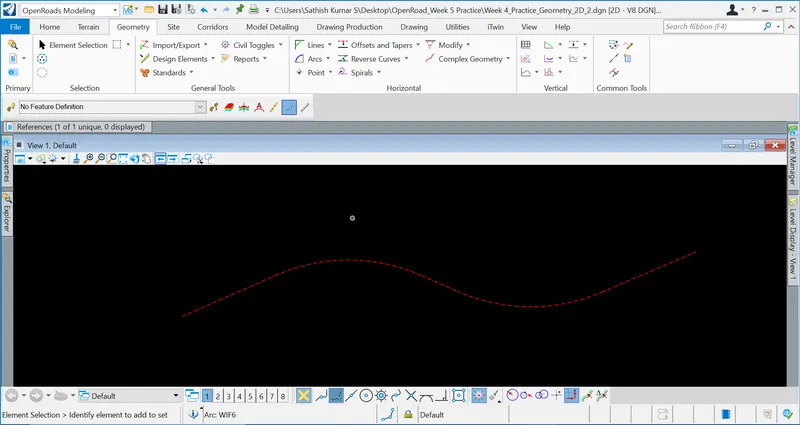
1. Create new DGN file for horizontal geometry. Draw tangent lines with various methods. Insert curves in between them as well at the ends. Apply feature definitions to all these elements.
Aim & Introduction
To create a new DGN file for horizonal geometry and to draw tangenet lines with various methods.
To insert curves in between the tangent lines and to apply feature definitions to all the elements.
Steps & Procedure
OpenRoads Modelling => Geometry => Lines => Line Between Points
OpenRoads Modelling => Geometry => Standards => Set Feature Definition
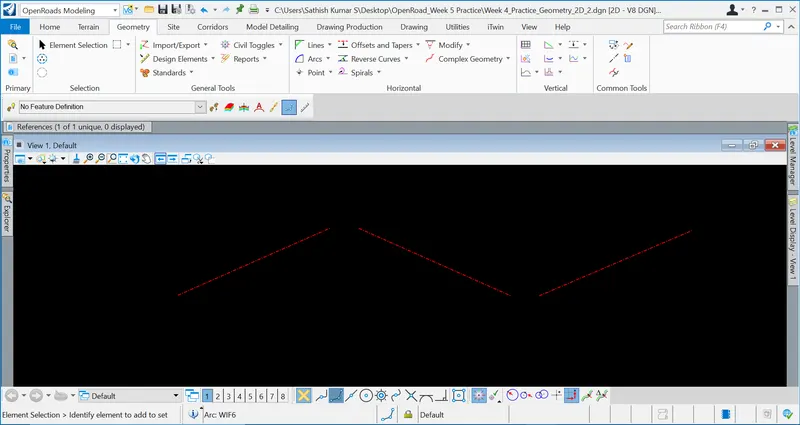
OpenRoads Modelling => Geometry => Arcs => Arc Between Elements => Simple Arc
Results & Conclusion
Thus, the DGN file for the horizontal geometry with the use of curves between the created tangent lines and feature definition for the elements has been done as above.
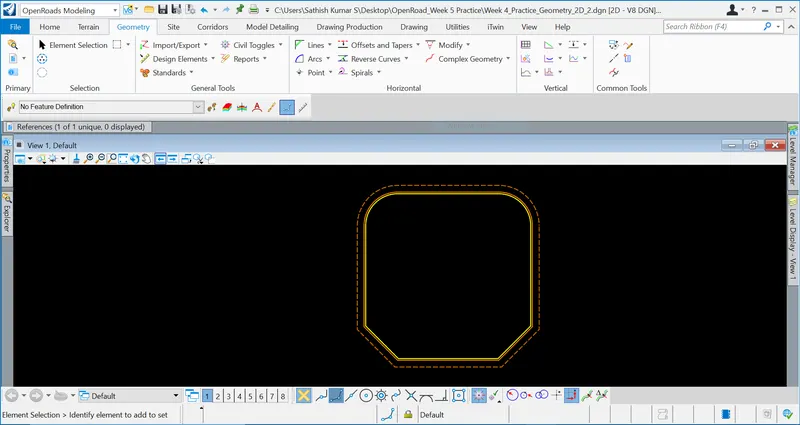
2. Create a square of 500’ side with fillets at 2 ends and chamfer at other two. Make complex. Offset this shape inside 5’ and outside 20’. Apply 3 different feature definitions for each of these shapes.
Aim & Introduction
To create a square of 500' side with fillets at 2 ends and chamfer at other two and make complex.
To offset the shape inside 5' and outside 20' and to apply 3 different feature definitions for each of the shapes created
Steps & Procedure
OpenRoads Modelling => Geometry => Lines => Line Between Points
OpenRoads Modelling => Geometry => Modify => Insert Fillet
OpenRoads Modelling => Geometry => Lines => Chamfer Between Points
OpenRoads Modelling => Geometry => Offests and Tapers => Single Offset Entire Element
OpenRoads Modelling => Geometry => Standards => Set Feature Definition
Results & Conclusion
Thus, the above mentioned offest has been created as mentioned above.
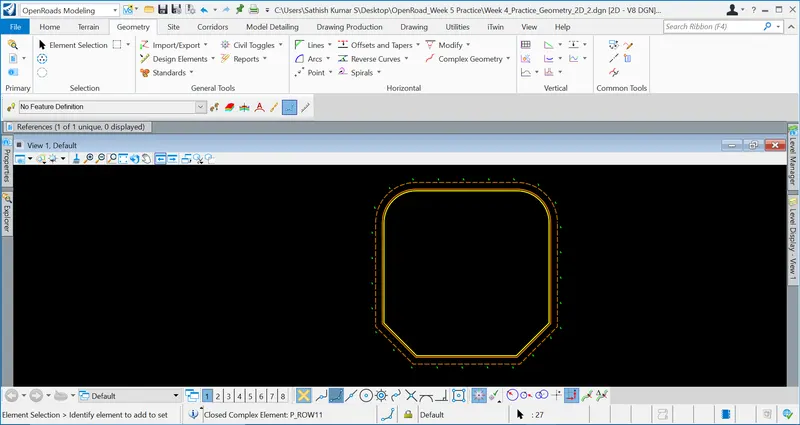
3. Create any point featured element along the outmost shape by point tools.
Aim & Introduction
To create any point featured element along the outmost shape by point tools.
Steps & Procedure
OpenRoads Modelling => Geometry => Point => Equal Space Points
Results & Conclusion
Thus, the point featured element along the outmost shape by point tools has been created.