Week 5 Bending of iPhone
#5 Week Assignment- Structural Analysis using Ansys Workbench
Objective:
- Setup and execute the cases with the prescribed materials and the other criteria.
- Simulate the setup and evaluate the results for the different parameters.
- Observe the differences and prepare a detailed report.
Case setup and Execution:
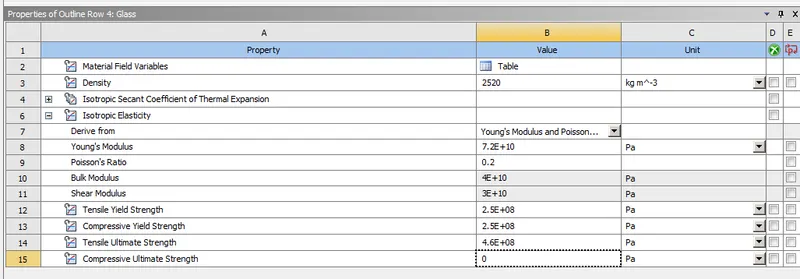
- Goto Engineering Data and create a material following values and name it as glass and click on add to library.
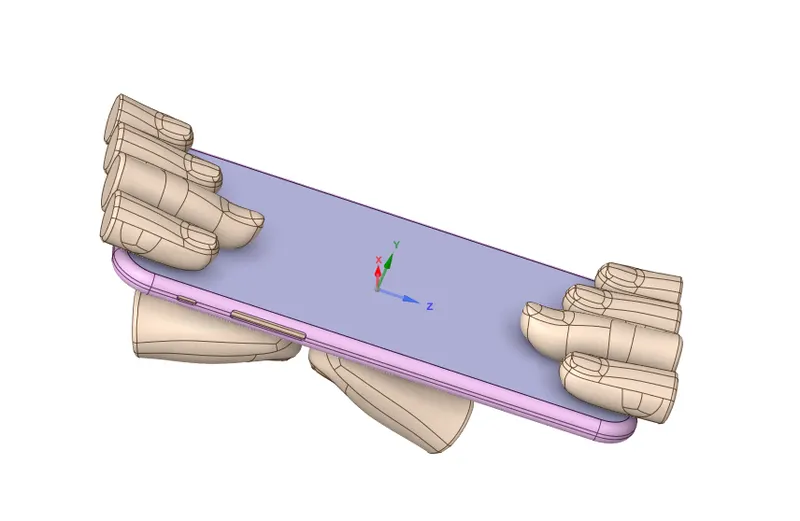
- Now goto geometry and view the model for any corrections.
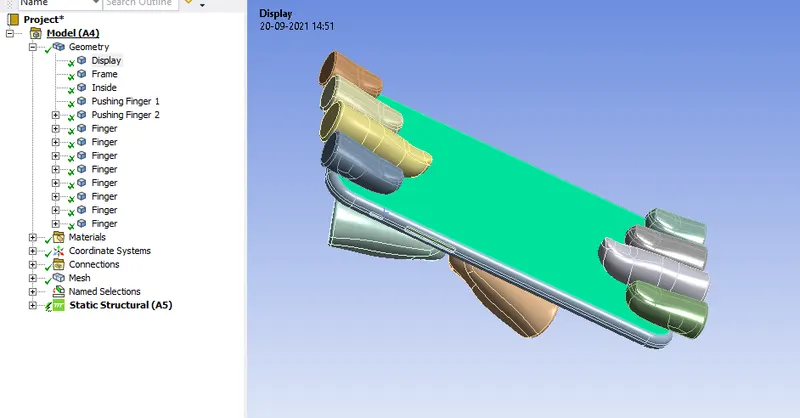
- Now import the model into the Mechanical module and rename the components manually in the geometry based on the definition.
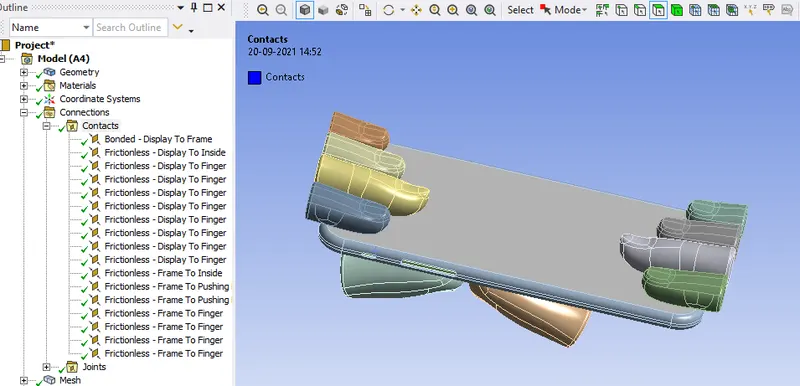
- Goto Contacts and rename the existed contacts based on their definition and change the types as frictionless except for the Contact which is display to frame.
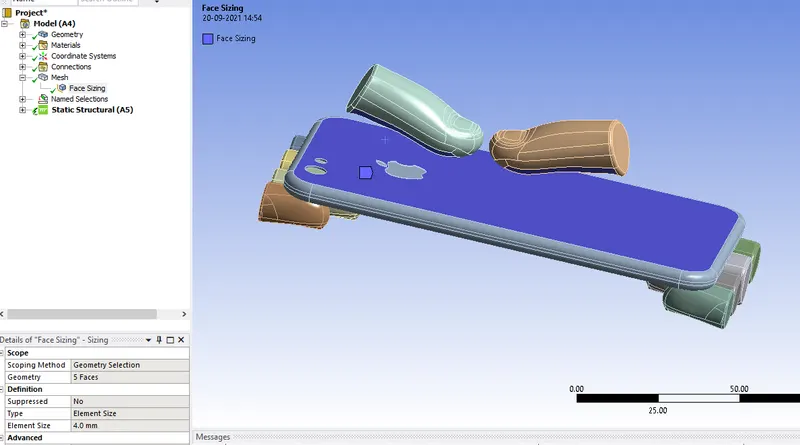
- Create a face sizing under the mesh and select the faces(under the fingers,back-panel).
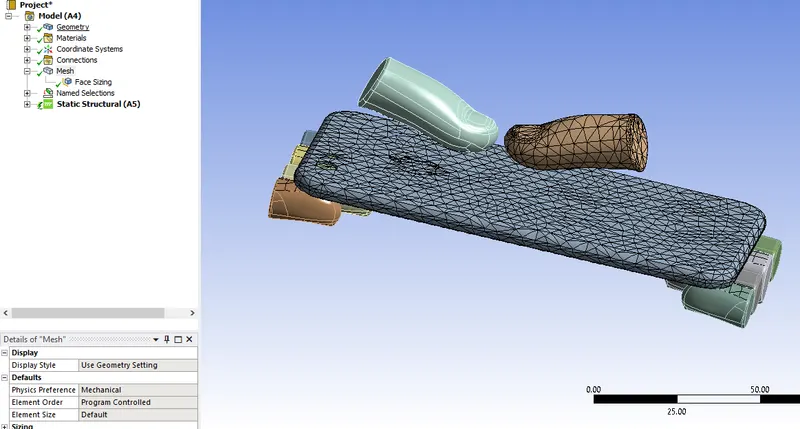
- Click on generate the mesh and the mesh will be same as below.
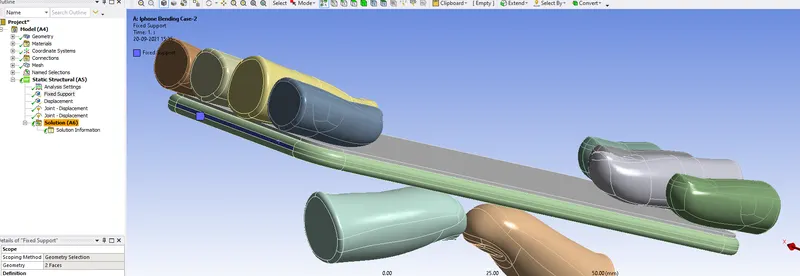
- Create the displacement under the static structural and select the faces on the body panel as selected below either of the sides.
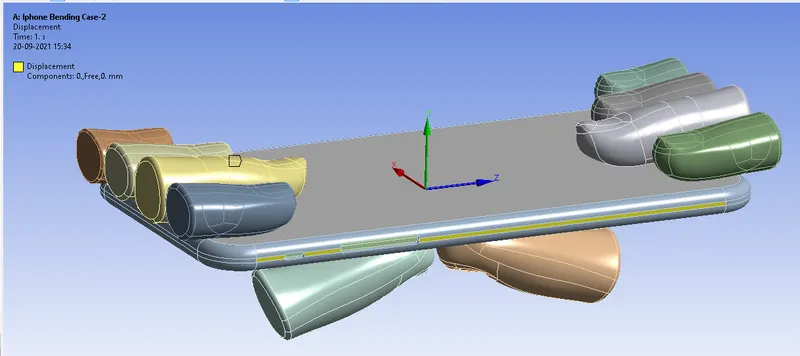
- Set the co-ordinates as shown below.
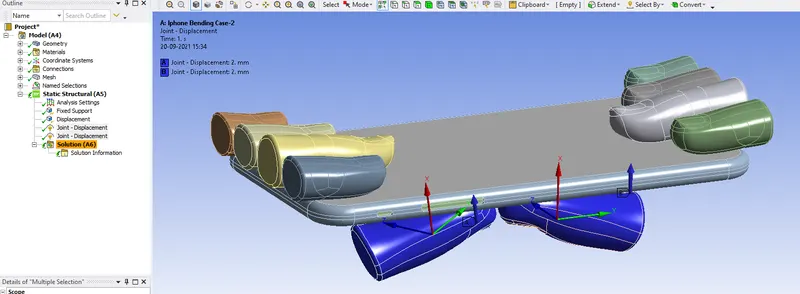
For the Analysis settings:
No. of steps=8
Large Deflection= On
Solver type= Direct
Auto Time-stepping= Program Controlled
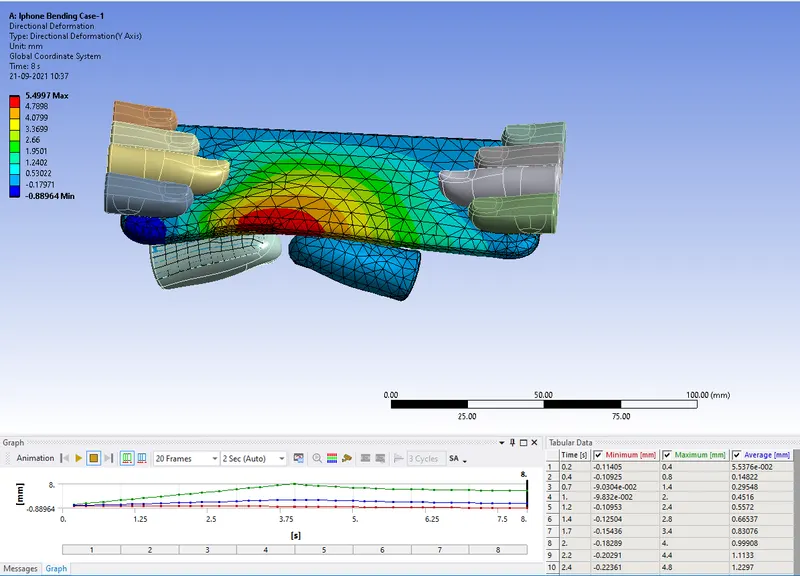
Directional Deformation (Y-Axis):
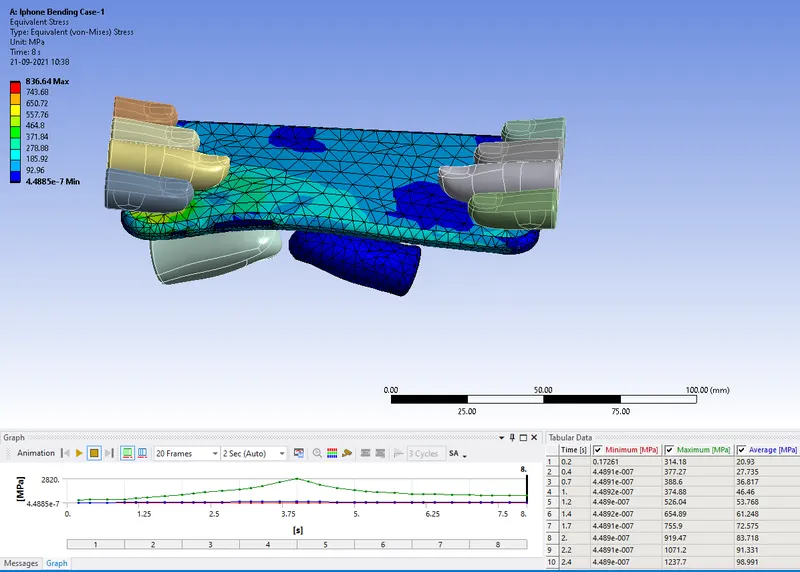
Equivalent Stress:
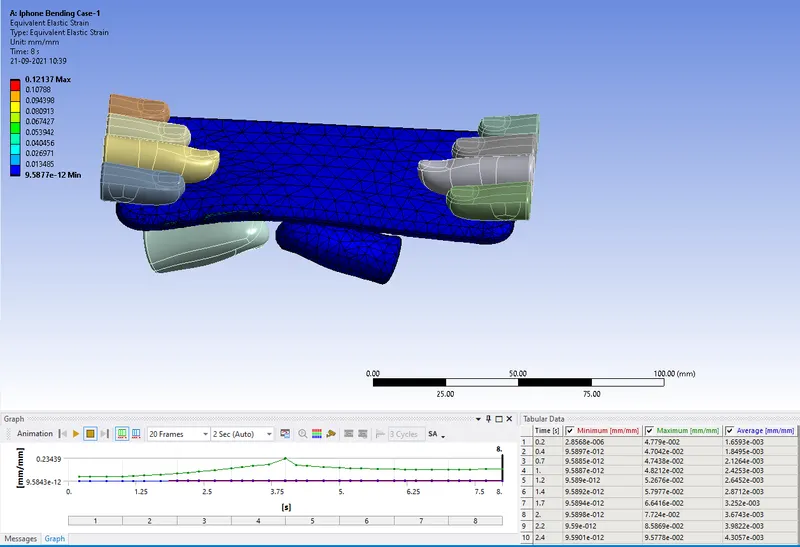
Equivalent Strain:
CASE-2:
- Now duplicate the static structural window and save the first case.
- Rename the duplicate as case-2.
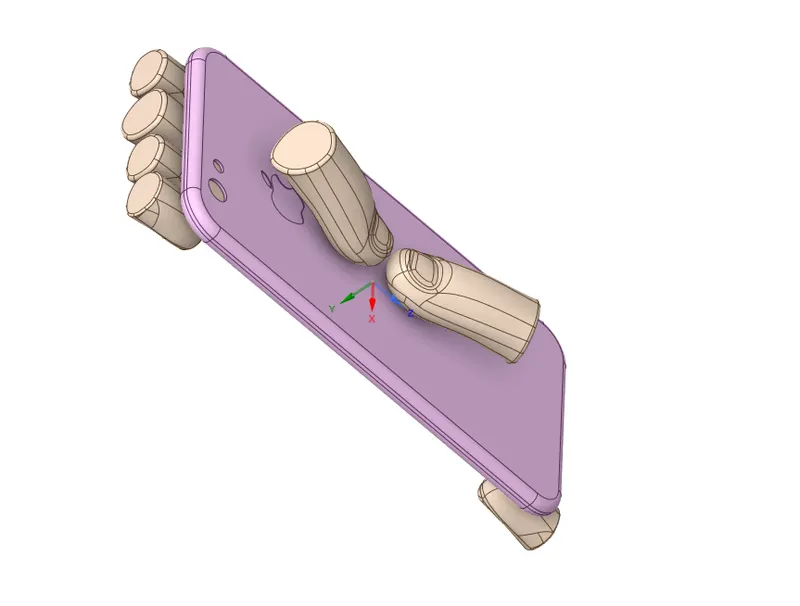
- Goto spaceclaim geometry use the move option.
- Now the position of the pushing fingers is changed in the spaceclaim geometry to the given position X=22.5mm, Z=10mm.
- Goto Engineering Data and select the Aluminium Alloy.
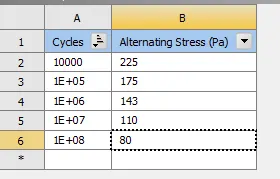
- Create the S-N curve as follow for the Aluminium alloy.
Now without changing the previous set-up run the simulation.
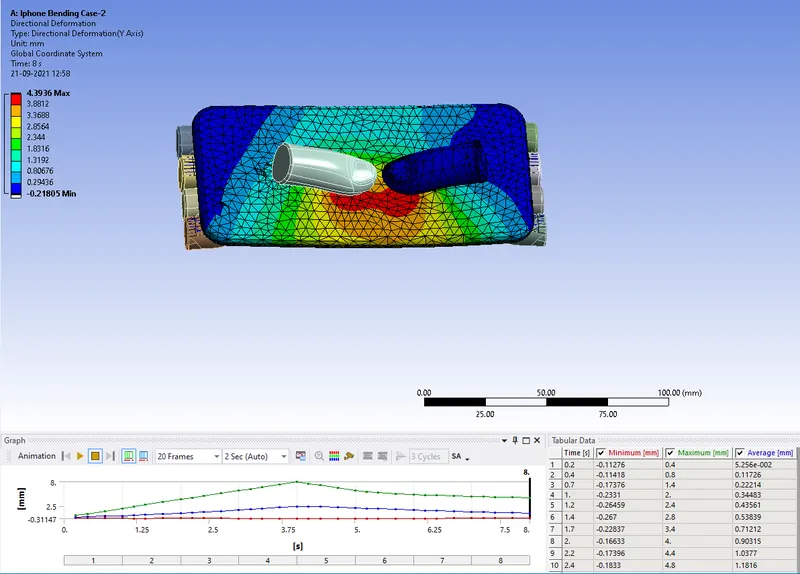
Directional Deformation (Y-Axis):
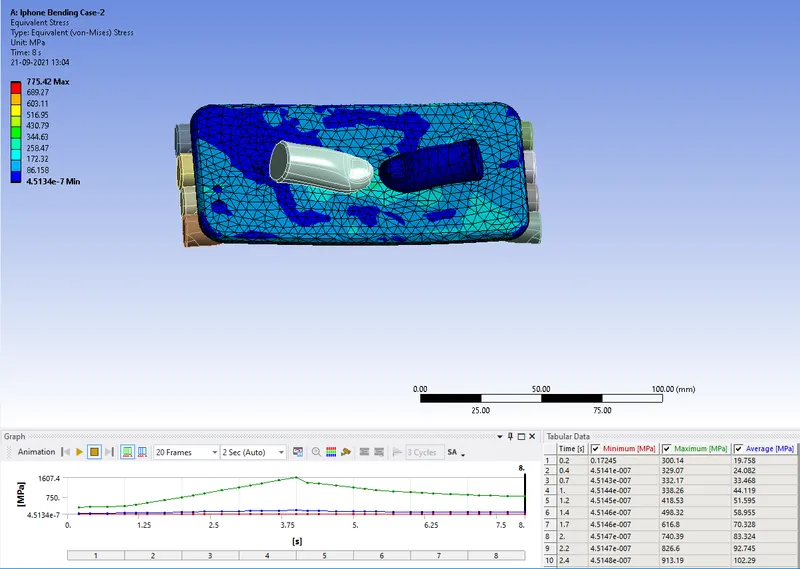
Equivalent Stress:
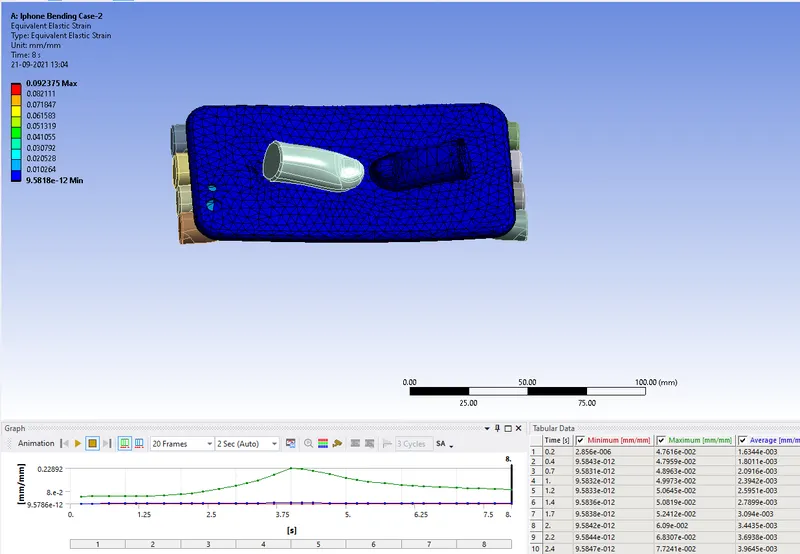
Equivalent Strain:
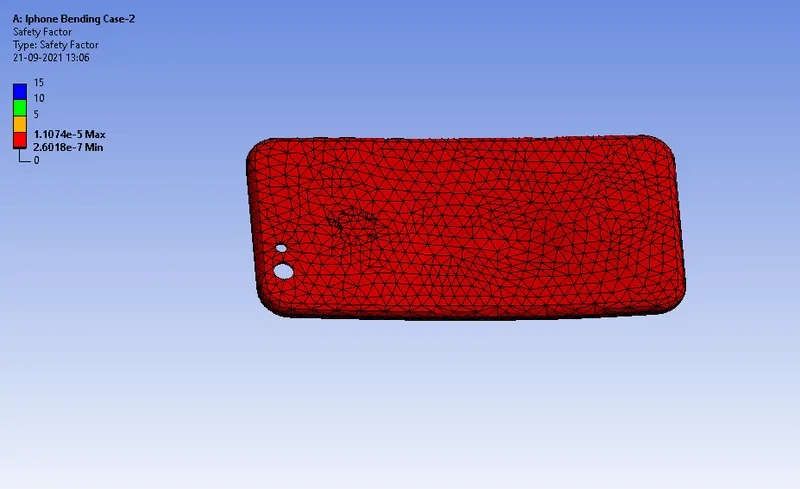
Factor of Aluminium Alloy NL:
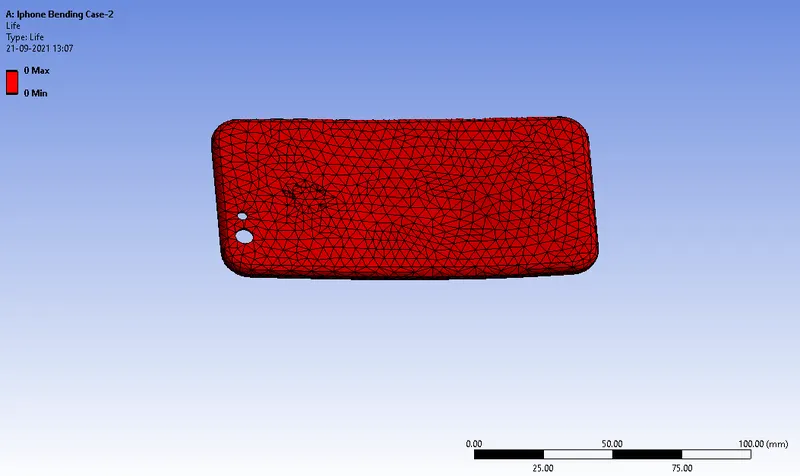
Life of Aluminium Alloy:
Comparison:
| Directional Deformation (Y)(mm) | Eq. Stress(MPa) | Eq.Strain | |
| Case-1 | Max:5.49 | Max:836.64 | Max: 0.1213 |
| Case-2 | Max: 4.39 | Max:775.42 | Max:0.0923 |
Conclusion: From the above simulation we can conclude that case-2 can make the model survive comparing to the case-1 as the stress and strain developed were comparitively low.