Bending of iPhone
AIM:
- To perform static structural analysis of iPhone to determine the fatigue life results.
OBJECTIVES OF THE PROJECT:
- To add Aluminium alloy NL, Polyethylene material for the frame and the inner part.
- To insert the contacts for the fingers, frame, inner and glass.
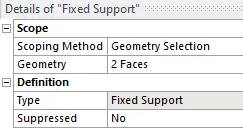
- To fix the inner in X and Z directions.
- To define displacement for the fingers.
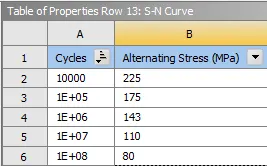
- To define fatigue S-N curve for the Aluminium material.
- To mesh the model.
- To define face sizing for the contact faces.
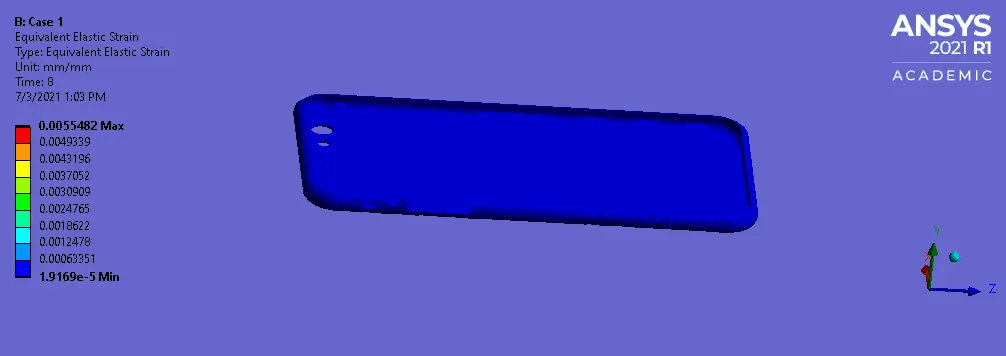
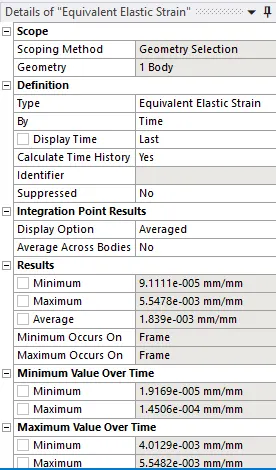
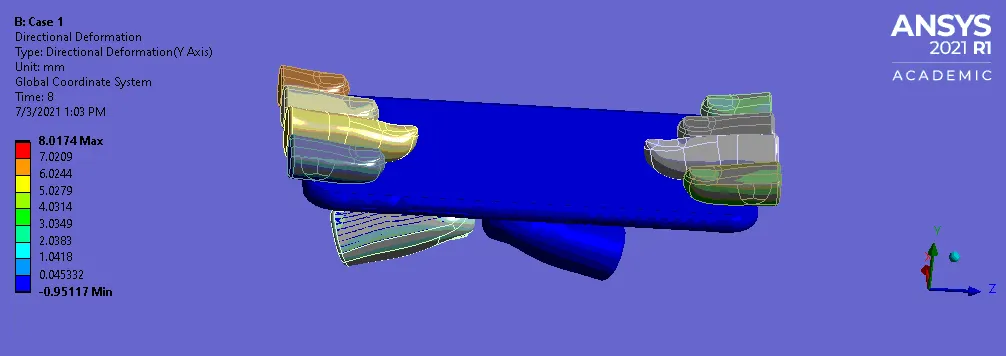
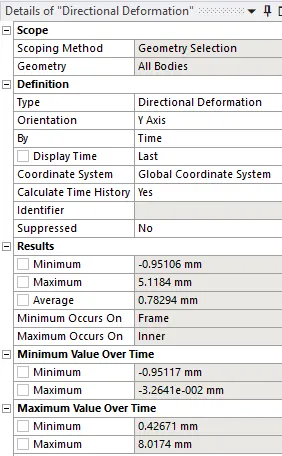
- To evaluate the stress and deformation in the work piece.
PROCEDURE:
- Case 1:
- OPEN WORKBENCH21 > NEW PROJECT > STATIC STRUCTURAL.
- This will start a new static structural project.
- Rename the project as Case 1.
- Go to ENGINEERING DATA > EDIT > GENERAL MATERIALS > POLYETHYLENE > GENERAL MATERIALS NL > ALUMINIUM ALLOY NL > ADD.
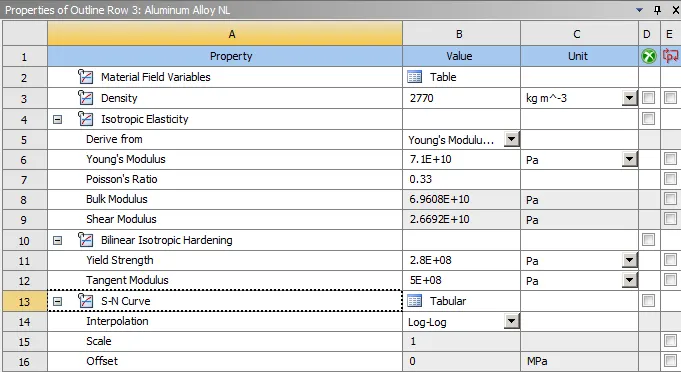
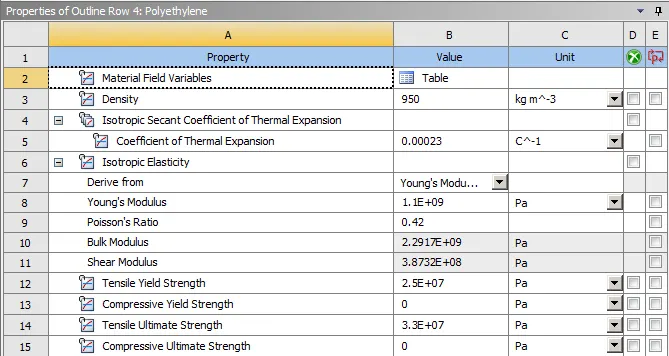
- This will add the material properties.
- Then duplicate the polyethylene properties and edit the values as below.
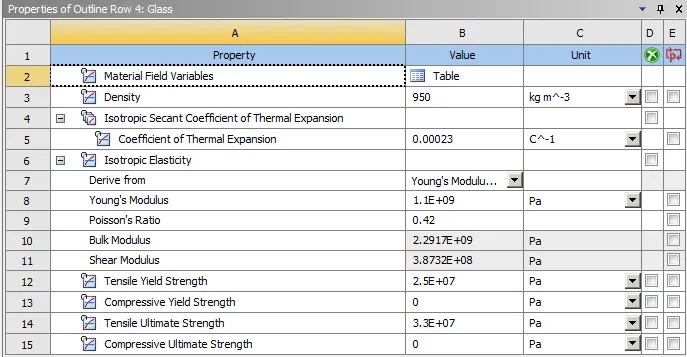
- Then double click on Geometry. This will open the Spaceclaim.
- In Space claim check the model for any dents or irregularities.
- The geometry looks good, exit the Spaceclaim.
- Then double click on Model. This will open Mechanical module.
- Now, rename the geometry as per the parts.
- Then assign Aluminium alloy NL to frame, glass material to the display and polyethylene for the inner part.
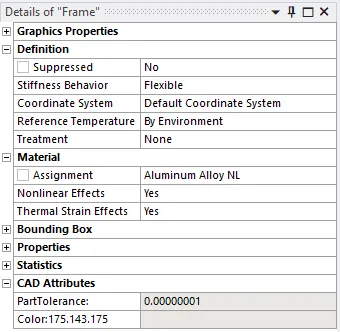
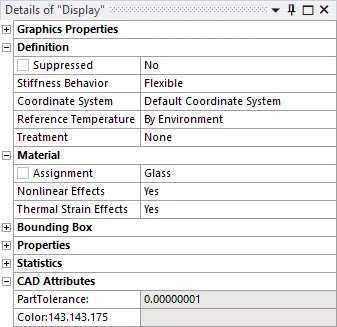
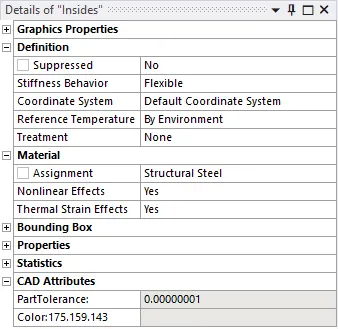
- Then go to CONTACTS > CONTACT = BONDED DISPLAY TO FRAME > REST ALL CONTACTS TO BE FRICTIONLESS.
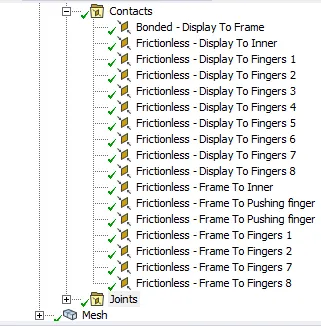
- This will define the contacts for all the parts.
- Then insert Joints for each fingers.
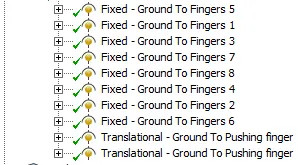
- Now, go to MESH > INSERT > SIZING > ELEMENT LENGTH = 4MM > DEFAULT > GENERATE MESH.
- The mesh will be generated on the model.
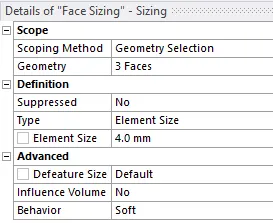
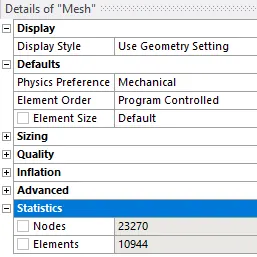
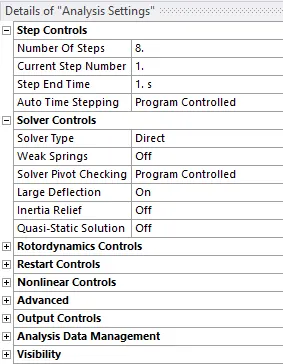
- Then go to STATIC STRUCTURAL > ANALYIS SETTINGS > NO OF STEPS = 8 > SOLVER TYPE = DIRECT > LARGE DEFLECTION = ON.
- Go to STATIC STRUCTURAL > INSERT > FIXED SUPPORT > GEOMETRY = FRAME SIDE FACES.
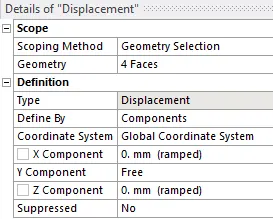
- STATIC STRUCTURAL > INSERT > DISPLACEMENT > FREE IN Y COMPONENT.
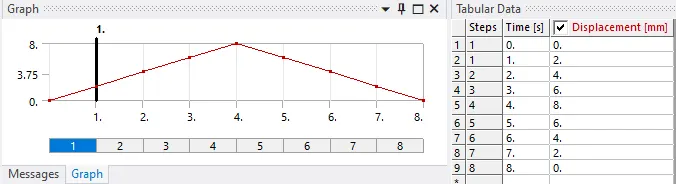
- STATIC STRUCTURAL > INSERT > JOINT LOAD > PUSH FINGER 1 > TYPE = DISPLACEMENT > MAGNITUDE = TABULAR DATA.
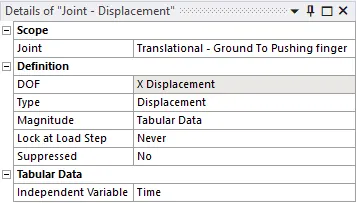
- STATIC STRUCTURAL > INSERT > JOINT LOAD > PUSH FINGER 2 > TYPE = DISPLACEMENT > MAGNITUDE = TABULAR DATA.
- Then, go to SOLUTION > INSERT > STRESS > STRAIN > DIRECTIONAL DEFORMATION > FATIGUE TOOL > LIFE.
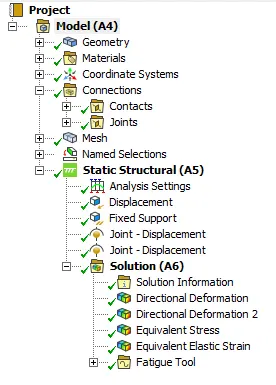
- This will set the output results.
- Then SOLUTION > SOLVE.
- Case 2:
- OPEN WORKBENCH21 > NEW PROJECT > STATIC STRUCTURAL.
- This will start a new static structural project.
- Rename the project as Case 2.
- Go to ENGINEERING DATA > ALUMINIUM ALLOY > ADD > FATIGUE CURVE.
- Then go to GEOMETRY > OPEN > SPACE CLAIM.
- Translate both the pushing fingers in X by 22.5mm and in Z by 10mm.
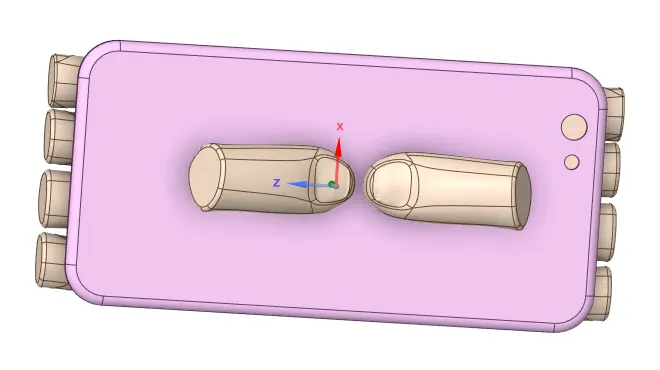
- Then exit the space claim and open Mechanical module.
- Follow all the steps as case 1 for the model setup.
- Then go to SOLUTION > INSERT > FATIGUE TOOL > LIFE.
- Then go to SOLUTION > SOLVE.
RESULTS:
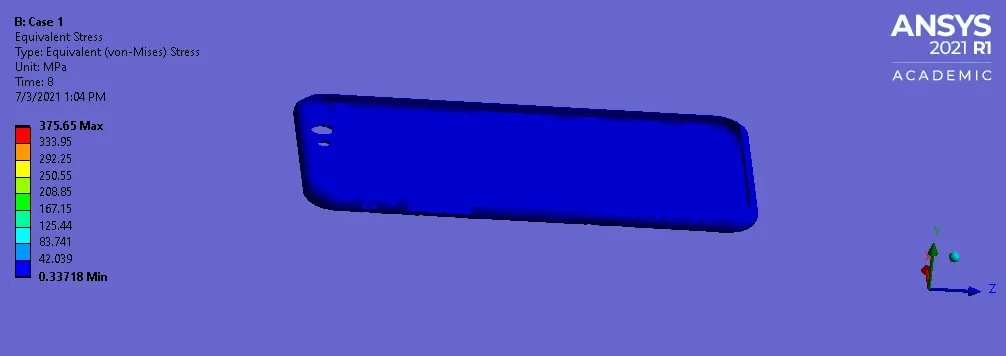
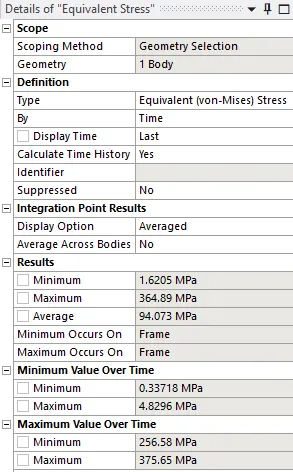
- Case 1:
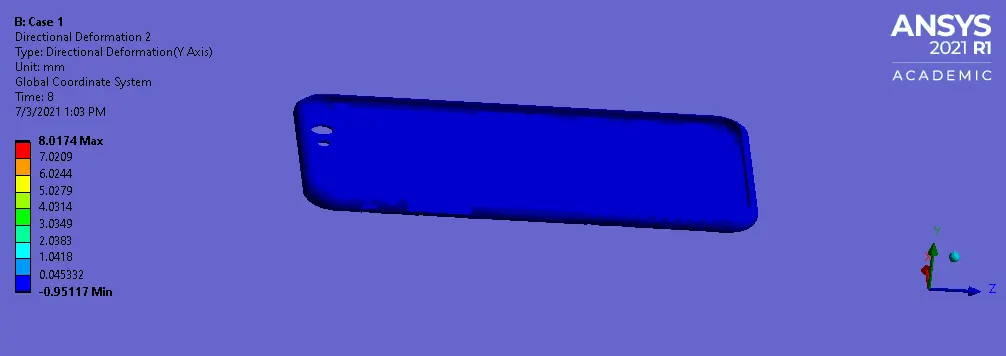
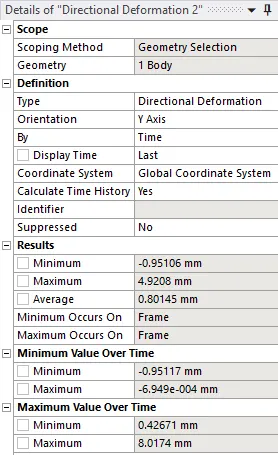
- Case 2:
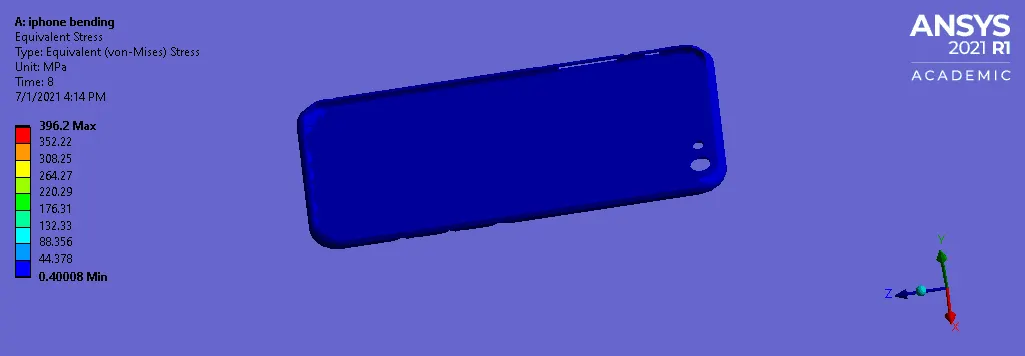
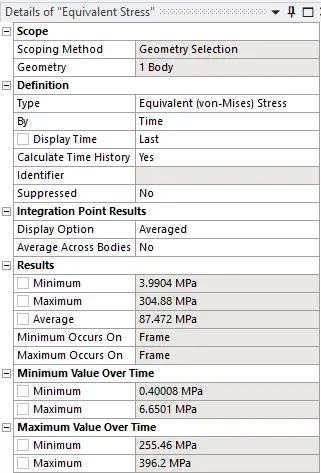
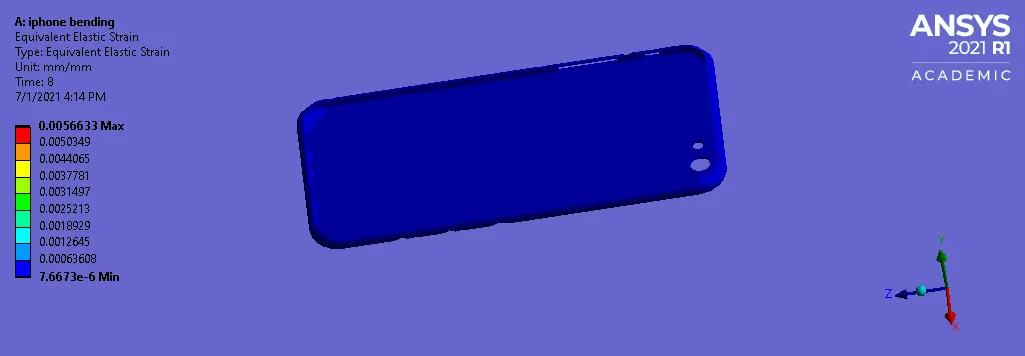
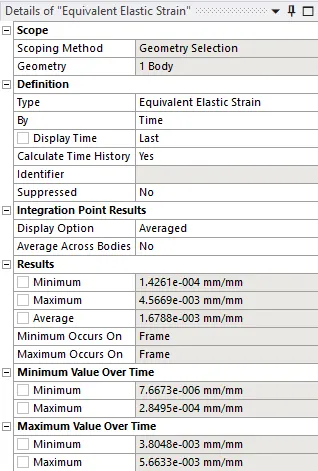
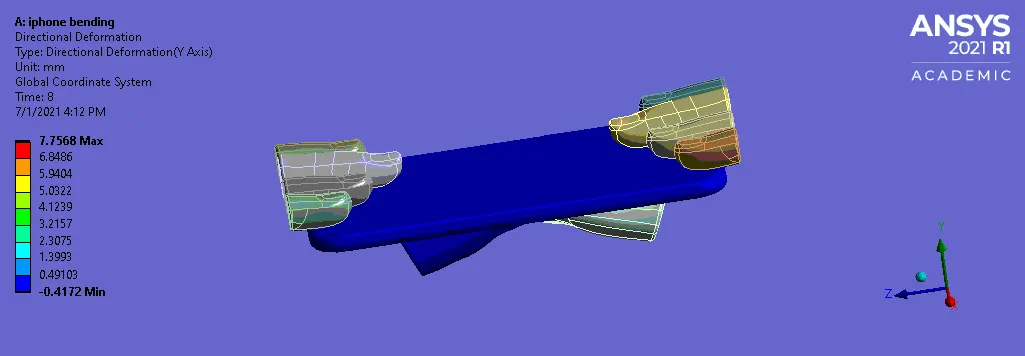
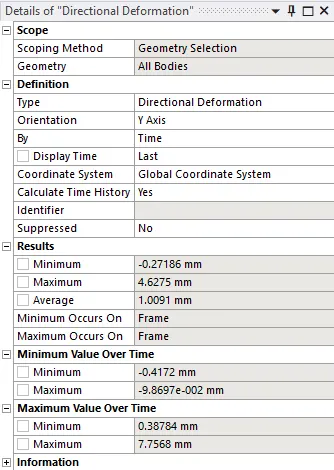
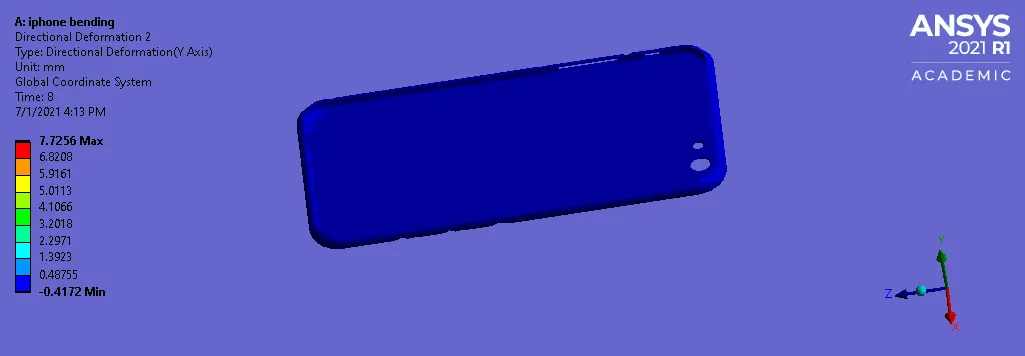
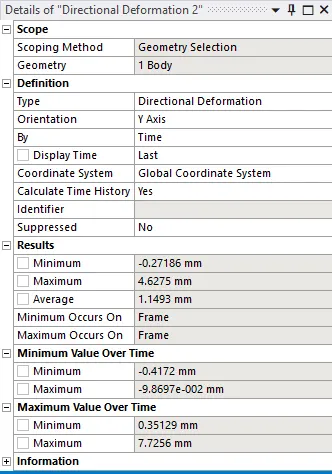
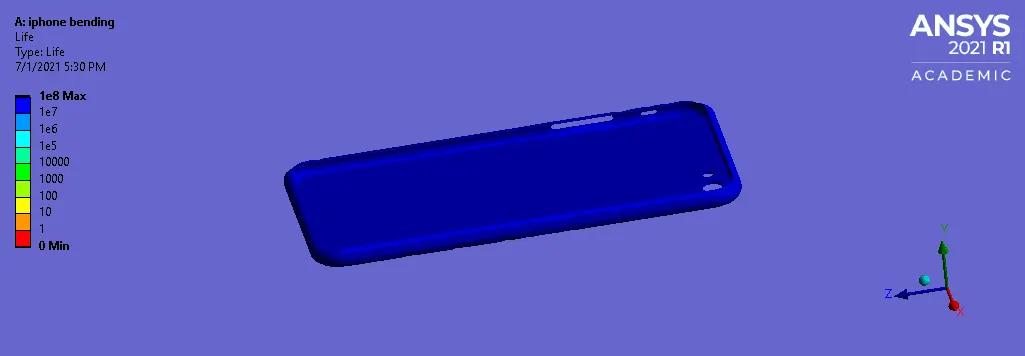
RESULT TABLE:
| Stress (MPa) | Strain | Deformation (mm) | Life (cycles) | |
| Case 1 | 364.89 | 5.5478E-3 | 4.9208 | |
| Case 2 | 304.88 | 4.5669E-3 | 4.6275 | 1E8 |
LEARNING OUTCOMES:
- To add Aluminium alloy NL, polyethylene and glass material.
- To assign material from the material library.
- To define contacts for the fingers, display, frame, etc.
- To define fixed support and displacement.
- To deploy mesh on the geometry.
- To define output results.
CONCLUSION:
- By performing this project we conclude that the fatigue life of the iPhone frame is analyzed.
Link for model:
https://drive.google.com/file/d/1QBwNS3f0jl6b2G00e5L9D-xP6mOfABXc/view?usp=sharing