Week 5
WEEK 5: CHALLENGE
Aim
To check the geometrical errors in the given component and mesh it using tetra elements as per the quality criteria mentioned below. The tetra collapse should be rectified in such a way that there are no kinks and dips on the surface of the component.
Sl.No Quality Criteria Value
1 Target/Average Length 1
2 Minimum Length 0.5
3 Maximum Length 2
4 Tetra Collapse 0.2
Procedure
The file “Rearview mirror.IGS” is imported into ANSA and then geometry clean up and shell meshing using tetra elements is done on the surface. In the volume mesh deck new volume is defined after which volume meshing is done using Tetra Rapid Algorithm. The details of each of these steps are discussed below.
1. Geometry Clean up :
After importing the model, Geometry Clean-up is performed to remove unchecked faces, needle faces, cracks, collapsed cons and triple cons by removing the unnecessary cons and hot points and stitching the surfaces properly. This can be done using automatic "Fix" option or manually. Figure 1.1 and Figure 1.2 shows the model before and after Geometry Cleanup.
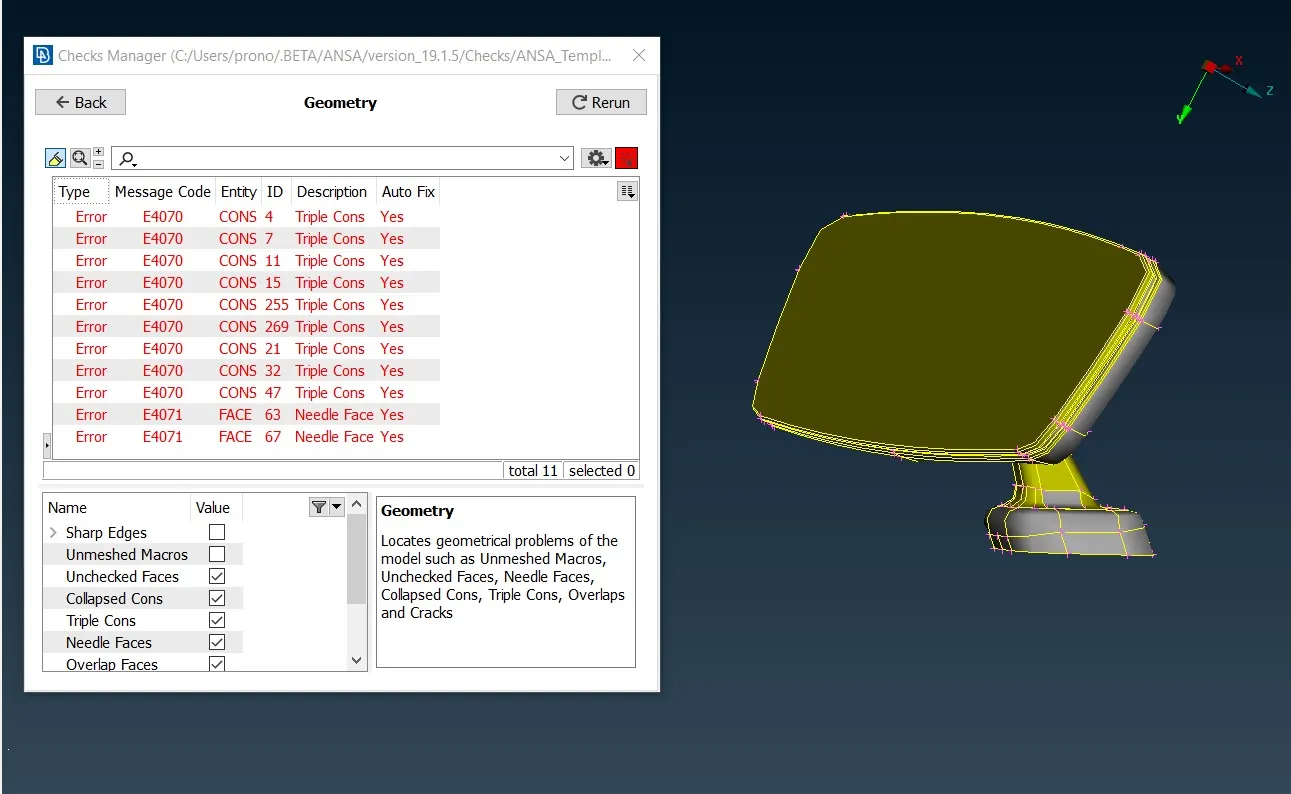
Figure 1.1 Model before Geometry Cleanup
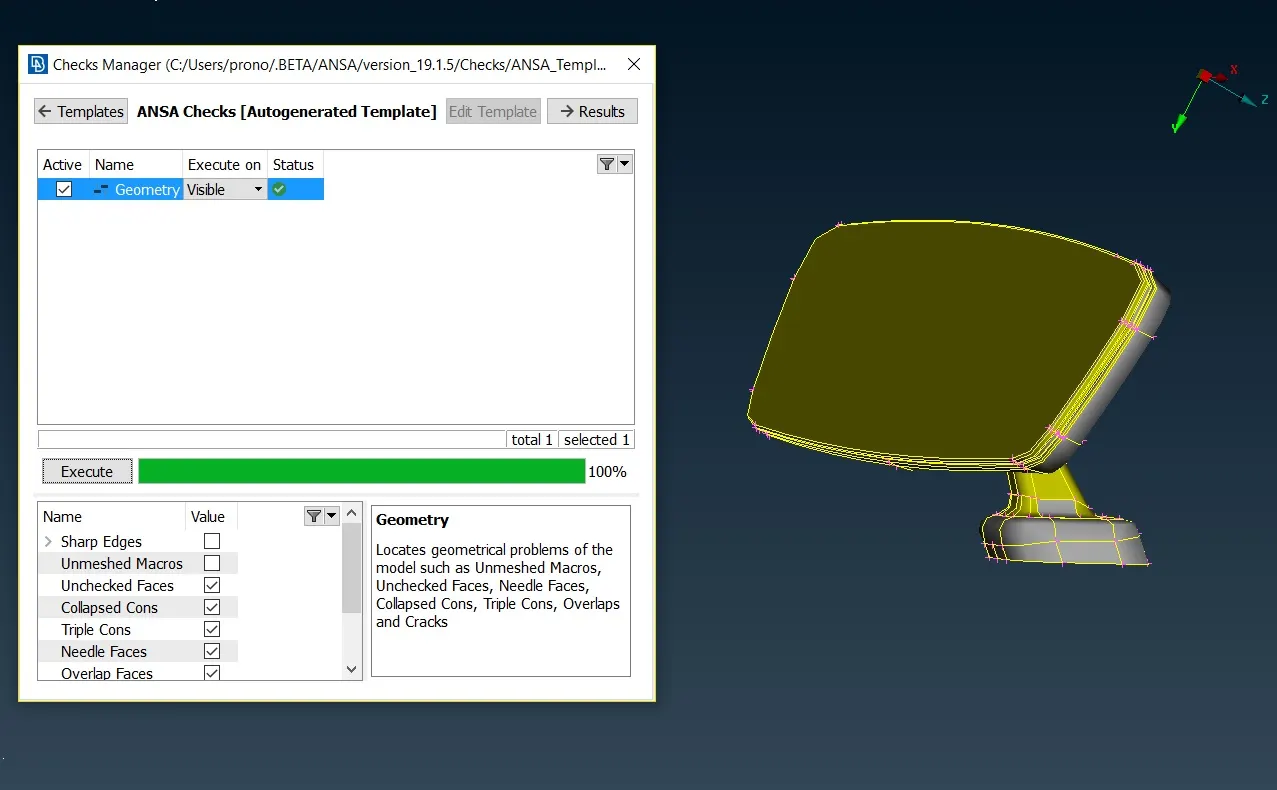
Figure 1.2 Model after Geometry Cleanup
3. Meshing
The perimeter and macro length is set to target element length which in this case is 1 mm and even number of edges is used in the holes using (Perimeters->Number) option. Defeaturing is done in some of the fillet regions so that the elements in these areas do not fail for quality. Initially shell meshing is done on the surface of the components using Spot Mesh. Ortho-Tria elements are used in the curved surface, holes and fillet regions and simple tria elements are used to mesh flat surface. The use of orthotria elements is restricted to these specific region as the computational time involved in this element type is very high. For achieving a better mesh flow commands like (Num +/-, Shell Mesh-> Reconstruct/Smooth, Elements-> Split, Swap, Join) are used. The quality parameters used for meshing is only minimum and maximum length criteria. To eliminate off elements (Grids->MV Free) option is used. Figure 3.1 shows the model after initial shell meshing with no quad and off elements.
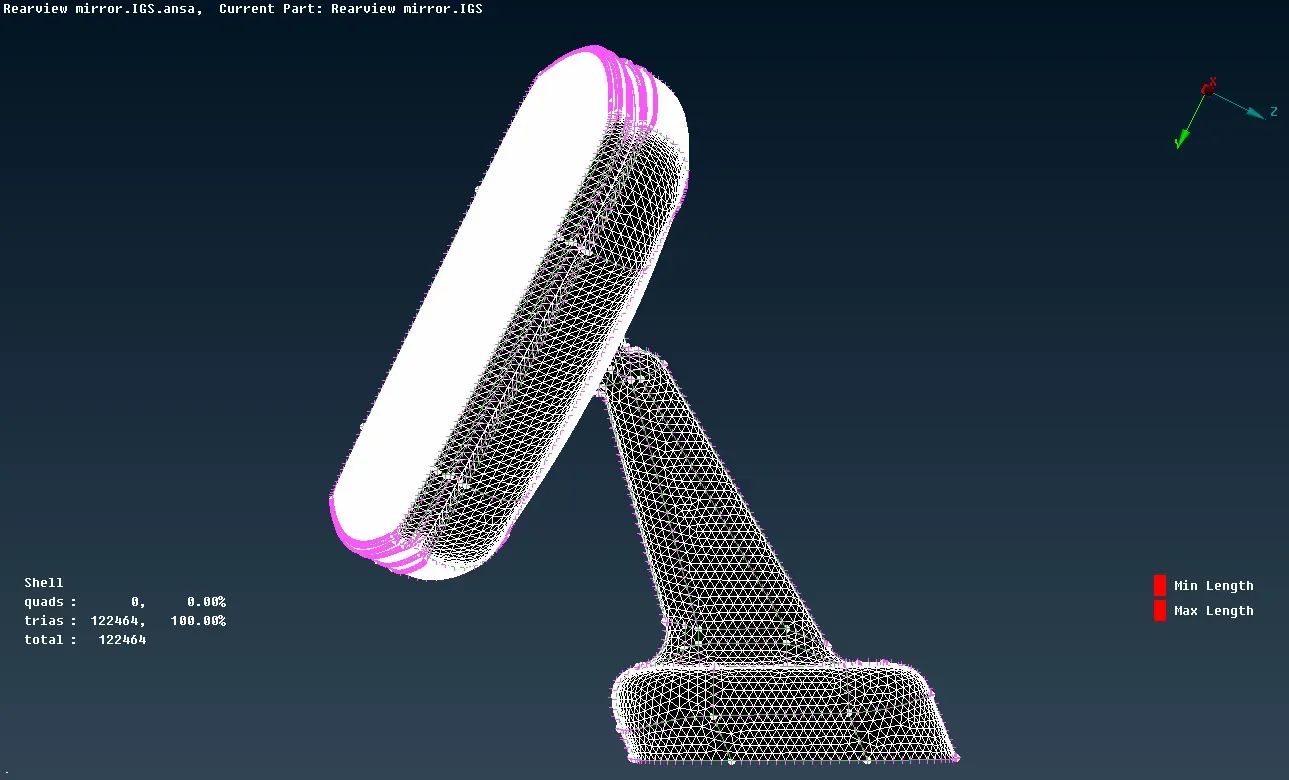
Figure 3.1 Model with Mesh on the Surface
After meshing the surface of the model, user defined macro lines are removed by(Macro->Join option) and a new volume is defined. The void spaces between the meshed surface of the model is filled using Tetra elements by Tetra Rapid Algorithm with a maximum growth rate of 1.2. To check whether proper volume meshing is done or not red bound view is activated in the Drawing Styles option. In volume meshing only one quality parameter is activated in the Solids, i.e, the Tet Collapse as shown in Figure 3.2
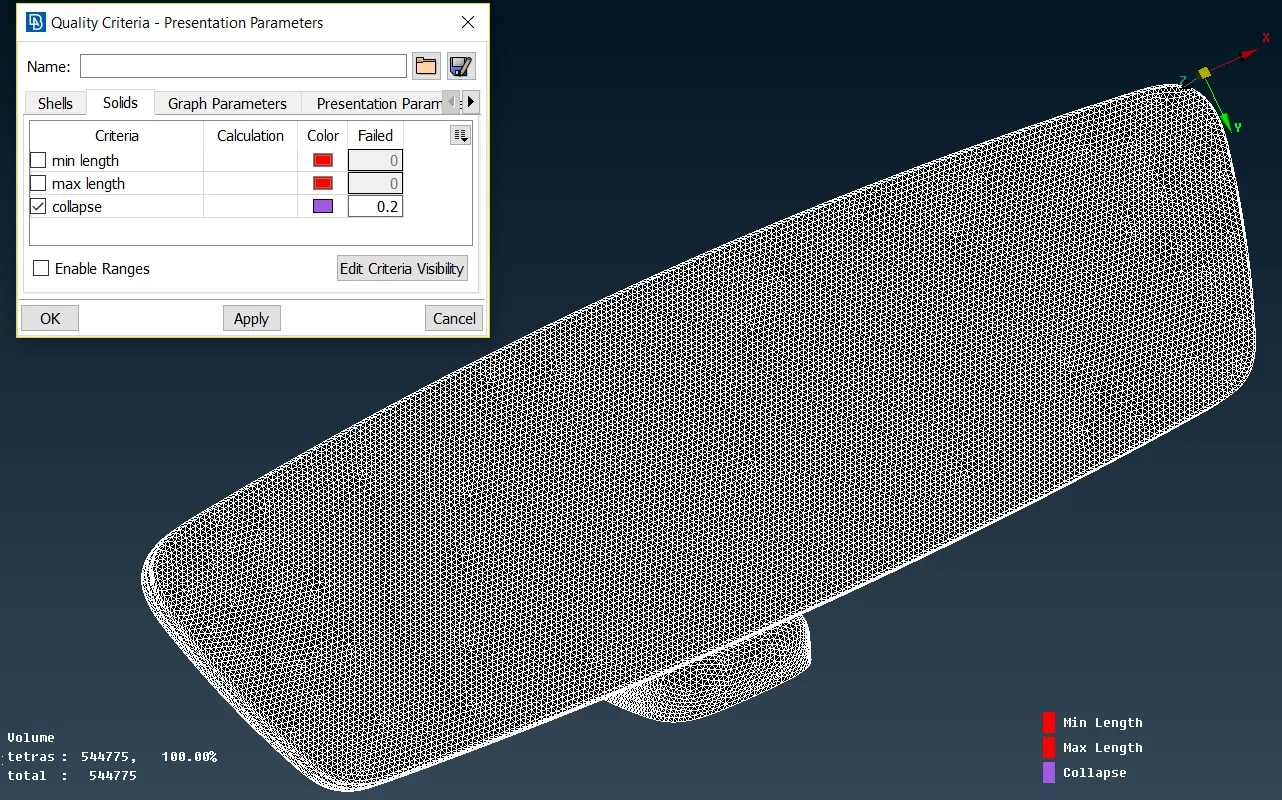
Figure 3.2 Tetcollapse quality check in volume mesh
Figure 3.3 shows the final model after volume meshing with no off elements and an activated red bound. The status of all the components in the Volume Property Card is "Meshed". There are no kinks and dips on the surface of the component as well.
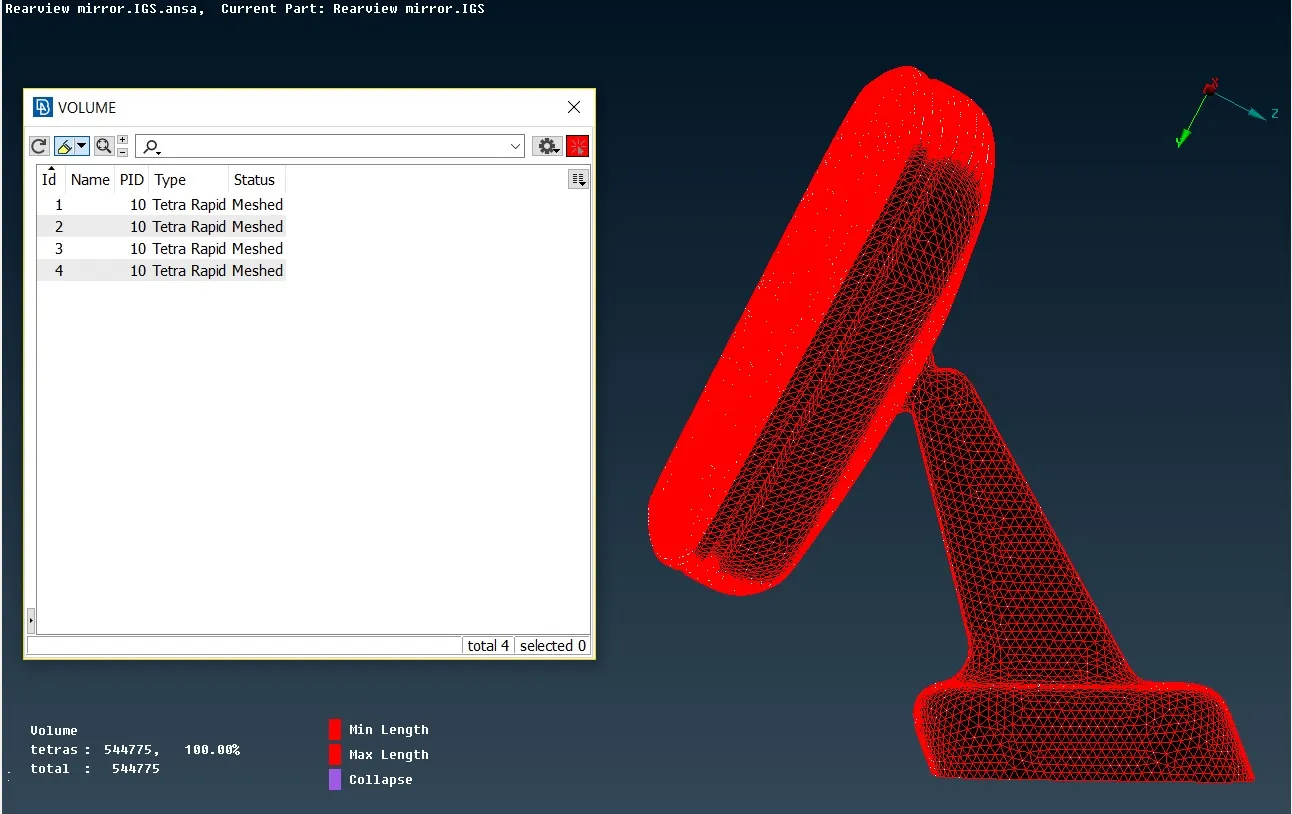
Figure 3.3 Model after Volume Mesh
4. Learning Outcome
1) For this assignment new type of meshing technique is used - Spot Meshing using Tria and OrthoTria elements instead of Best Meshing used earlier.
2) Learned a new type of element failure, i.e the TetCollapse.
3) Learned how to reconstruct failed elements for tetcollapse quality without creating any kinks and dips on the surface of the component.
4) Used RedBound checking method for the first time.
5. Conclusion
1) Othrotria elements leads to higher computational time and thus it must be used in specific areas like curved surface and holes.
2) Tet meshing is unstructred mesh as the mesh used to fill the volume is not aligned in a structured way.
3) Tetra Rapid algorithm is used for the present assignment as Tetra FEM is to be mainly used for structural applications as mentioned in "ANSA Help".
4) The quality of the volume mesh will depend on the mesh quality on the surface of the component.
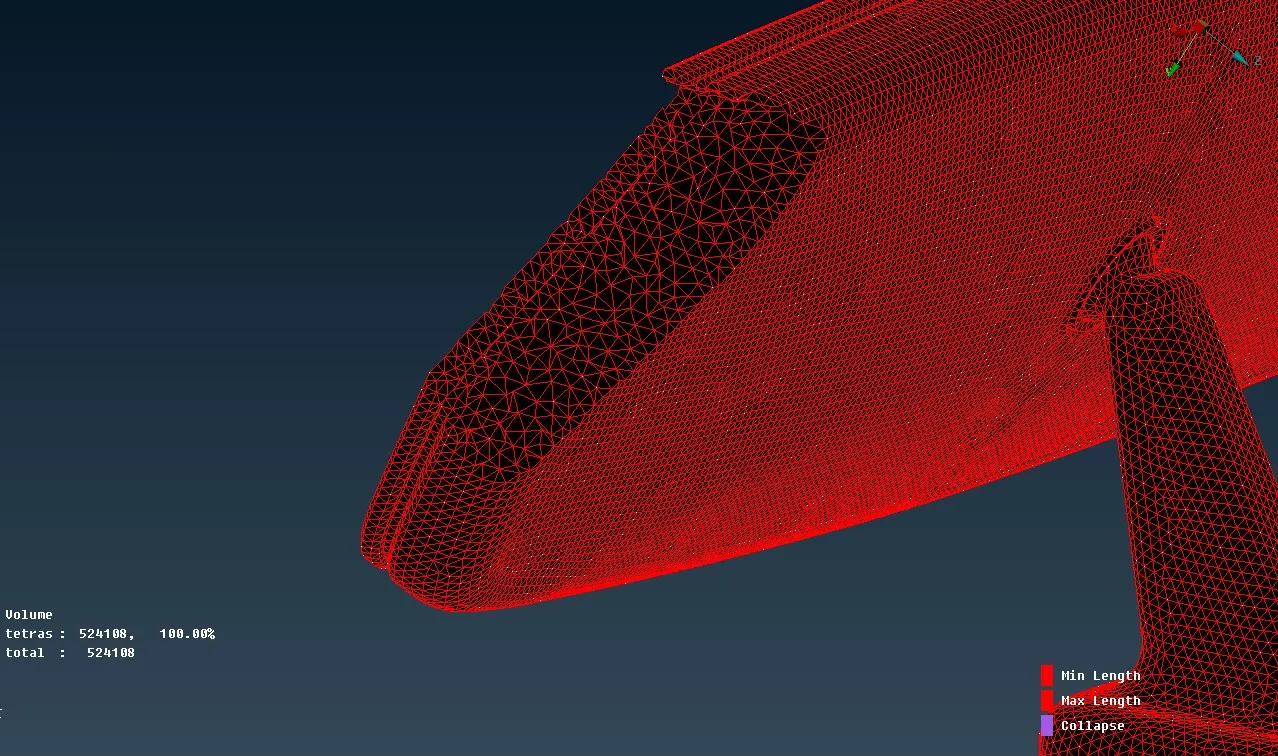
Figure 5.1 Volume filled up with unstructured Tetra Mesh