Week 4- Rolling operation
Aim: To simulate the rolling operation on a work-piece made of copper.
Objectives:
- To optimize the design in Spaceclaim geometry.
- To Run the simulation for 14 steps.
- Evaluate the results for the prescribed parameters.
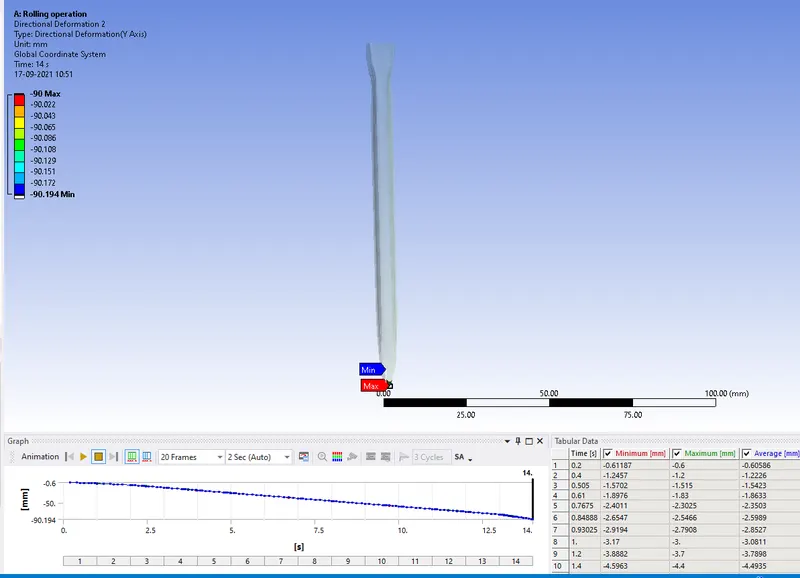
- To prove the displacement of workpiece by 90mm.
Procedure:
- Import the geometry to the spaceclaim window.
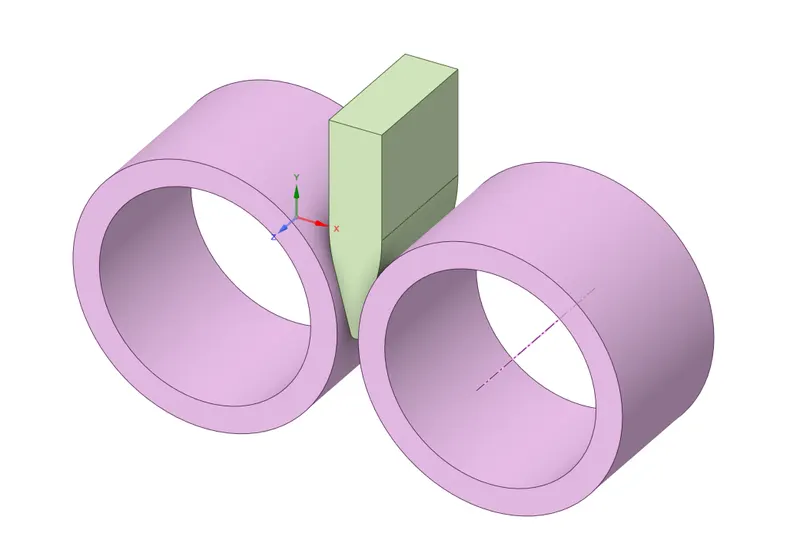
- Goto the Design panel, use the pull option to increase the lenth by 60mm.
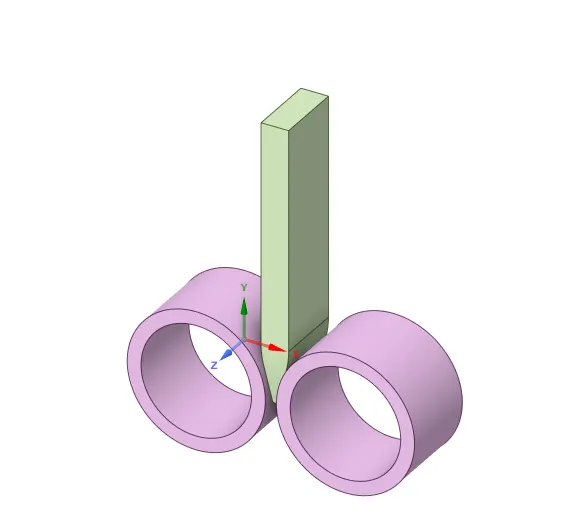
- Now reduce the breadth by 8mm on a pull at both sides.
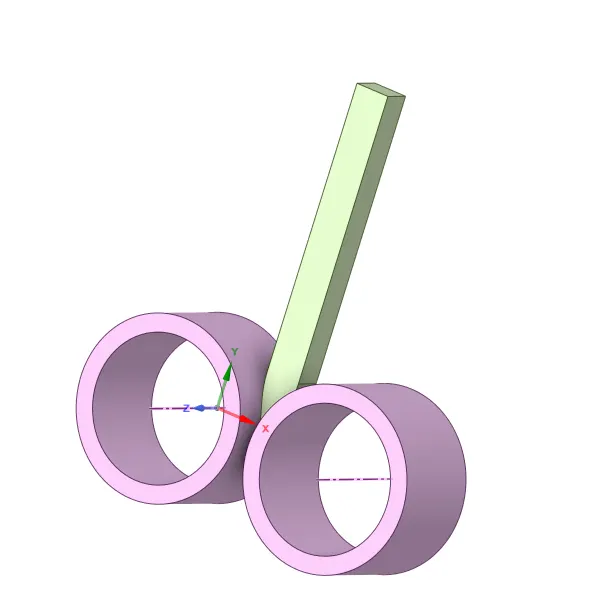
- Now the model can be updated and opened in the Mechanical Module.
- Assign the copper alloy to the workpiece and structural steel for both rollers.
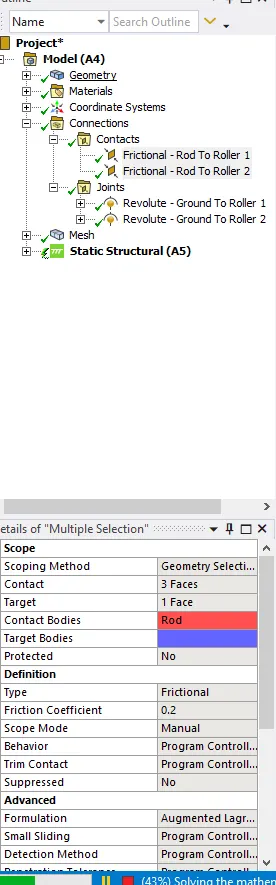
- Redefine the contacts based on definition and select the target and contact bodies.
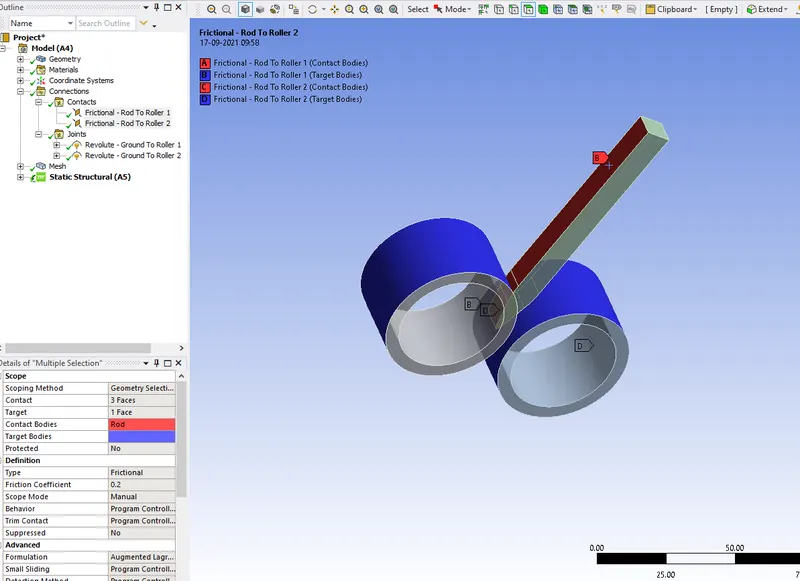
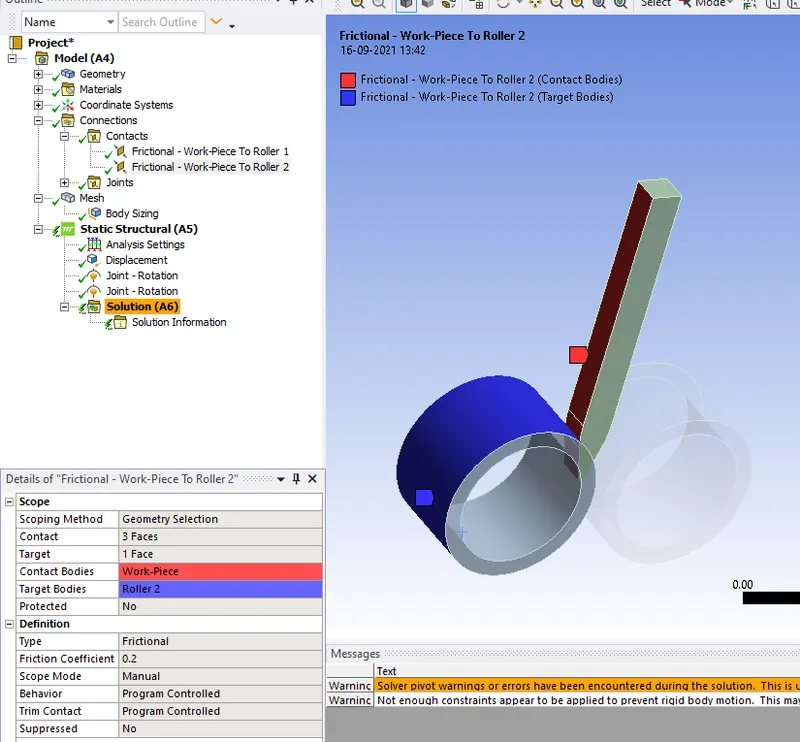
- Insert the joints for both the rollers.
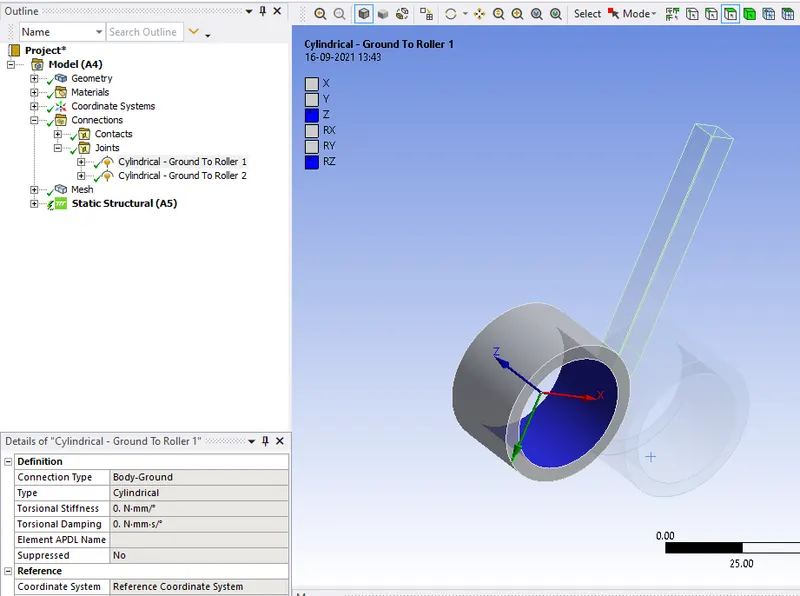
- Give the Displacement and joints in the Analysis settings.
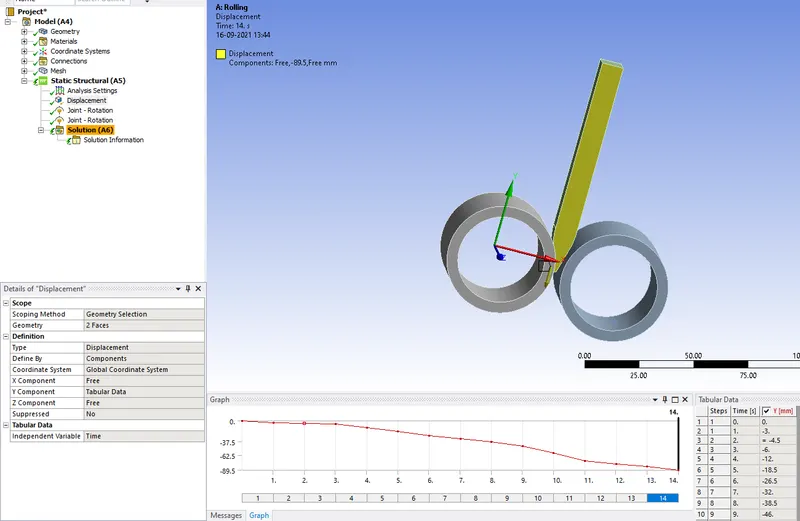
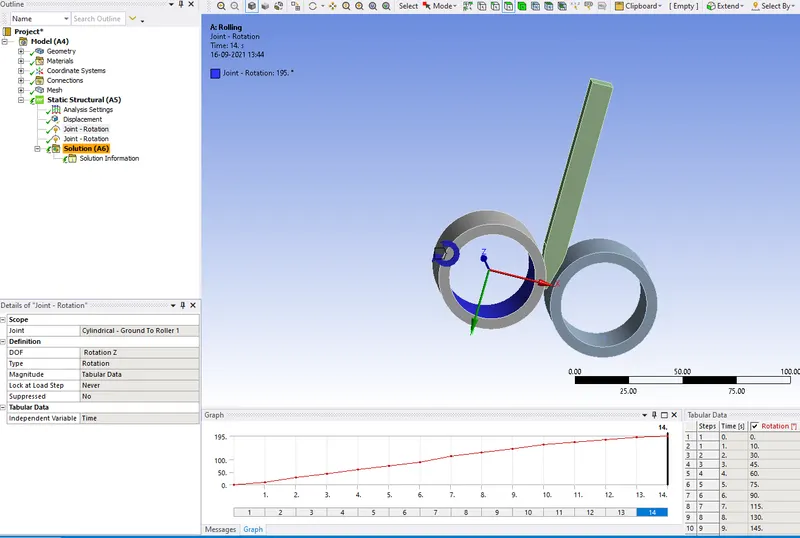
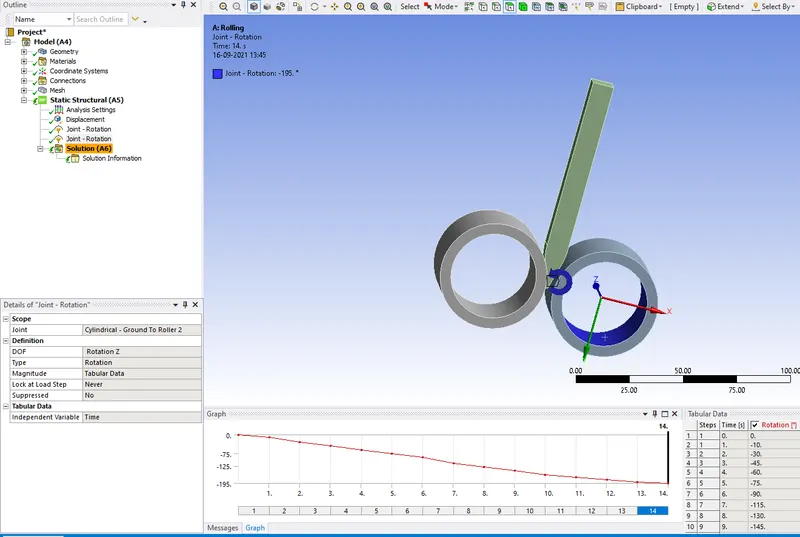
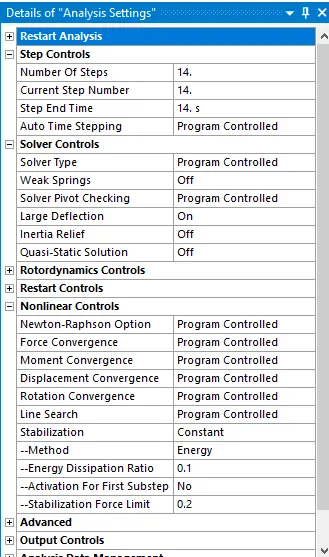
Now click on solve.
1.Equivalent stress for the whole setup.
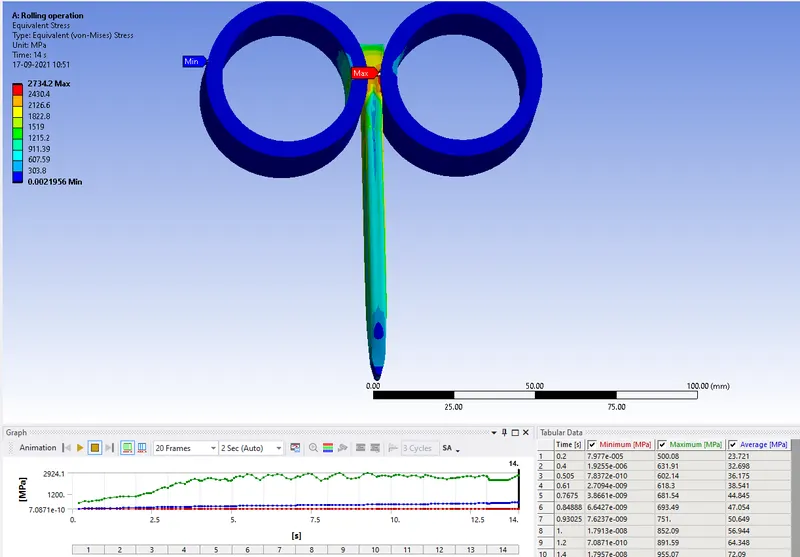
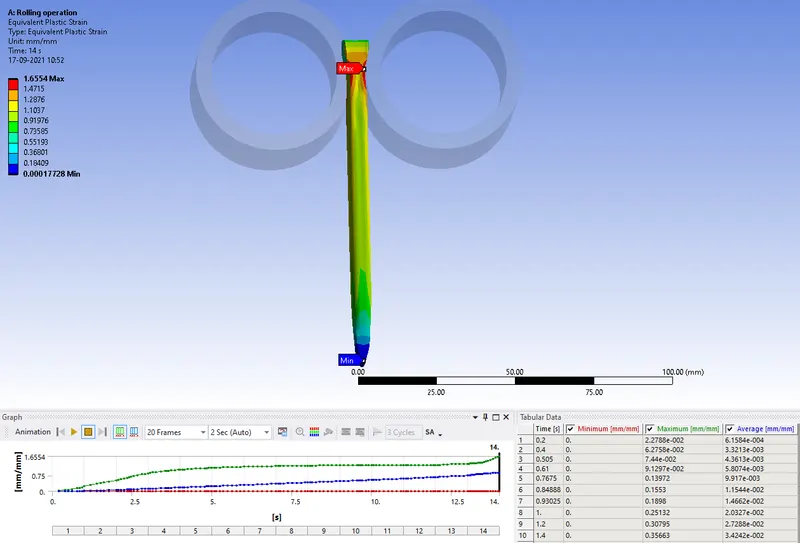
2.Equivalent Plastic strain for the workpiece.
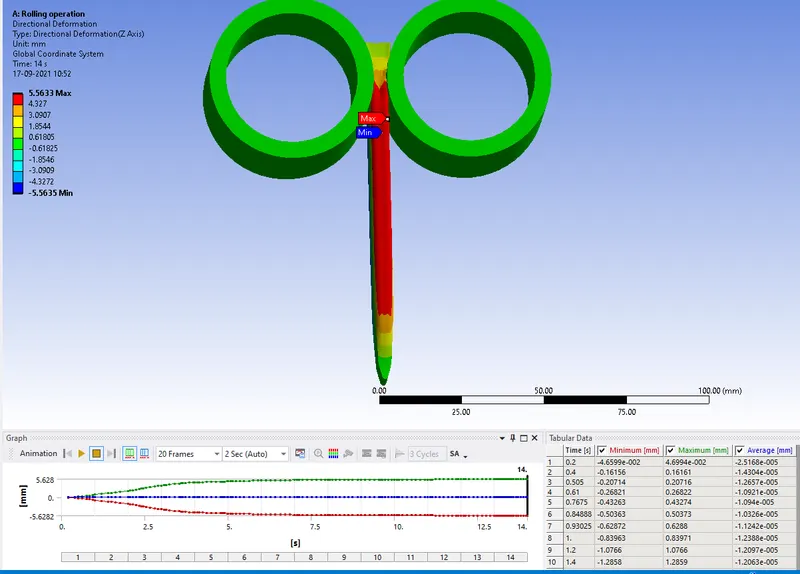
3.Directional Deformation in the Z axis for the workpiece.
4.Prove that the workpiece has displaced by 90mm.
- The simulation file has been attached below.