Week 4- Rolling operation
Aim - Simulation of Rolling process
Procedure
1. Open ANSYS, open static structural.
2. Select the materials
3. Import the geometry
4. Edit the gemoetry according to requirements
5. Update the anslysis system.
6. Open modelling.
7. Assign proper materials to the workpiece .
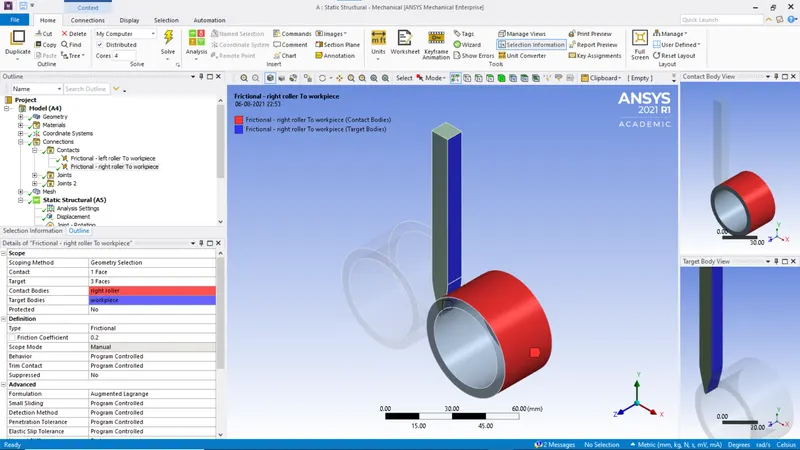
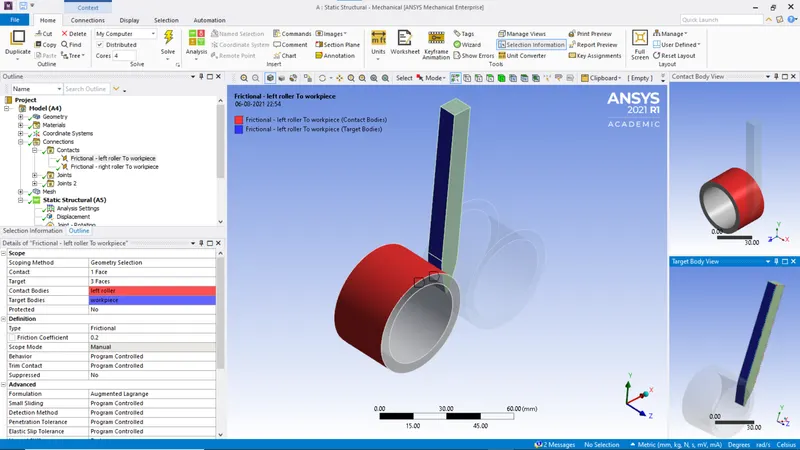
8. Select the connections as per following
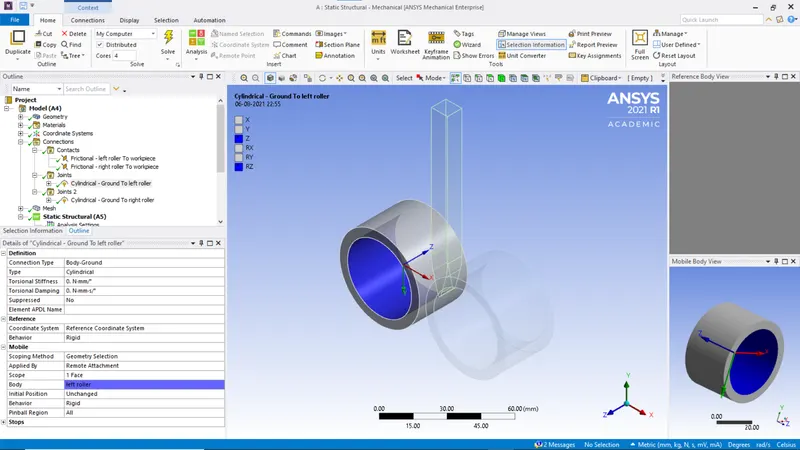
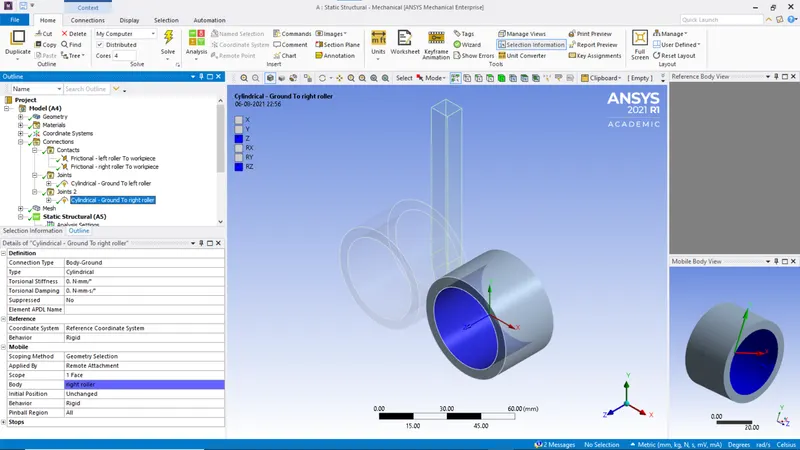
9. Select the Joints.
10. Messh the geometry. Element size of 3mm and body sizing workpiece of 2mm.
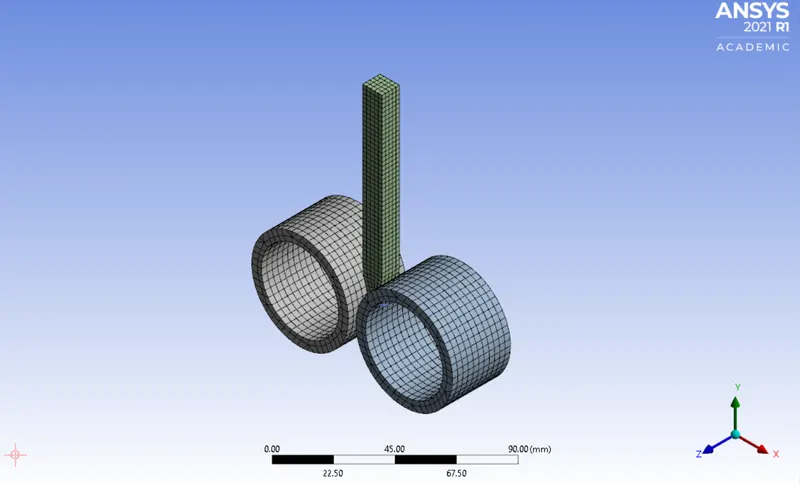
12. Choose the following analysis settings
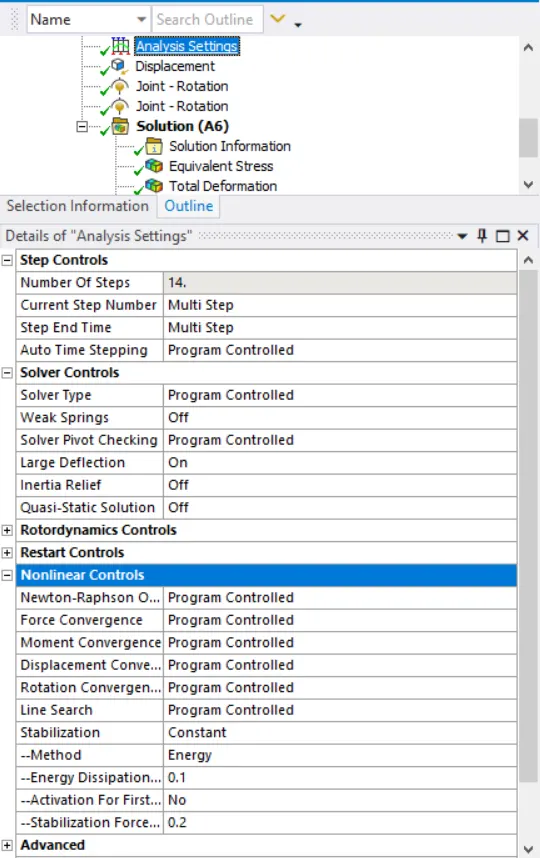
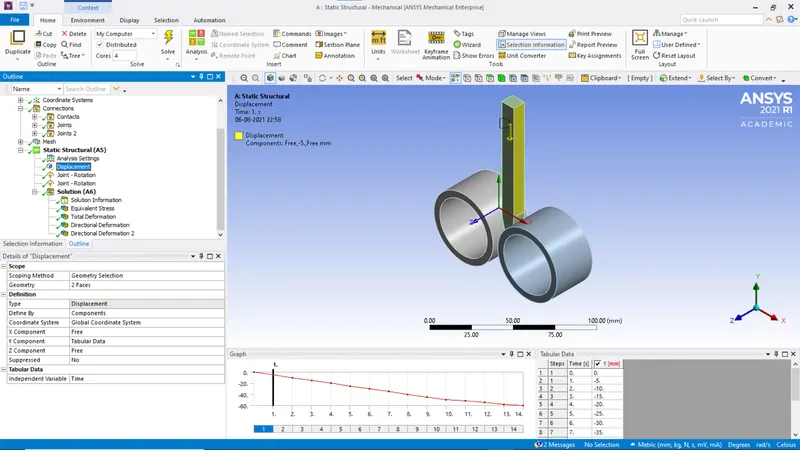
13. 
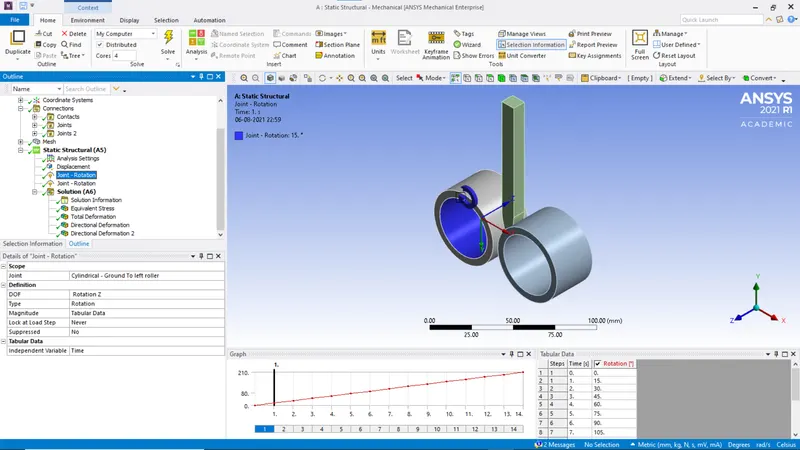
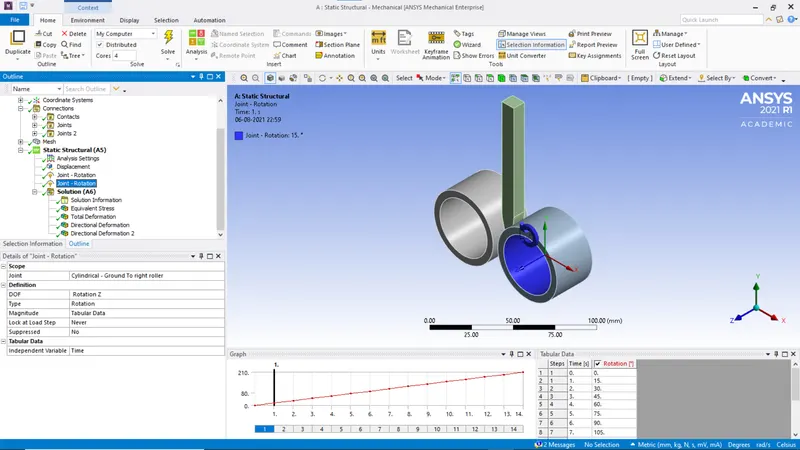
14. Select desired results. Hit solve.
Results:
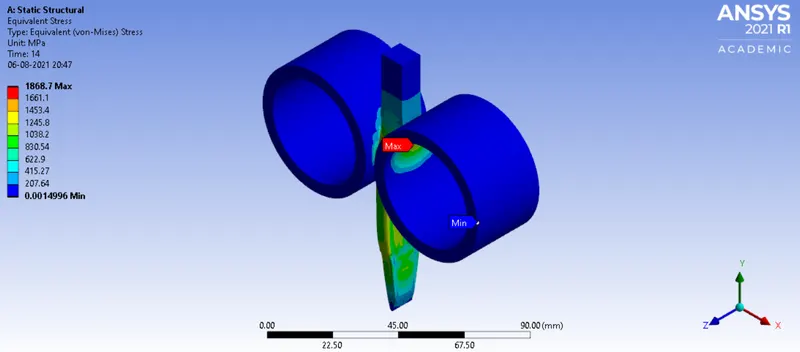
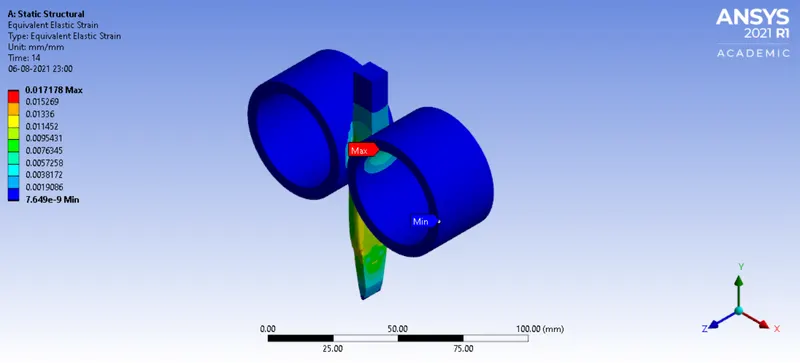
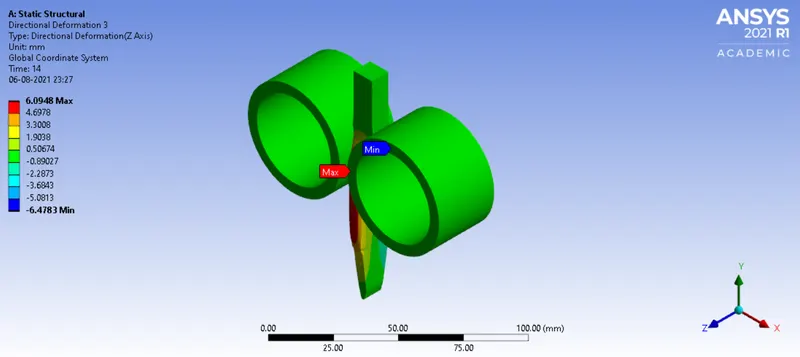
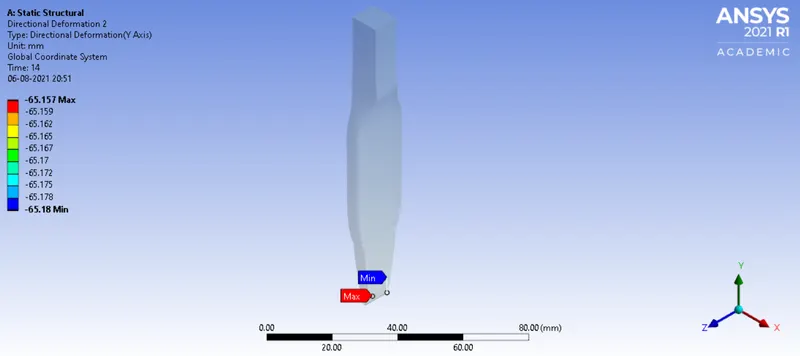
The workpiece moved upto 65.18 mm