Crash Box Simulation using LS DYNA
AIM
To create simulation results for crash box under load, different thicknesses and compare the energy plottings for the obtained different thickness simulation results.
PROCEDURE
To acheive the simulation we have follow the certain steps
- Model setup
- outpur requests
- Results.
For the model setup the input for the file is observed and assign the required/suitable parameters. Such as,
- Material card
- control termination
- contact of the object
- Initial velocity
- creating rigidwall
- creating section
- Material Card assigning
whatever the model we get it consists only of nodes and elements. For this we have assign the material and its properties such as Young's modulus, poissons ratio, etc.,
For the model have assigned the elastoplastic material with the stress as a function of strain curve.
We have the considered unit system gm/mm/ms
- Density = 0.00783gm/mm^3
- Young's modulus = 2.10 e+05 gm/mm.ms^2
- poissons ration= 0.30
- Yield strength = 310 gm/mm.ms2
- Tangent modulus = 2100 gm/mm.ms2
Tangent modulus is taken as 1% of young's modulus
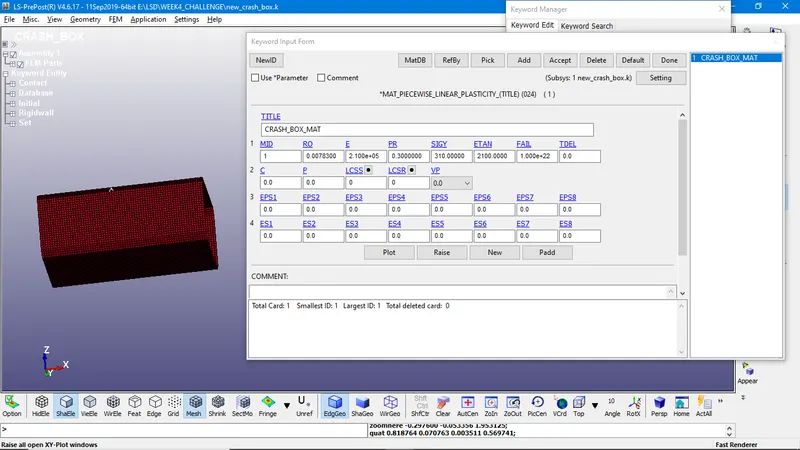
Above is the material card representation
2. Assigning section card:
The material and the section for the shell are linked with the crash box through part creating.
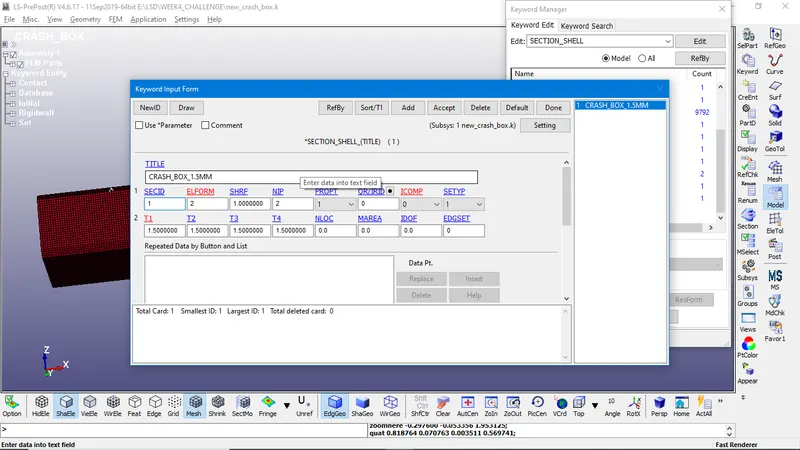
Above the section assigned to the part and thickness is given as per the question we need to simulate the results for 1.2 and 1.5mm thickness however, later we can the thickness.
For thickness Model&part>Keyword manager > section > shell.
RIGID WALL
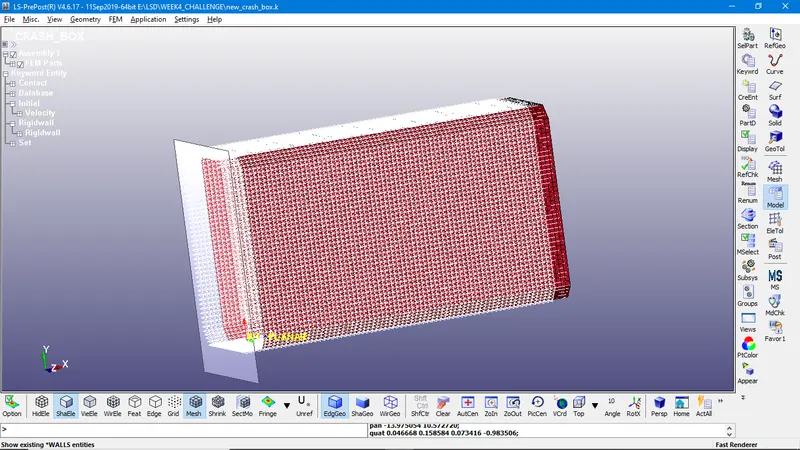
To create rigid wall to occur the collision of crash box we have do it by selecting Entity create > Rigidwall > create. The rigid wall type is planar and defined it three nodes and normal is created as rigidwall. Later the wall is translated by the 15mm and rotated to negative x-axis by 180 degrees because the direction is opposite.
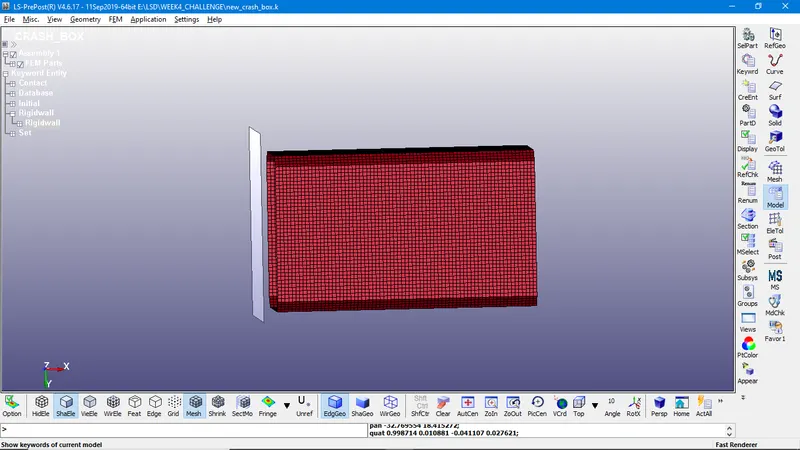
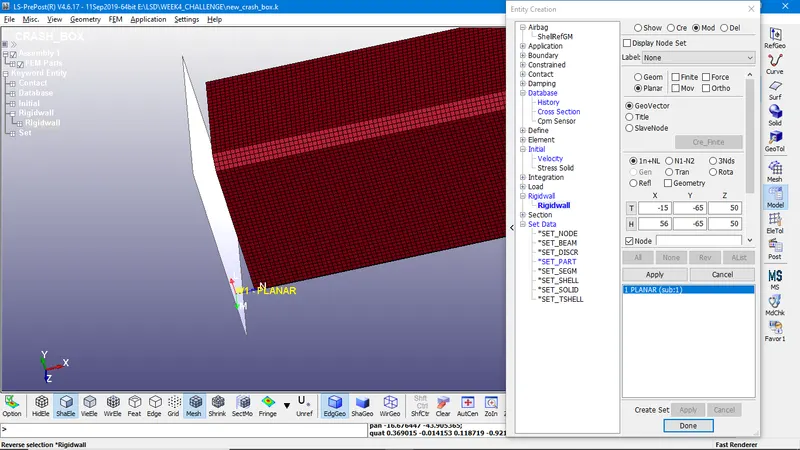
we can see the image the rigid wall and normal is acting opposite to the global x- axis.
CONTACT CREATION
Model part > keyword manager > contact > Automatic single surface. The slave segment type is defined by the part ID, here there is no need to define a master surface so only the slave surface definition is sufficient.
After the automatic contact was created as the crash box elements are getting self contact during the crashing i.e., Automatic single surface here, it was not needed to define the master surface because the crash box itself is master and slave.
Initial Velocity:
As per the given velocity (50Kmph) is converted to mm and ms the value is 13.889mm/ms and assigned to each node of the crash box.
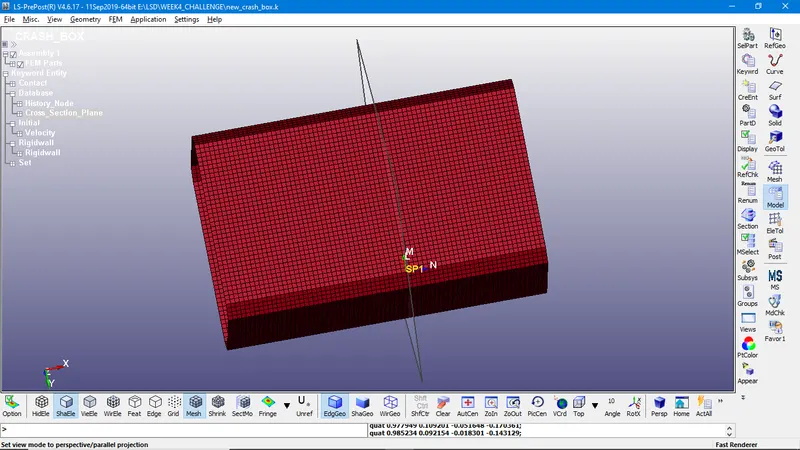
SECTIONAL FORCE
The node set and shell set is created using the command create entity > set data > set node/element.
CONTROL CARDS
The control are used to get the output plots and simulation from the
ASCII/binary d3 plot
NODOUT - To find the Nodal motions.
GLSTAT - To find the global statistics and energies.
RCFORC - to find the resultant contact internal forces
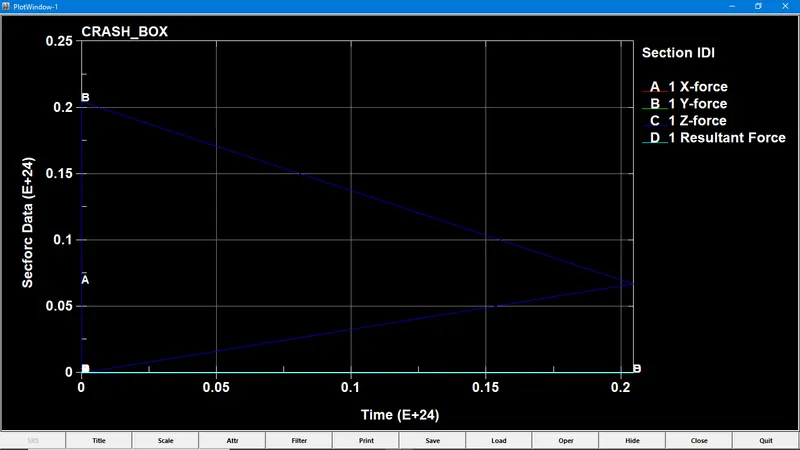
SECFORC - To find the cross section forces data
MATSUM - to find material energies
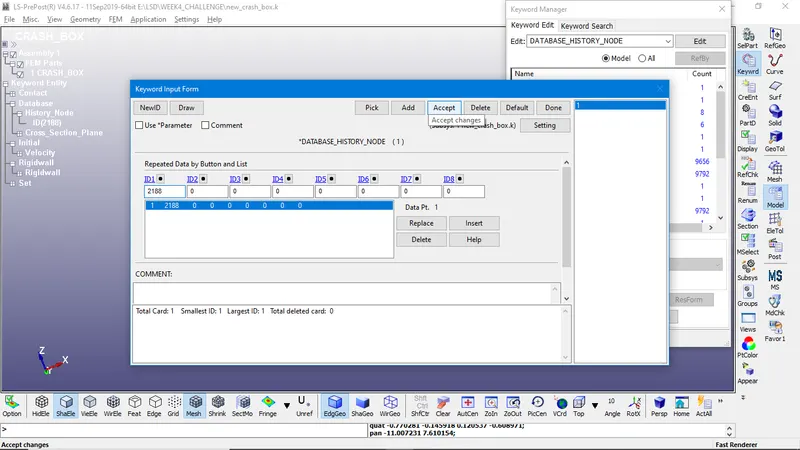
The accelaration plot of a node and element of the crash box can be done by picking the desired node and element by using *DATABASE _ HISTORY _ NODE
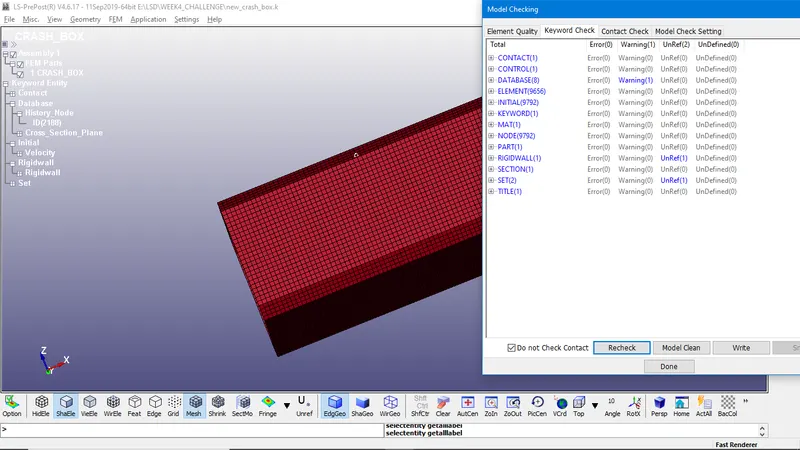
give the final model check after assigning all the parameters to the model.
After assigning all the above -mentioned keywords, the model is ready for the simulation.
OUTPUT REQUEST
Following files are loaded and displayed below
Energies Plot
Cross - sectional force plot
Accelaration plot for the selected node
Directional stress, strain
Final animation of the simulation
OUTPUT FOR THE 1.5mm thickness.
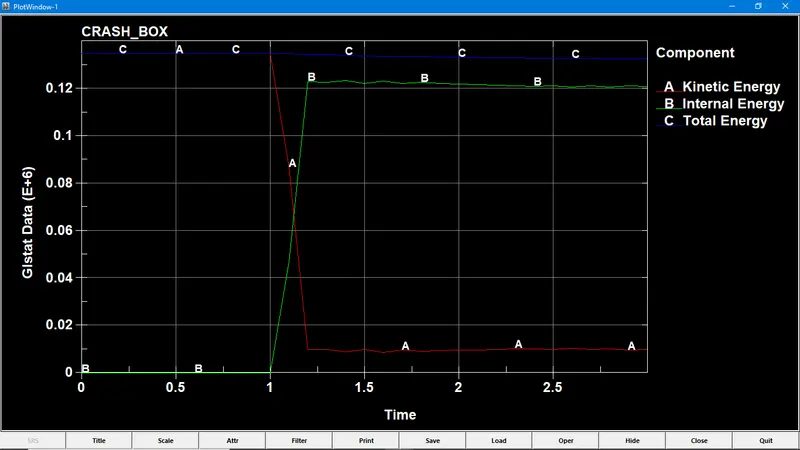
Energy plot:
CROSS SECTION FORCE :
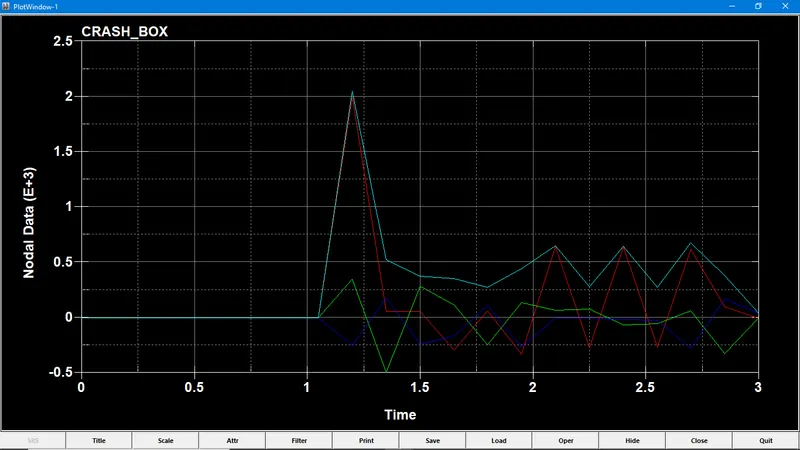
ACCELARATION PLOT OF THE SELECTED NODE:
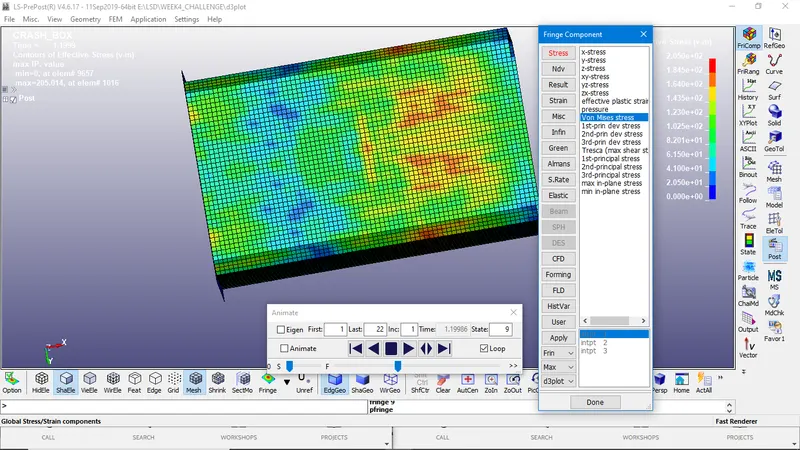
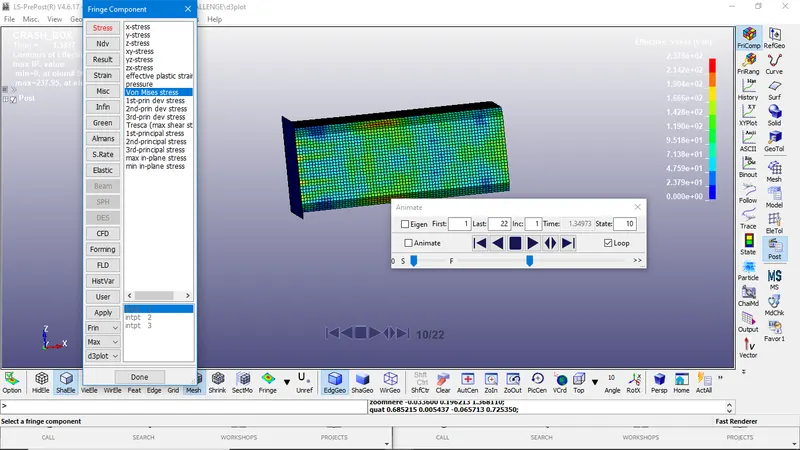
VON-MISES STRESS:
PLATIC STRAIN:
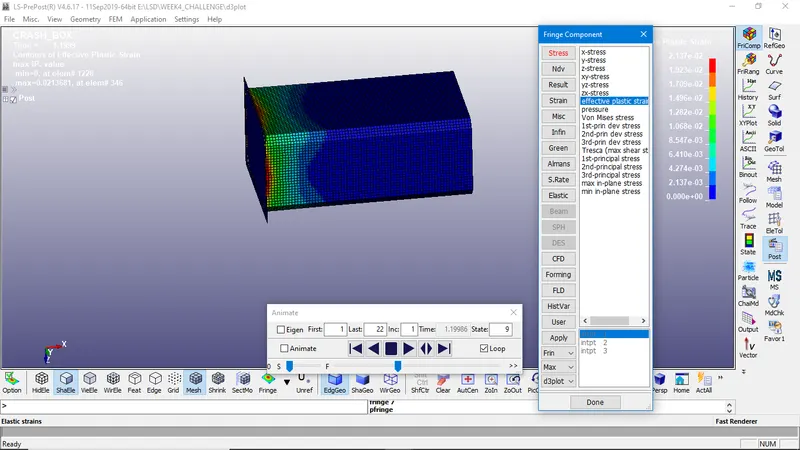
RESULTS FOR 1.2MM THICKNESS:
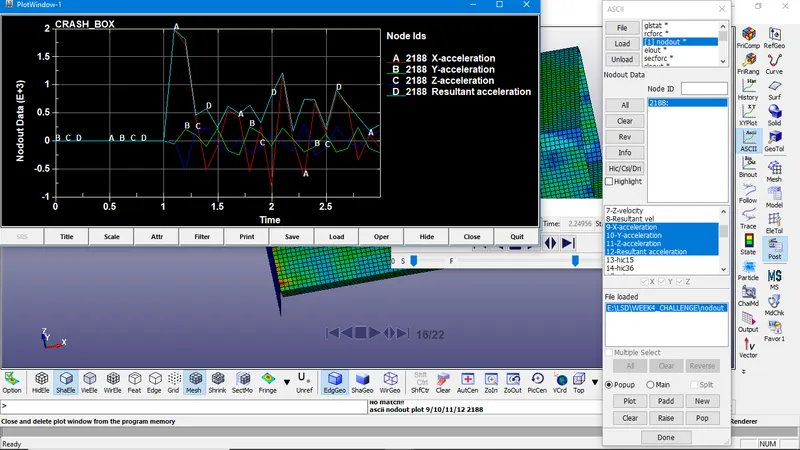
NODAL ACCELARATION PLOT
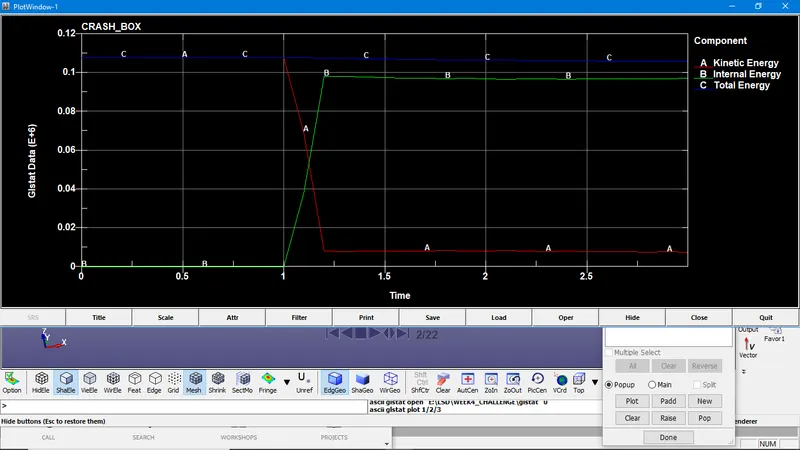
GLSTAT
VON MISES STRESS
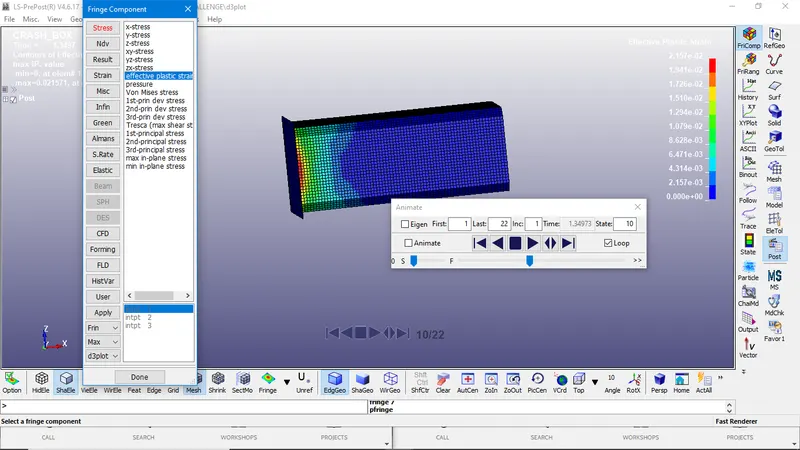
EFFECTIVE PLASTIC STRAIN
OBSERVATION FROM THE SIMULATIONS:
The nodal accelaration is negative since the accelarated body when came to impact there is a decelaration happened.
The value of stress is the particular elements that we took for the the study exceeds the yield strength in the 1.2mm thickness crash than the other one, so there will be a permanent deformation occurs in the crash with 1.2mm thickness, since the 1.5mm thickness tube resists more load.
Here we did not consider the Hourglass energy since it will be zero because the contact that we given is automatic single surface contact. Though the master Id is rigid there will be no results for the simulation.
when the box hits the rigidwall, the momentum is higher in 1.5mm thickness than the other one. In both cases Kinectic energy decreases with an increase in internal energy the total energy remained constant.
There is small deformation occured but it is not visible