Week - 4 - Crash Box Simulation
OBJECTIVE:-
The aim of this project is to analyze the crash analysis of box with different shell thickness and also to obtain the different parameters as follows:-
- Animation of the final simulation
- Input .k file and output files (d3plot, glstat, sleout, rcforc)
- Acceleration plot of a node in the middle of the crashbox (along its length)
- Cross-sectional force generated in the middle of the crashbox (along its length)
- Maximum directional stress and strain along the length of the crashbox (X strain, Y strain etc)
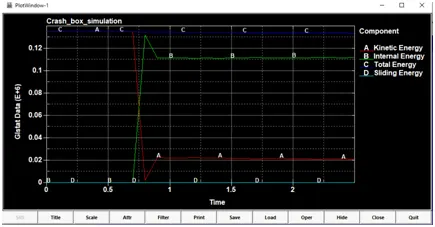
- Plot of all energies (total, internal, kinetic, hourglass, sliding)
- Compare the accelerations and stress/strain plots of 1.2/1.5mm crashboxes.
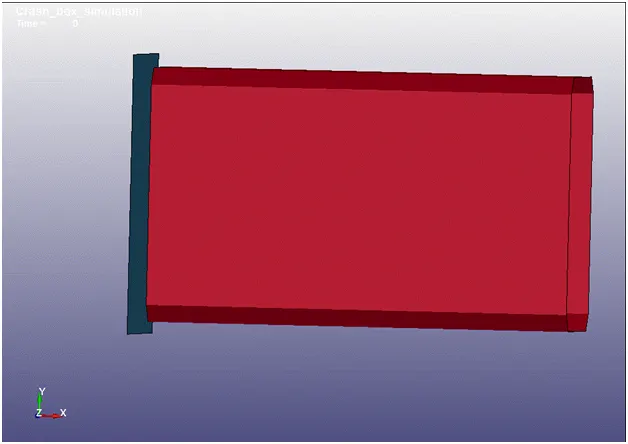
Given are the crash box with us. We have to create a new RIGIDWALL (RIGIDWALL_PLANAR). Steel will be the crash box material with the properties as required by the material. The unit system to be used in this simulation must be gm-mm-ms. Assign an initial velocity of 50 kmph(13.88 mm/ms) to the crash box.
PROCEDURE FOLLOWED:-
Import the .k file and check for the model. In this case as given we will be taking unit system as gm-mm-ms.
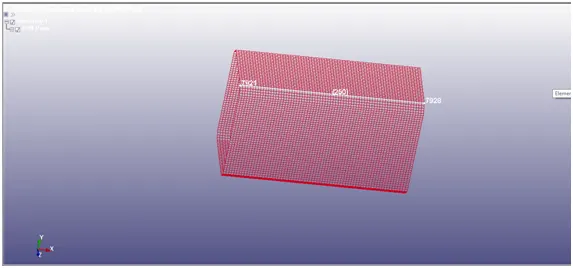
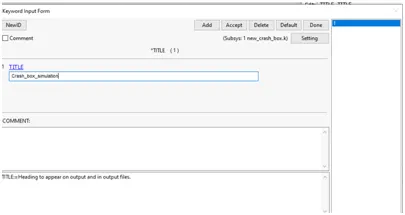
Starting from the title updation we will proceed further.
Title updation:Model&part>keyword_manager>title>RENAME>accept>done.
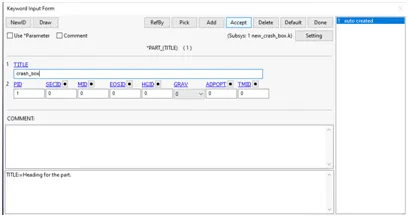
After the title rename the part which is auto created to the suitable name - crash_box
Model&part>keyword_manager>part>RENAME>accept>done
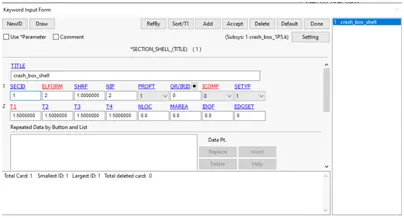
Section-shell creation: Two models have to be created for 1.2 mm & 1.5 mm thickness with SECID’s
Model&part>keyword_manager>section>shell>parameters>accept>done
SECID = 1
ELform = 2
T1 = 1.2 mm,
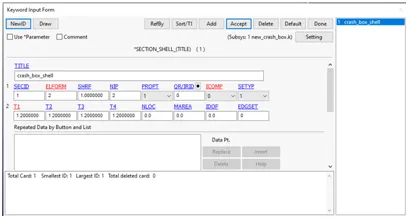
SECID = 1
ELform = 2
T1 = 1.5 mm,
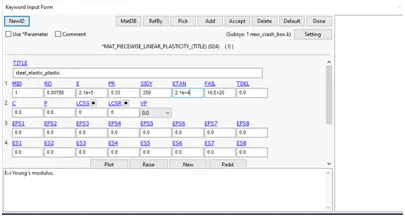
Material creation: After the SECID material ID to be created, also the naming of it be done as STEEL, and the properties of steel to be assigned. Material selected as 024_piecewise_linear_plasticity
Model&part>keyword_manager>Mat>024>Properties>accept>done.
MID = 1
RO = 0.00785(1kg/m3 = 10-6gm/mm3)
E = 2.1E+5(210GPa = 2.1E+5 gm/mm*ms2)
PR = 0.33
SIGY = 250
ETAN = 2.1E+4
FAIL = 10E+20
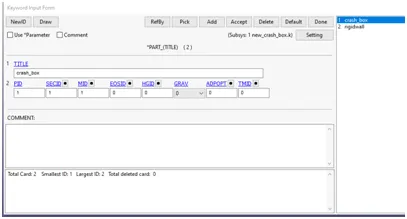
Assigning these SECID and MATID to the part
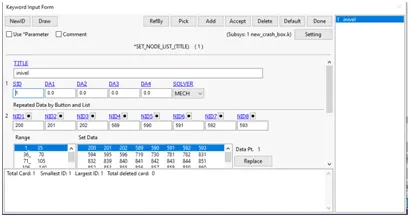
Create a node SET ID for INIVEL
Model&part>keyword_manager>set>nodelist>accept>done
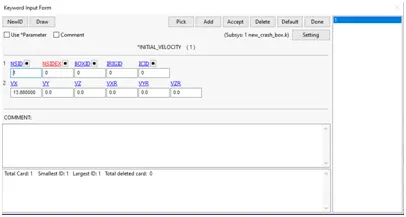
Create an initial velocity card, and assign this created nsid to this inivel, also the velocity given to us is 50 kmph, we have to conver it into mm/ms which gives us 13.88 mm/ms in the +ve X-Direction.
Model&part>keyword_manager>initial>velocity>parameter>accept>done.
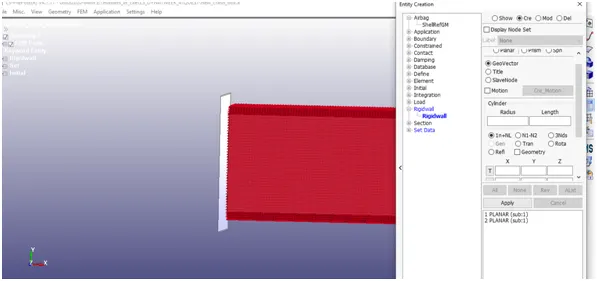
Rigid wall creation:
Entity creation>rigidwall>cre>planar>1n+nl>select node>tran>distance=10>tran ->apply.
In this way the rigid body is created.
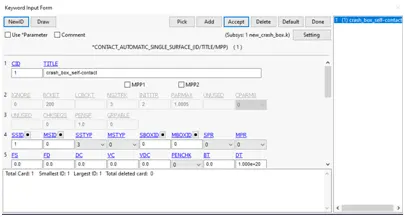
We need to define self contact for the crash box.
Create a SSID, select part crash box as part and apply,
Select SSTYPE as 3(by part id)
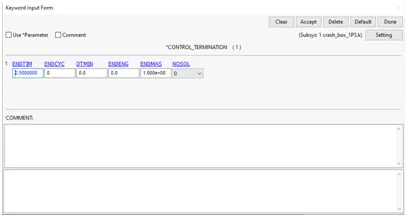
Control termination:
We have selected 2.5 ms as endtime
Output requests:
Binary D3 plot: for every dt=0.1
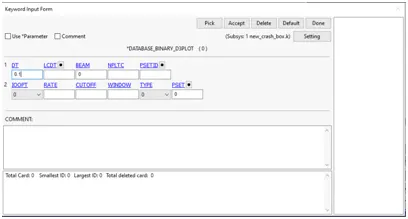
History node id – select a node and insert it in history node id,
Keyword manager>database>history node ID>ID1>title/heading>Insert>accept>done
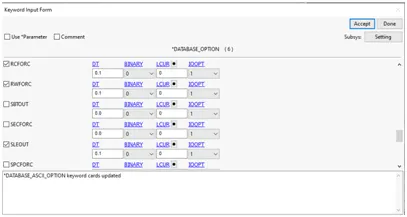
ASCII options:
Assigning the ASCII outputs, we will need the following outputs for understanding the simulation:
Glstat, Rcforce,rwforc,matsum&Sleout
All dt will be assigned as 0.1 i.e. timestep will be 0.1
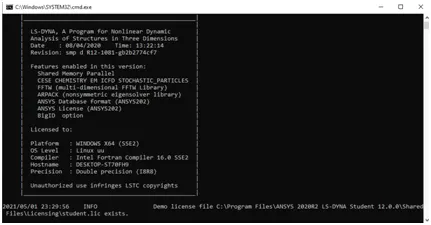
Running the simulation in LS run
OUTPUT RESULTS:
Animation of final simulation:-
1.2 mm
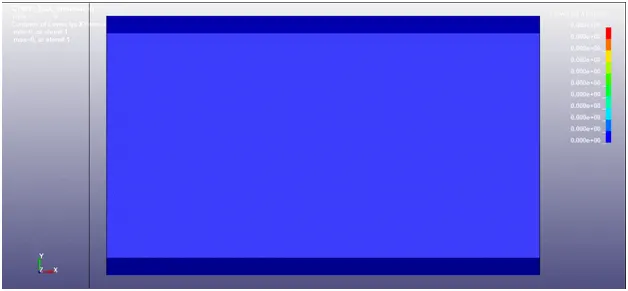
1.5 mm
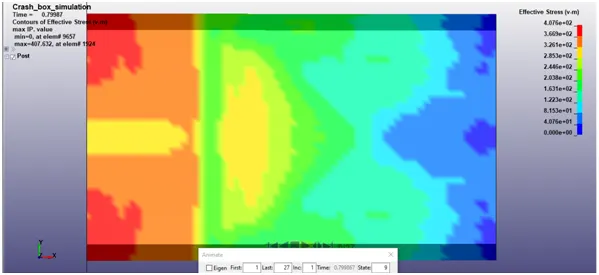
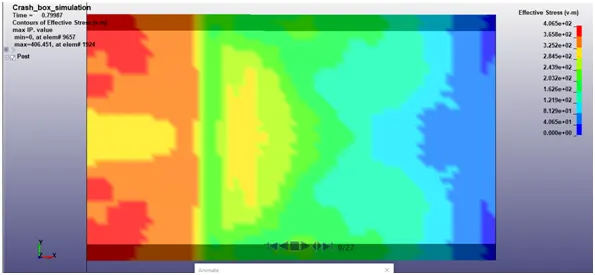
Stress
1.2 mm
1.5 mm
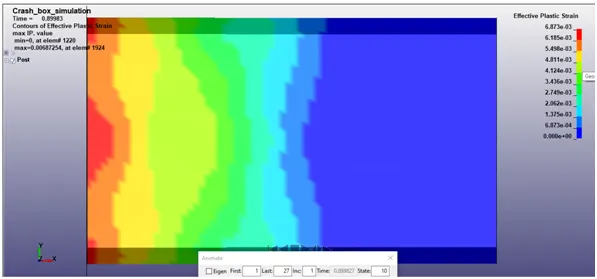
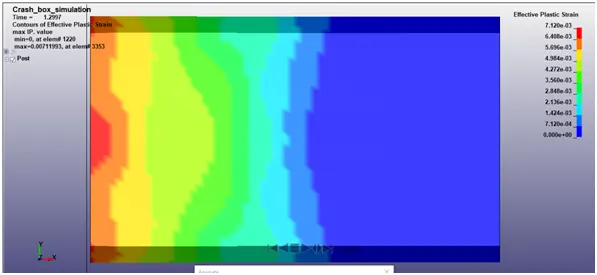
Effective plastic strain:-
1.2 mm
1.5 mm
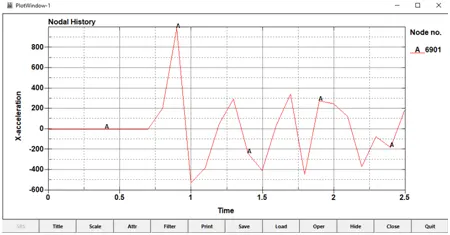
Acceleration at centre(node):-
1.2 mm
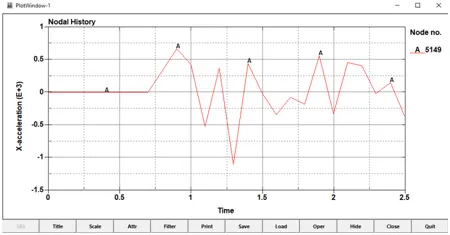
1.5 mm
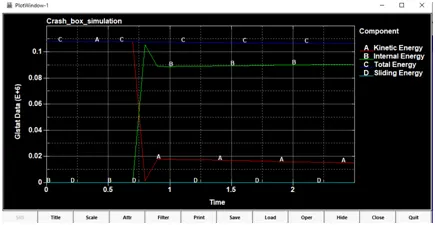
Energies:-
Energies of 1.2 mm crash box
Energies of 1.5 mm crash box
CONCLUSION:-
The simulation is run successfully and gave Normal Termination. Reading for all the required parameters are stated above.
The .k file can be accessed thorugh the below link:
https://drive.google.com/file/d/1xk81IrY16C4oN5cYvkhImu3UPZFOnanU/view?usp=sharing