Week - 4 - Crash Box Simulation
Aim: To perform a crash test of a crash box using Ls-Dyna.
Objective:
- To create a rigid wall in LS-Dyna
- Apply initial velocity of 50 kmph to the crash box.
- Run the simulation and compare results of crash box having thickness 1.2 mm and 1.5 mm respectively.
- The unit system followed is gm-mm-ms
- Plot the cross-sectional force generated in the middle of the crash box.
Procedure:
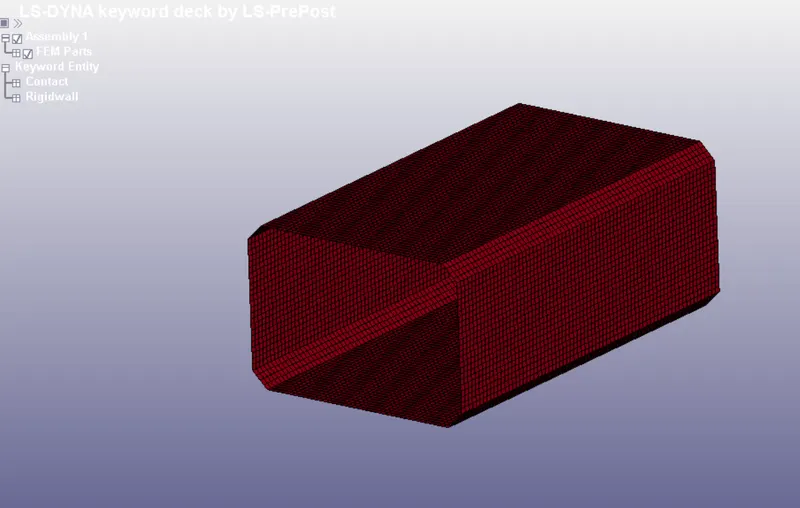
1.1)First we open the .K file in LS-PrePost
1.2) Creating material:
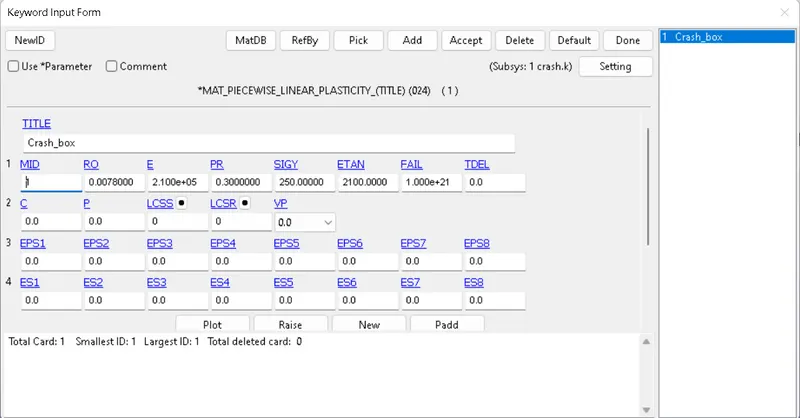
- To create a material card, open keyword manager >> material >> Mat 024. Enter the values as shown below and change the title to crash_box.
1.3) Creating sections:
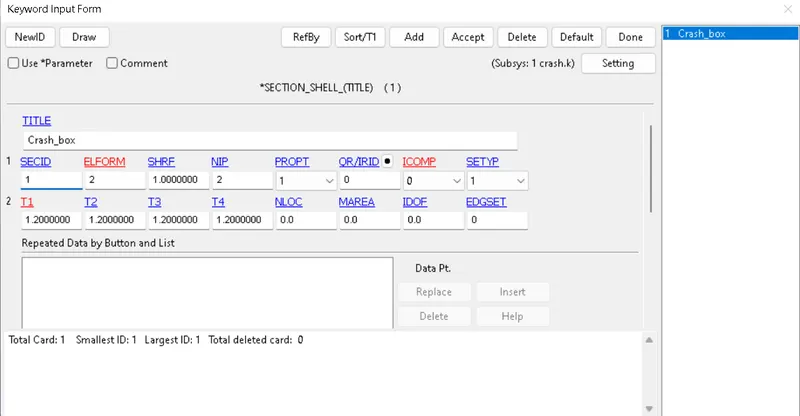
- Shell section card is created and assigned to the Crash box.
1.4) Defining part:
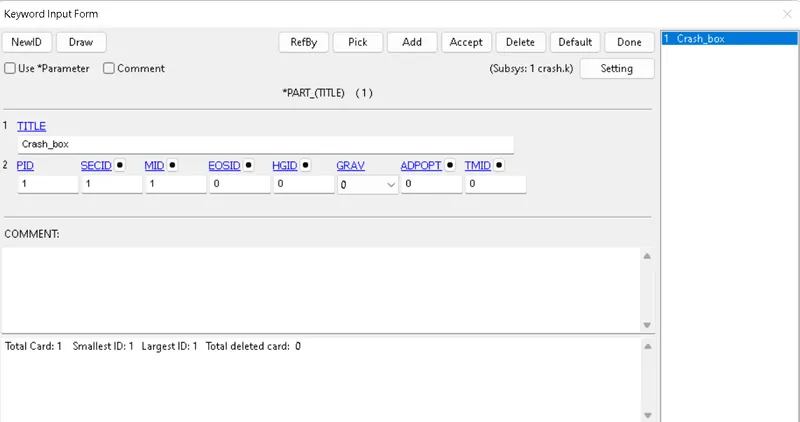
- Shell id and Material id are assigned by creating a part.
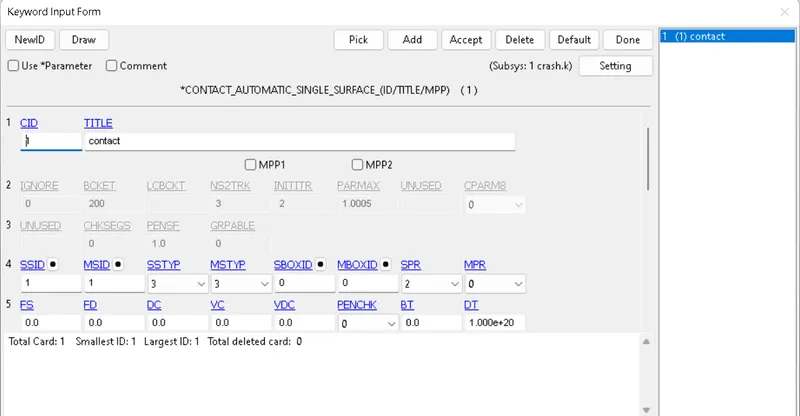
1.5) Defining a contact:
- A contact - Automatic single surface contact is defined between the crash box and rigid wall.
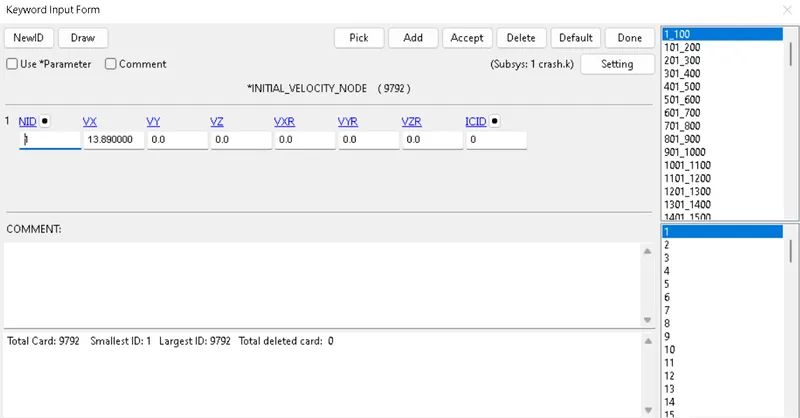
1.6) Defining velocity:
- Velocity of 13.9 mm/ms in x direction is assigned to the crash box.
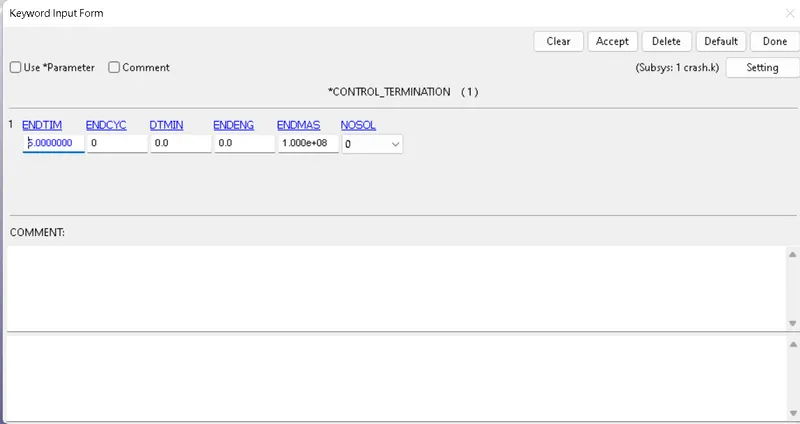
1.7) Defining Runtime:
- Control termination card is created to define the end time of the simulation.
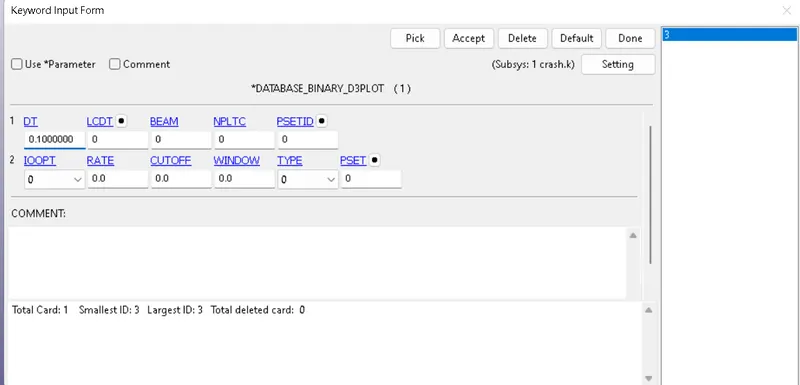
1.8) Output requests:
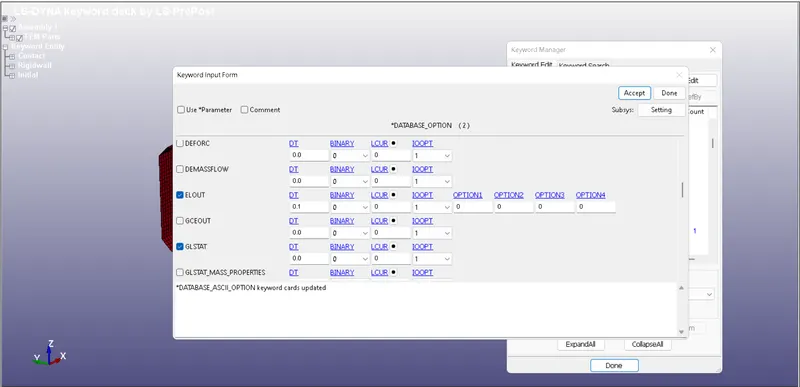
- To request output, Binary 3Dplot and ASCII card are created.
1.9) After assigining all keywords , we run the .k file in LS-Run.
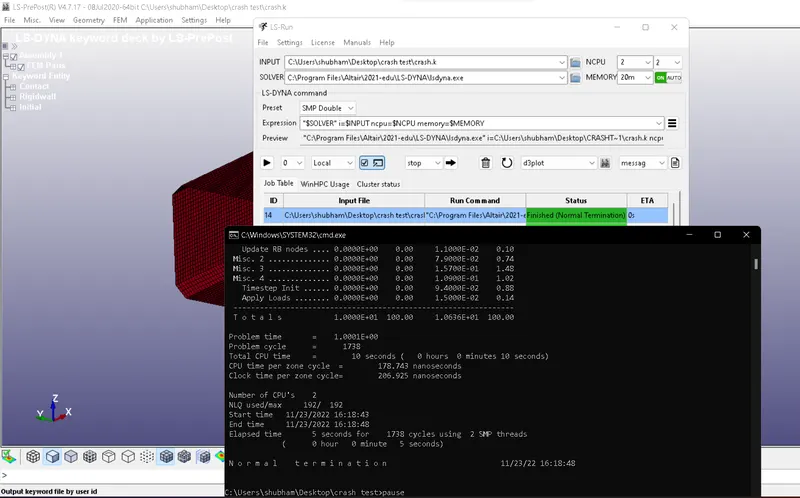
- After the message Normal termination is shown, our plot is completed.
Results:
- To check the simulation results, open Ls- Prepost >> binary plot >> d3plot.
- To check the von mises stress, go to post >> fringe component >> select the respective component.
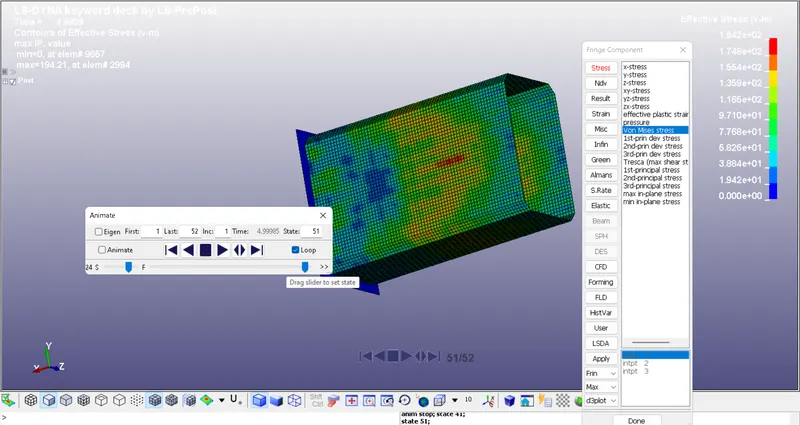
Conclusion : Simulation is carried on crash box with thickness 1.2mm and 1.5mm and requested outputs are obtained.