Week 4 - CHT Analysis on Exhaust port
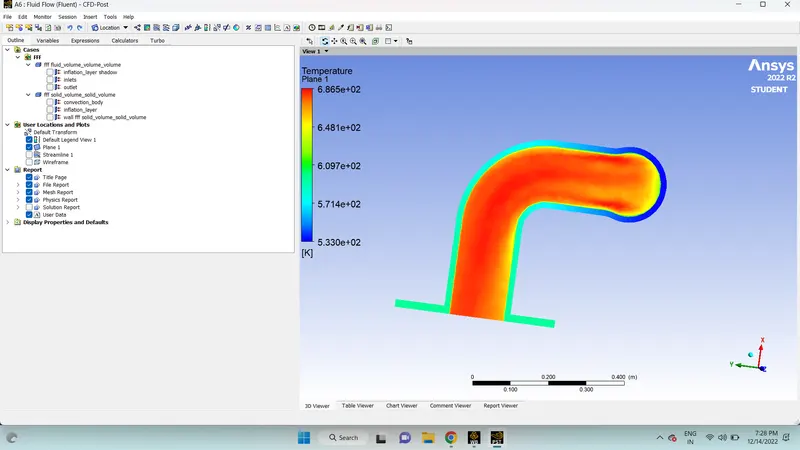
Aim :- In this challenge, we will be conducting a conjugate heat transfer analysis on an exhaust port with 4 inlets having an inlet velocity of 5m/s with air at 700K and one outlet with guage pressure 0.
A conjugate heat transfer analysis is used when the fluids and solids involved in the simulations undergo a variation in temperature due to the thermal interactions between them at the interfaces.
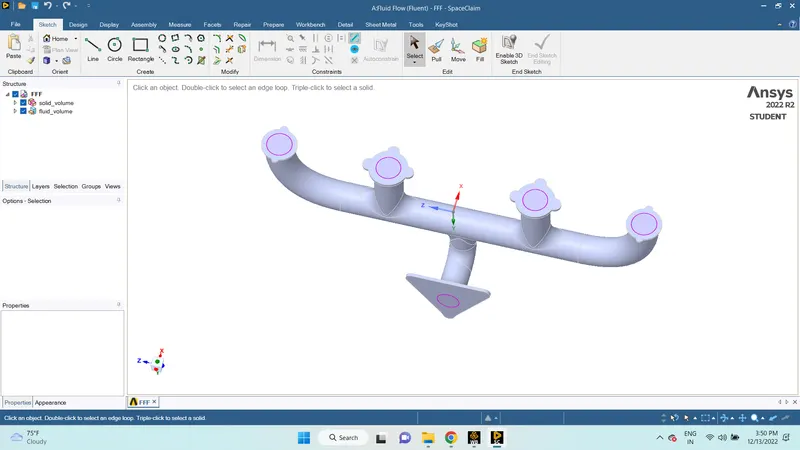
Solving and modeling :- In this challenge, provided geometry (Exhaust port) is imported in spaceclaim then prepare with the volume extract, means enclosed with the outlet and inlets edges.
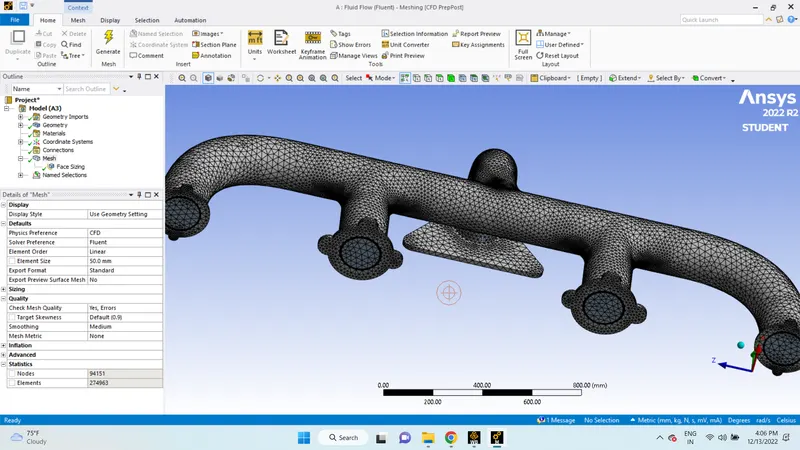
for confirmational Mesh perform between solid and fluid volume we use share topology.A fine tetra mesh is created both in the fluid volume and solid volume.We also add an inflation layer using the total layer thikness at the fluid-solid interface.we use a pressure-based formulation in a steady-state analysis. In the model, we set energy on and used the k-epsilon viscous method. For the materials, we use aluminum in the solid part and air as the fluid. Here, we use a velocity inlet at 700K and pressure outlet as boundary conditions. After the simulation is run for around 400 iterations we obtain the heat transfer coefficient at the interface.
Geometry:
- Open ANSYS> from the analysis system in the toolbox drag Fluid Flow (Fluent) on to the project schematic.
- Right-click on geometry> open Spaceclaim.
- Drag the solid part geometry to the SpaceClaim window. Wait for the geometry to import.
- Now go to prepare > select enclosed volume> then choose the edge method> select the four inlets and the outlet > click the green tick. The volume is created.
- Drag the created volume inside the initial solid model.
- In the main design,> change share topology to share.
- Click on workbench > click share > select the body.
Mesh :-
- Select the face selection tool > then select the faces > create named selection for inlet, outlet, convection body, and inflation layer.
- Click on mesh > change element size to 50mm.
Setup :-
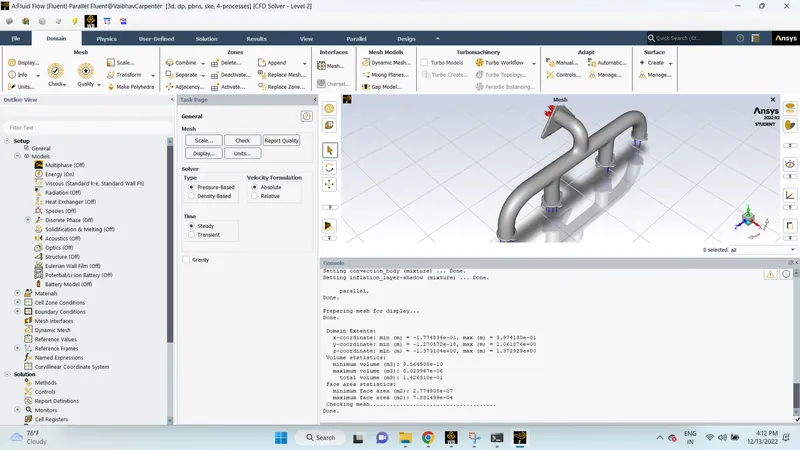
- We start with mesh check. In domain > go to mesh > select check > Wait for mesh checking results.
- In general, we will be using a pressure-based model with absolute velocity formulation for steady-state analysis.
- Go to models > turn on energy > in the viscous model: set it as K-epsilon.
- For boundry conditions velocity inlets we use velocity megnitude 5 m/s and for thermal use 700 k .
- In materials the fluid material is air and the solid material is aluminum.
- In the outer convective wall, the thermal conditions of the wall will be convection with a heat flux of 20W/m2.
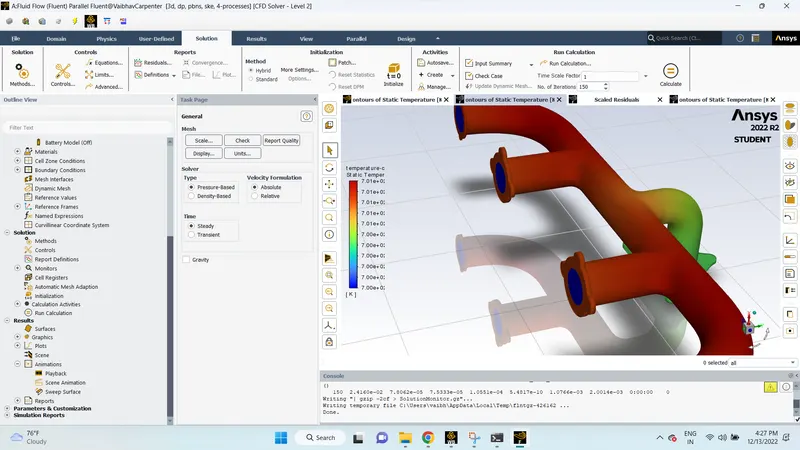
- In solutions > go to activities > create > select scene animation > then select the temperature contour as the entity.
- Run the calculation for 150 iterations.
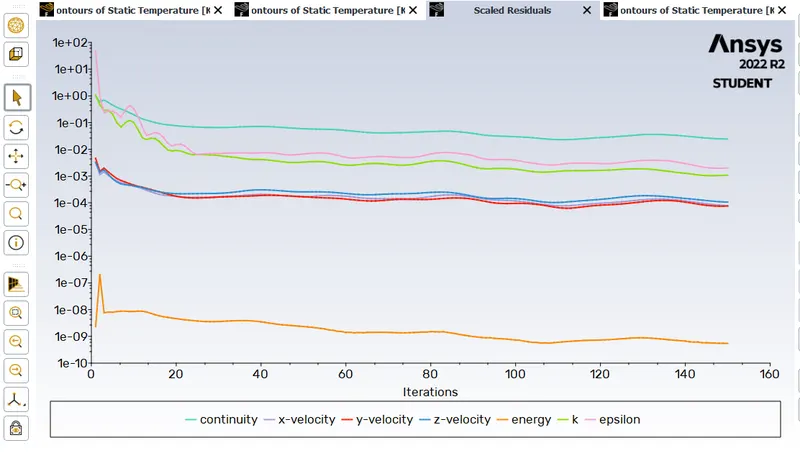
velocity:-
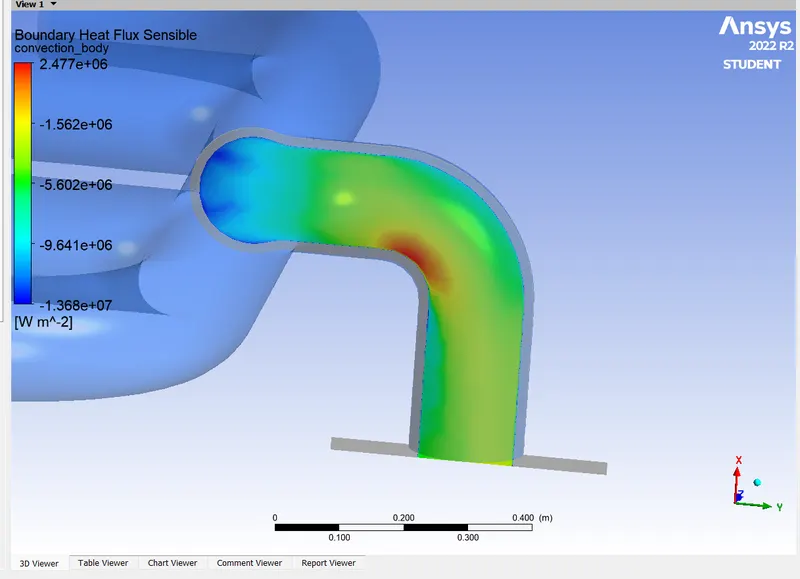
Temperature :-
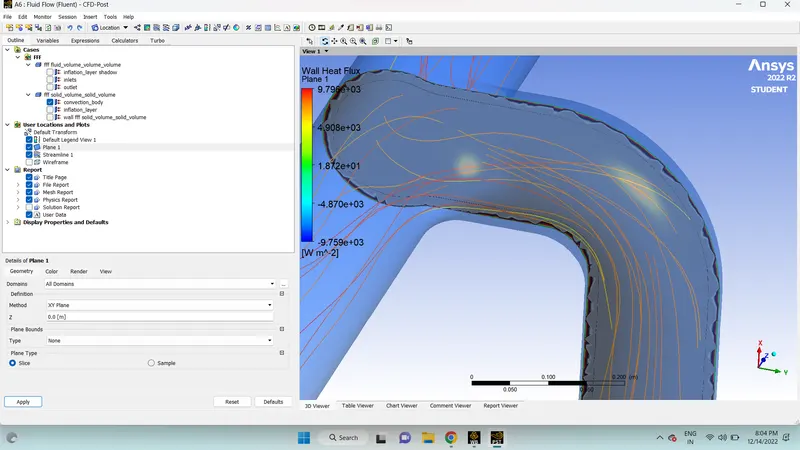
Wall Heat flux :-
The factors that the accuracy of the prediction depend on are
- We need to make sure that share topology is set to share.Only then the meshing is going to be uniform and with perfect connectivity.
- create inflation layers so that flow is captured exactly and the values are calculated exactly.
Link :- https://drive.google.com/file/d/1fnEFe79MaoTDGqLJJvOT9GUNVQLbr0_j/view?usp=share_link