Week 3 Challenge : CFD meshing on Turbocharger
Aim :- To cleanup given geometry (turbocharger) and then perform the surface and the volumetric with the diffrent mesh length given in the problem.
Turbocharger :- In an internal cumbtion engine, a turbocharger (often called a turbo) is a forced induction device that is powered by the flow of exhaust gasses. It uses this energy to compress the intake gas, forcing more air into the engine in order to produce more power for a given displacement.
Procedure :
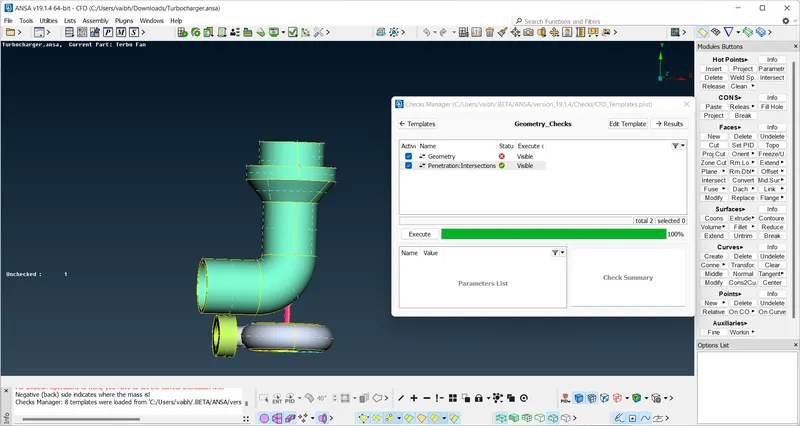
• First I have to check the geometrical error using ‘check>geometry_checks>execute’ and then clear error one by one
• First at compressor casing there are extended surface it has to be delete and create new surface by using delete option in faces and creat new face using 'new>coons>select coons >middile click'
• In blade stage 1 we have to required hollow shaft so we have to delete that surface
• In blade stage 2 we have to required hollow shaft so we have to delete that surface and there are also a overlapping surface with rotor shaft, delete this overlapping surface by using 'delete' option.
• In impeller there are overlapping surface we have to delete that surface.
Image of clean geometry - there are no intersection error
Assigning PID:-
- Blade stage 1
- Blade stage 2
- Shaft rotor
- Turbo casing
- Inlet compressor casing
- Compressor casing
- Impeller
Create mesh (surface mesh):-
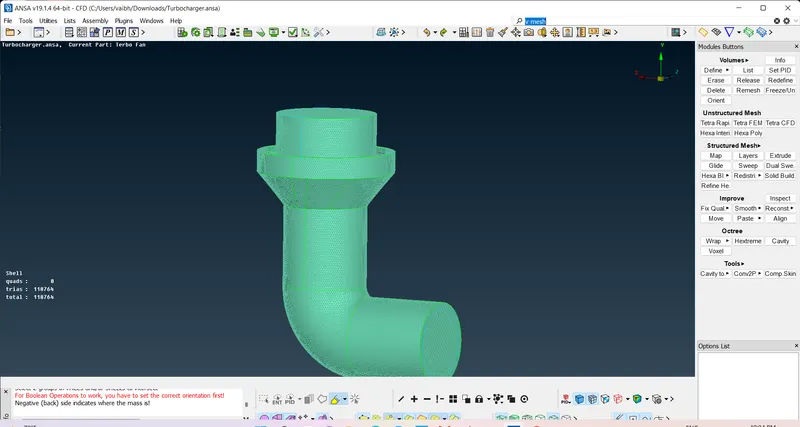
We mesh PID one by one as above show with the target length given below
for giving target lengths go to the classic mesh and use length option.
for surface mesh go to mesh generation and spot mesh
-
- Blade stage 1 = 1 mm
- Blade stage 2 = 1 mm
- Shaft rotor = 1 mm
- Turbo casing = 5 mm
- Inlet compressor casing = 5 mm
- Compressor casing = 5 mm
- Impeller = 2 mm
after mesh due to diffrent mesh in compressor casing and rotor shaft they are not meshing together so we use to get this mesh use free option.
Create mesh (volumetric mesh) :-
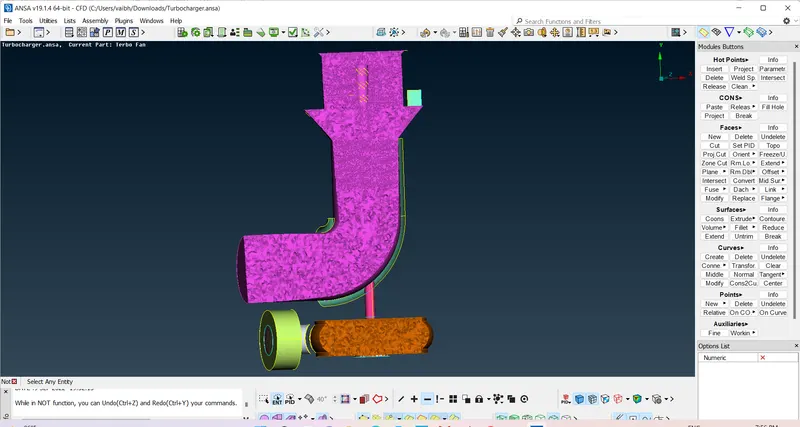
After completion of the surface mesh in order to create the volumetric mesh first we have to define which volume we need and which volume we don't need so for this 'go to v-mesh and there are define option'. After we delet unnecessary volumes which we don't need and keep those volumes we need.
We are doing unstructured volume mesh and tetra cfd
after creating the tetra cfd mesh the no.of volumes created are 10040159.
Learning outcomes :- From this project i have learn how to perform the surface meshing and volumetric meshing and gets exposed different tools in ansa.
Conclusion :- The given model of turbo charger is made error free and a proper volumetric meshing is created while a total of 10040159 volumes are created.
Link :- https://drive.google.com/file/d/1FYW490A9McQ_jLFrO0qfrtQ1Er6_ZSmP/view?usp=drivesdk