Week 4 Challenge : CFD Meshing for BMW car
Aim : For the given model, check and solve all geometrical errors on half portion and Assign appropriate PIDs. Perform meshing with the given Target length and element Quality criteria. After meshing the half model, Do symmetry to the other side.
Theory :
- To analyze the fluid behaviour on outer surface of bmw car which is given model we meshing outer shell part of the car after topo clean and creating new wind tunnel and meshing the wind tunnel and doing volumetric mesh
Procedure for meshing bmw model which is given model :
there are steps for mesh is :
- Topo clean : which we cleaning the geometry of the given component and checking geomtric checks
- classic mesh : Here we dealing with the surface mesh
- transform : the transform do the operation of mirror
- volumetric mesh : here we dealing the volume mesh
Topo clean
- Firstly the given model is symmetrical so that we deleting one half part which half part having more error.
- Because another half after we meshed of one half we make replica(mirror) this half portion shown in image1
- After deleting the half of model by taking one half consideration we doing topo clean over the surface
- But before topo cleaning we giving good resolution to the cons by selecting entire thing and giving perimeter length of 1mm and clicking middle mouse this good resolution shown in image2
- after good resolution given we know that in front portion there is lot of component is present which like mirror, headlight, radiator grill components etc..,
- so by taking single- single component we do topo clean
- Firstly component like , mirror , headlight etc.., Inside lot of surface attached which is unneccessary like in headlight bulb and some other portion of surface we deleting because to reduced mesh element when we do mesh
- so by deleting that inner surface in headlight and mirror topo clean is done on that component
- But in headlight portion error comes that is single cons so for that we deleting the outer surafce and creating new surface by where headlight surface causing issue there we creating the curve and creating the new surface this headlight error shown in image3
- so after topo clean of headlight and mirror we doing topo on the grills component there three grill component attached in the front portion of car which is shown in image4
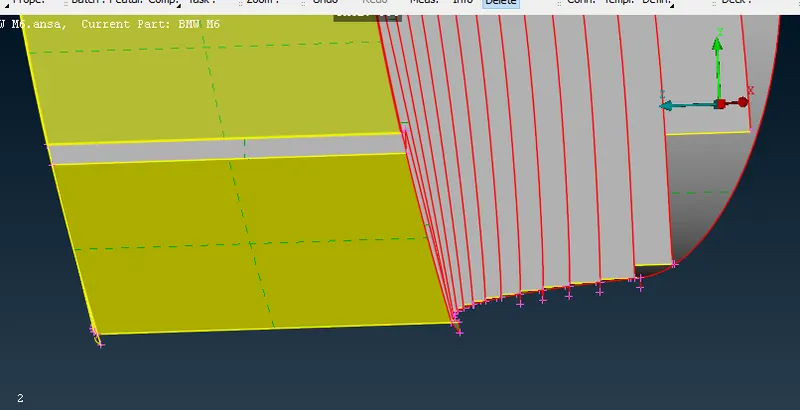
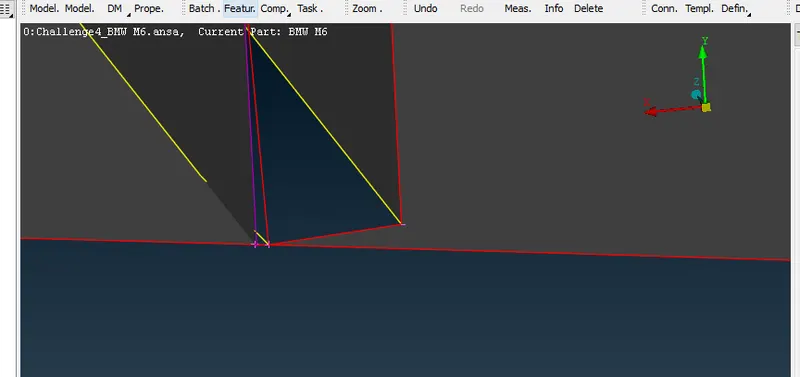
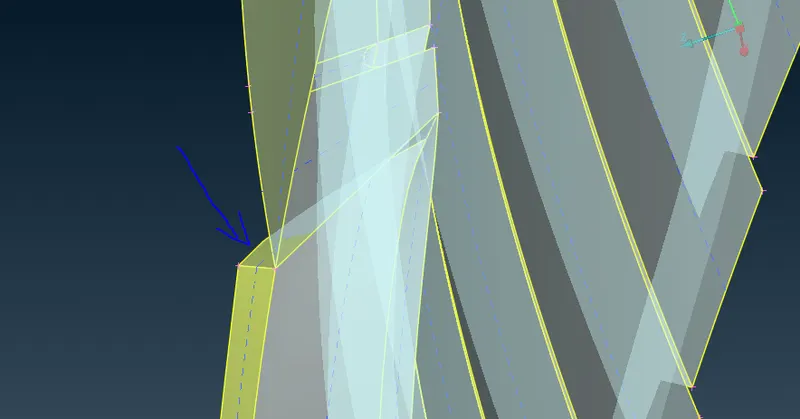
- so in this grill we just taking outer shell so for that inner surface is we removing so after removing of inner surface of grill there lot of error comes which the error called surface-con not attached, unneccessary extra surface formed, unneccessary grill portion which is not required and also penetration error. This error is solved by using some useful tool that is cons2curve , plane cut like this
- cons2curve is used when the con and surface not attached that time we creating con to curve using option con2curve which is present at right side of screen and deleting the surface and creating new surrface using that con2curve
- plane cut this is used when we want to cut unneccessary grill portion by taking plane cut reference this plane cut is to cut the part of grill by taking reference to wind sheild
- so this error and topo clean portion of grill shown in image5
- After topo clean of grill, we do topo clean to car body, tyre, backlight of car, silencer which shownin image6
- By this we completing topo clean then we going to assigning the pids
PIDS
So after topo clean of each and every component we assign pid for different different component like for grill, headlight, mirror, car body, silencer, tyre etc..,This assigned pid shown in image7
Meshing
- after assigning pid of different different component we meshing different different component by different different target length
- Here generally normal spot mesh is not working properly for that we meshing the component using CFD mesh generation
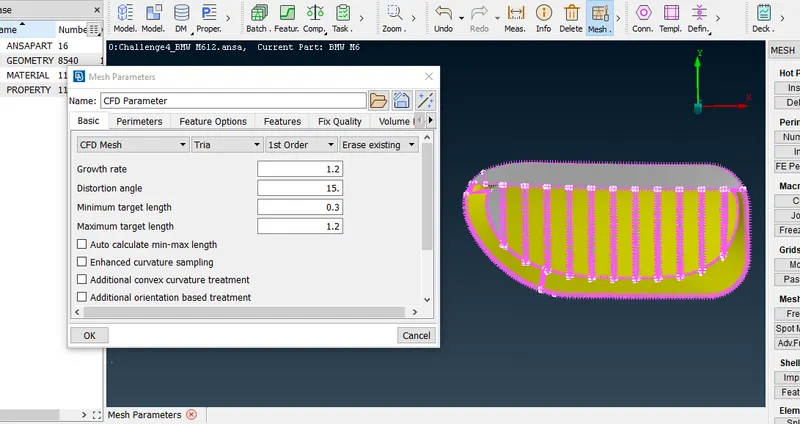
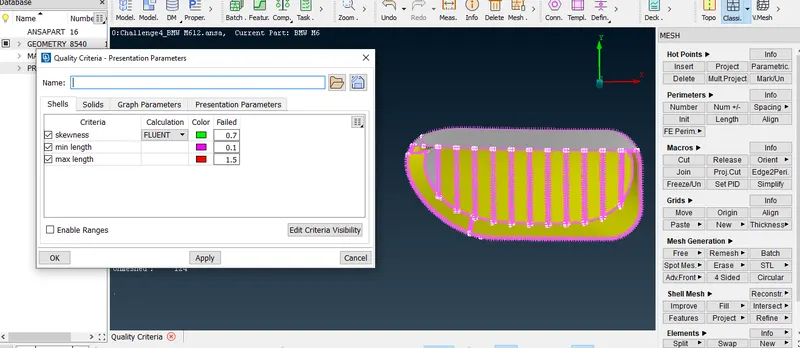
- In CFD mesh first we giving mesh parameter, quality criteria
- In mesh parameter we giving target length criteria range that is suppose the mesh target legth is 3mm so for that we giving min2.5 and max 3.5 range
- Similarly in quality criteria we giving the target length range which less than min of mesh parameter and greater than max of mesh parameter range
- Then after giving quality criteria and mesh parameter value then in perimeter we selecting the spacing option in spacing the auto CFD option is used which from that we giving perimeter and macron target length
- Then lastly we doing CFD mesh using CFD mesh option which is there in right side of screen in mesh generation
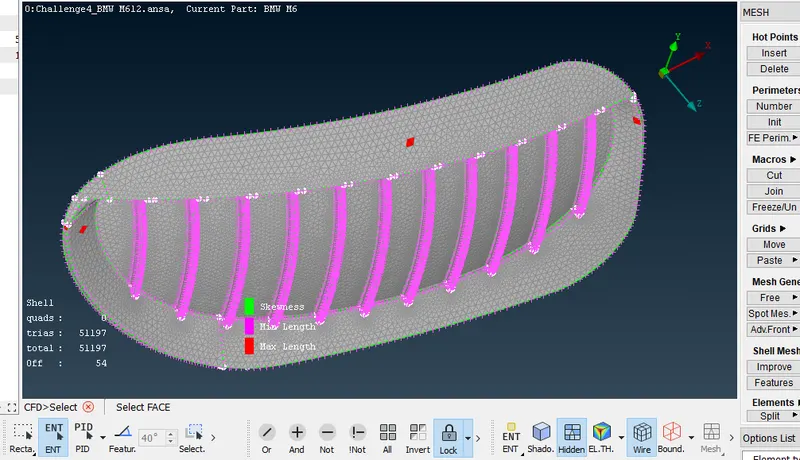
- After CFD mesh we checking off element in the meshed by turn on hidden option which is there in bottom of toolbar in wire frame mode side
- If off element there we use reconstrut tool to avoid off element or reduce off element
- After reconstruct if off element is there then we do correction over that
- off element is generally showing that is because if the element target we given is one but the meshed target is different thats why this issue comes
- This issue can be solved by using tool that is split option, move grid option and paste option
- Split option this is useful when suppose the meshed is less than target length that time by clicking on the con twe mesh element form one element by this we can solve off element
- move grid this helps by moving the node the shorter mesh or larger mesh we converting the exact target mesh
- paste option is helps to make two node into one node by this we can solve the off element
- Suppose after using this option reducing off element still some off element there this is because of complex geometery for this let it be there but we do lot to reduce off element if not possible let it be ok
- so like this we meshing different different component
- Note: After meshing one by one we freezing the component if we not freeze distortion of meshing of one other issue comes to avoid this cause we freezing
- Finally all the surface is meshed successfully this mesh shown in image8
mirroring
- After entire meshing of half part we mirror the half part which look like car after mirror
- For this we using tool called transform in there transform option we choosing copy option and copying entire half portion then selecting three node and lastly mirrored
creating wind tunnel and meshing the wind tunnel
- first we calculating the length of the car by mesuring that we giving dimensions to tunnel
- using that dimension we giving the points in different different location
- After that one point to another point we creating the curve using that curve we creating the surface which is bottom surface of tunnel
- so from that surafce we creating the offset surface by the distace which based on calculation
- so that surafce which created by offset is called tunnel top surface
- so from that two surface and again we creating the four surafce which we called as tunnel side walls
- so then tunnel we created successfully but after to do surafce mesh on tunnel the top and bottom surafce we mesh simply spot mesh
- And side wall surafce of tunnel we giving dmin 20mm and dmax 100mm in spacing option which there option in perimeter. This spacing which make operation of mesh at bottom 20mm in top 100mm
- The final meshed tunnel is shown in image9
Learning outcomes :
- In topo cleaning we learing different tool like creating curve, con2curve etc..,
- Similarly in meshing we learnt how mesh the CFD mesh
results of some random image :
image1-after deleting half portion of car
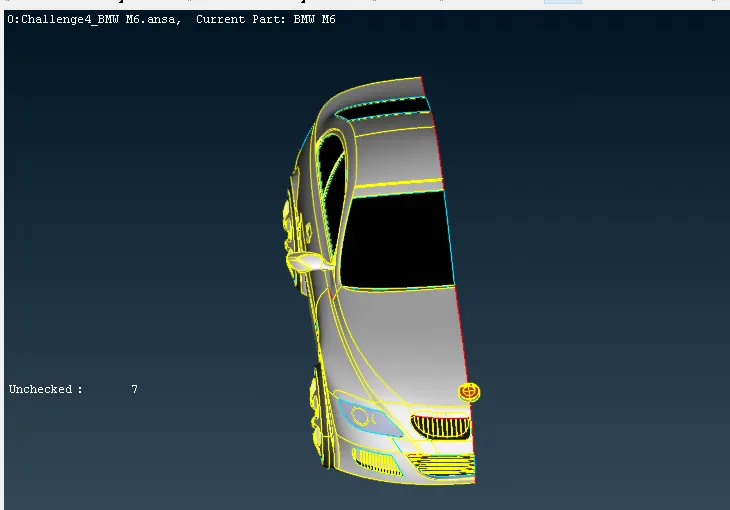
image2- Before topo cleaning we giving good resolution to the cons by selecting entire thing and giving perimeter length of 1mm
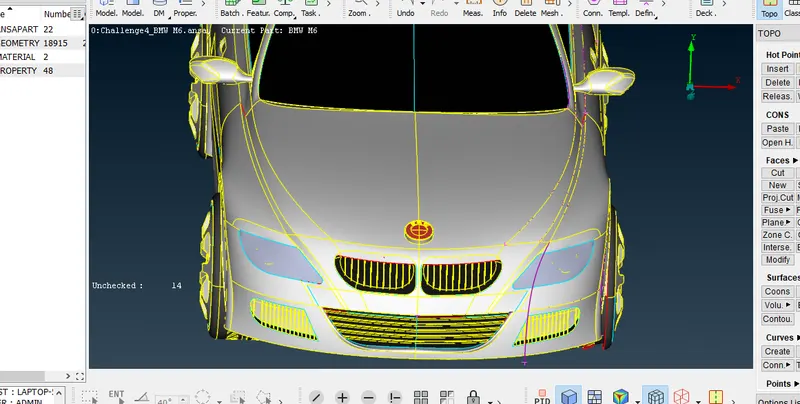
image3- headlight image before topo clean, after topo clean and while cleaning error found
1. before topo clean 2. error while doing topo clean 3. after topo cleaned
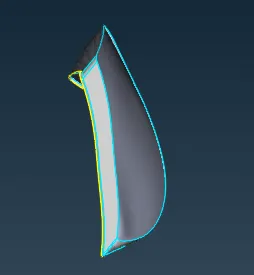
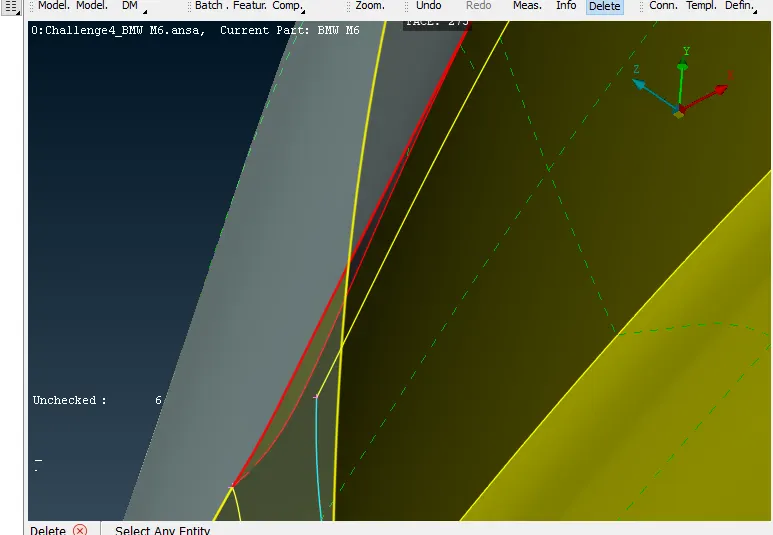
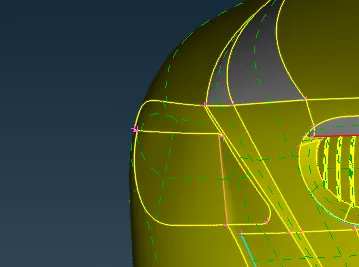
image4- image shown below shows three grill component is attached to car front portion which we need do topo clean
image5- while doing topo clean of grill error found and after clearing error and topo clean exact view shown in image below
1.error of grills
a. error shows over narrow surafce which is unwanted b. con and surface is not attached properly because that error comes c. penetration issue because one surface wrapped over another surface
2. After clearing three grill surface (topocleaned of three grill surface)
a. first topo cleaned grill b. second topo cleaned grill c.third topo cleaned surface
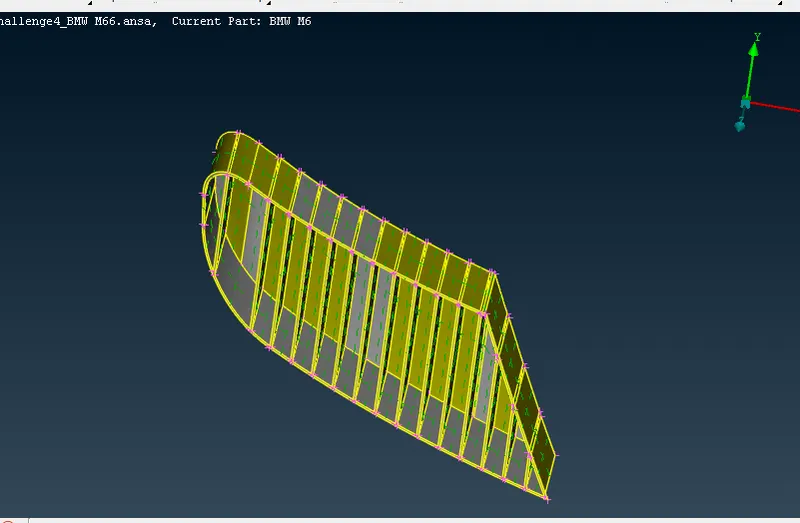
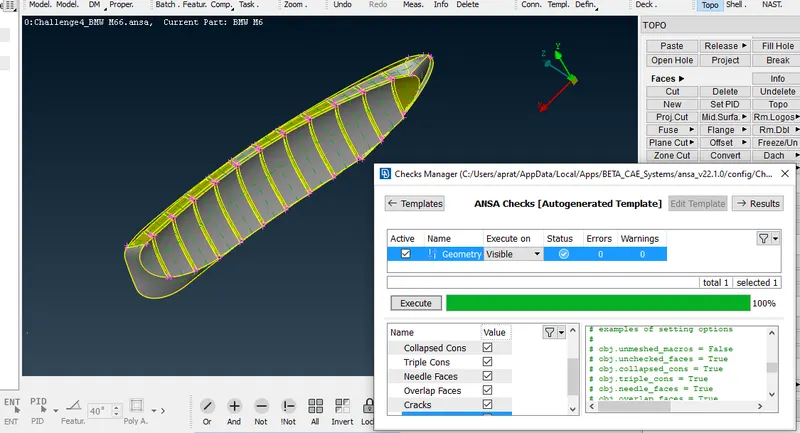
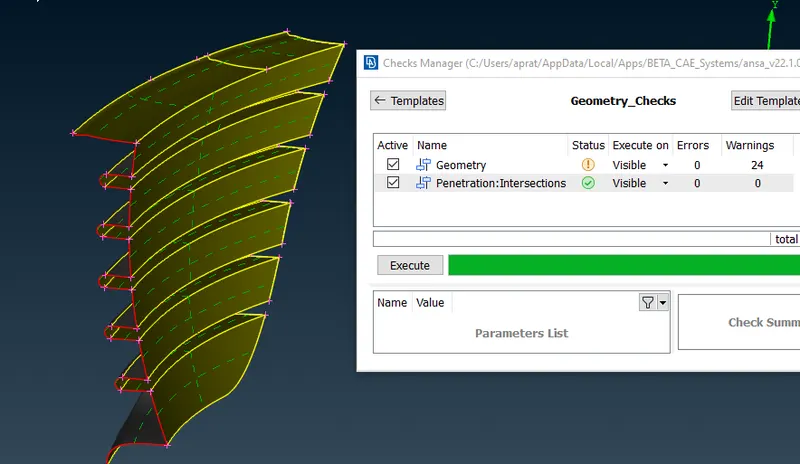
image6- After topo cleaned of car body , tyre , mirror
a. Car body topo cleaned b. tyre topo cleaned c. mirror topo cleaned
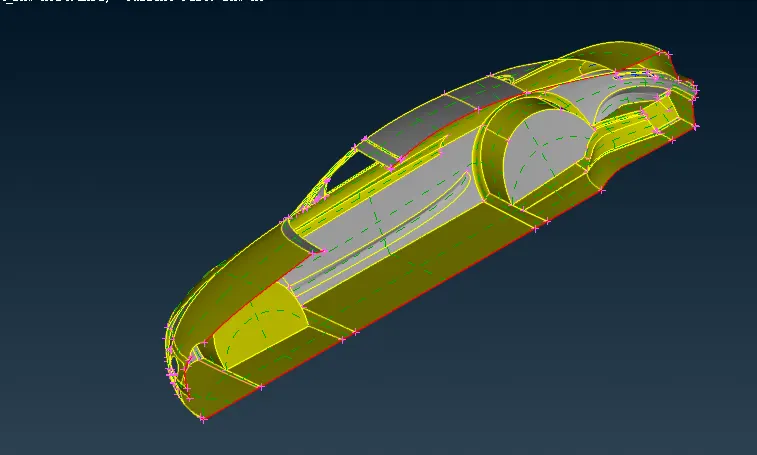
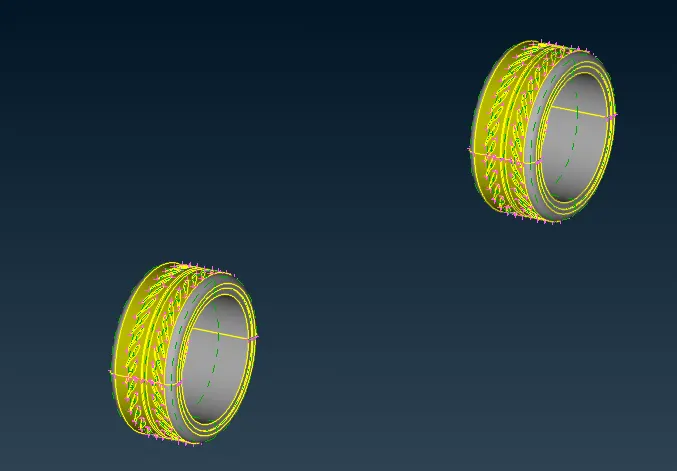
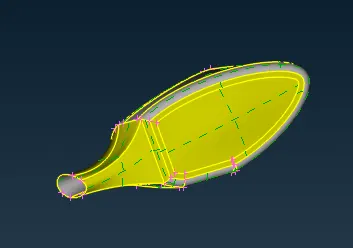
image7- pid assigned for different different component
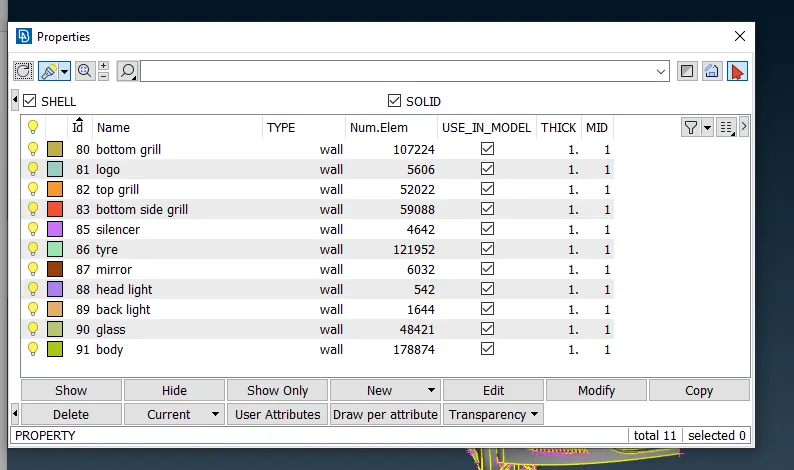
image8-Below image shows how we meshing the component with given target length by giving value to the mesh parameter and in quality criteria
a. meshing to the component of the grills
b. After meshing entire how it is looking
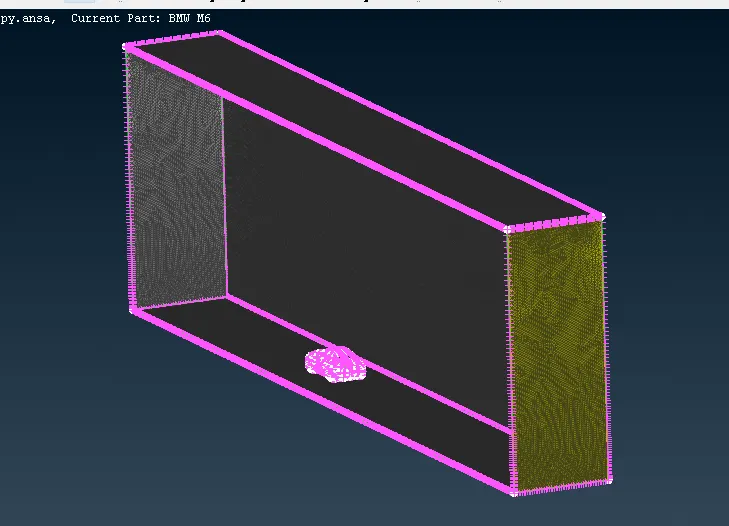
image9- final meshed tunnel
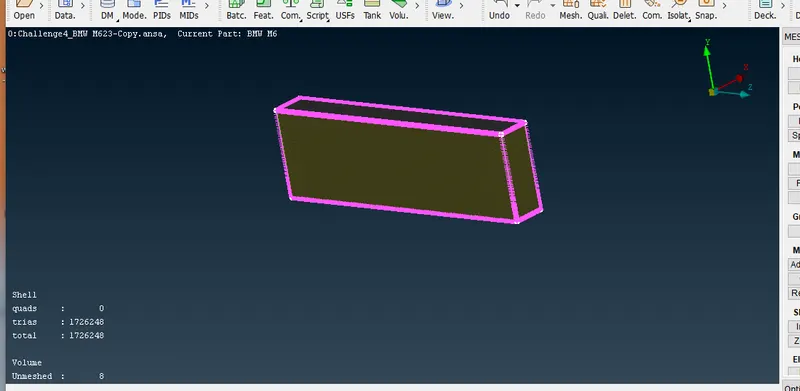
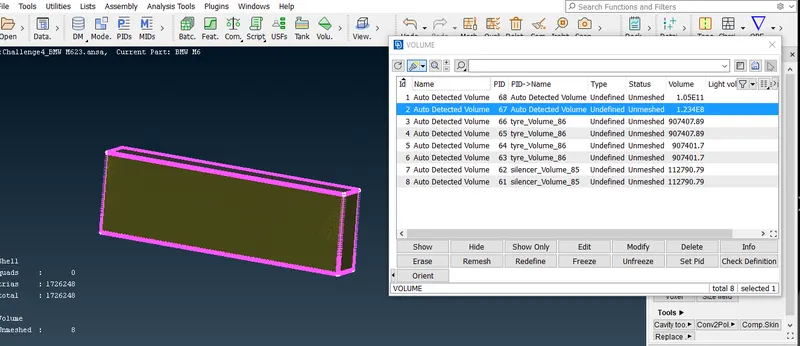
image10- After all surface mesh 8 unmeshed volume is defined
the link of final model : https://drive.google.com/file/d/1AluBBfkuUIm8CFTikNH6kzimQchX4dxB/view?usp=sharing
conclusion : By practicing The given bmw car is meshed successfully