Week 4 Challenge : CFD Meshing for BMW car
AIM:
To create a volumetric mesh (CFD Meshing) for the given BMW car geometry.
OBJECTIVE:
- Clean up the geometry appropriately.
- Create a triangular mesh on the surface of geometry with different target lengths as mentioned in the question
- Create a wind tunnel with the appropriate geometry and do surface meshing of the same.
- Obtain Volumetric mesh (CFD Meshing) of both wind tunnel and car geometry.
PROCEDURE:
- Increase the geometry's resolution by providing Length and Macros from the Meshing section.
- Delete half the geometry, work on the remaining part, and finally do the symmetric approach.
- Isolate each part of the car such as the Grills, Logo, Wheels and Rims, Lights, Window, Mirror, Silencer, and body. Clean each part by deleting overlapped, unwanted surfaces and penetrated surfaces by using the Universal delete option. Fill the gaps present by creating new surfaces by using the New option on the left tabular column followed by selecting either Existing Surf, COONS, or FITTED option. After cleanup check for triple cons or single cons. if any single or double cones remain perform the necessary steps to eliminate those. (Note: Single cons will be present on the central axis as the remaining surface is deleted as per symmetry.)
- Use Create option to get the traces of deleted faces which will help to recreate those faces again if required.
- Remove small faces, and unwanted hot points and delete unwanted cuts on the surface of each part.
- After the geometry cleanup check the geometry for any crack, single cone, overlap faces, or penetration, etc,.. by using the check manager. If any error is shown, resolve those by performing the above-mentioned steps.
- After completing the cleanup, give each PID a suitable name by selecting the Property option and creating new PIDs, and renaming existing PIDs. Then assign each PID appropriately.
- Move to the meshing tab. At the meshing tab, set the perimeter and macro length as mentioned for each PIDs.
- From the Mesh parameter option set the meshing cell type as triangular and target length, Minimum and Maximum Target length. Set maximum target length in Quality criteria also.
- Select Spot mesh under the Mesh generation section and select each PID and create the mesh. Enable hidden mode and verify any 'OFF' elements are present. if so reconstruct the mesh by using Reconstruct option under Shell Mesh. Again if any off elements are present check the geometry and do the necessary cleanup.
- Repeat steps 8, 9, and 10 with the appropriate target size, minimum, and maximum target size for every PID. The surface meshing of each PID is shown in the Results. (Note: Perform meshing of body PID at last, as meshing the body deselects the common cons of the body with other PIDs.)
- After completing the surface meshing of the half, select Transform> Copy > Select the required entities > Symmetry > Mirror 3 Point Plane. Select 3 points check the preview and click Finish. Remove if any single cons are present and do a geometry check.
- Create the wind tunnel by creating hot points, curves, and different faces of the wind tunnel using those curves such that the front face of the tunnel is at a distance of 4X, the rear face at a distance of 6X, top face at a distance of 3X. The bottom face of the tunnel should be very close to the wheel, Side face of the tunnel should be at a distance of 1X from the car geometry. Where X represents the total length of the car.
- Mesh all the faces of the tunnel and create a fine mesh at the bottom and a coarse mesh at the top using the Spacing option. which helps to enable saving time as the focus is more on the car geometry.
RESULTS:
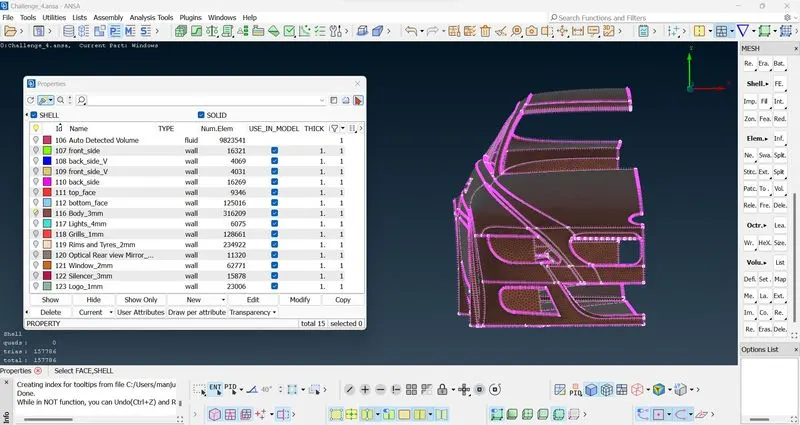
Mesh of the Body
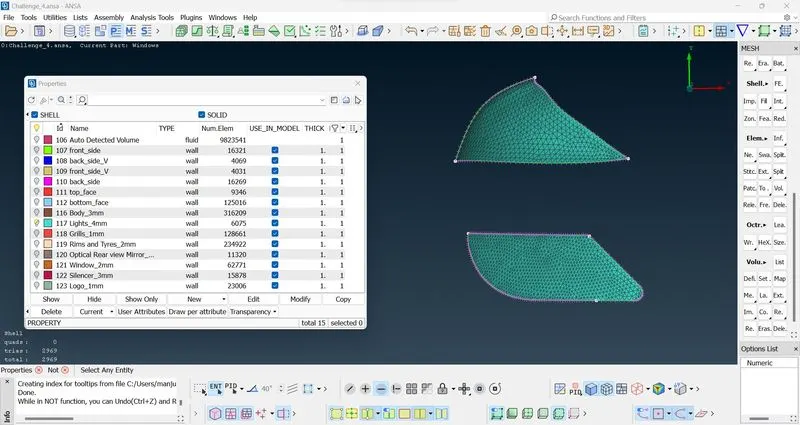
Mesh of the Lights
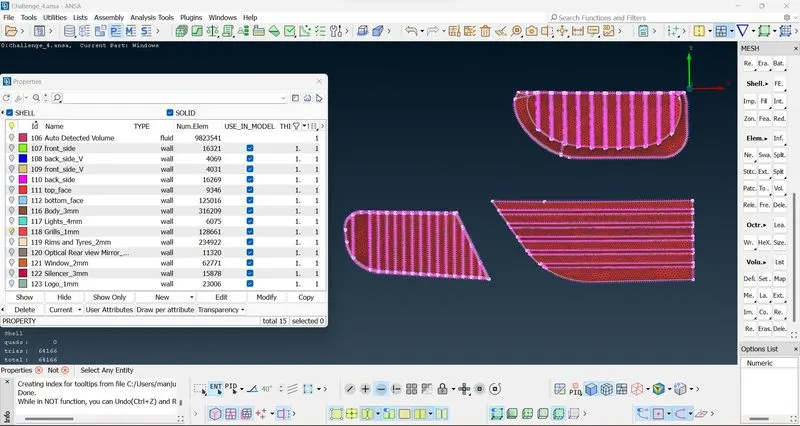
Mesh of the Car Grill
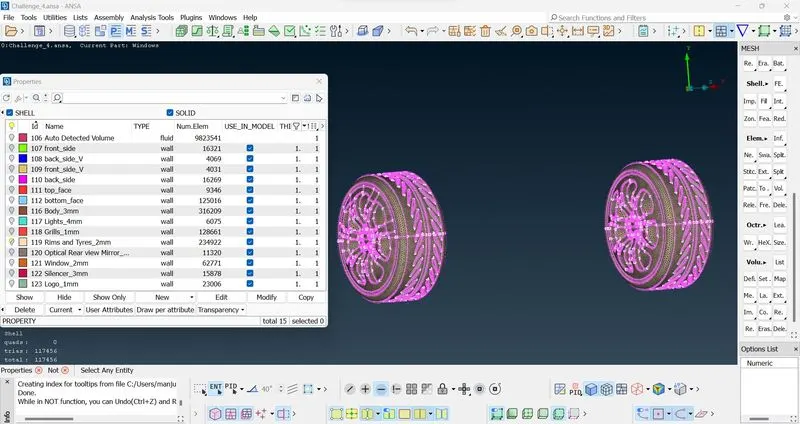
Mesh of the Wheels and Rims
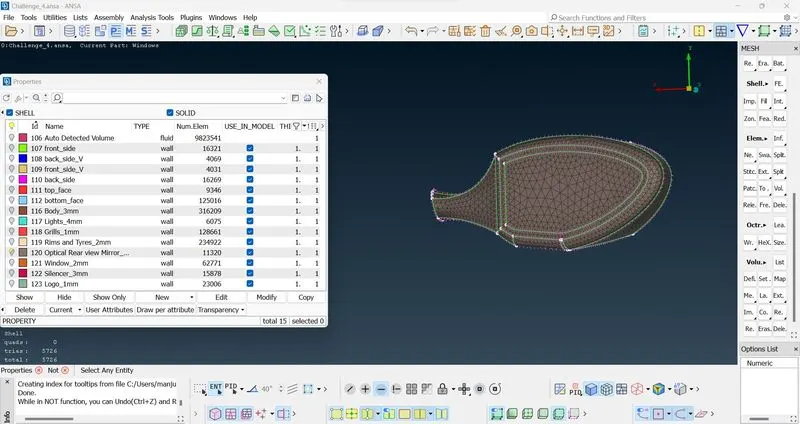
Mesh of the Optical Rear-View Mirror
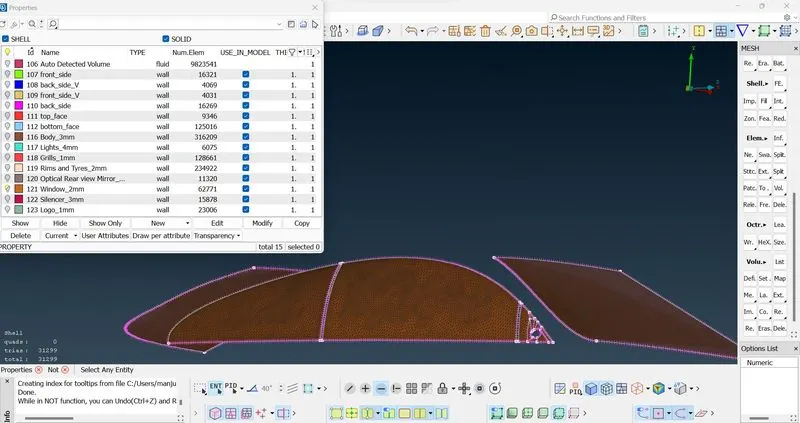
Mesh of the Windows
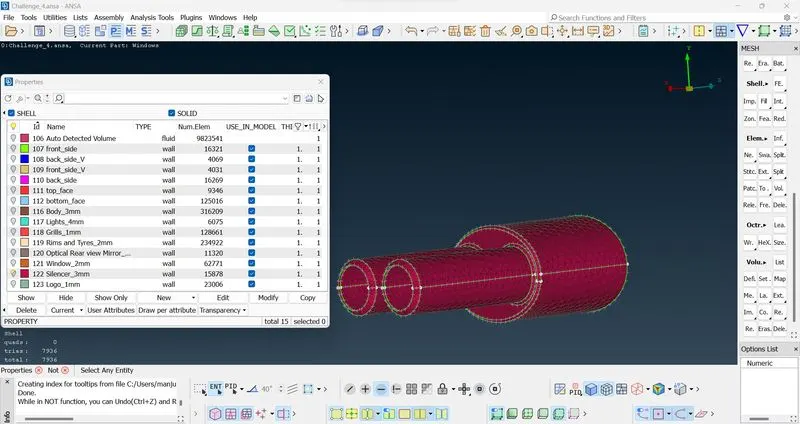
Mesh of the Silencer
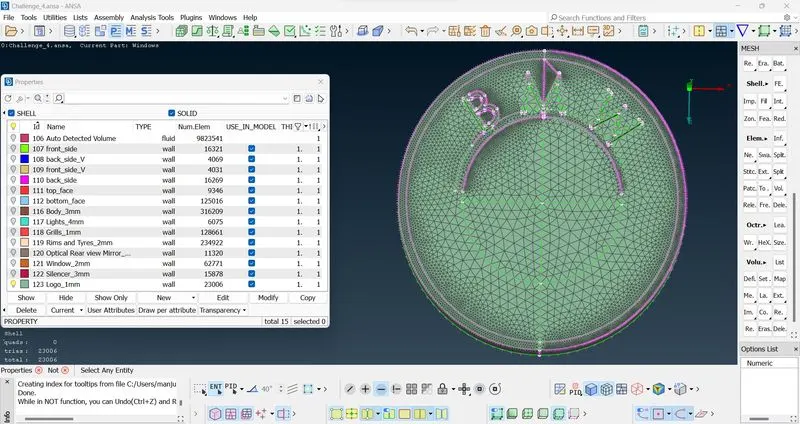
Mesh of the Logo
CONCLUSION:
The given geometry has been studied and the topological cleanup and surface meshing of the given geometry has been performed. A wind tunnel has been constructed and surface meshing is also obtained for the tunnel. Volumetric meshing has not been performed, as it is a highly time-consuming process.
This project allows us to gain more knowledge and improve the skills required for topological cleanup, constructing new surfaces, surface meshing, and volumetric meshing by using the wide variety of tools available in the ANSA software.
The ANSA file has been attached for reference.