Week 4 Challenge : CFD Meshing for BMW car
AIM/OBJECTIVE
To perform the volumetric mesh of the given BMW model for a target length given below. Check for the geometrical error and perform topology cleanup accordingly. Use the element type tria. Also create and assign PIDs
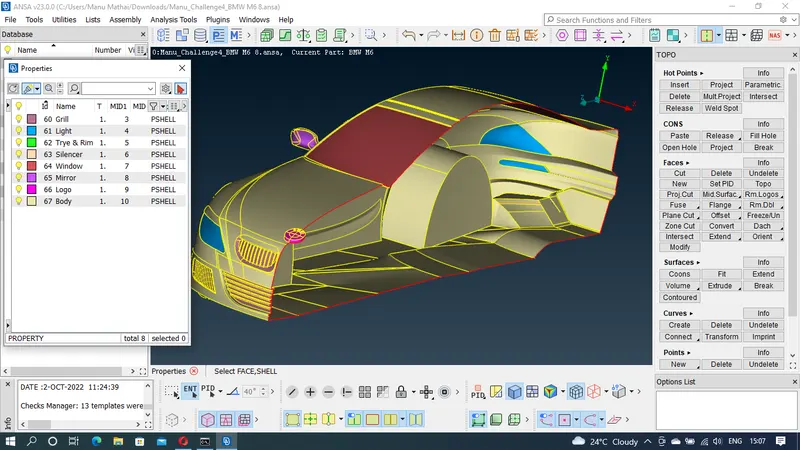
- Target lengths for the different parts of a model are as follow:
- Body - 3 mm
- Lights - 4 mm
- Grills - 1 mm
- Rims and Tyres - 2 mm
- Optical Rear view mirror - 2 mm
- Window - 2 mm
- Silencer - 3 mm
- Logo - 1 mm
PROCEDURE
Step-1 : Load the given BMW car file in ANSA software
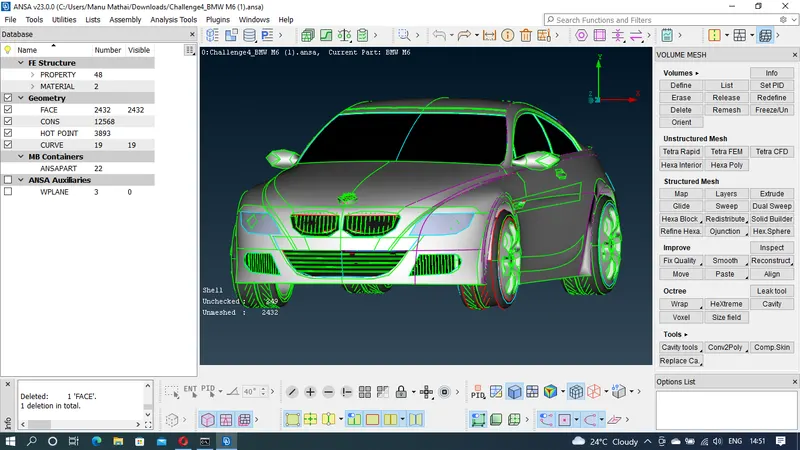
Step-2 : Check the model and delete the half portion of the model for ease of cleanup
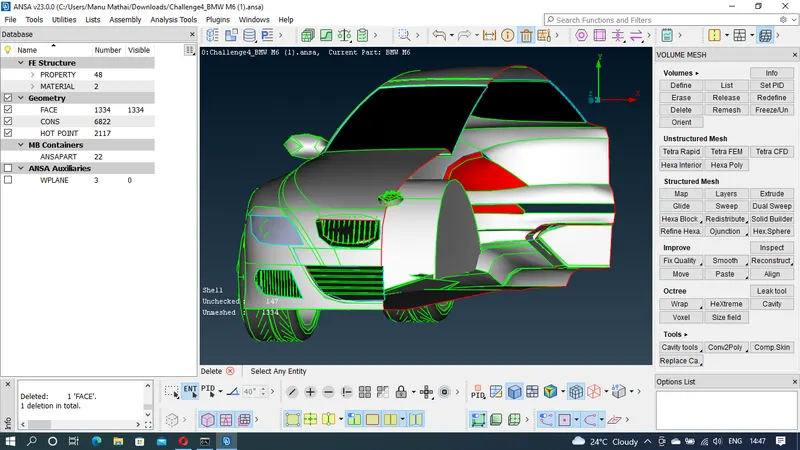
Step-3 : Check for errors in geometric checks and rectify it.
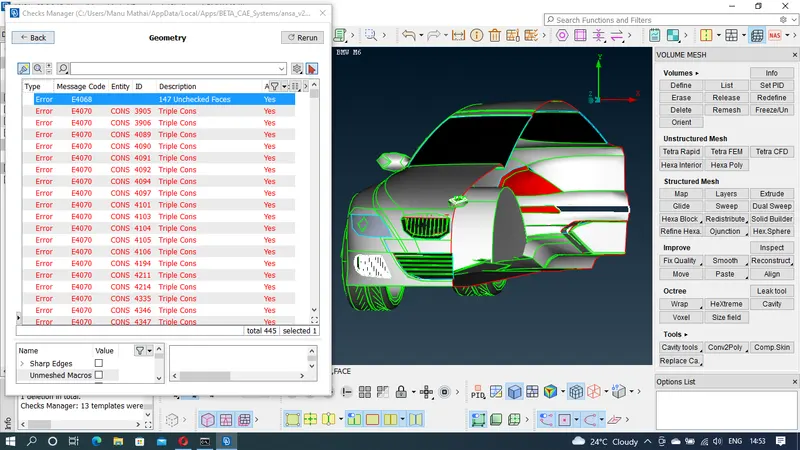
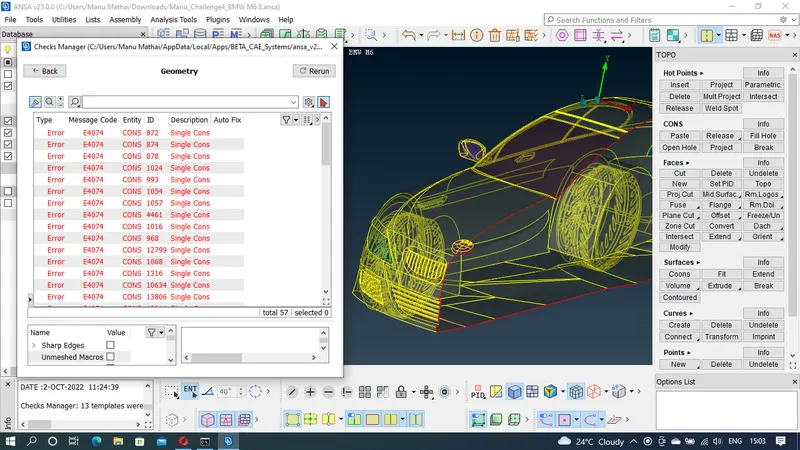
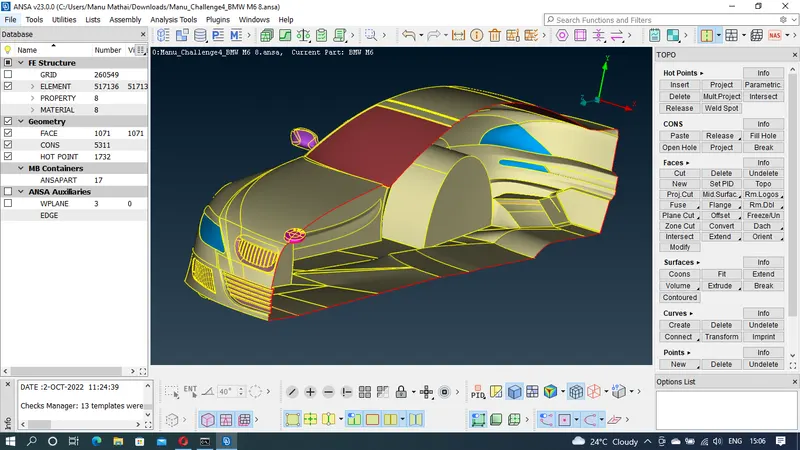
Step-4 : The half portion of the model is rectified for single and triple cons except for the symmetry surface where we need to do the symmetry. All the unwanted sufaces in the model are deleted and new surfaces are created to get the optimum result.
Step-5 : Inside of the car is made into one single volume for the ease of volumetric meshing.
Step-6 : PIDs for the various parts of the body.
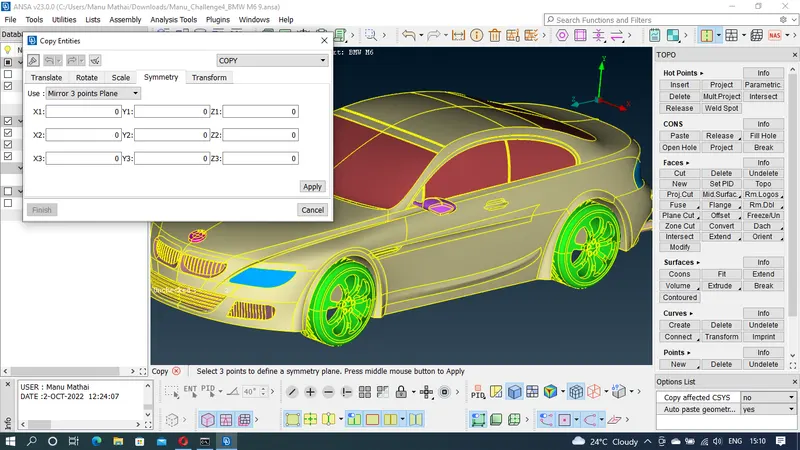
Step-7 : Now the other side of the car is obtained using tranform symmetry tool
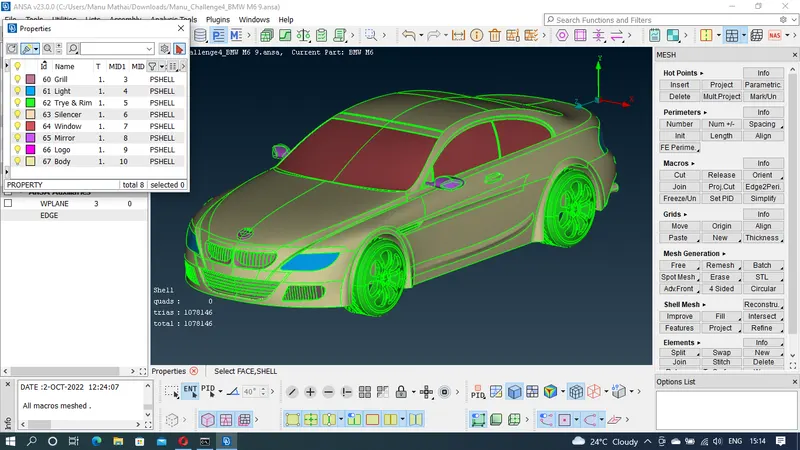
Step-8 : Surface meshing is applied to the different parts of the car with different target length as given above. Shell mesh reconstruction is used to obtain a error free meshing. Quality criteria are defined for each of the parts seperately.
Step-9 : Once he surface mesh is done before volumetric meshing wind tunnel is to be constructed. Wind tunnel is constructed using points, curves and faces tools
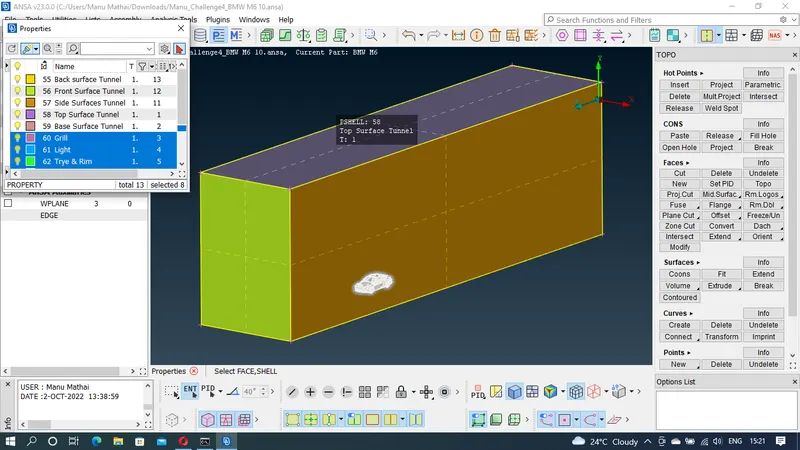
Step-10 : ONce the PIDs are assigned to the surfaces of the wind tunnel, the sufaces are meshed. Toop surface is meshed for 100mm, bottom surface is meshed for 20mm and the remaining surfaces are meshed for a target length ranging from 20mm to 100mm
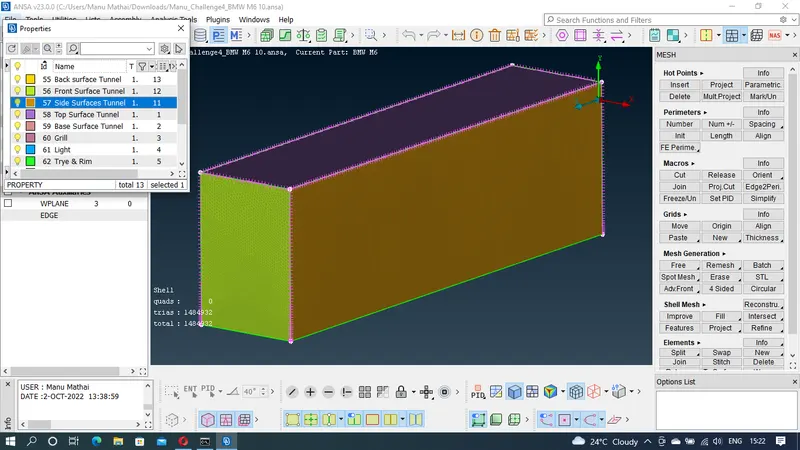
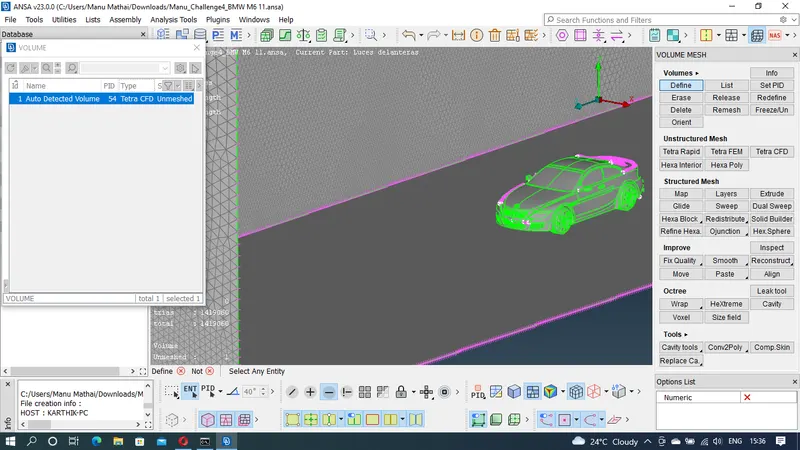
Step-11 : Afterthe surface meshing of the wind tunnel, for volumetric meshing volumes are definesd using the define tool in volume mesh.
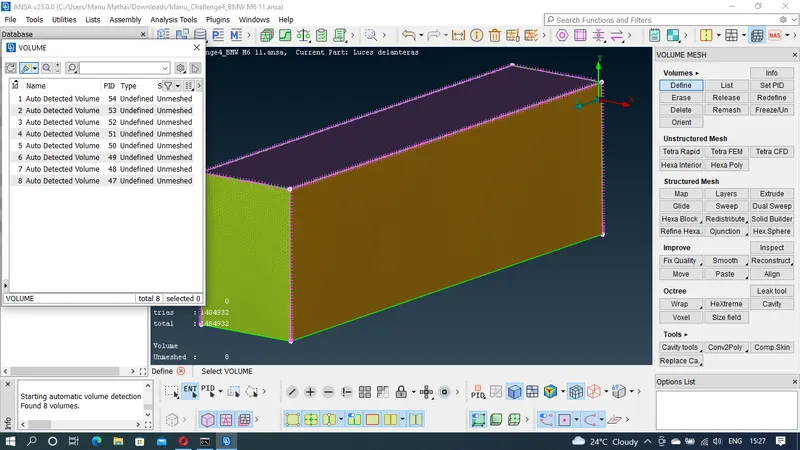
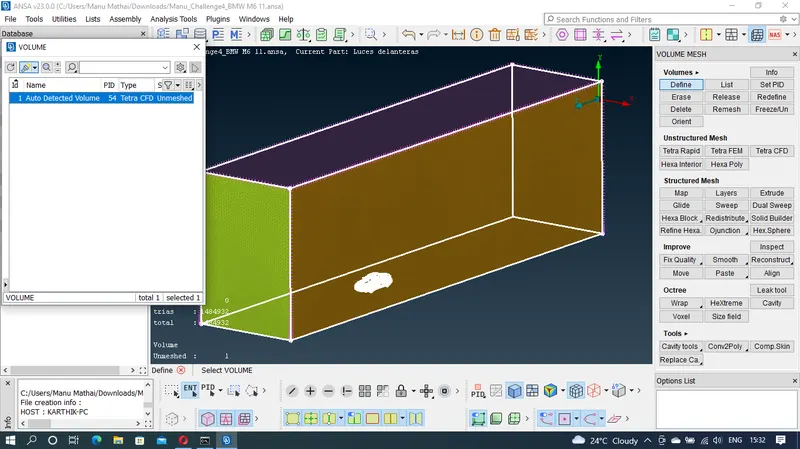
Step-12 : The auto detected volumes are inspected are unwanted volumes are deleted..
Step-13 : The volumetric meshing is done using Tetra CFD meshing.
LEARNING OUTCOMES
By doing the above meshing of the model following tools were able to practise and understand
1. Geometry checks manager to check the errors
2. Creating new faces and surfaces using fill hole and faces new tool
3. Removing small and unwanted surfaces using face cut tool
4. Assigning PIDs to the various parts of the model
5. Surface isolating tools sunch as OR, AND, NOT, !NOT, ALL, INVERT, LOCK, NIEGHB was used
6. Visibilty tools such as Macros, Cross etc are used in the process
7. Various other tools such as ENT, PID, SHADOW, WIRE, HIDDEN etc were also used in the excercise
8. Meshing tool were used for meshing the parts of the model using different mesh length.
9. Shell mesh recontruction is used to obtain optimum and error free meshing
10. Grids tool is used to adjust the mesh grids to remove the errors such as skweness, min length & max length.
11. Points and curve tools are used to create new surfaces.
12. Tranform symmetry is used to obtain the mirror image of the car model.
13. Volumetric tool is used to define the volume of the given model and TeraCFD elemt type is used to mesh the volumes.
RESULT
These are the meshing result
CONCLUSION
Since the volumetric meshing of the BMW car model will take lot of time, I have done till the define volume. It was observed that Quality criteria plays a vital role in surface meshing. Also more accuracy should be obtained for meshing. Mesh length and geomerty length should be maintained accordingly for meshing.