Week 4- Challenge
Objective :
Extracting midsurface of the given model and meshing using shell elements. To create 1D elements : rod,bar & beam of given dimensions in the model.
Procedure:
1. Open Hypermesh Desktop and Import the given CAD model.
2. Now, Autoclean up the geometry and then extract the midsurface of the solids.
3. Go to Geometry>>Midsurface>>auto extraction>>select the surface and extract. Create seperate components for every midsurface extracted.
4. After successful creation of Midsurface, delete all the solids and other entities except the midsurface in the model & then assign the material for the component.
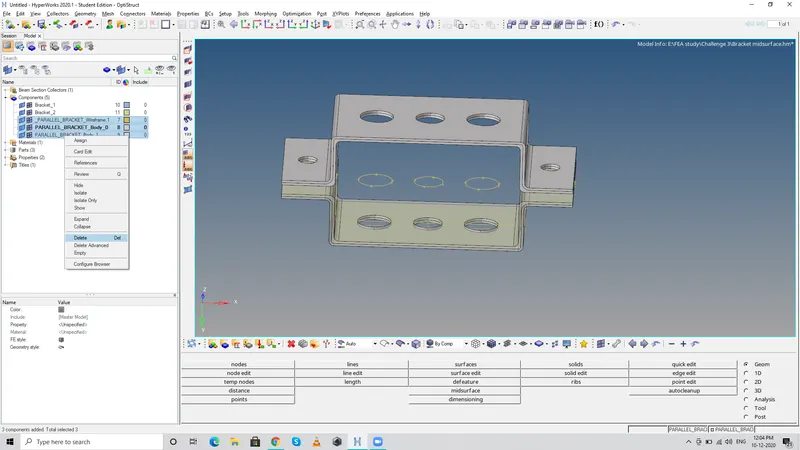
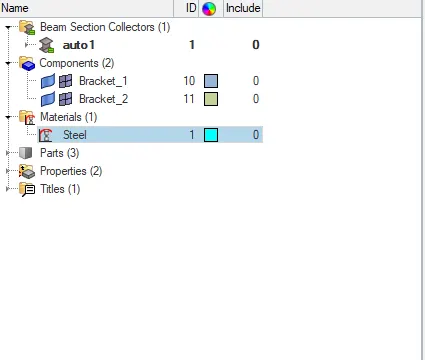
5. Then assign the material of the component as steel, right click in the tab panel and click create>>material>>Card image (MAT1-steel)
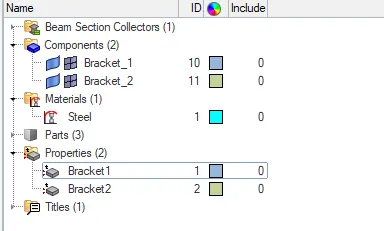
6. Then create Properties for the brackets so as to provide thickness for the midsurface. In tab area right click>>create>>property.
Provide name and Assign the material created (Steel) & then card image :PSHELL (as we are going to create shell elements on the surface)
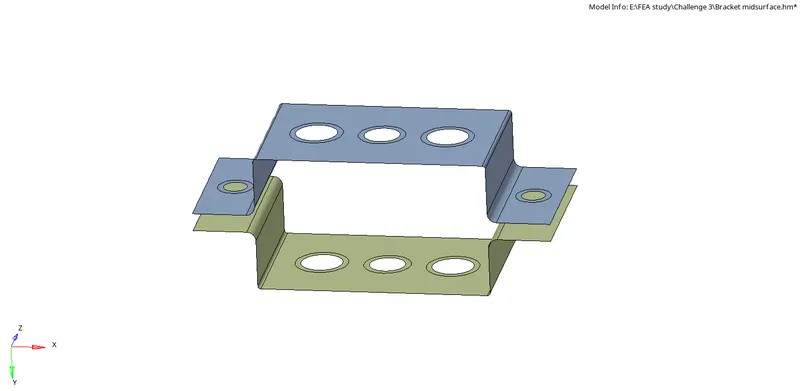
7. Now create washer split in the surface where there are holes and continue with 2D meshing.
For washer split: geometry>>quick edit>>washer split>> provide offset value>>click on the lines.
8. Now to generate 2D mesh, 2d>>Automesh>>select element type>>type element size>> select the surface and generate Automesh. If the surface where not captured properly, increase the number of nodes to get better results
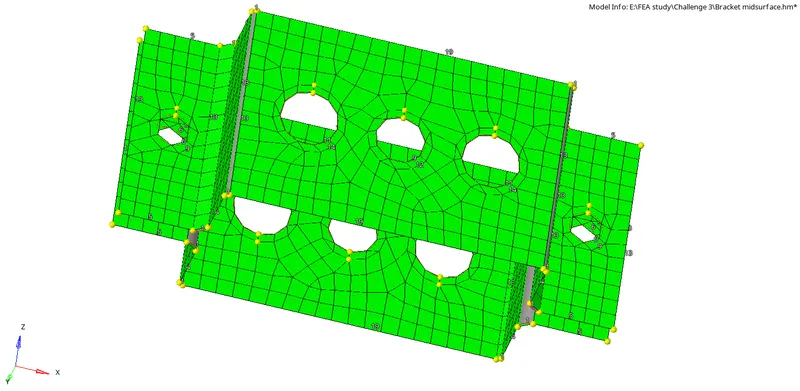
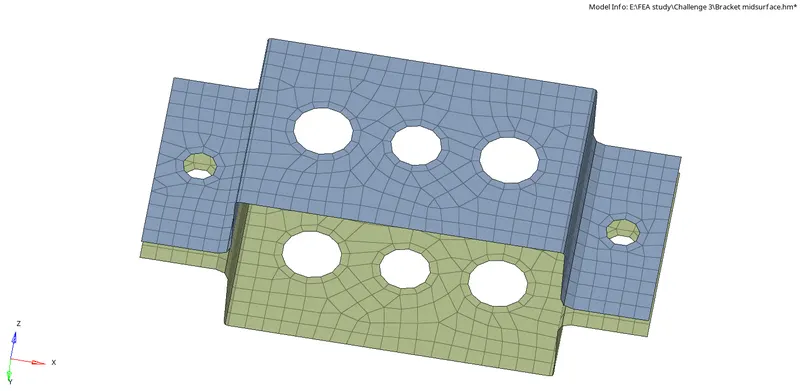
9. Now to create rbe2 Link, click on 1D>>rigids>>select multiple nodes>>click on the surface to create nodes>>provide the given DOF & click create.
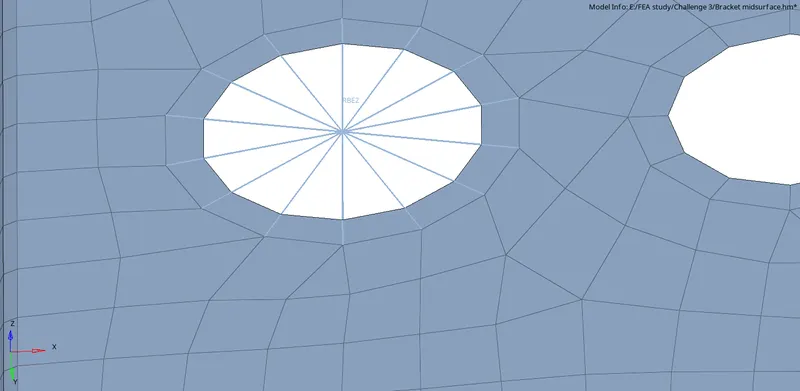
10. To create Rbe3 link, follow the same procedure by just clicking 1D>>rbe3
11. Now to create cross section of the rod/bar/beam, go to 1D>>Hyperbeam>>standard section>>standard section type>>(cross section required)>>create
Now Hyperbeam window will open, Update the given dimensions for
a.(ROD-BOX) dimension a= 12 dimension b=10 mm Thickness t= 0.75 mm
b.(BEAM-I) Dimensioon a = 8mm Dimension b= 10 mm Dimension c= 8.5 mm Thickness t1= 0.75 mm Thickness t2= .6 mm Thickness t3= .6 mm
c. (BAR-Cross) Dimension DIM1= 5 mm Thickness DIM2= 1.2 mm Dimension DIM3= 10 mm Thickness DIM4= 1.2mm
BAR-CROSS would be found in Hyperbeam>>Optistruct>>standard section>>cross.
However the process of providing cross section dimensions remain the same.
(d,e are masses and f is spring element)
12. Now, We have to create seperate properties for rod,bar & beam as we did previouosly. The only change is instead of PSHELL, we should provide PROD,PBAR,PBEAM respectively.
13.Now after creating cross section and properties, to assign those cross section between the links, go to 1D>>rod>>provide start&end node>>chosse element as CROD>> Provide Property which we've created for the rod and click create.
14. Similarly click on Bar and provide element type CBAR for Bar element and CBEAM for beam element and create the Bar & Beam element respectively. The only change would be assigning Vector components which we can provide by selecting nodes along the required direction.
15. To view the 1D elements with its cross section, click on the 1D-detailed element representation in the tool bar.
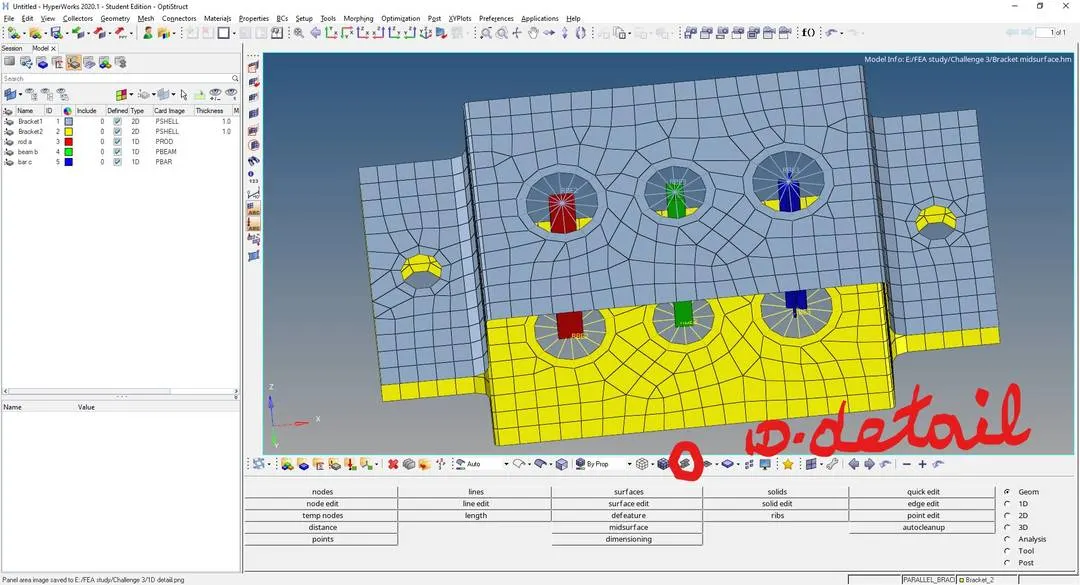
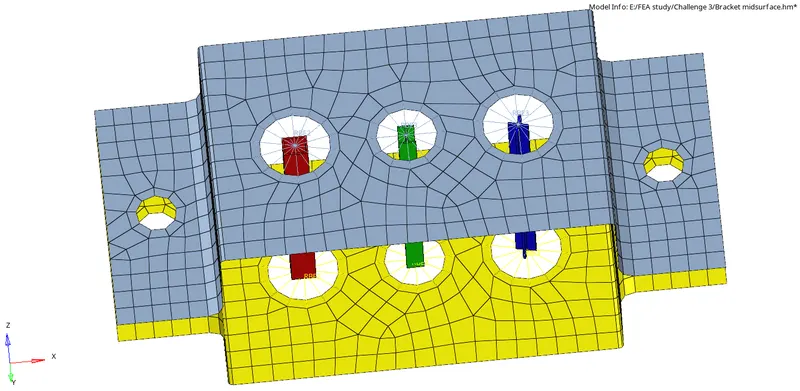
16. Now to Provide mass along the section d,e, create rbe2 link as done previously and then go to 1D>>masses>>select node>>mass value>>property>>element type(CMASS1)
17. Now at section f, we have to join the two brackets (bracket1&2) with Springs.
go to 1D>>springs>>start & end node>> property>>element type (CELAS1)
Note : We have to create a seperate property for spring with card image PELAS.
18. Thus the given 1D elements were successfully created and here is the final model: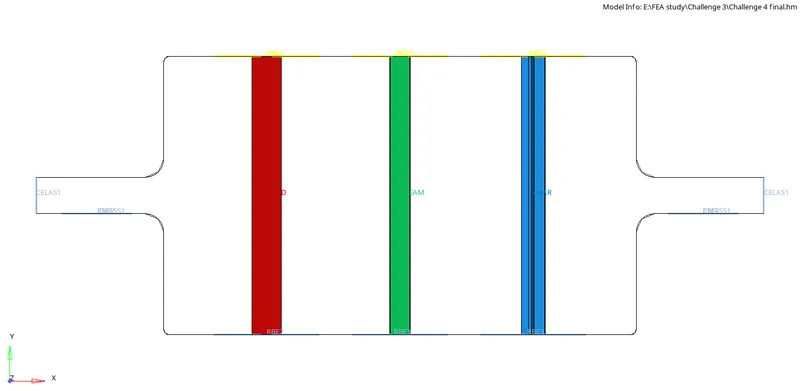
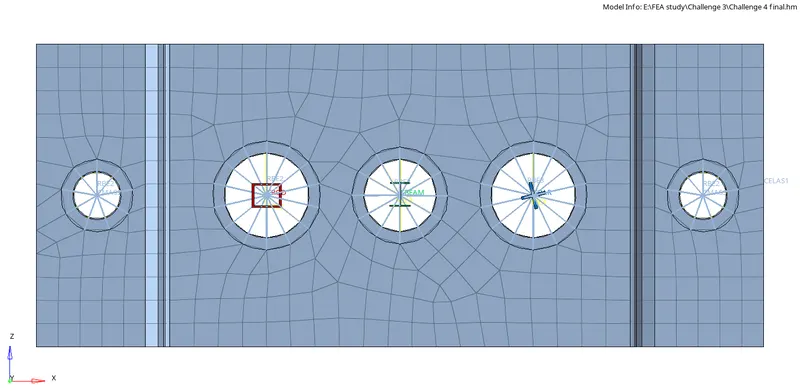
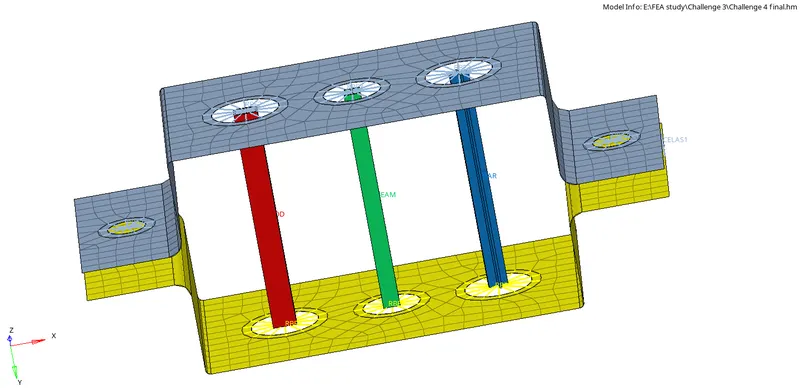
Result :
Thus the 1D elements Rod,Bar,Beam of various cross sections and dimensions were created with rbe2,rbe3 links along with mass and springs in the given bracket model. 2D shell elements were used to mesh the given component.
Inference:
In this challenge, I've learnt about how to extract midsurface from the component, Perform meshing using 2D elements, Assigning material and properties to the component and elements. Also I've learnt about creating 1D elements,RBE(rigid body elements), Using Hyperbeam to create cross sections for rod, bar & beam. Assigning mass & creating spring element.