Week 12:Project 2-Meshing of Rear Wheel Holder challenge
MESHING OF REAR WHEEL HOLDER:
OBJECTIVE :
To perform 2D meshing for the given rear wheel holder component using 5mm quadrilateral elements that passes all the given quality parameters.
QUALITY PARAMETERS :
Target element length : 5mm (Quadrilateral)
| S.N | Quality Criteria | Value |
| 1 | Aspect Ratio | 5 |
| 2 | Skewness | 45 |
| 3 | Warping | 15 |
| 4 | Taper | 0.5 |
| 5 | Min. Length | 2 Units |
| 6 | Max. Length | 8 Units |
| 7 | Min angle Quad | 45 |
| 8 | Max angle Quad | 135 |
| 9 | Min angle Tria | 20 |
| 10 | Max angle Tria | 120 |
| 10 | Tria % | 10 |
PROCEDURE :
1. As usual, firstly import the given CAD model and then observe the model carefully. In this case, the given model of rear wheel holder is of uniform thickness (7.564e-01 mm) and this is a sheet metal component.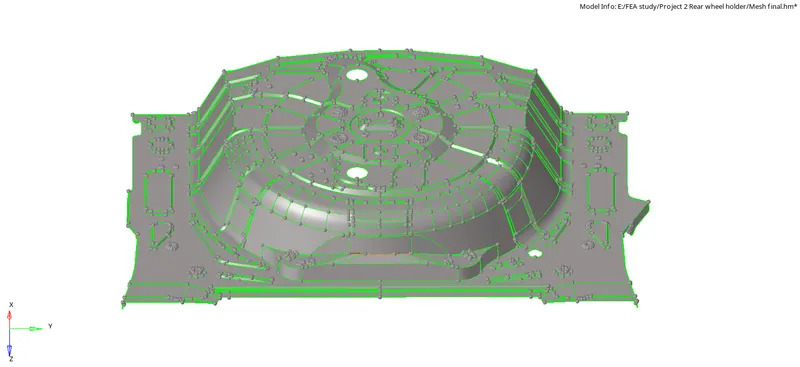
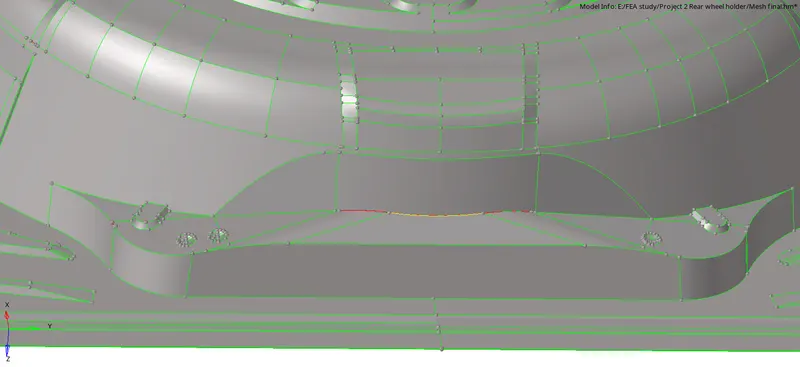
2. Now, check for all the irregularities present in the component like unwanted free edges, Yellow lines, improper joints and fillets which are very less in dimension and harder to capture. Here are some of the irregular free edges and T-connections present in the parent geometry:
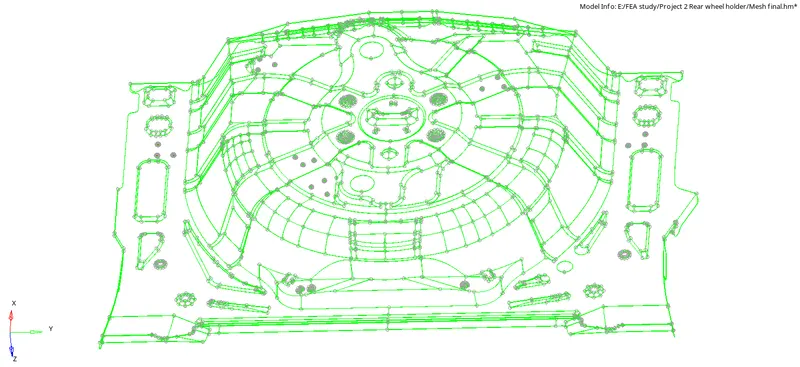
3. All such irregularities should be cleared by toggle edges and deleting the duplicated and unwanted edges. Then, the geometry should be made free from all such irregularities and duplicate surface. Here is the geometry after topology clean up :
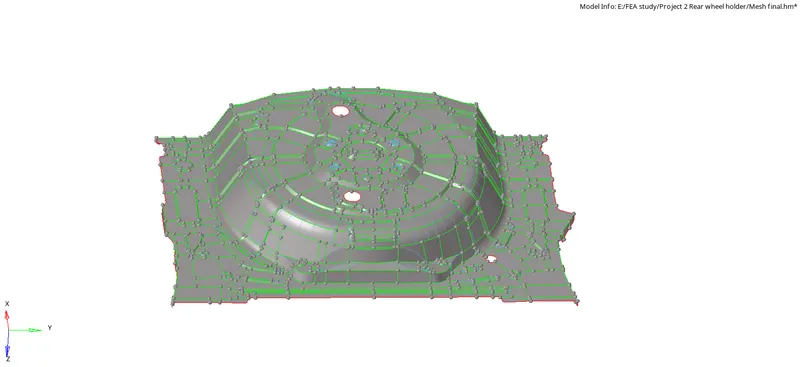
4. Now, the midsurface should be extracted so as to perform 2D meshing. In this case, the midsurface can be extracted either by auto midsurface or by manual midsurface by offset method.
Here, manual midsurface has been extracted. Surface edit >> Offset >> select the surface >> Duplicate to current >> Offset value ( 3.750e-01)
5. Now, the mesh criteria should be entered by clicking F10 >> settings >> entering the given quality parameters.
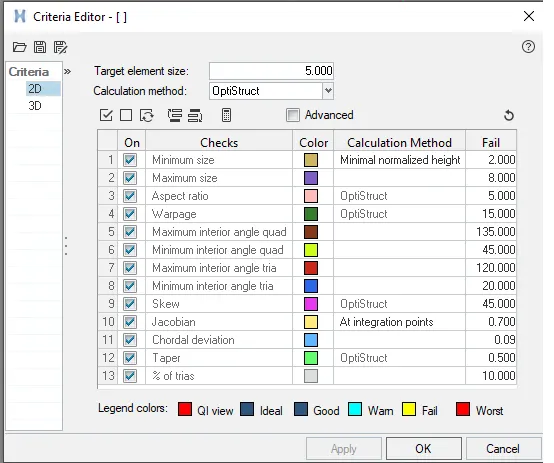
6. Now, meshing can be done by creating construction lines thereby creating relatively smaller areas in the geometry to get better mesh flow for the component. In order to maintain the mesh flow, we can keep the mesh options as "Keep mesh" such that any change in construction lines doesn't affect the current mesh. Press 'O' (options) >> Mesh >> Keep mesh.
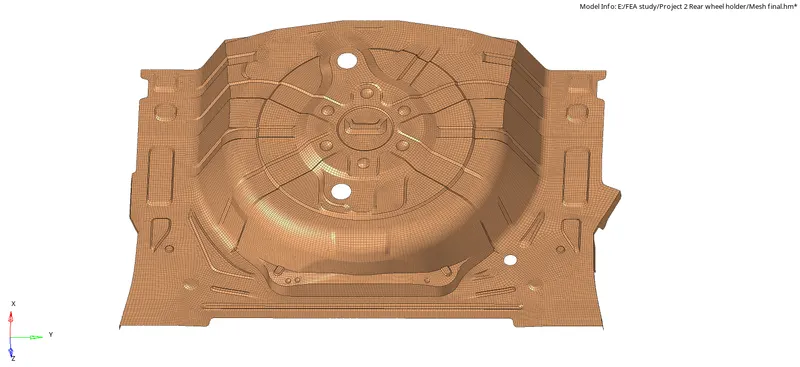
7. Then, after completing all the meshing, the elements should be checked for all the quality parameters and also the elements should be checked for the equivalence thereby avoiding any unwanted free edges created in between the elements created. Here is the final meshed model of the rear wheel holder :
RESULT :
Thus, the given model of rear wheel holder has been meshed with 2D elements of size 5mm which passes all the provided quality criteria.
INFERENCE :
1. In this model, there are more curved surfaces and so the major problem for clearing the quality criteria would be Warpage.
2. Along most curved edges, the elements would fail for the Warpage property and those can be cleared by making use of Translate option.
3. The failed elements nodes can be selected and translated along the required direction in order to avoid warpage failure along the curved surface present in the geometry.