Week - 4 : stateflow of washing machine and gear shift
1. STATEFLOW OF WASHING MACHINE
AIM:-
Implement control logic of a “washing machine” using Stateflow .
OBJECTIVE:-
- If the power supply is available, the system gets activated
- If the Water supply is not available, stop the process & indicate through LED
- Soaking time should be 200s followed by Washing time of 100s.
- Then rinsing happens for next 20s & dryer runs for 50s
THEORY:-
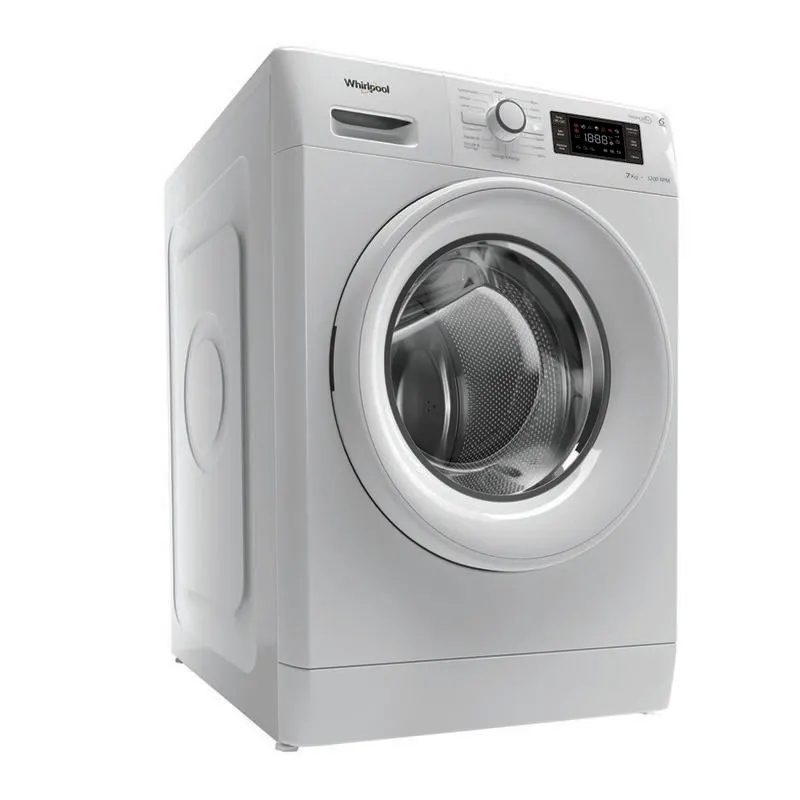
A washing machine (laundry machine, clothes washer, washer, or simply wash) is a home appliance used to wash laundry. The term is mostly applied to machines that use water as opposed to dry cleaning (which uses alternative cleaning fluids and is performed by specialist businesses) or ultrasonic cleaners. The user adds laundry detergent, which is sold in liquid or powder form, to the wash water.
SIMULINK MODEL:-
google drive link :
https://drive.google.com/file/d/13QN7PmvmECVNR-1nYIopGcm2lJaOpgYm/view?usp=sharing
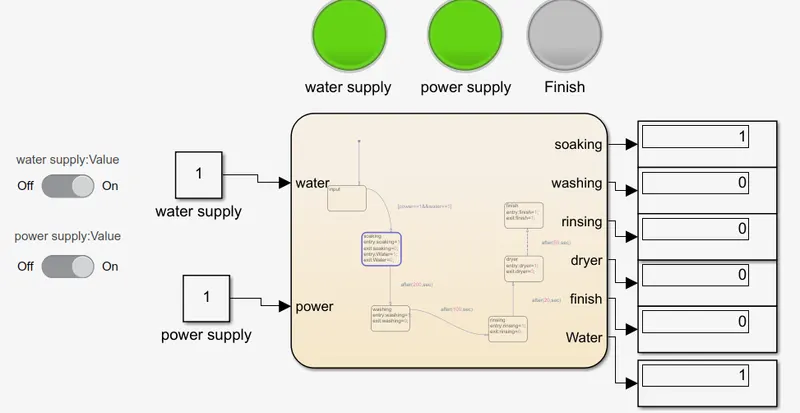
Chart:
inputs and output :
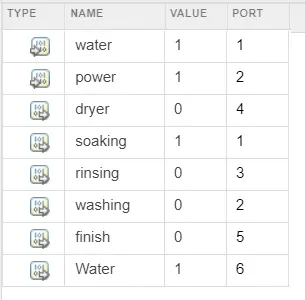
the water and power are water supply and power supply which are inputs and others are output ports .
EXPLANATION:-
- we are giving power supply and water supply to the washing machine . power supply and water supply can be turned on or off by a switch provided in the model . the washing machine cannot operate when any of the supply is off .
- we have also connected the power and water supply to two LEDs . which shows green light when supply is ON and red light when the supply is OFF.
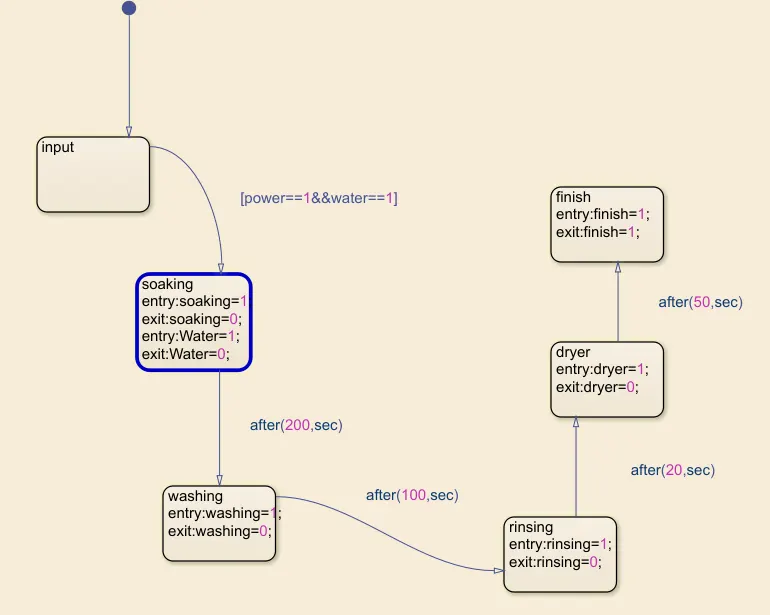
- in the stateflow chart , it will only proceed if the first condition is met . i.e. power==1&&water==1 . which means water and power supply is ON .
- if above condition is true , then the next state is soaking . water supply is given . as our given condition soaking state is for 200 seconds .
- next state is washing . washing state is for 100 seconds .
- next state is rinsing , rinsing state is for 20 seconds .
- next state is drying , drying state is for 50 seconds .
- after that is finish state , where we reach end of one cycle.
- when the process is finished we indicate by a green color in lamp .
- the simulation time is 400 seconds . it is enough to complete one cycle.
- with the help of display we can see which state the washing machine is .
RESULTS:-
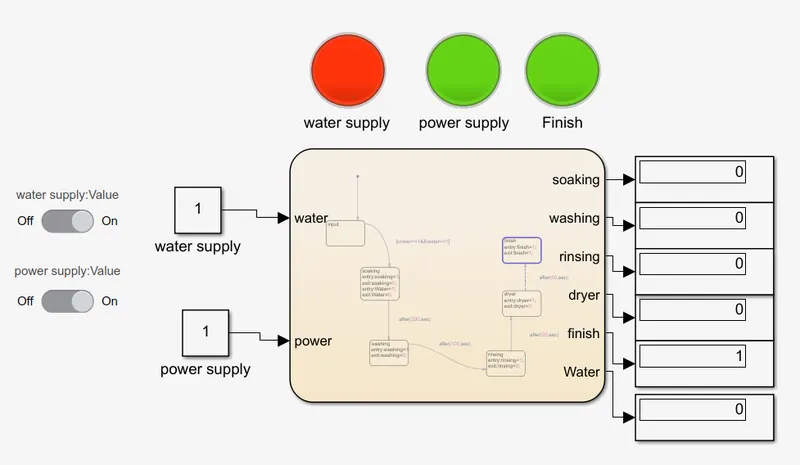
the above diagram shows the final state of washing machine processes . when it reaches the finish state , a lamp will blink green light that it reaches the final state .
CONCLUSION:-
we have successfully created stateflow of washing machine and simulated it . all the objectives are acheived and result is satisfactory .
2.GEAR SHIFT STATEFLOW
AIM:-
Make a Simulink chart for the “Gear shift” logic.
OBJECTIVE:-
“Gear shift” logic as per below conditions:
|
Speed Range(kmph) |
Gear |
| 0 to 15 | 1 |
| 16 to 25 | 2 |
| 26 to 40 | 3 |
| 41 to 60 | 4 |
| Above 61 | 5 |
Give speed input while the simulation is running & display the gear number.
THEORY:-
Gears are used for transmitting power from one part of a machine to another. In a bicycle, for example, it's gears (with the help of a chain) that take power from the pedals to the back wheel. Similarly, in a car, gears transmit power from the crankshaft (the rotating axle that takes power from the engine) to the driveshaft running under the car that ultimately powers the wheels.
You can have any number of gears connected together and they can be in different shapes and sizes.
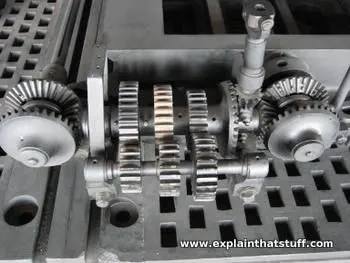
In theory, changing gears is about using the engine's power in different ways to match changing driving conditions. The driver uses the gearshift to make the engine generate more force or more speed depending on whether hill-climbing power, acceleration from a standstill, or pure speed is needed. In practice, changing gears means meshing different sized gear wheels together, but you can't do that while the gearbox is transmitting power from the engine at high speed. That's why you need to press a car's clutch pedal before changing gears, which disengages the engine's input from the gearbox. You can then use the gearshift to change to a different pattern of gears, before letting the clutch transmit power back from the engine to the gearbox (and the wheels) once again.
SIMULINK MODEL :-
Google drive link :
https://drive.google.com/file/d/1KaKdPpUsiLGSmxI0RjXncnp8fp9eoxw7/view?usp=sharing
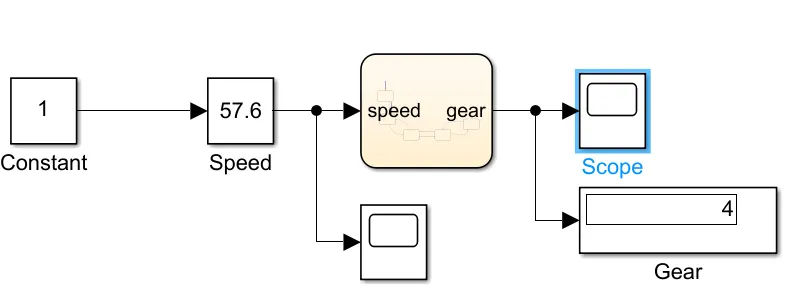
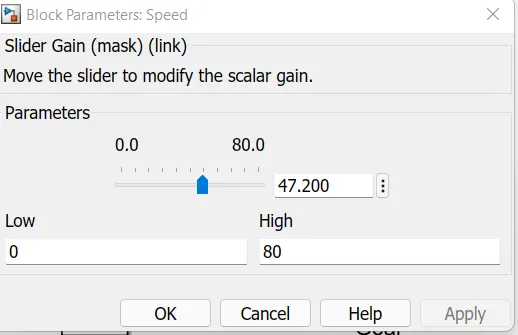
- we are using slider gain for giving speed as input . so that we can change speed while in simulation .
- the simulation time is changed to 'inf' . so that simulation time is infinite . and we need to stop the simulation by ourself.
- the limit of slider gain is from 0 kmph to 80 kmph.
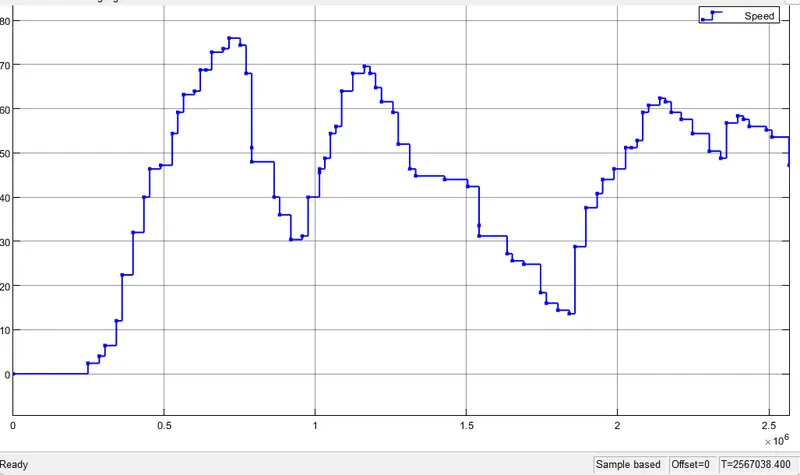
- a scope is connected to slider gain .
Chart :
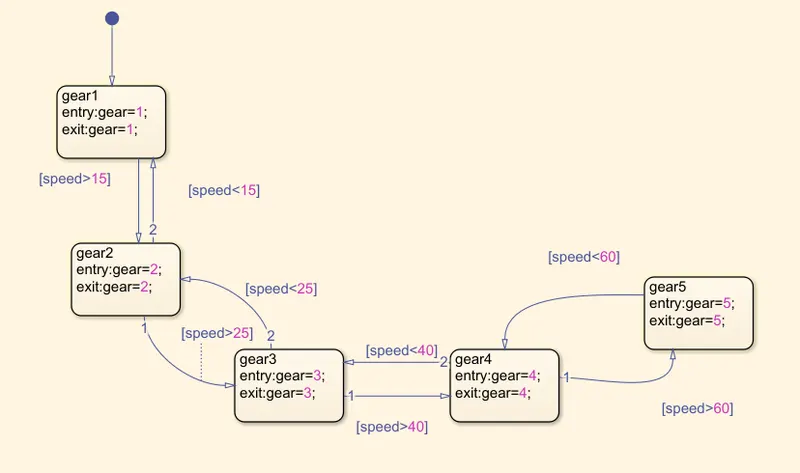
- the first state is gear1. this is the first gear.
- when the speed is greater than 15 kmph then the gear changes to gear 2 . but when the speed becomes less than 15 kmph then gear shift from two to one .
- when the speed is greater than 25 kmph then the gear changes to gear 3 . but when the speed becomes less than 25 kmph then gear shift from three to two .
- when the speed is greater than 40 kmph then the gear changes to gear 4 . but when the speed becomes less than 40 kmph then gear shift from four to three .
- when the speed is greater than 60 kmph then the gear changes to gear 5 . but when the speed becomes less than 60 kmph then gear shift from five to four .
Input and output port:
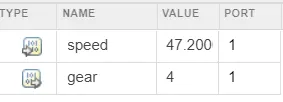
- speed is the input port , where input is given .
- gear is the output port .
- output port is connected to display block and scope . display block shows which gear is at for given speed . and scope plots the gear for changing speed against time .
RESULTS:-
Scope of speed :
Scope of gear shift :
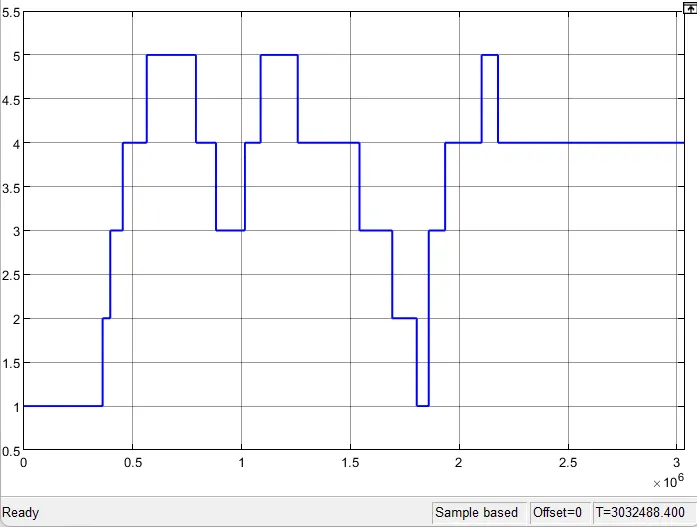
- when we observe both plots above we can see how gear changes for changing speed .
CONCLUSION:-
we have successfully made simulink chart of gear shift logic as per given condition and simulated it successfully .
REFERENCE:-
https://www.explainthatstuff.com/gears.html
mathworks documentation
wikipedia