Week - 4
ANS- 1 : SIMULINK MODEL FOR WASHING MACHINE SYSTEM
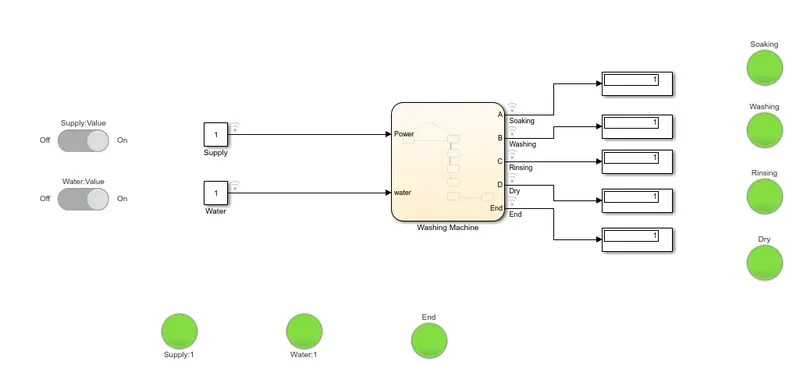
Following are the blocks used in model
- Chart –This is stateflow chart used to write the algorithm for the washing machine operation and process indication.
- Constant- It is used to show the state ON or OFF for power supply and water level. Its value will be either 1 or 0.
- Slider Switch- It is used to make ON and OFF the power supply and water supply.
- Display- It is used to display the state of process whether it is done or not (1 or 0)
- Lamp-They are used to indicate the power supply, water supply, washing machine processes and finished operation.
Working-
In Simulink model the above described blocks are added.
Constant blocks for water supply and power supply are connected to chart in which machine operation algorithm is made. The output from the chart is connected to displays and corresponding lamps for indication.
Algorithm of machine operation in chart :
Power block is added and chart entry is added to this block. Now if power is ON i.e 1, then it will check if water is ON otherwise if power is OFF then it will not execute the further loop and goes to junction point.
If water is ON i.e 1 then it will execute the washing machine processes otherwise if it is OFF i.e 0, it will not execute the loop and goes to junction point and terminates.
The blocks for soaking, washing, rinsing, dry are added sequentially and entry and exit state for these blocks are specified. The delay between each process is added using [after(Time, sec)] command. For example, soaking time is 200 sec, so between soaking and washing process a delay of 200 sec is added using [after(200, sec)], similarly followed for other processes as well.
Entry and exit of state for the process blocks are defined based on decision that what processes will operate . After all process are done END block is added whose entry kept as 1 to for the lamp indication that all processes are done.
A, B, C, D, End are the variables used for blocks soaking, washing, rinsing, dry and END respectively.
The Power, water ports are defined as input and A, B, C, D, END are defined as output. Model is simulated for 600 sec.
Following are the combinations simulated for this model.
A)Power supply OFF, water supply OFF
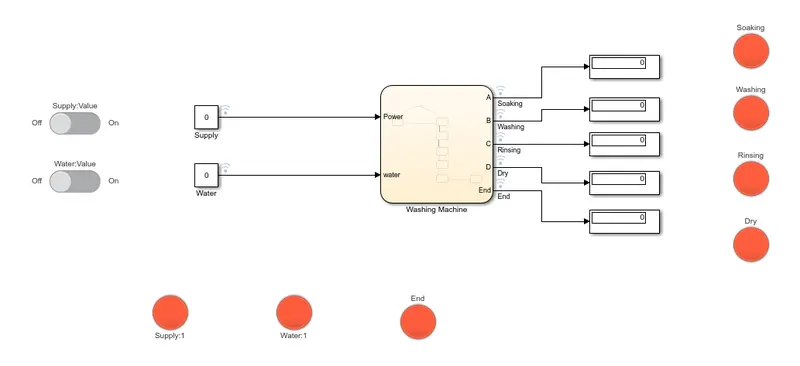
B)Power supply ON, water supply OFF
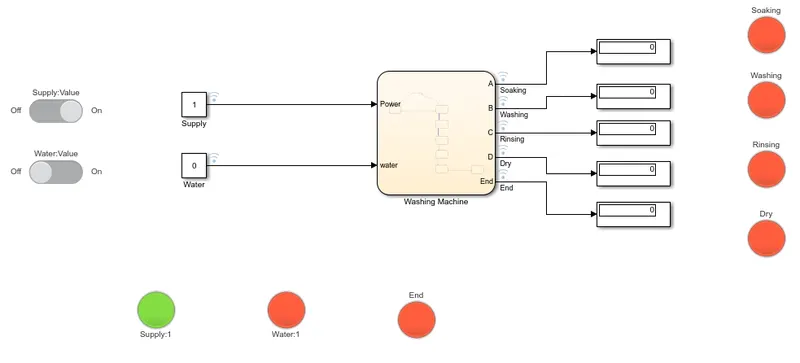
C) Power supply OFF, water supply ON
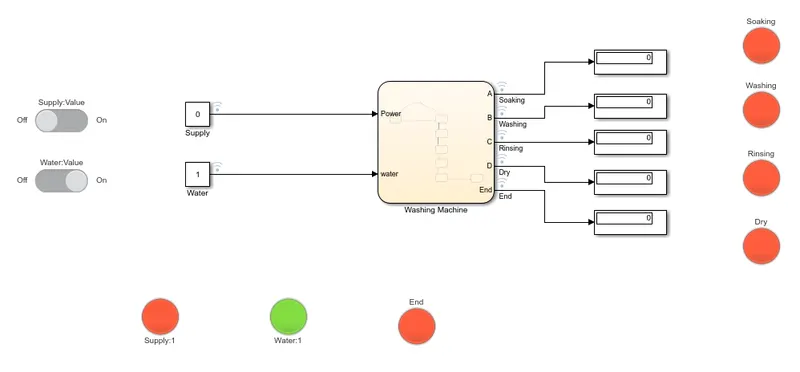
D)Power supply ON, water supply ON, all processes are done
Ans2- SIMULINK MODEL GEAR SHIFTER
Following are the blocks used in the simulink model.
1. Chart : It is used to write the algorithm for gear shifter with speed mechanism.
2. Constant : It is used to give the speed input
3. Display: It is used to display the gear no as the speed changes.
4. Half Guage: It is used as dashboard to display the speed.
5. Slider : It is used to change the value of speed during the simulation is running
Working
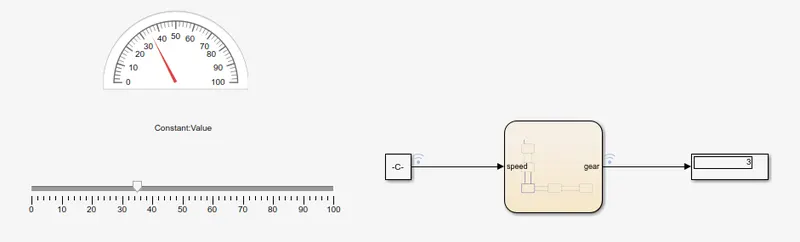
All the above describe blocks are added in the simulink block. The slider is connected with constant block of speed so that when the slider slides over the range (0 to 100 kmph) the value of contsant changes.
The half guage is connected to the speed signal so that it indicates the speed on dial/dashboard during simulation.
The simulation time is set to inf so that speed can change during simulation. When we change the speed on slider, constant block value changes and gives input to the chart block where it checks the region of speed and change the gear accordingly, the same is displayes on display.
Algorithm-
The parameter speed is set as input and gear is set as output in symbol window.
Entry point is set to box gear1 which gives the ouput as gear=1 if speed lies between 0 to 15 kmph. The second block gear2 gives the output as gear =2 if speed lies between 16 to 25 kmph. The third block gear3 gives the output as gear =3 if speed lies between 26 to 40 kmph.The forth block gear4 gives the output as gear =4 if speed lies between 41 to 60 kmph. The fifth block gear5 gives output gear=5 if speed is above 61 kmph.
In below figure, speed is adjusted to 37 kmph using slider, the same is shown by guage, the gear shifts to 3 and displayed in display