Week - 4
WASHING MACHINE CHALLENGE
Aim: - The aim of the challenge is to implement the state flow logic for washing machine.
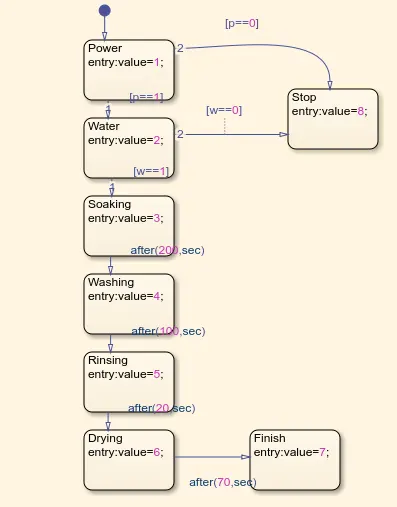
Procedure: - To make the state flow use chart option in the simulink library. The logic for the state flow is
- If power supply is available, system gets activated
- If water supply is not available, stop the process & indicate through LED
- Soaking time is 200secs, followed by washing time of 100secs, then rinsing time of 20secs, & dryer run for 50secs.
- After all processes have completed turn on the finished LED.
For the above logic we use the separate output display value for each stage and 1 separate state(Stop State) if water or power is not available. Then we connect Lamps with the chart and water supply button to indicate the process.
CHART
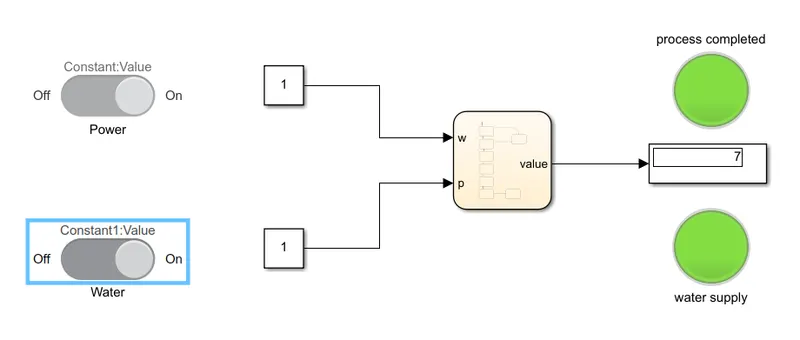
Conclusion:- The water supply LED with turn on if water supply is on and the process will be completed and we will get the indication from the another LED that indicates weather the process if completed or not.
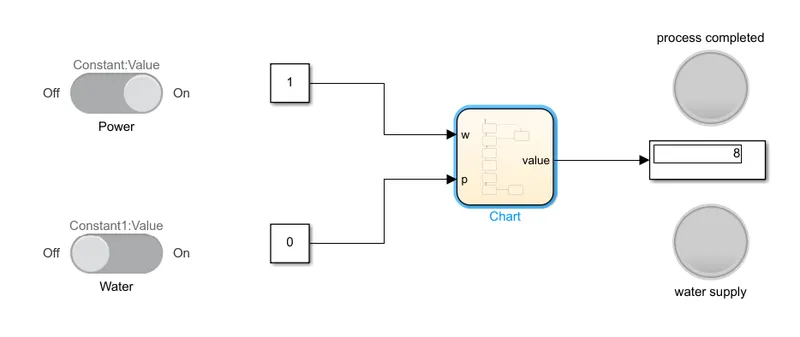
If water supply is off then LED will be off and the process will not be completed so another LED will also be off
If water supply is on but the power supply is off then water supply LED will be on but the Process will still be not completed so process complete LED will be off.
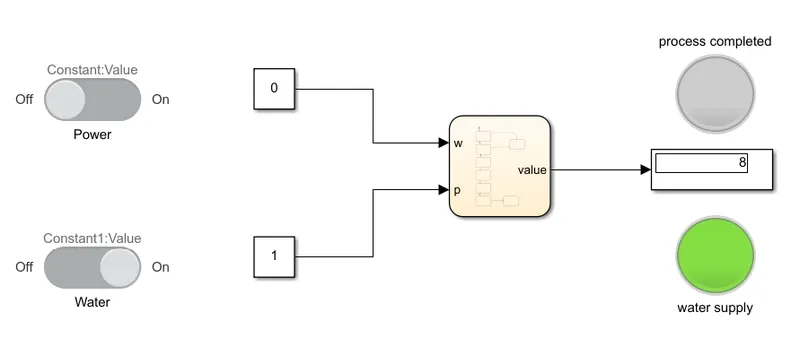
Simulink Model for Completed Process(water & power sully is on):-
Simulink Model for Incomplete process(power supply is on but water supply is off)
Simulink Model for Incomplete process(water supply is on but power supply is off)
GEAR SHIFT CHALLENGE
Aim: - The aim of the challenge is to make simulink chart for the gear shift logic.
Procedure: - To make the state flow use chart option in the simulink library. The logic for the state flow is
|
Speed Range(Kmph) |
Gear |
|
0-15 |
1 |
|
16-25 |
2 |
|
26-40 |
3 |
|
41-60 |
4 |
|
61 and above |
5 |
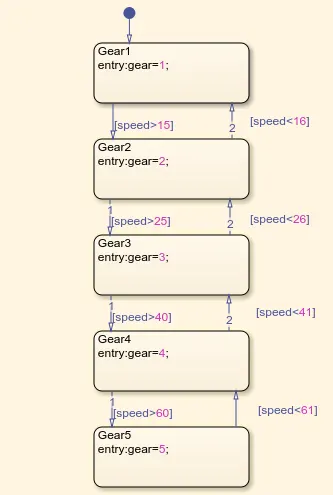
For the above logic state entry value will be as follows
- For gear 1 exit at >15 and entry at <16
- For gear 2 exit at >25 and entry at <26
- For gear 3 exit at >40 and entry at <41
- For gear 4 exit at >60 and entry at <61
- For gear 5 entry at <60.
As the challenge requires to change the speed during the simulation so for that simulation time will be infinite (it will only stop when we stop it manually).
CHART
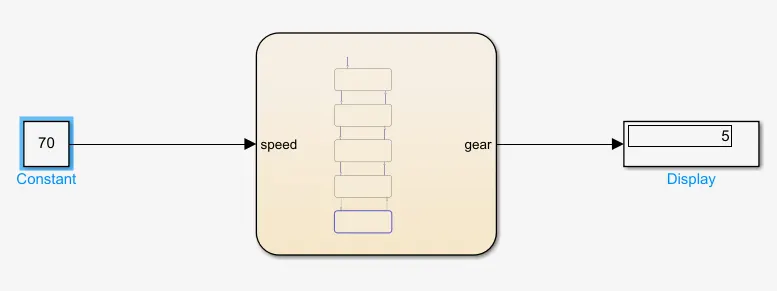
SIMULINK MODEL
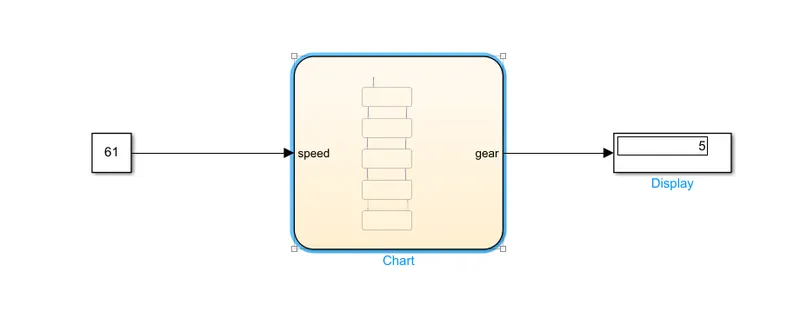
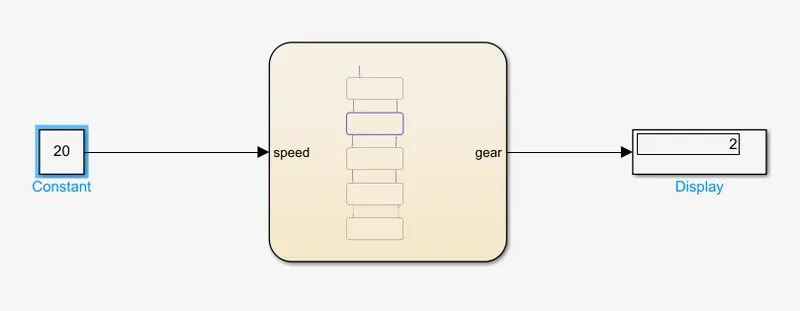
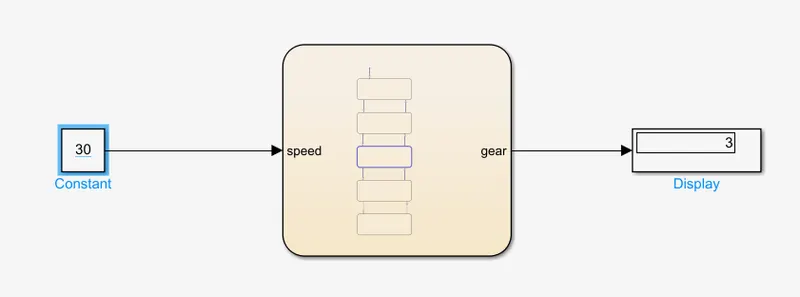
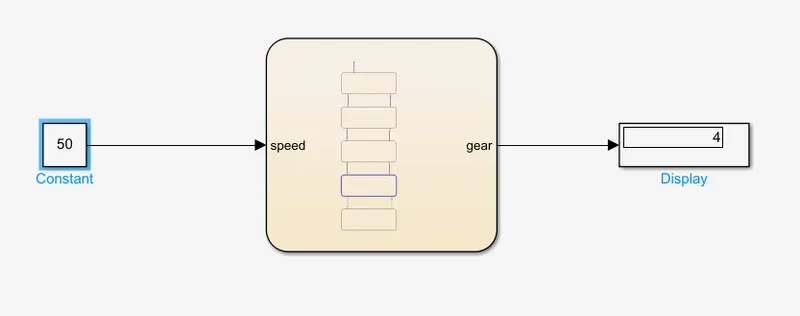
Conclusion: - The display shows the result according to the speed given
Display shows the result 1 when speed given between 0 and 15
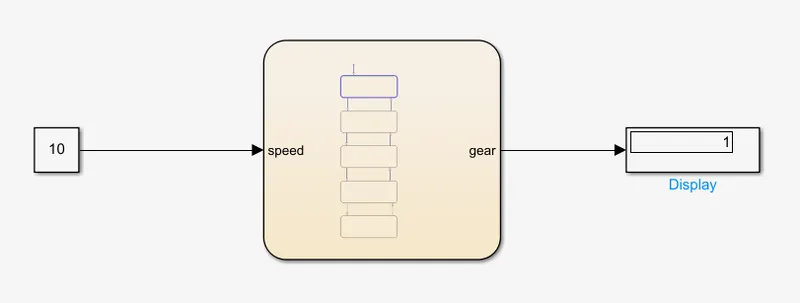
Display shows the result 2 when speed given between 16 and 25
Display shows the result 3 when speed given between 26 and 40
Display shows the result 4 when speed given between 41 and 60
Display shows the result 5 when speed given above 60