Week - 4
INTRODUCTION TO STATE FLOW AND CONTROL LOGIC
State flow:State flow provides the graphical language that includes state transition tables,flow charts,state transition tables and truth tables.It describes how the matlab algorithms ans simulink models react to the input signals,events and time based conditions.Edit time run time checks ensure the design consistency and completeness before implementation.
Control Logic:Control logic is the key part of the software program that controls the operations of the program.The control logic responds to the commands of the user and also perform some automated tasks by itself which is constructed in the program.Control logic can be modelled by using state diagram,which is a form of hierarchial state machine.
AIM:Implement the control logic of washing machine using state flow as per sequence.
- If the power supply is available,the system gets activated
- If the water supply is not available,stop the process and indicate through LED
- Soaking time should be 200sec following by washing time of 100 sec
- Then rinsing happens for next 20sec and dryer runs for 50sec
Introduction:Washing machine is a domestic using machine for laundry purposes.The user adds laundry detergent in solid or liquid form to perform operation.
Washing machine can be clasiified in to two types:
- Semi automatic washing machine
- Fully automatic washing machine
Fully automated washing machines are further classified in to two types:
1.Front load fully automated washing machine
2.Top load fully automated washing machine
PROCEDURE TO CONSTRUCT THE CONTROL LOGIC OF WASHING MACHINE FOR THE GIVEN CONDITIONS:
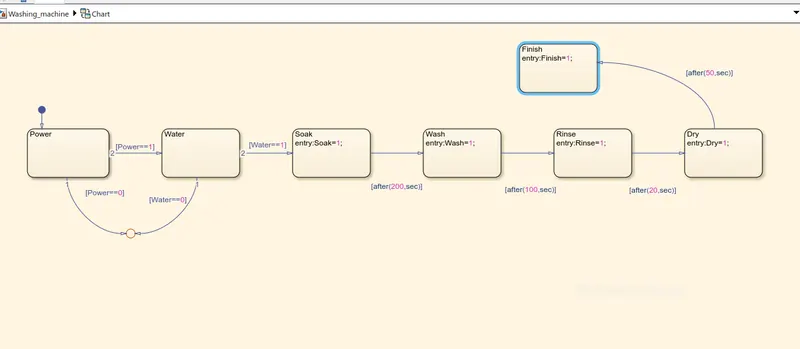
- Creae a chart block to define the state flow for the given conditions.
- Inside it,the circular junction is to terminate the signal flow and to return the null value.
- If power is OFF which implies 0,the process is terminated at circular junction or else carry forwarded if it is 1.
- If water is OFF which implies 0,the proces is terminated at the circular junction itself or else carry forwarded if it is 1.
- At next step,the soak block gets activated,the soaking action takes place.
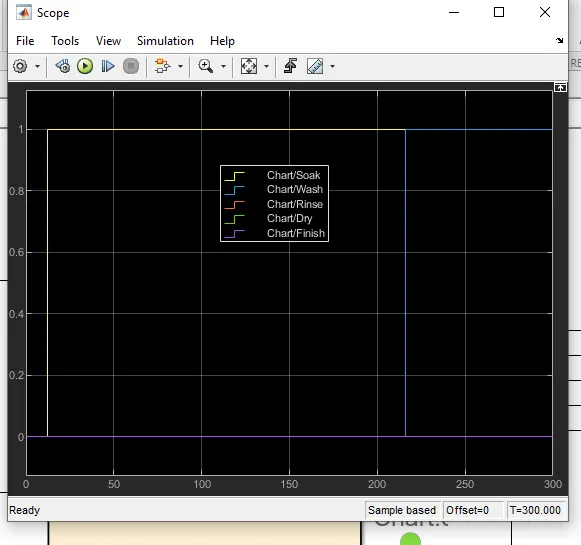
- After soaking for 200 sec,the wash block gets activated and the washing process takes places.
- Till the next 100 sec the washing action will be assigned.
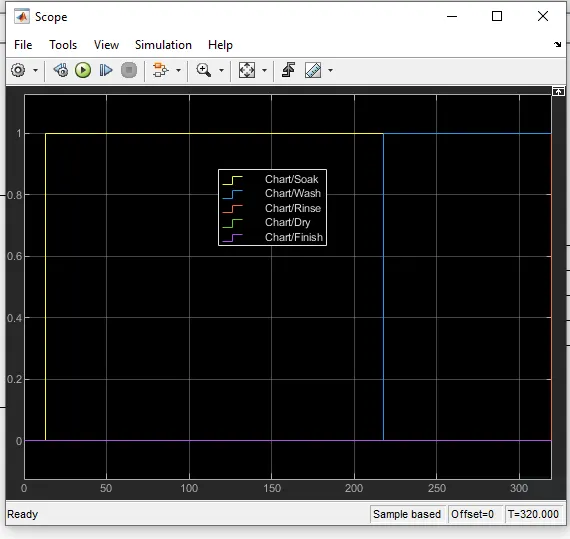
- Then the rinsing block gets activated and the rinsing process will start.
- Rinsing process will take other 20 sec,then the dry block gets activated.
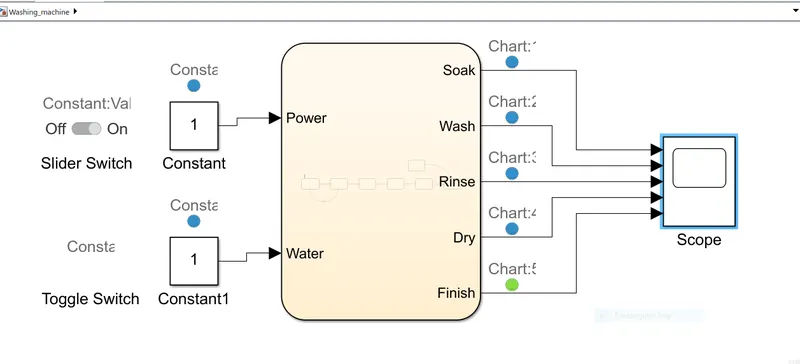
- The Dry process will be assigned for the next 50 sec.
- After the dry process,at last the finish block activated to terminate the signal flow in the process and exits the chart.
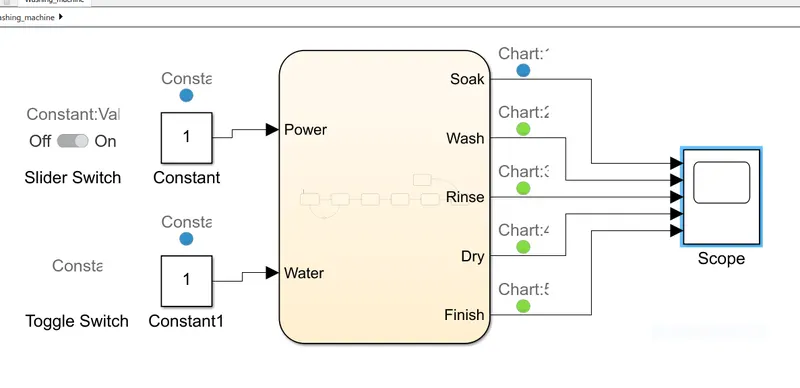
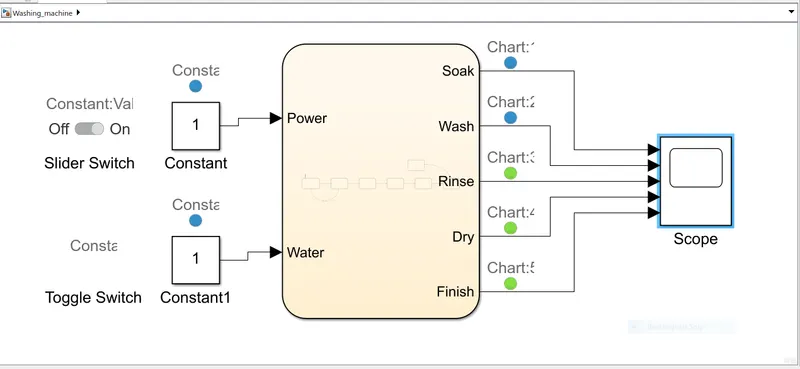
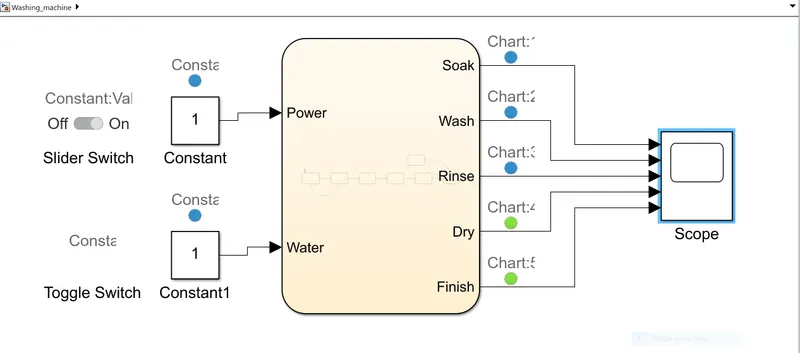
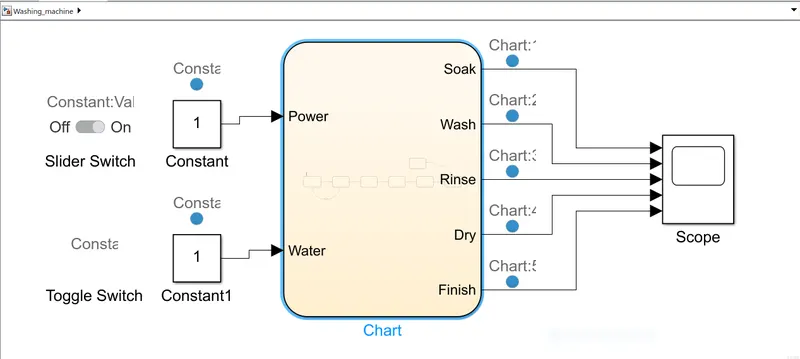
- Then the chart block is connected with power and water inputs whereas the soak,wash,rinse and dry with a finish process is considered as outputs.Input switches are connected to slider and toggle switch respectively.Then the lamps are connected to check for ON/OFF condition.
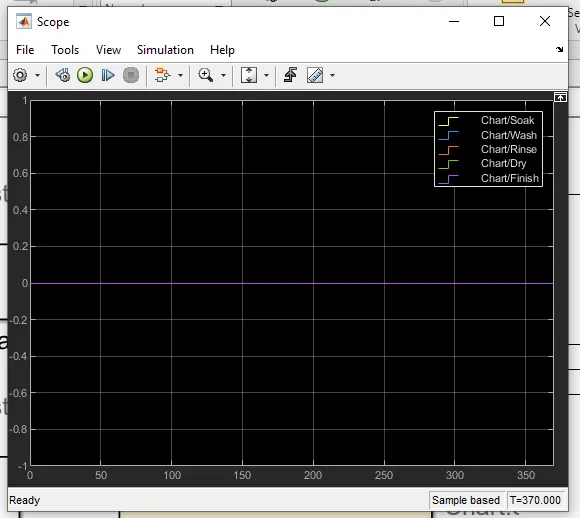
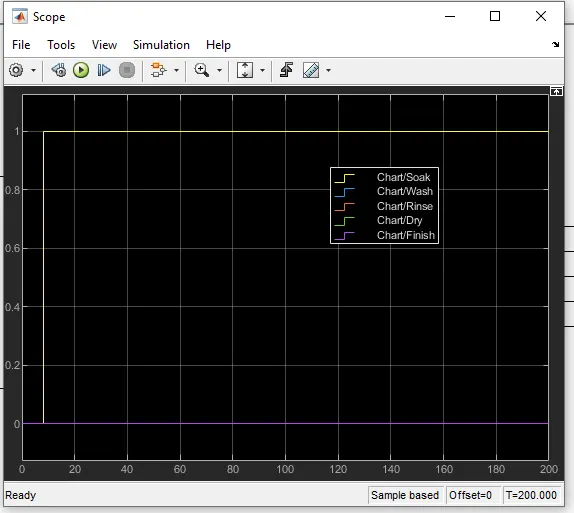
- A scope block is connected to observe the washing process and to get the plot.The green light indicates the ON condition red indicates the OFF.
The designed chart block and state flow for the given condition is shown below:
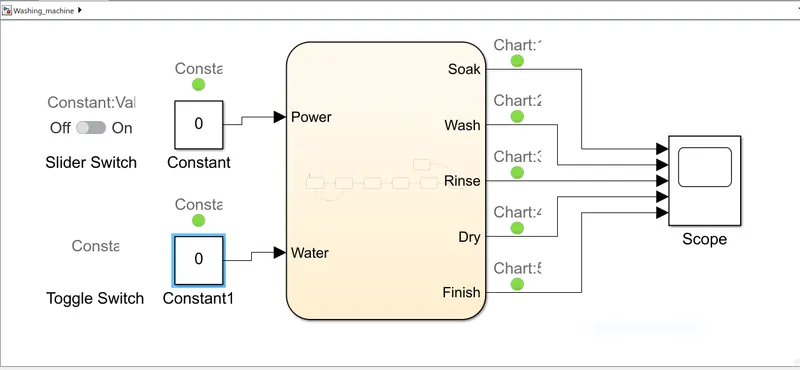
CONDITION:POWER ON,WATER OFF
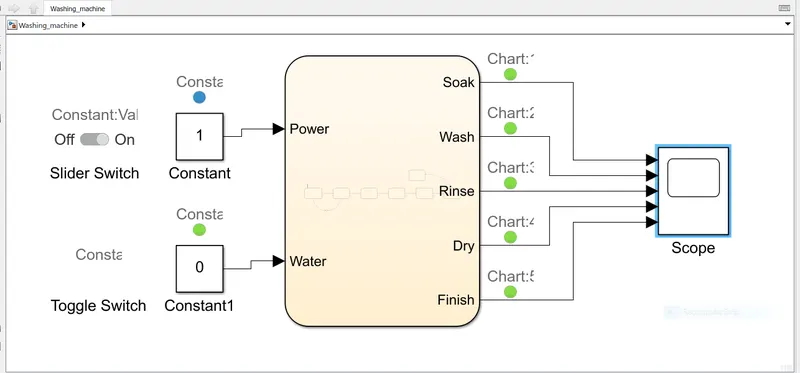
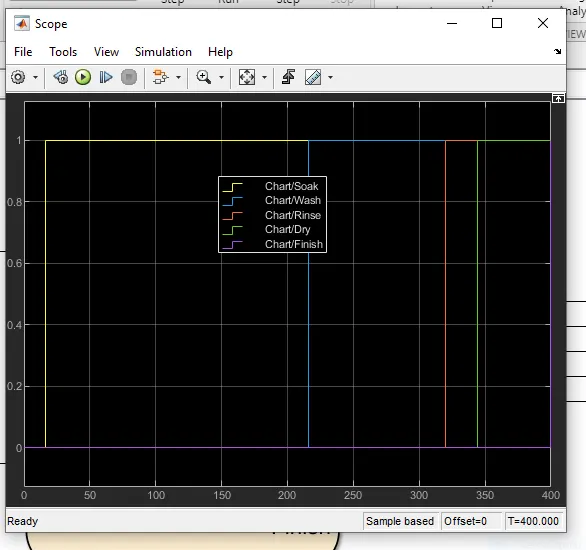
CONDITION:POWERON,SOAKING,t=200 seconds
CONDITION:POWER ON,WASHING,t=300 seconds
CONDITION:POWERON,RINSING,t=320 seconds
CONDITION:POWERON,DRY,t=370 seconds
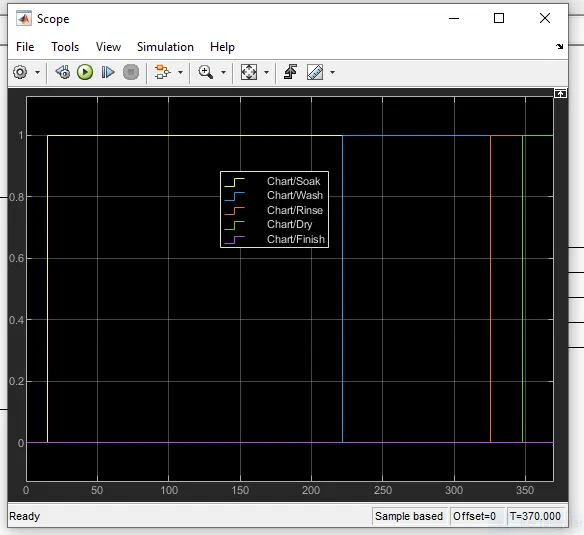
CONDITION:POWERON,FINISH,t=400 seconds
TRANSMISSION BOX/GEAR BOX:
Introduction
Transmission box which is also known as gear box is the second element of the power train in an automobile.It is used to change the speed and torque of the vehicle based on the variety of load and road conditions.The transmission box converts the engine speed in to torque while climbing the hills which is needed for the vehicle.Sometimes it is known as torque converter.
Main functions of gear box are:
- Provides torque for the vehicle at different conditions.It does this by changing the gear ratio betwwen engine crankshaft and drive wheels.
- It can be shifted to reverse so that the vehicle can move backwards.
- It can be shifted to neutral,start the engine.
Working:In the gearbox,the counter shaft is connected to the clutch with the help of some gears.So the countershaft will always be in running condition.When the countershaft is brought in contact with the main shaft with the help of meshing gears,the main shaft starts rotate according to the gear ratio.When the driver need to change the gear ratio,simply press the clutch pedal which disengages the counter shaft from the engine,Then connects the mainshaft with the other counter shaft with the help of gearshift lever.
GIVEN CONDITIONS:
AIM:To create simulink chart for 'GEAR SHIFT' logic foe below given conditions
| Speed(kmph) | Gear No |
| 0 to 15 | 1 |
| 16 to 25 | 2 |
| 26 to 40 | 3 |
| 41 to 60 | 4 |
| greater than 60 | 5 |
PROCEDURE TO CREATE SIMULINK CHART FOR'GEAR SHIFT' LOGIC IS DISCUSSED BELOW:
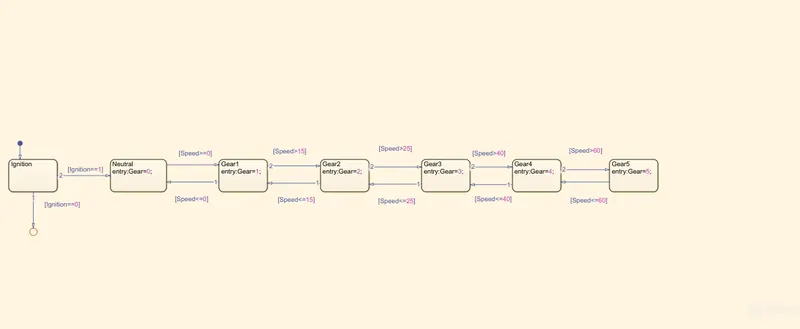
- Create a chart block for defining the state flow for given conditions.
- Inside it,the circular junction is to terminate the signal and return to return the null value .
- If ignition is OFF i.e is 0,the process is terminated at the junction or else 1 is carry forwarded.
- If the speed is less than 0 or equal to 0,the flow is terminated and gear 0 is activated at the junction or else 1 is carry forwarded.
- If the speed is greater than 0 and less than or equal to 15,the flow is terminated and the gear 1 is activated.
- If the speed is greater than 15 and less than or equal to 25,the flow is terminated and the gear 2 is activated.
- If the speed is greater than 25 and less than or equal to 40,the flow is terminated and the gear 3 is activated.
- If the gear is greater than 40 and less than or equal to 60,the flow is terminated and the gear 4 is activated.
- If the gear is greater than 60,the flow is terminated and the gear 5 is activated.
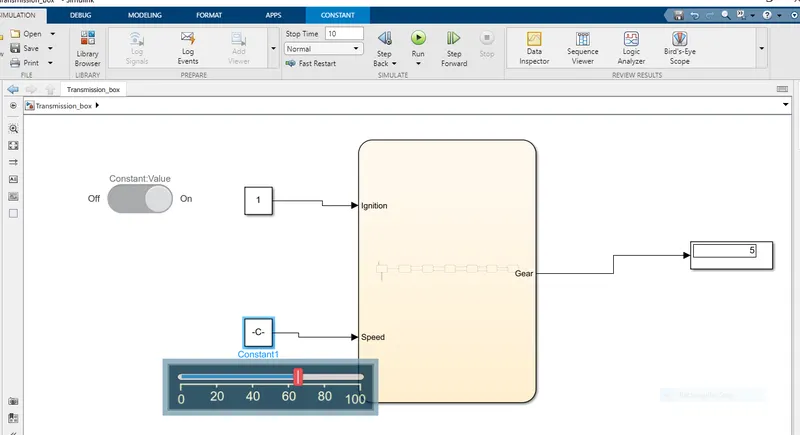
- Define ignition ans speed as inputs where as speedometer,scope and gear number displays the outputs.
A Simulink model for transmission gear for given conditions is given below:
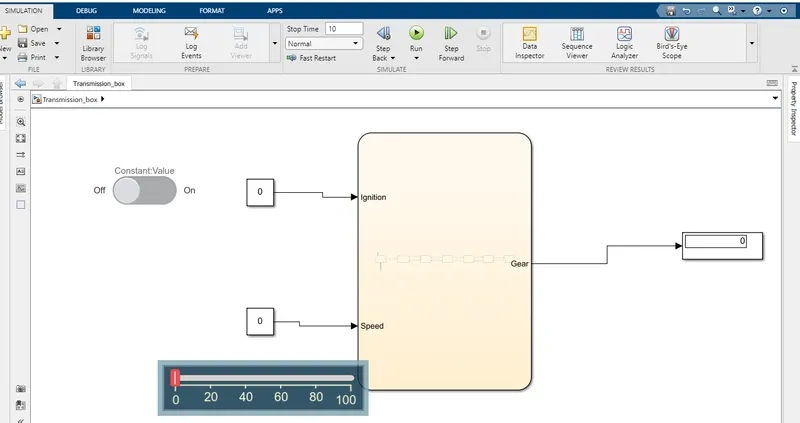
CONDITION:IGNITION ON,SPEED=0 to 15kmph
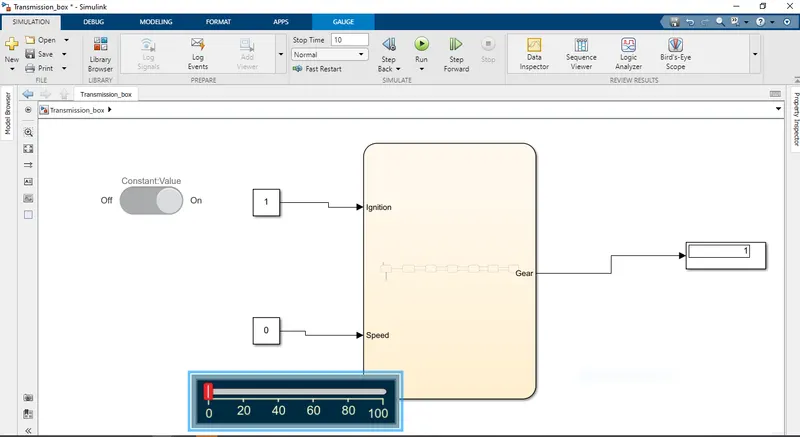
CONDITION:IGNITIONON,SPEED=16to25
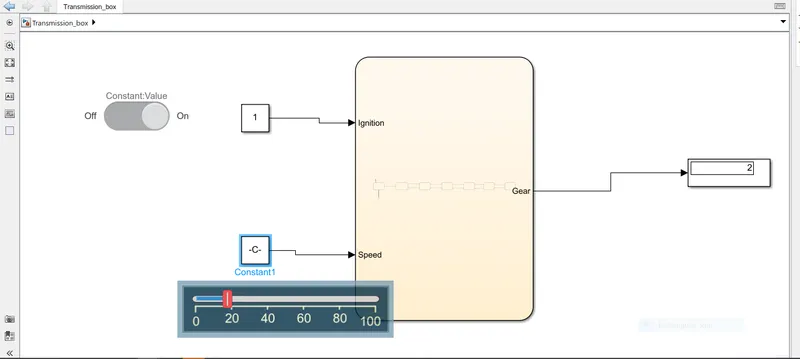
CONDITION:IGNITIONON,SPEED=26to40
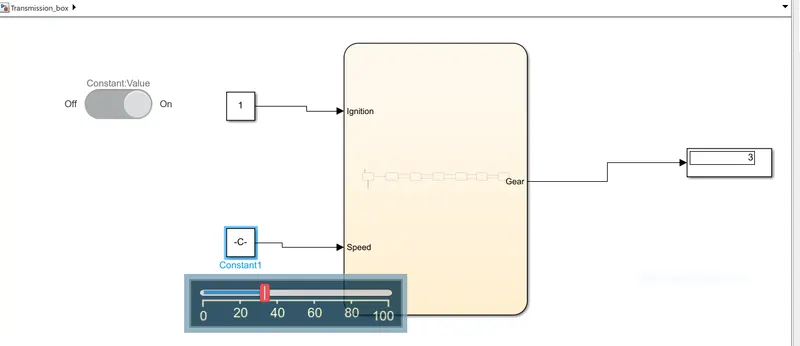
CONDITION:IGINITIONON,SPEED=41to60
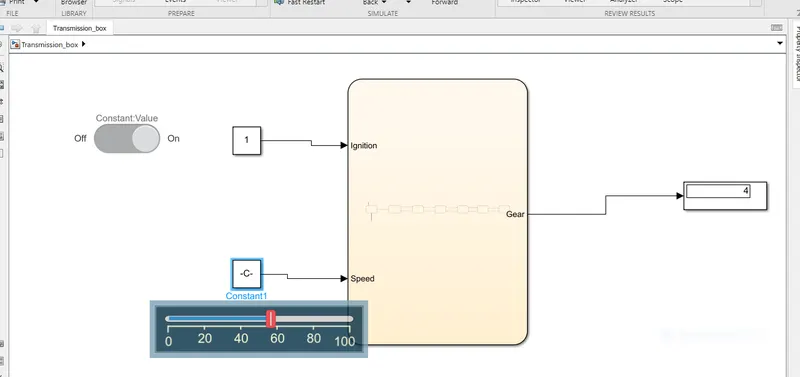
CONDITION:IGNITIONON,SPEED>60