Week - 4 - 2D meshing for Plastic components
Aim : the given Plastic Bottle Cap model, generate the suitable mid surface and mesh the component with given quality criteria and assign the thickness.
Objective:
- check for the geometrical errors.
- generate suitable mid surface.
- mesh generation with given quality criteria.
- assign thickness for the component.
Procedure for the bottle cap:
step 1 . first import the model of given format.
step 2. Cons resolution is done by Length option in perimeters.
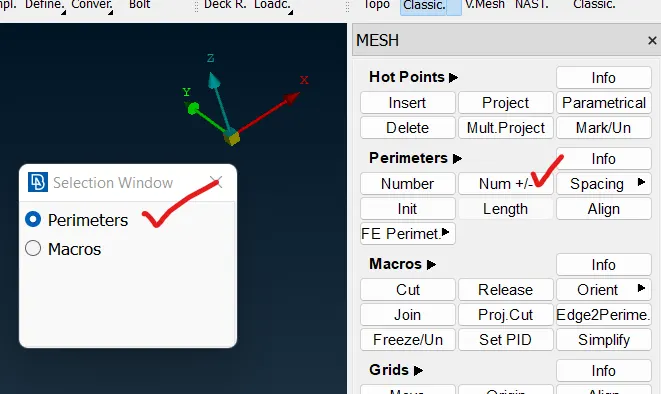
step 3. check surface connectivity and if surface connectivty is not their and it fixed by topo option.
step 3. oreintation is done to the surfaces are in one normal direction. and tool for the oreint (TOPO Module> Faces > Orient).
step 4. then check for geometry error. and fix those error.
step 5. then measure thicknees of the component and generated the midsurface. if the below thickness 6 mm need to extract midsurface.
step 6. this component have variable thickness beacuse it is plastic component.
step 7. for this model i wiil go through casting method for mesh generation and fixed disortion fixed by allign maneger.
step 8. for casting method is used for only variable thickness component. and tool for casting method (topo>faces>midsurface>casting.)
step 9. after completing the casting some surfaces are dissorted and feature was not caputured properly so that we have to fix those region by using allign maneger option.
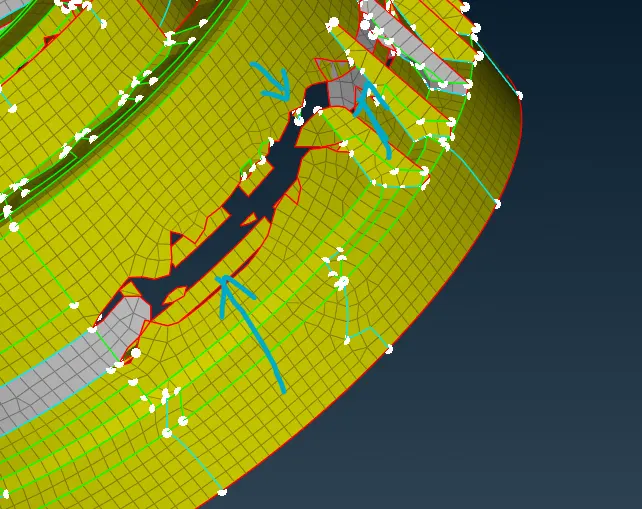
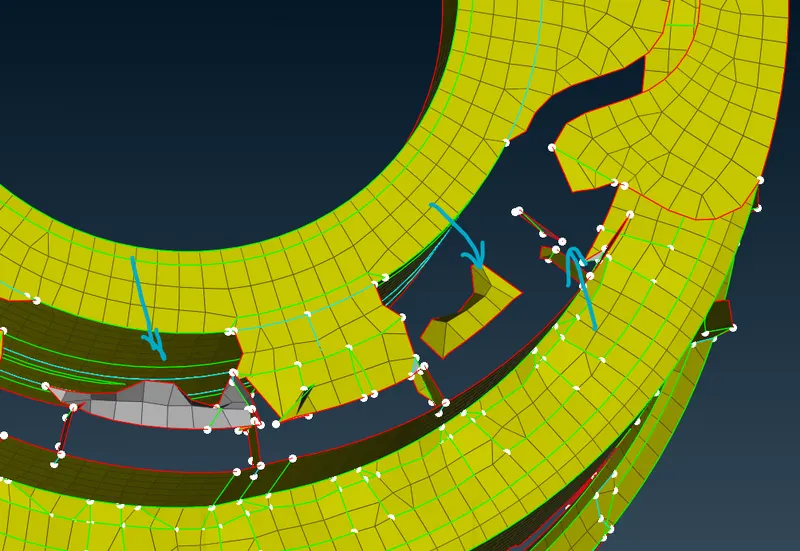
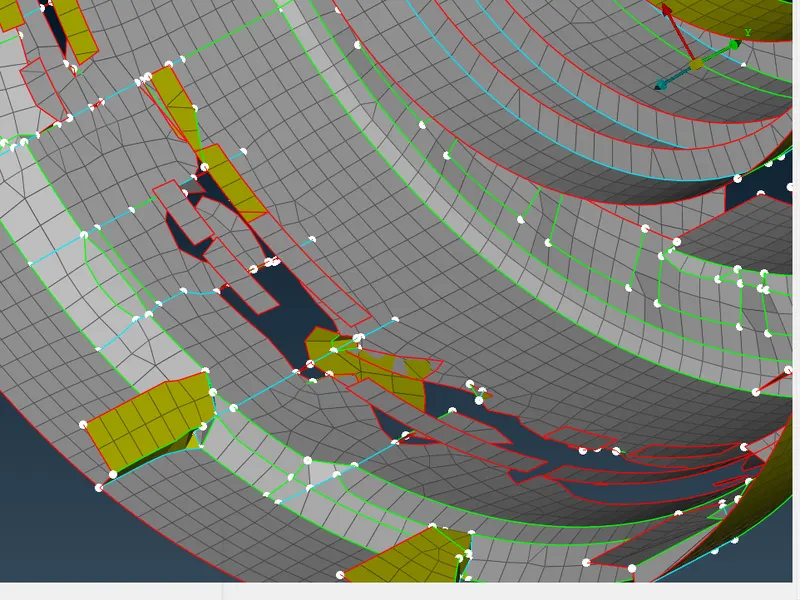
above pictures are dissorted region after doing casting this type of dissortion we got.
allign manger : (topo>faces>midsurface>allign maneger.)
- allign maneger used to fix some dissorted area and give the proper defination to the surface.
- area option used to give defination for emapty or newly created element area . in area there are two defination that is 1. middle and 2. plane and middle used two or more surface curved and plane is used for flat surface.
- perimeter option used for giving the face defination. according to the feature lines.
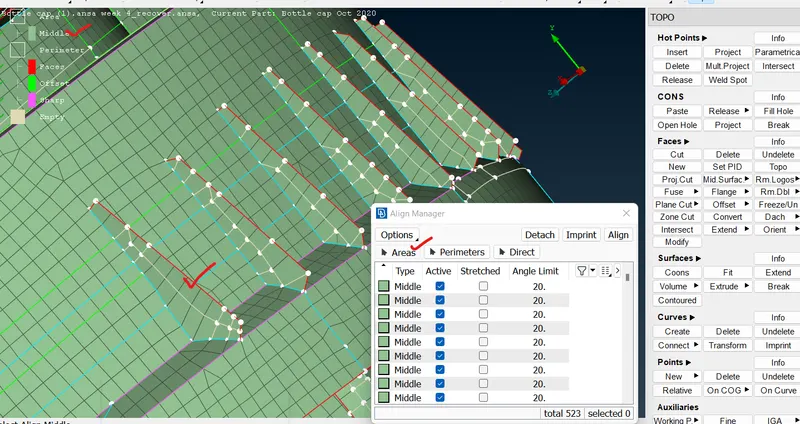
above picture is rib is captured properly by using allign manger.
thread capture : after doing casting so thread capturing was not correct and need capture perfectly according to geometry.
- first to create curve between two lines. tool for curve creation topo>curve>middle.
- then need project curve to target element region or target surafce. tool for this mesh module >classi mesh > shellmesh > porject>target shell>next>project perimeter/curve>ok .
- then create mesh by using fill option mesh module>classic mesh>shell mesh>fill>by curve.
- after creating the mesh we need create new area and have to defination for that. it is done by using allign maneger option.
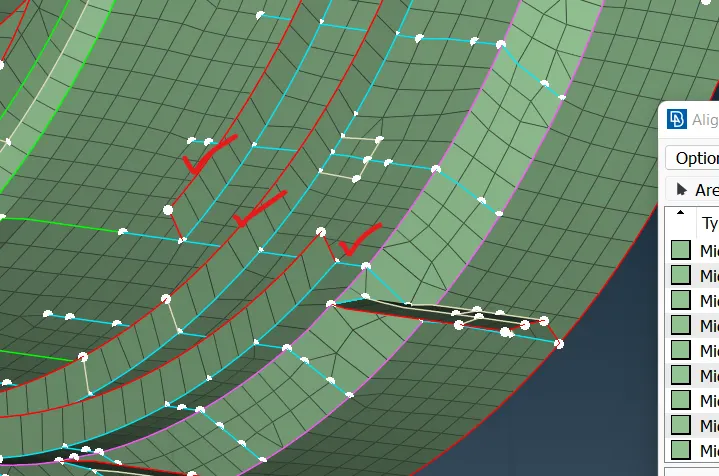
above picture shows that thread was captured properly.
step 10. after fixing the all dissorted region then we need maintain mesh flow and quality criteria.
step 11. then convert nodal thickness to property thickness.
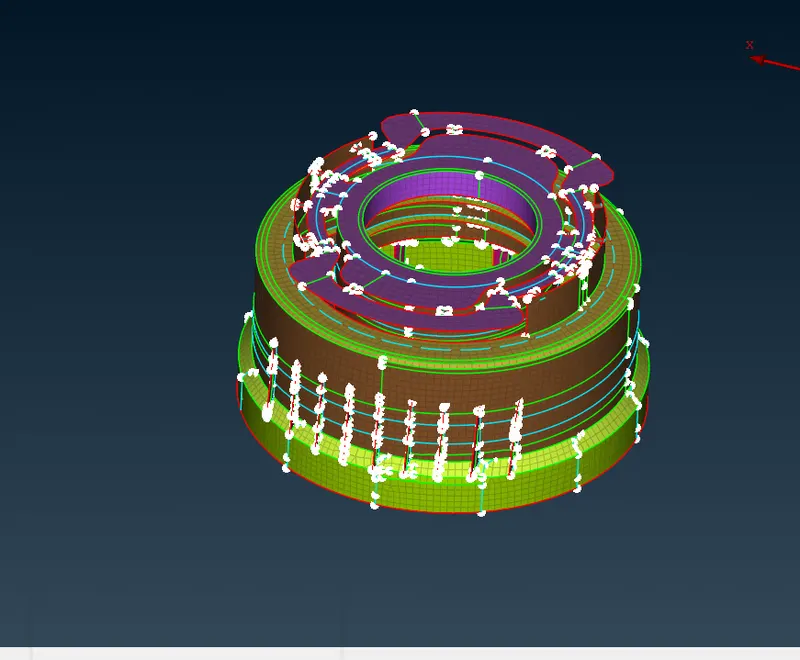
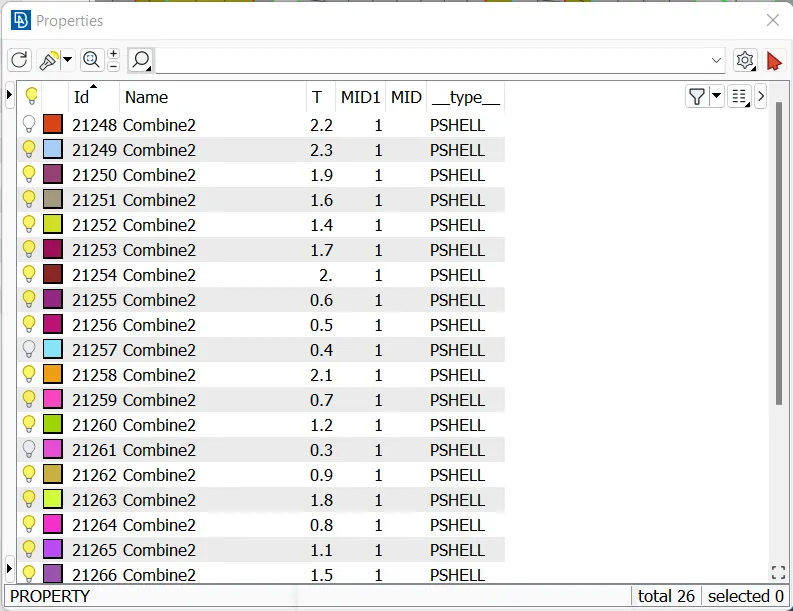
above picture is after converting nodal thickness to property thicness and thikness is assigned the varible thickness region and it showed in property card.
learnig objective : learned how to work on casting method and also learned the allign manger option.
Conclusion: the given bottle cap model mesh is generated and PID and Thickness assignment has to be done for all the component.