Week - 4
1.Aim: To implement a logic of a “Washing Machine” using stateflow in Simulink, MATLAB.
Description:
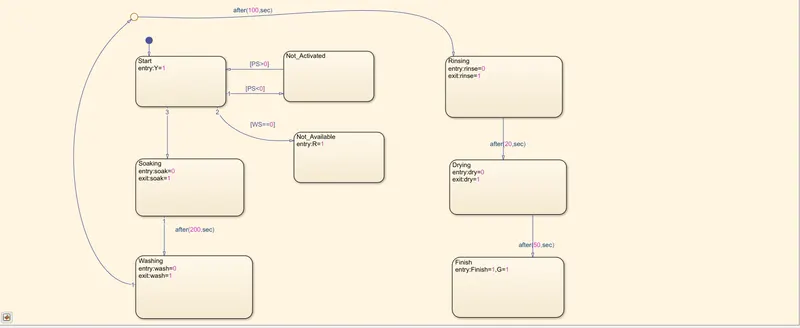
Fig:1.1
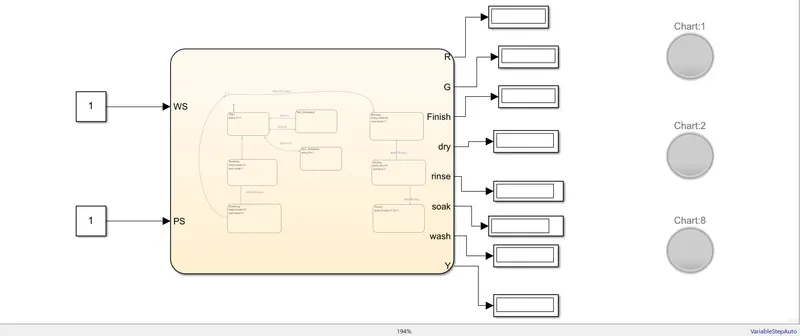
Fig:1.2
Fig: 1.1---The stateflow logic
Fig: 1.2---The complete Simulink model
Here we taken 8 states: -
- Start: When the power supply is on it indicates a Yellow light
- Not_Activated: When power supply is not given the stateflow will go to this state. No indicator is ON because no power is given.
- Not_available: If there is no water then the stateflow will go to this state and a Red indicator is ON.
- Soaking: When both power supply is ON as well as the water supply is there then the washing process will start and will enter this state. This process takes 200sec.
- Washing: After soaking next state is washing. This state takes 100sec.
- Rinsing: Next comes rinsing which takes 20sec.
- Drying: This is the last step of the process and it takes 50sec to complete.
Finish: When all the process is finished then this state will activates a Green light which indicate the finishing of the process.
The symbols used in the stateflow is shown below:
PS-Power supply
WS-Water supply
R- Red
G-Green
Y-Yellow
The simulation is done for 400 sec.
When PS and WS both is ON i.e.1
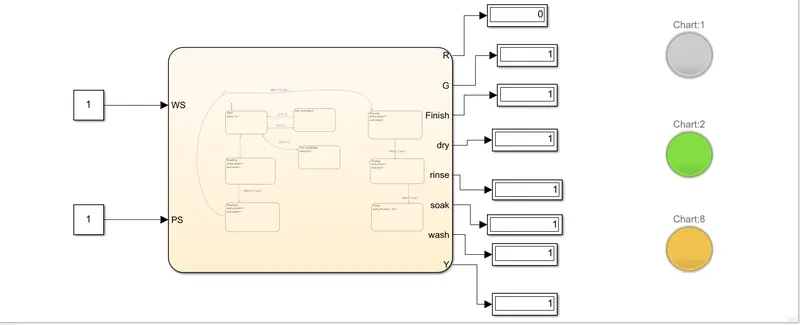
Fig: 1.3
We can see that both Yellow and Green lights are ON. The yellow light is ON the first step that indicate the power is ON and the Green light is ON which indicate the End of the process.
When PS =1 and WS =0
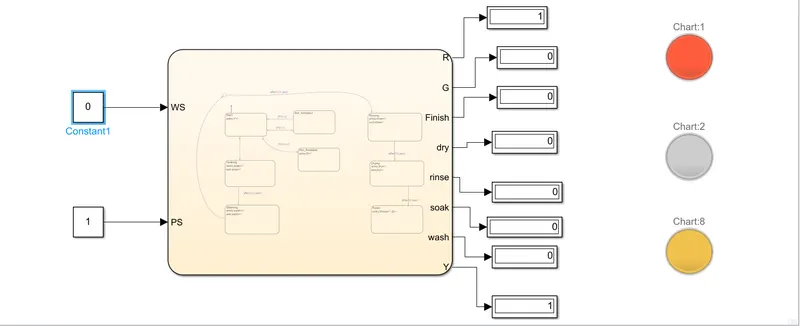
Fig:1.4
We can see Yellow is ON that indicate the power is ON and the Red is ON which indicate there is no Water.
Conclusion:
We can see that our stateflow works perfectly as mention in the Problem.
2.
Aim: To implement a “Gear Logic” as per the given condition.
Speed Range (kmph) Gear
0 to 15 1
16 to 25 2
26 to 40 3
41 to 60 4
Above 61 5
Description: -
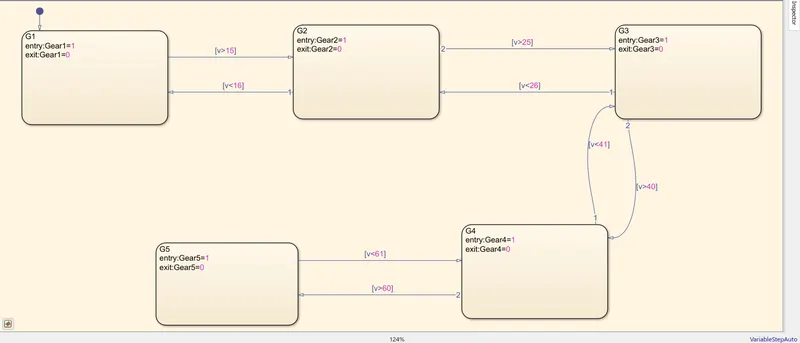
Fig:2.1
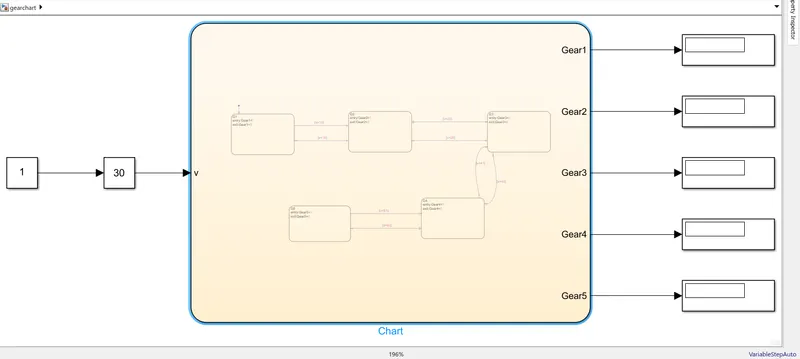
Fig:2.2
Fig: 2.1 -- Represent the stateflow of the “Gear Shift” logic
Fig: 2.2 -- Represent the complete model of the “Gear Shift” logic
We have created 5 blocks:
G1:- When speed range is less equal to 15 and make Gear1 output to 1.If the speed surpasses than 15 then the stateflow will move to G2 making the Gear1 output 0.
G2:- When speed range is less equal to 25 and make Gear2 output to 1.If the speed surpasses than 25 then the stateflow will move to G3 making the Gear2 output 0.
G3:- When speed range is less equal to 40 and make Gear3 output to 1.If the speed surpasses than 40 then the stateflow will move to G4 making the Gear3 output 0.
G4:- When speed range is less equal to 60 and make Gear4 output to 1.If the speed surpasses than 60 then the stateflow will move to G5 making the Gear4 output 0.
G5:-This state will remain active for any speed greater than 60i.e.G5=1. When speed drops Below 60 G5 will become 0 and state changes to G4.
In Fig:2
- We have connected constant with a value 1 with a slider gain to give the variable velocity input.
- Every gear output is connected to a particular display.
When v=14
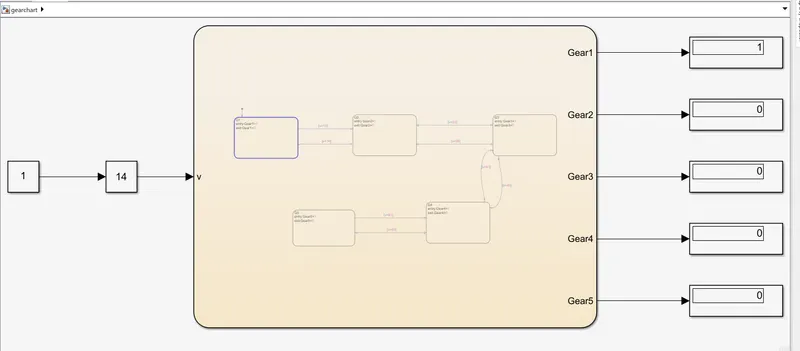
Fig:2.3
When v =20
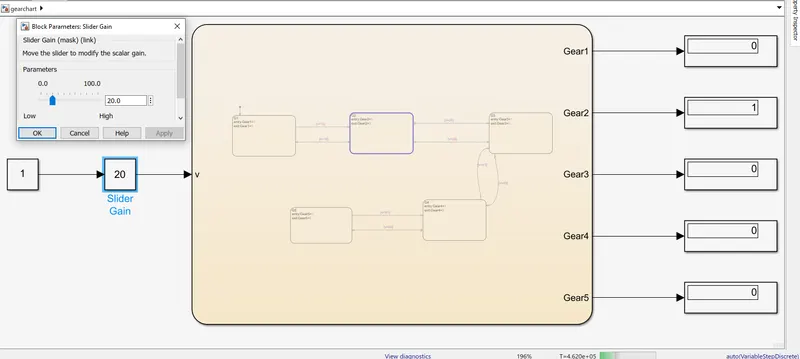
Fig:2.4
v=35
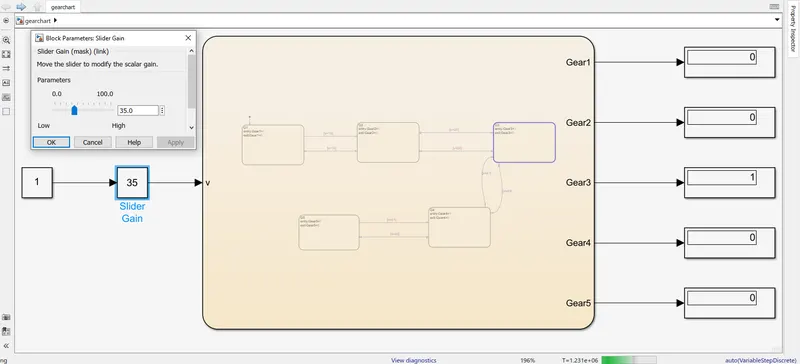
Fig: 2.5
v=50
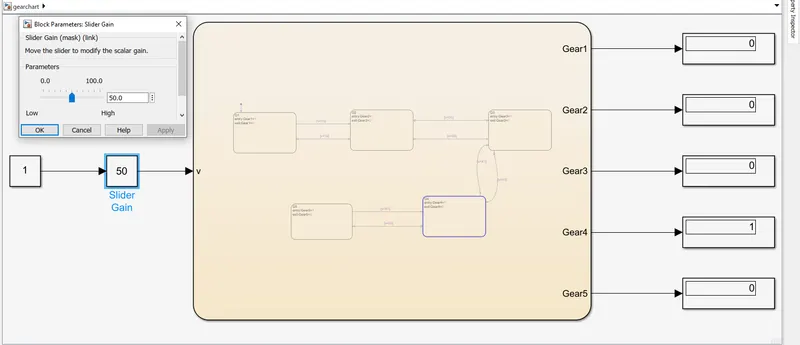
Fig:2.6
v=80
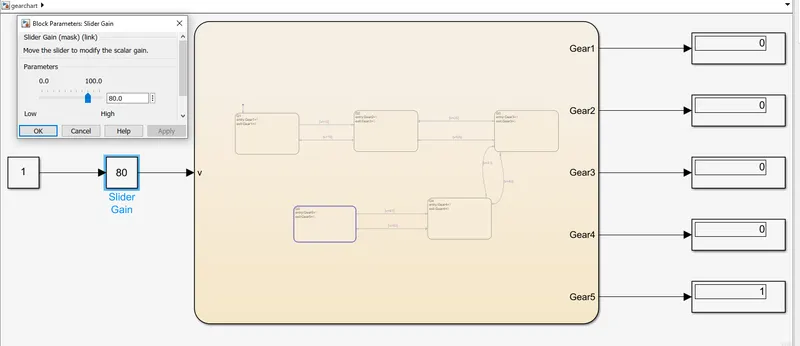
Fig:2.7
Conclusion: We can see that the mentioned logic is matching exactly fine.