Week - 4
Task 1.
Implement control logic of a “washing machine” using Stateflow as per given sequence:
- If the power supply is available, the system gets activated
- If the Water supply is not available, stop the process & indicate through LED
- Soaking time should be 200s followed by Washing time of 100s.
- Then rinsing happens for next 20s & dryer runs for 50s
After all the processes have completed turn on the finished LED
ANSWER:
The washing machine can have two inputs: a) Power supply
b) Water availability
So, based on these two inputs, there are four cases available.
Case i): If both power supply and water unavailable.
Model:
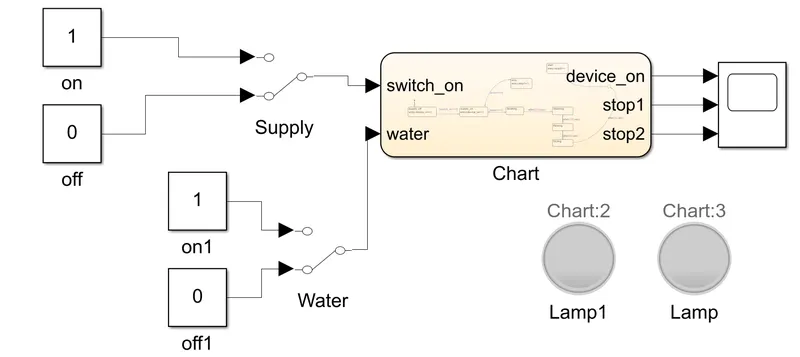
- From the model, we can observe that when both power supply is unavailable, the system is not activated.
- So, the indicating lamps are not glowing.
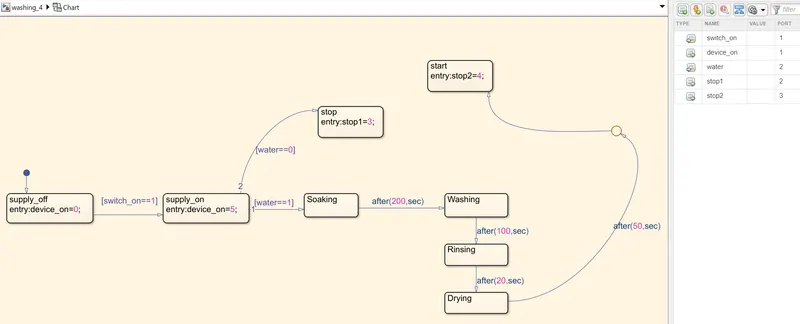
Control logic inside the chart:
Explanation:
- When power supply is on, the device will on.
- If water available, the process will go further, else the process will terminates(stop1) and lamp will glow.
- Then soaking process for 200 seconds, washing process for 100 seconds.
- Then rinsing process for 20 seconds and drying process for 50 seconds.
- After all the process completed, finshing lamp will glow.
- This chart is same for all the four cases.
Waveform:
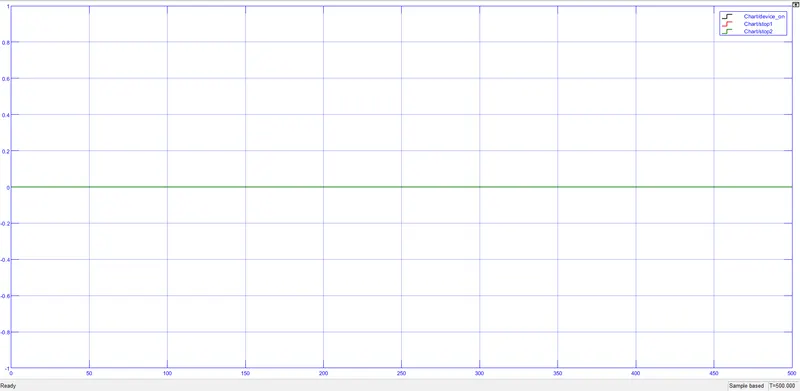
- From the waveform above, it is observed that, the graph shows zero value for all the output since system is not activated yet.
case ii) If power supply available, but water unavailable.
Model:
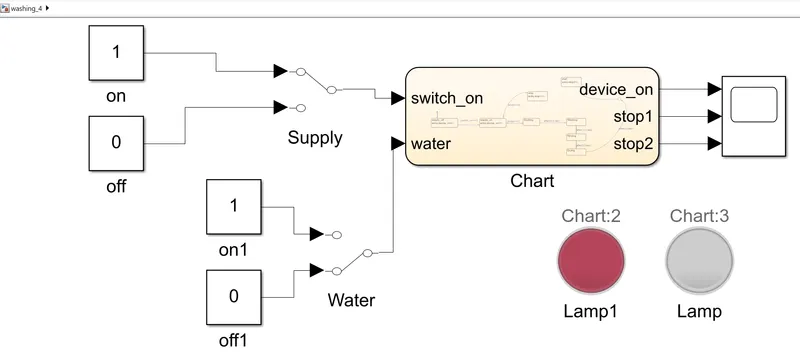
- From the model, we can observe that when power supply available but water unavailable, the system is activated but terminated immediately.
- So, the indicating lamp(lamp1) is glowing red.
Waveform:
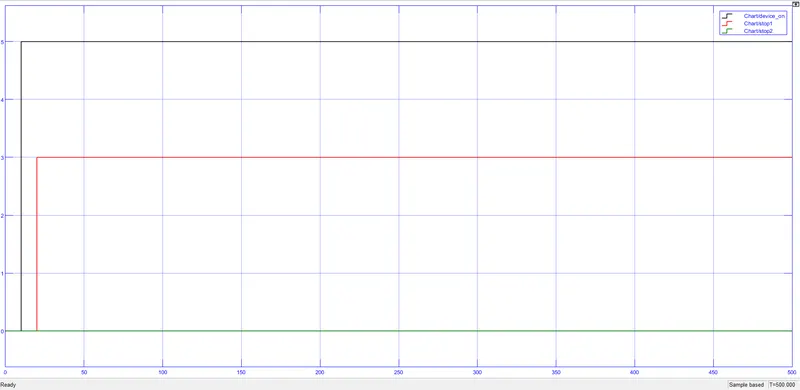
- From the waveform, we observe that though power supply(black color) is available, the function is
terminated(red color indicates stop1) due to unavailable of water.
- stop1 means if water is not available, the system is to be deactivated.
case iii) If both power supply and water available.
Model:
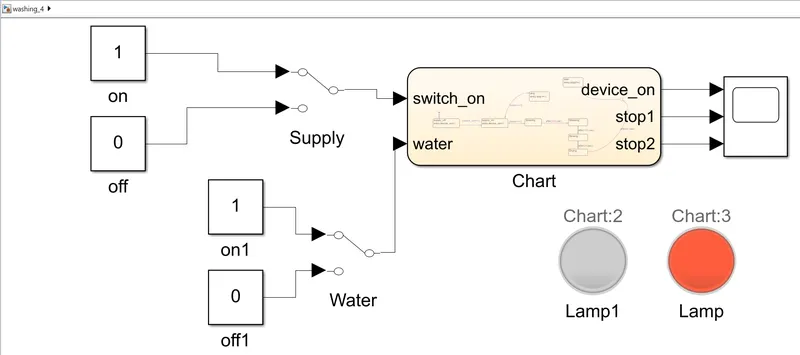
- From the model, when both power supply are available the system will activated and further process will be performed.
- After all the process is completed, then finished lamp(lamp) will glow(orange color).
Waveform:
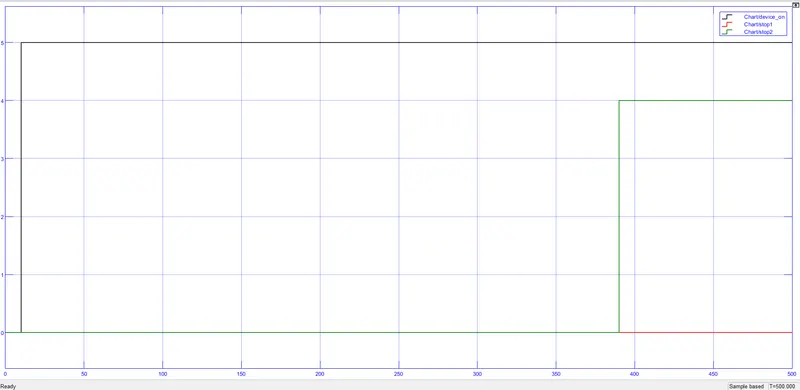
- From the waveform, the power supply is on during the entire simulation.
- The orange lamp glows after a total of 370 seconds.
- That is the time taken by the system to complete all the mentioned process.
case iv) If water available but power supply not available.
Model:
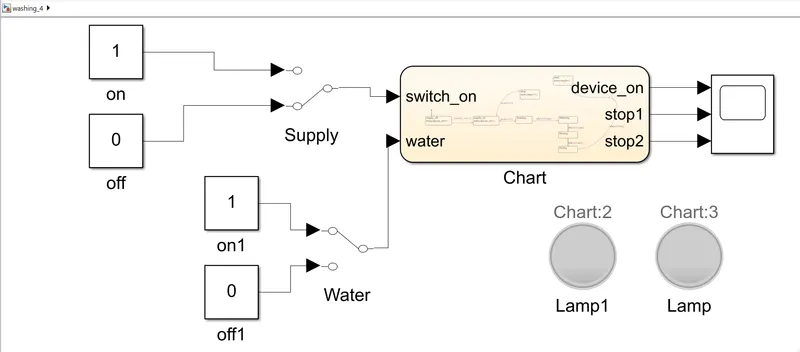
- From the model, we can observe that when power supply is unavailable but water available, the system is not activated.
- So, the indicating lamps are not glowing.
Waveform:
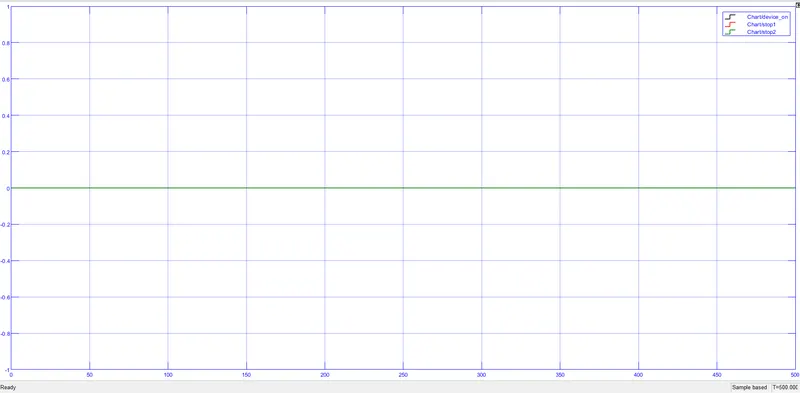
- From the waveform above, it is observed that, the graph shows zero value for all the output since system is not activated.
Result: Implementation of "contol logic" of a washing machine is done for all the possible cases according to given conditions.
Task 2.
Make a Simulink chart for the “Gear shift” logic as per below conditions:
Speed Range(kmph) Gear
0 to 15 1
16 to 25 2
26 to 40 3
41 to 60 4
Above 61 5
Give speed input while the simulation is running & display the gear number.
ANSWER)
The Simulink chart for "Gear shift" logic is modelled according to given conditions.
Speed Range(kmph) Gear
0 to 15 1
16 to 25 2
26 to 40 3
41 to 60 4
Above 61 5.
case i) When spped is varied from 0 to 15 kmph, the gear should be 1.
Gear shift logic chart model:
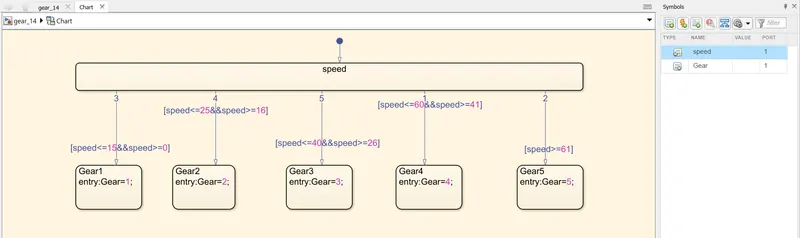
- From the chart model, when speed (input) is given according to given conditions, the gear number(output) will be displayed.
Model:
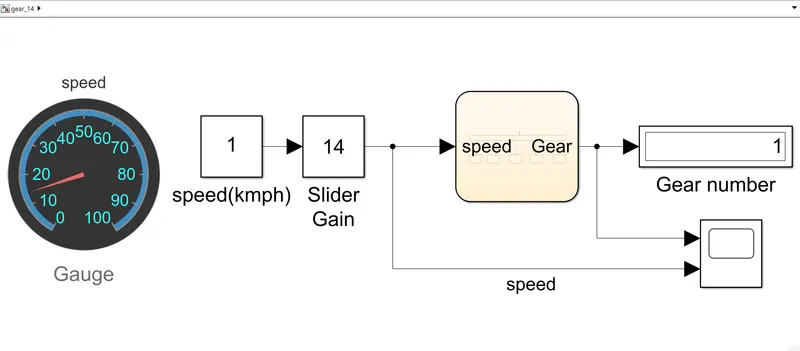
- From the model, when the speed is 14 kmph, the gear number is showing 1.
- Gauge is used to indicate the speed so that we can experience as real environment.
Slidergain:
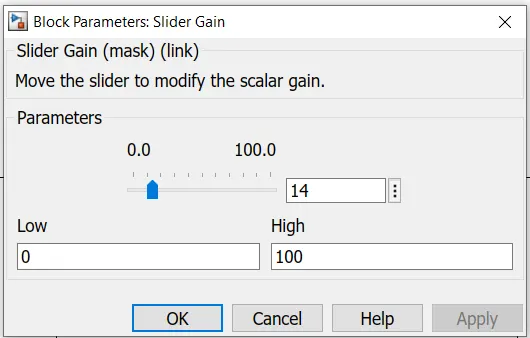
- It is used to vary the speed easily and that speed value will be displayed on the gauge.
Waveform:
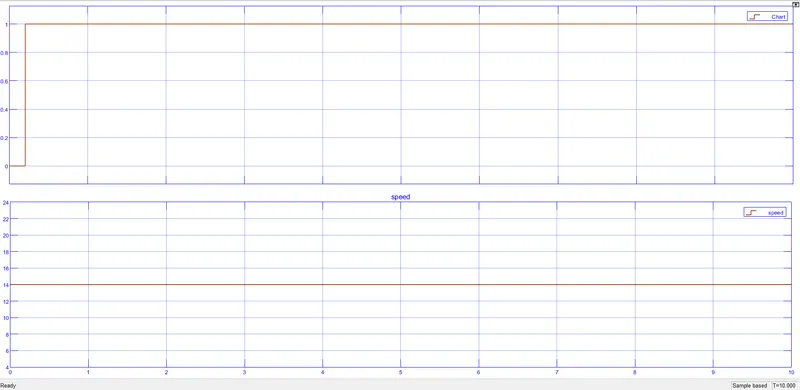
- From the waveform above, when the speed is varied from 0 to 15 kmph(here 14 kmph), the gear number is shwoing as 1.
case ii) When the speed is varied from 16 to 25 kmph, the gear number should be 2.
Model:
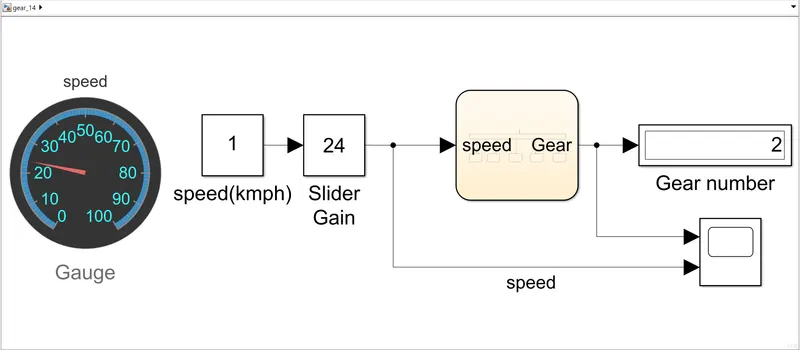
- From the model above, when the speed is varied from 16 to 25 kmph(here 24 kmph), the gear number is showing as 2.
Slidegain display:
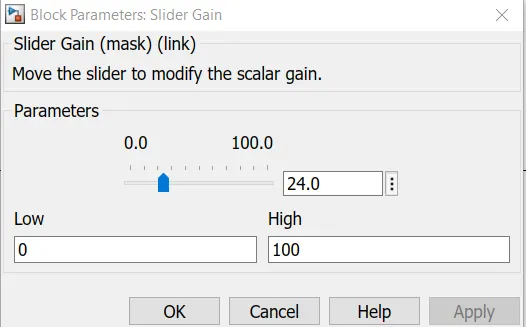
- From the slider gain, the speed value is 24 kmph.
Waveform:
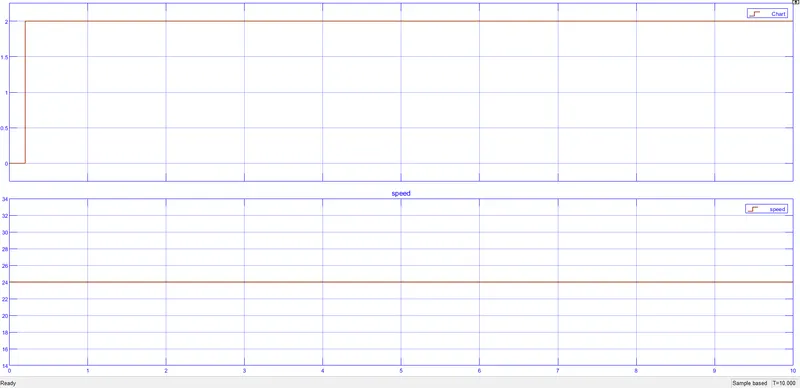
- From the waveform we can observe that, when speed is varied from 16 to 25 kmph(here 24 kmph), the gear number is displayed as 2.
case iii) When speed is varied from 26 to 40 kmph, the gear number should be 3.
Model:
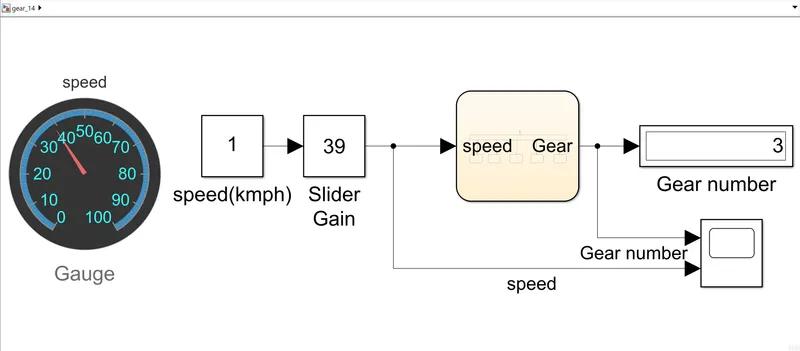
- From the model above, when the speed is varied from 26 to 40 kmph(here 39 kmph), the gear number is showing as 3.
Slidergain display:
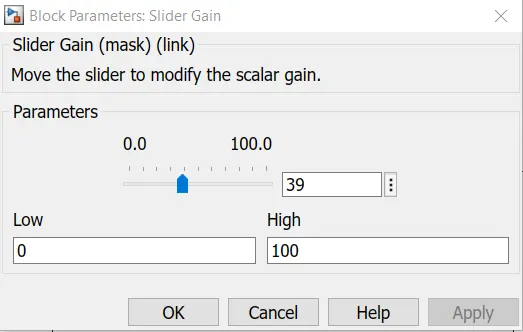
- From the slider gain, the speed value is 39 kmph.
Waveform:
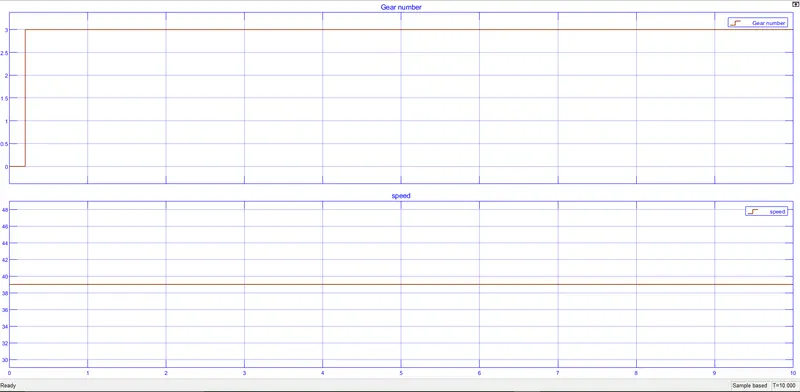
- From the waveform we can observe that, when speed is varied from 26 to 40 kmph(here 39 kmph), the gear number is displayed as 3.
case iv) When speed is varied from 41 to 60 kmph, the gear number should be 4.
Model:
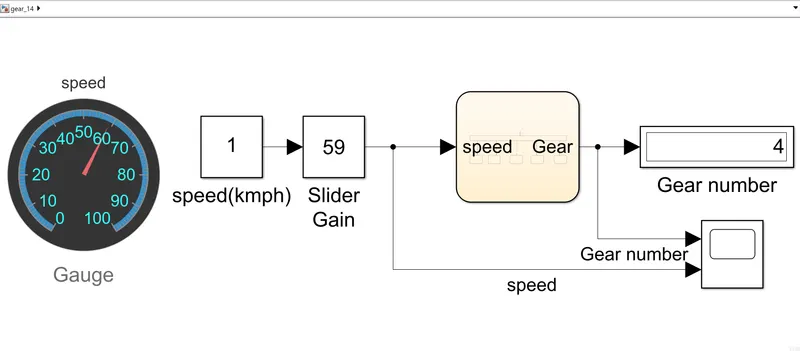
- From the model above, when the speed is varied from 41 to 60 kmph(here 59 kmph), the gear number is showing as 4.
Slider gain display:
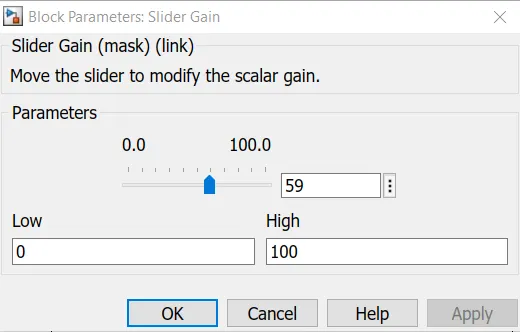
- From the slider gain, the speed value is 59 kmph.
Waveform:
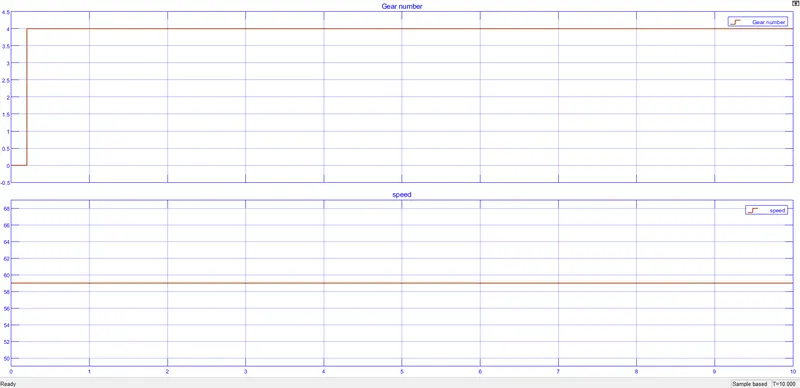
- From the waveform we can observe that, when speed is varied from 41 to 60 kmph(here 59 kmph), the gear number is displayed as 4.
case v) When speed is greater than 60 kmph, the gear number should be 5.
Model:
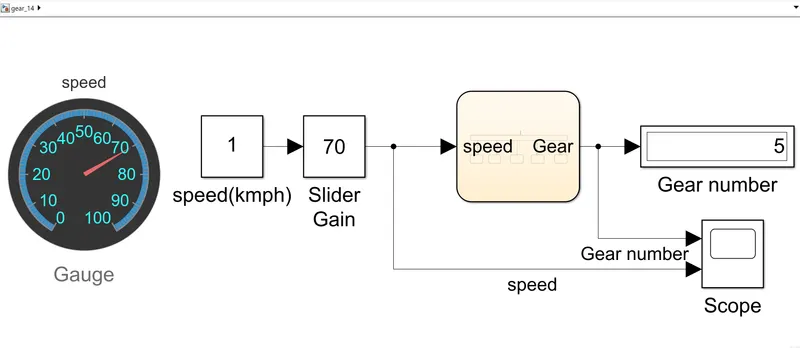
- From the model above, when the speed is greater than 60 kmph(here 70 kmph), the gear number is showing as 5.
Slider gain display:
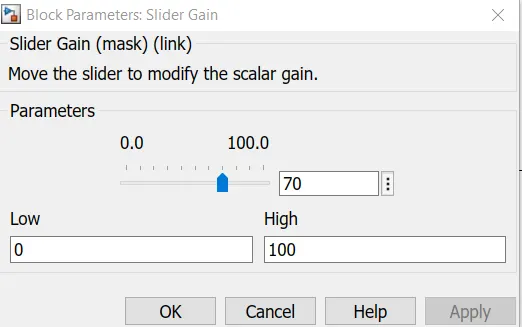
- From the slider gain, the speed value is 70 kmph.
Waveform:
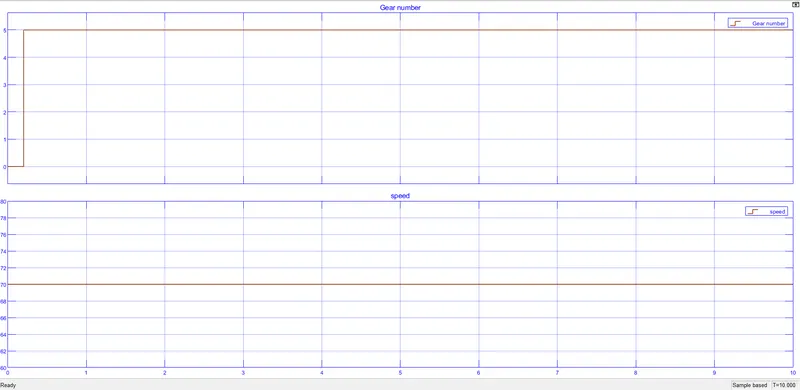
- From the waveform we can observe that, when speed is above 60 kmph(here 70 kmph), the gear number is displayed as 5.
Result: Therefore the Simulink chart for "Gear shift" logic is modelled according to given conditions and gear number numbers are displayed for it's respective condition.