Week 4-1D Element Creation Challenge
Aim:
Mesh the given component with size of 5 units and create 1D elemets on the following component with given cross-section and DOF.
Procedure:
1)Firstly, import the geometry model using import geometry command.
2)To understand the 3D component, 2D mid -surface has to be created and meshing of the mid-surface is to be performed and a thickness value has to be assign so that it replicates the 3D model.
3)Now lets create the midsurface using the command in the geometry group.(auto midsurface is used)
4)Create a component ID individually for each one, assign the property ID with proper thickness value and provide the material to the components.
5)Second step is to perform 2D meshing on the midsurface.(Provide washer cut for the holes with a offset of 5 units)
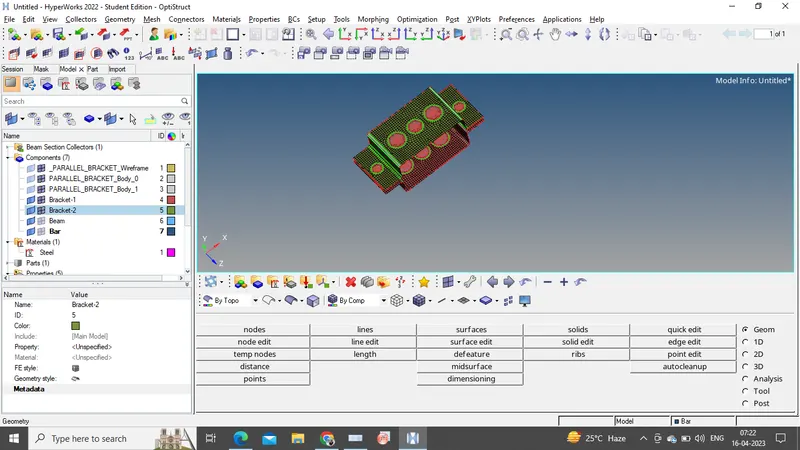
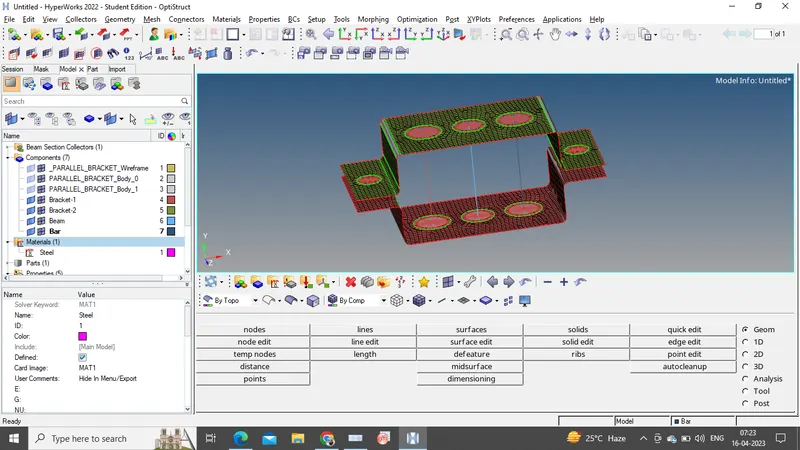
6)Now as per the given requirements, assign the 1D elements such as RBE2, RBE3, Bar, Rod, Spring elements.
7)To create a cross-section to the 1D elements Hyperbeam command is used. With the help of Hyperbeam, Box, I-section and Cross section are created.
8)Finally, Assign the property ID's for each element, Bar, Beam and Rod seperatly and provide the beam section respectively. Now select the elements provided in the geometry model and assign with their respective properties.
9) Now to observe the cross-section change the view to 1D detail element representation mode.
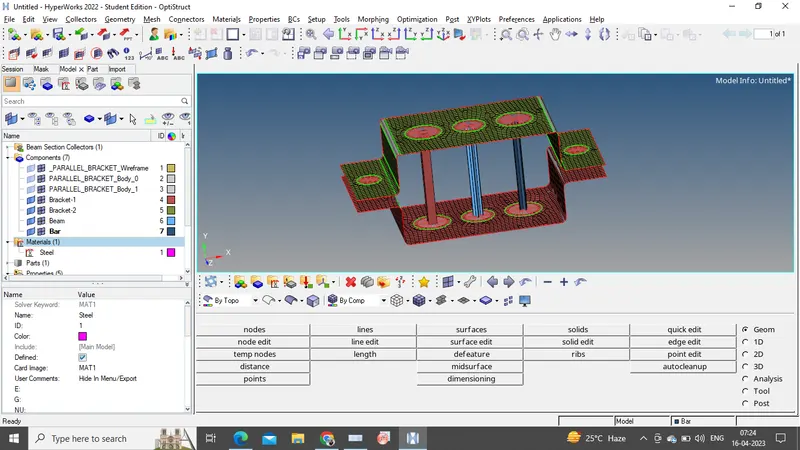
Conclusion:
The given model is meshed with a size of 5 units and created 1D elements on the following component with cross-section and DOF.