Week 4-1D Element Creation Challenge
Week 4-1D Element Creation Challenge
Objective: Mesh the Given component with the Size of 5 Units. Create 1D elements on the following component with a given cross-section and DOF.
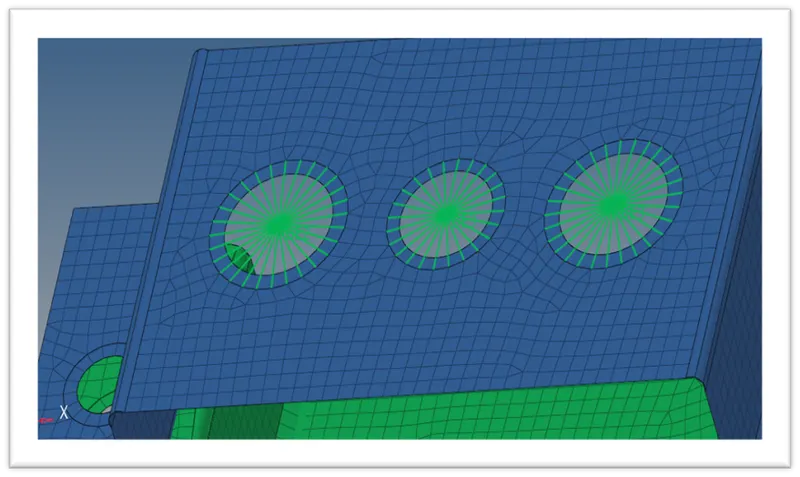
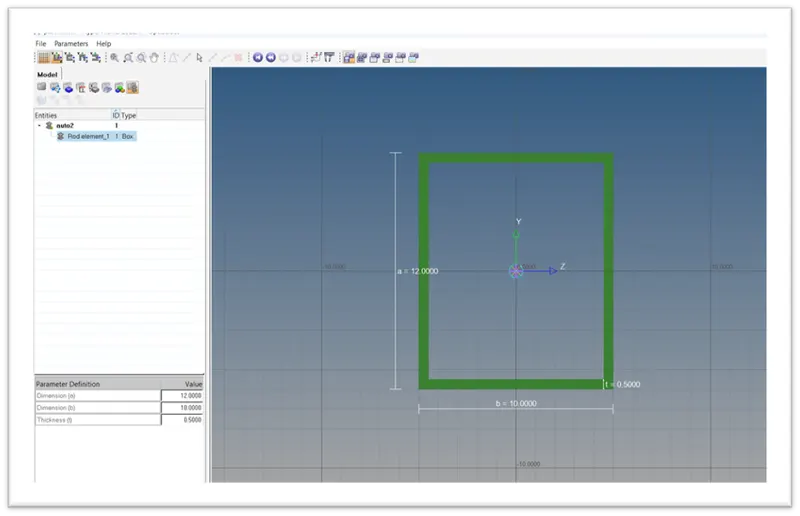
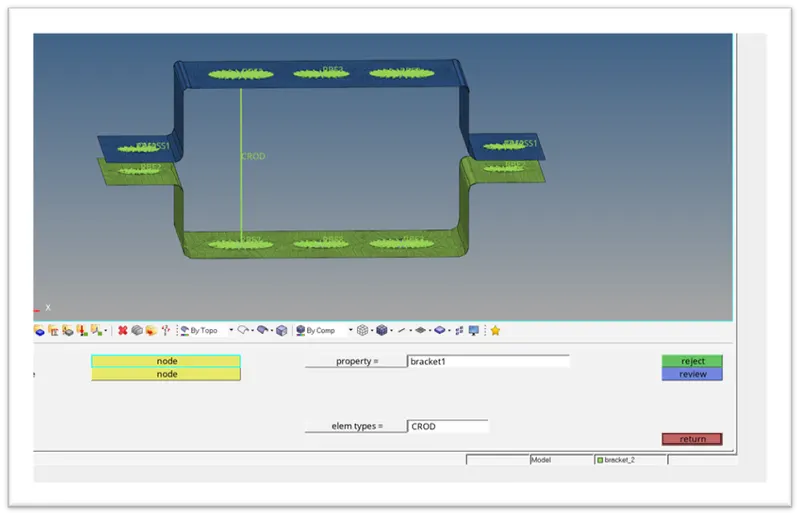
- Rod element: - Translational DOF should be Constrained with RBE2 link Cross-Section: BOX- Dimension a= 12 mm dimension b=10 mm Thickness t= 0.75 mm.
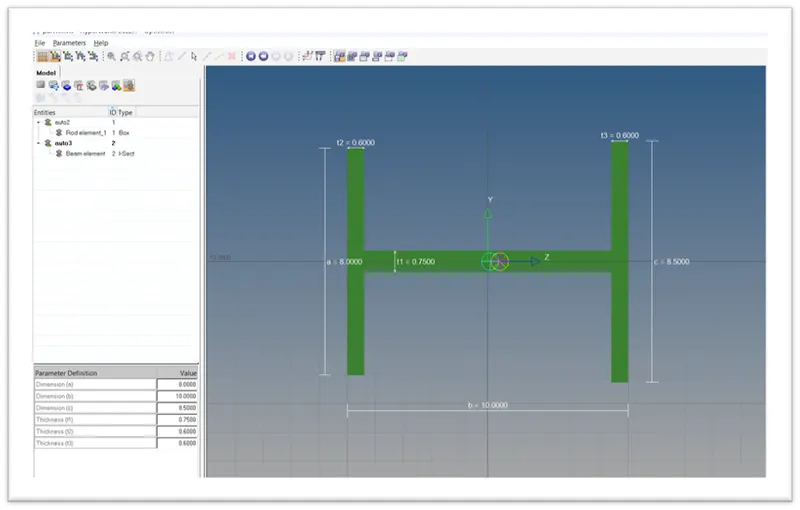
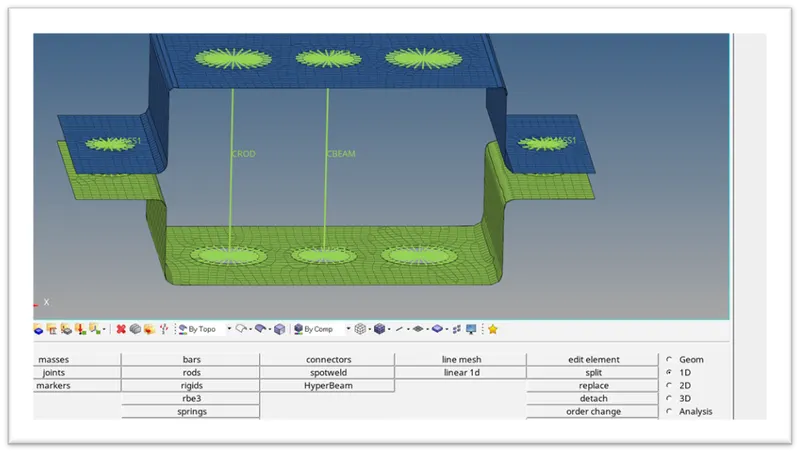
- Beam element: - All DOF should be constrained with RBE3 link Cross-Section: I Section- Dimension a= 8 mm Dimension b= 10 mm Dimension c= 8.5 mm Thickness t1= 0.75 mm Thickness t2= .6 mm Thickness t3= .6 mm.
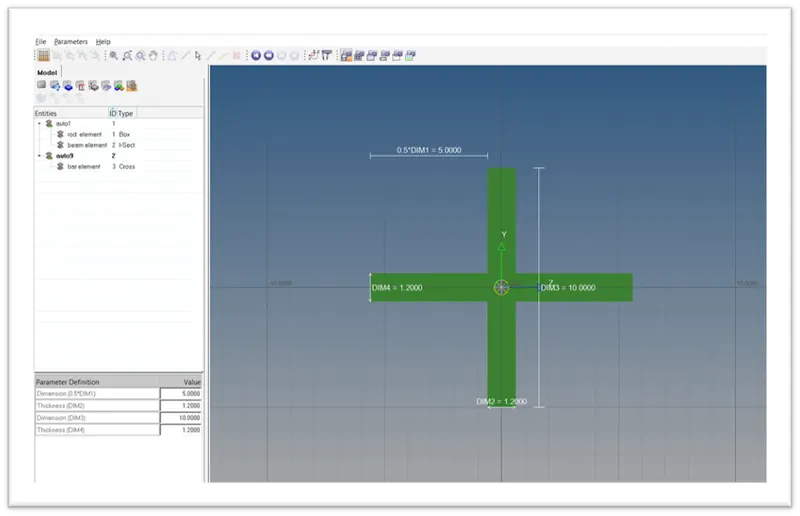
- Bar element: - Constrain only x and y DOFs With RBE3 link Cross-section: X section- Dimension DIM1= 5 mm Thickness DIM2= 1.2 mm Dimension DIM3= 10 mm Thickness DIM4= 1.2mm.
- & e. Apply the mass of magnitude 10 with the RBE2 link.
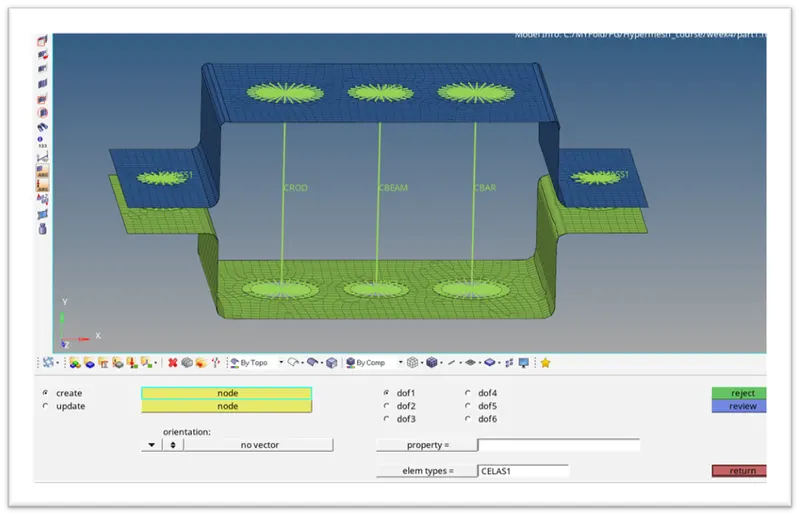
- Join the two components with Spring elements.
Procedure:
- Import the geometry.
- Perform mid-surface extraction (Geom>midsurface). Do the mid-surfacing for the two brackets separately, otherwise, the mid-surface will be saved as a single entity.
- Using organize button from tools (Tools>organize) to move the mid surface to a new component to separate the two brackets.
- Create a material to add thickness to the model.
- Create properties for two brackets separately.
- Assign the material to the created properties.
- Add the generated property to the initial bracket components.
- Perform an auto cleanup for the geometry.
- Mesh the components with the target element size of 5 units.
- Create the required 1D elements and apply properties to them and add the data to the created bar, rod and beam elements on the bracket.
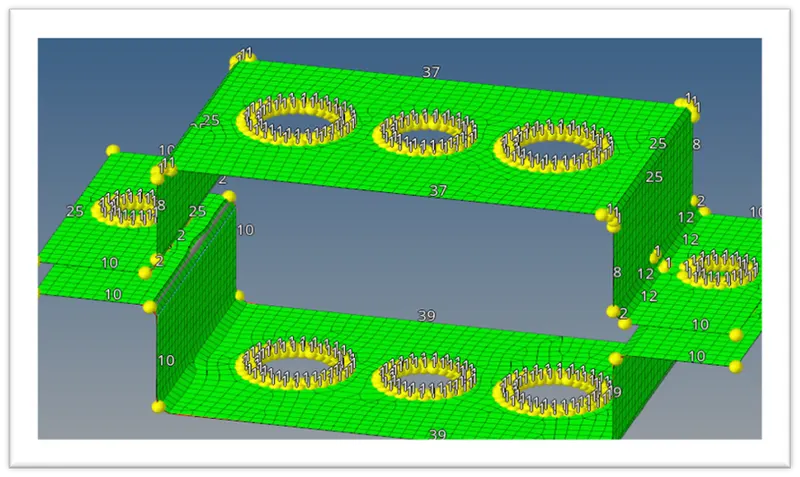
- Mesh of the component:
- Rbe2 elements at A and C, Rbe3 link at B:
A. Creating rod element:
B. Creating Beam element:
C.Creating Bar element:
D. Mass of 10 units at D&E:
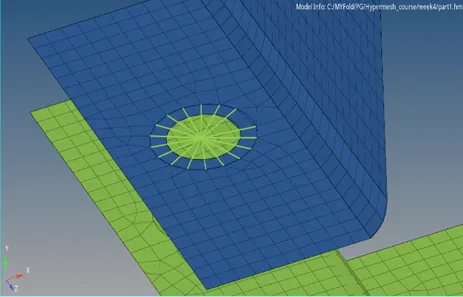
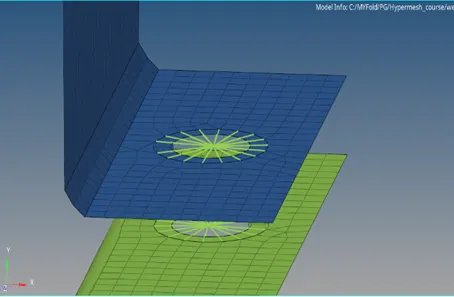
F. Joining of two components by Spring elements at D&E: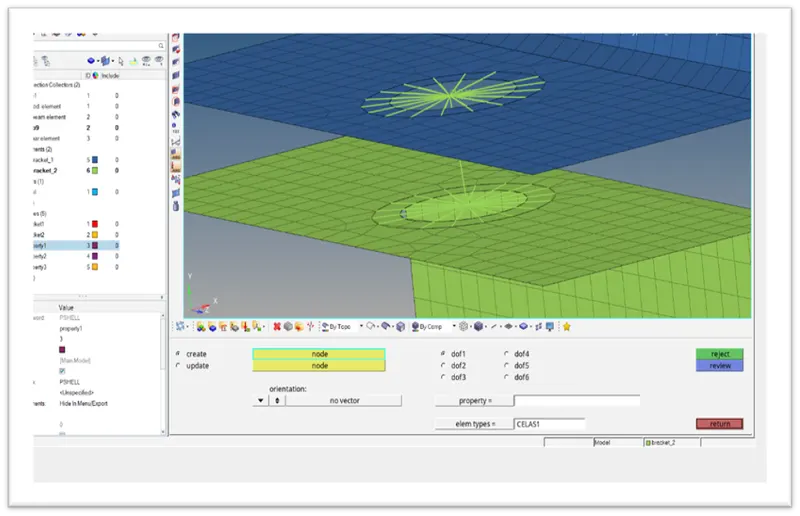
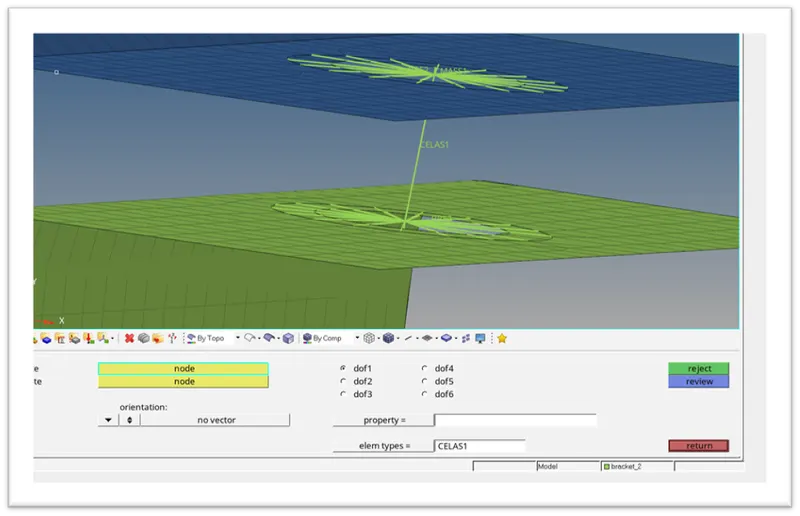
Conclusion: 1D elements were created for the given bracket successfully.
Learning outcomes: Learned in detail about the 1D tab in Hypermesh.