Week 4-1D Element Creation Challenge
AIM:Mesh the Given component with the Size of 5 Units and create 1D elements,then apply a mass of magnitude 10 with the RBE2 link
f. Join the two components with Spring elements
mass of magnitude 10 with the RBE2 link
f. Join the two components with Spring elements
a.Rod element:- Translational DOF should be Constrained with RBE2 link
Cross-Section: BOX- Dimension a= 12 mm
dimension b=10 mm
Thickness t= 0.75 mm
b. Beam element:- All DOF should be constrained with RBE3 link
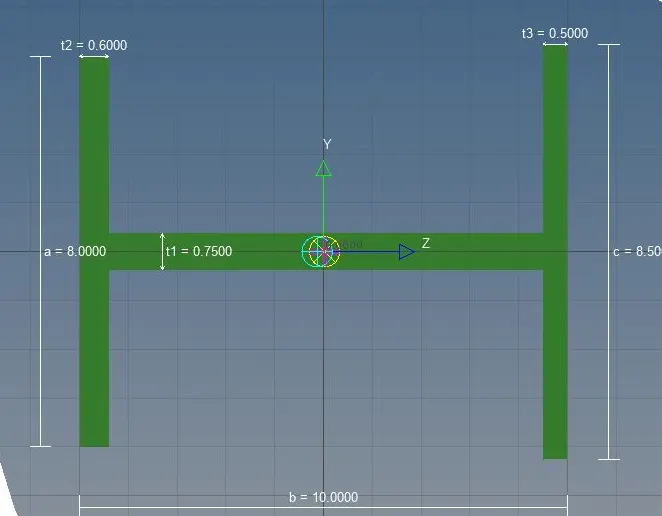
Cross-Section: I Section- Dimension a= 8 mm
Dimension b= 10 mm
Dimension c= 8.5 mm
Thickness t1= 0.75 mm
Thickness t2= .6 mm
Thickness t3= .6 mm
c. Bar element:- Constrain only x and y DOFs With RBE3 link
Cross-section: X section- Dimension DIM1= 5 mm
Thickness DIM2= 1.2 mm
Dimension DIM3= 10 mm
Thickness DIM4= 1.2mm
Procedure:
1.Firstly we import the given model from import option based on the file extension name.
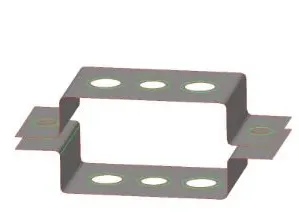
2.Then we clean the geometry and then go to Geometry,create mesh by selcting mesh size of 5 by going to automesh option then we go to midsurface option in geometry and select the two surfaces seperately to create two mid surfaces of the upper and lower brackets, of the given model.
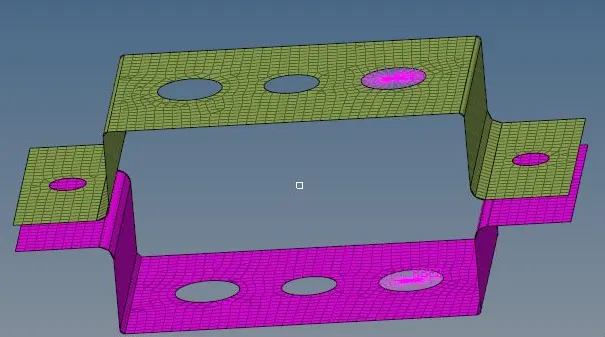
3.Then we create the RBE2 AND RBE3 link at points a ,b as mentioned by going to 1D option and we arrest the degree of freedom for these links as specified.
4.Now we go to Hyperbeam option and create the Rod,bean and bar with the given cross section dimensions as shown below.
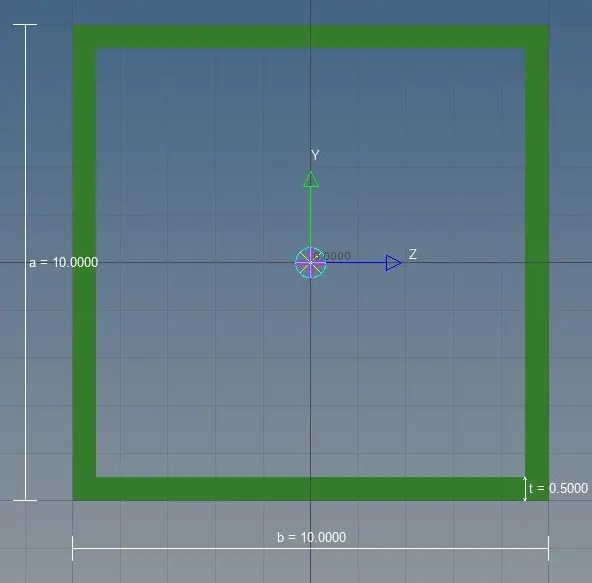
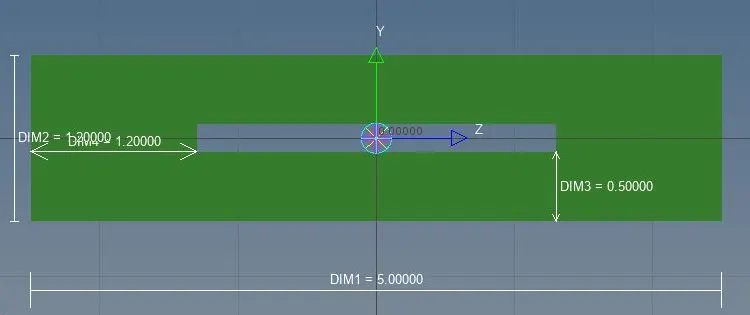
5.The properties for these 1D elements are assigned as specified like card number,cross section specifications,material etc by creating property in model view.
6.After creating properties we assign them to the respective 1D elements by going to organise option under tool.
7.We then create these 1D elements by selcting the link nodes on the specified points and connecting them via these 1D elemets(bar,rod and beam).
8.We then go to spring options under 1D and selct two nodes in upper and lower brackets to create springs between them.
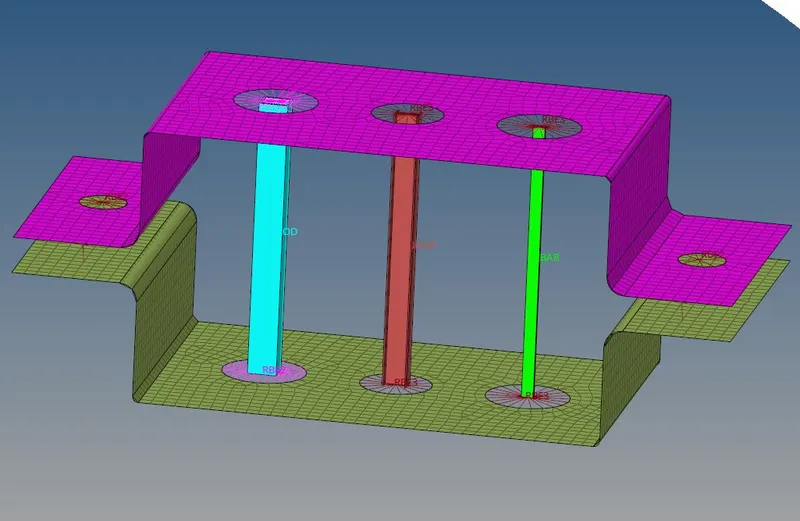
The final model will be as shown below:
CONCLUSION:
The brackets have been meshed and joined by the different 1D elements at the specified points,after assigning the 1D elements with respective properties.