Week 4-1D Element Creation Challenge
AIM:Mesh the Given component with the Size of 5 Units. Create 1D elements on the following component with given cross-section and DOF.
a. Rod element:- Translational DOF should be Constrained with RBE2 link
Cross-Section: BOX- Dimension a= 12 mm
dimension b=10 mm
Thickness t= 0.75 mm
b. Beam element:- All DOF should be constrained with RBE3 link
Cross-Section: I Section- Dimension a= 8 mm
Dimension b= 10 mm
Dimension c= 8.5 mm
Thickness t1= 0.75 mm
Thickness t2= .6 mm
Thickness t3= .6 mm
c. Bar element:- Constrain only x and y DOFs With RBE3 link
Cross-section: X section- Dimension DIM1= 5 mm
Thickness DIM2= 1.2 mm
Dimension DIM3= 10 mm
Thickness DIM4= 1.2mm
d. & e. Apply the mass of magnitude 10 with the RBE2 link
f. Join the two components with Spring elements
Procedure:
First we import the geometry, and go for Geometry autocleanup.
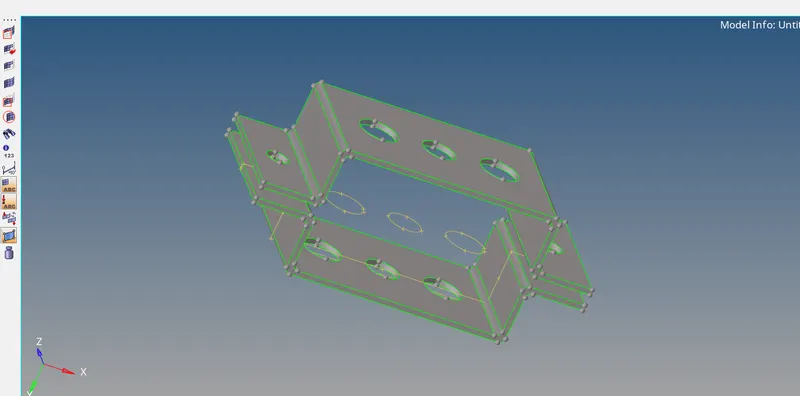
So here the model i after the cleanup.
Now we extract the mid surface by using the midsurface option in geometry.
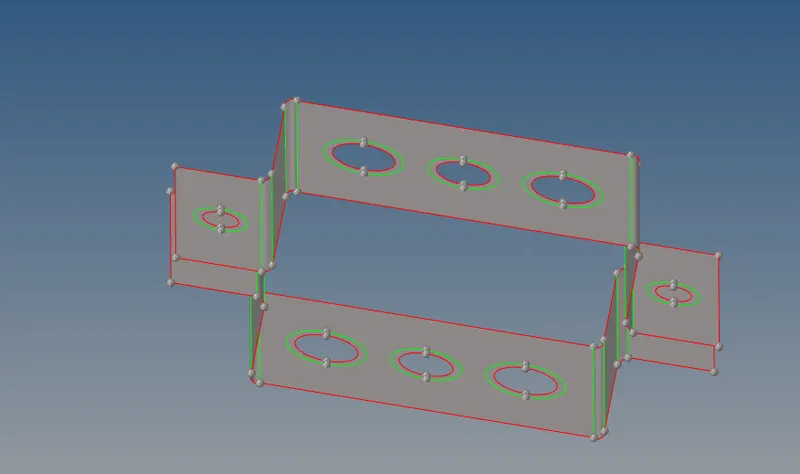
So here we have a more option in auto mid surface extraction i go with the offset+place+sweep option.
After that we will go for meshing so before that i had given the washer split of 5mm on every holes.As you can see in the above picture.
After that we go for the auto mesh genetraion in 2D mesh.
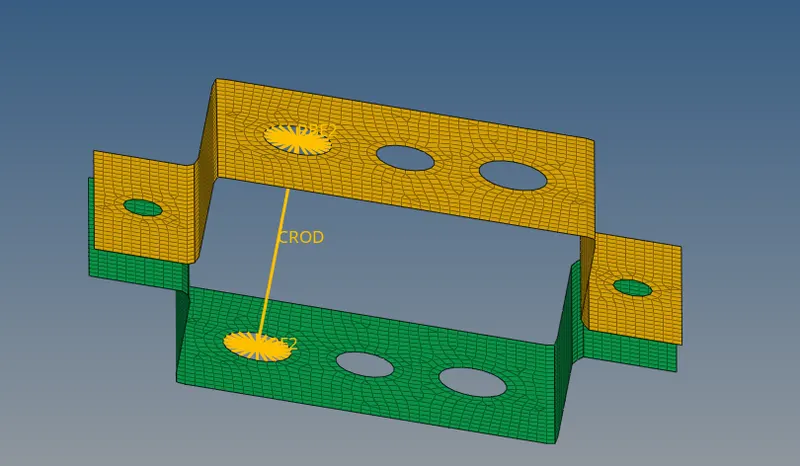
After the mesh generation we go for the 1D connection as asked in the question.
So for the Hole a as per the question we have to go for Translational DOF should be Constrained with RBE2 link by using the rigid option in 1D.
After making Rigid connection by constraining tramslational DOF we have to go for the hyperbeam view from the model view.
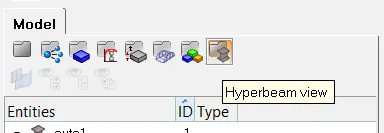
And as asked in the questin we create the box for the first hole by using standard section>optistruct>box.And give all the dimenssion value.
After that again come to model view and create the rod element using Rod option in 1D and select the both the master node of the RBE2 connection.
As you can see in the above image and keep the element type as CROD, also we have to create the propoerty for that in the model part and make the crad image as PROD and material as the box what we have created in the hyperbeam view.the we update the elemnt using the update under the ROD option.
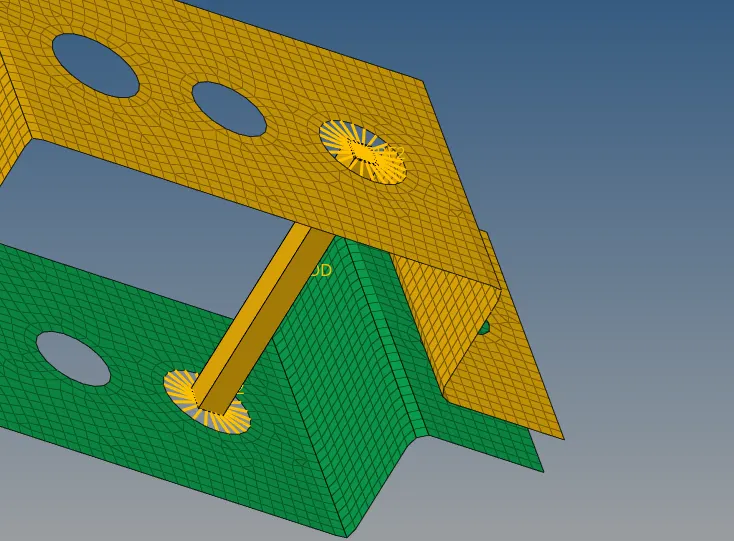
yuo can see the box rod connection is made using 1D.
After that for the Hole b we have to do RBE3 connection by constraining all DOF an in the same way we go to hyperbeam and create the I section using the standard section>hypermesh> standard I section.
Again come to the model and create the Beam connection.by using bar option and element type as CBEAM.then creat the property as above and update it.
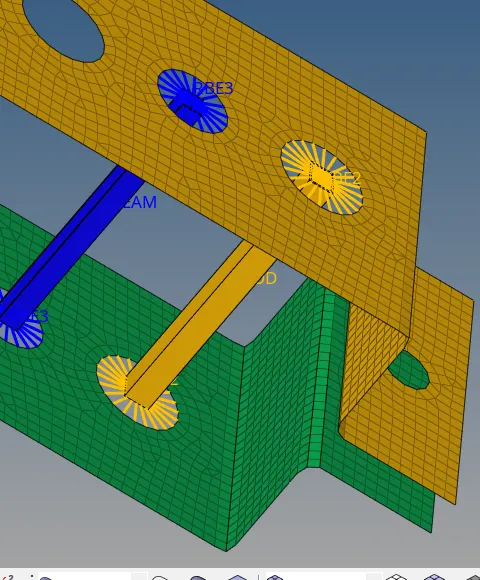
Same way we have to create for the hole c every process is same just we have to select in hyperbeam as cross and here by using the bar option and element type as CBAR, and create the property and update it.
For the Hole d&e hole we have to make just RBE2 connection by using rigid option in 1D and then using the masses option in the 1D we have to give the mass at master node and create the propert and update to the masses.
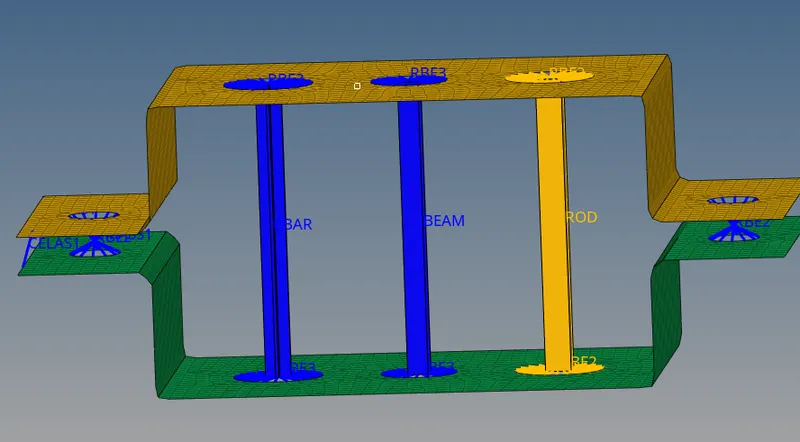
Here you can see the c hole has cross x sectioon and d&e hole has masses and rigid connection.
Finally we have to make spring connection at F and i made it by using the Spring option in 1D and element type as CELEST.As you can see in the above image.
LEARNING OUTCOME:
- We learnt here Auto midsurface extraction using different options available.
- Making 1D element like bar,rod,beam,different types of connections,etc.
Conclusion:
We have to understand about the 1D elemnt creation and connection and also the midsurface so i have done all the things as asked in the questions.
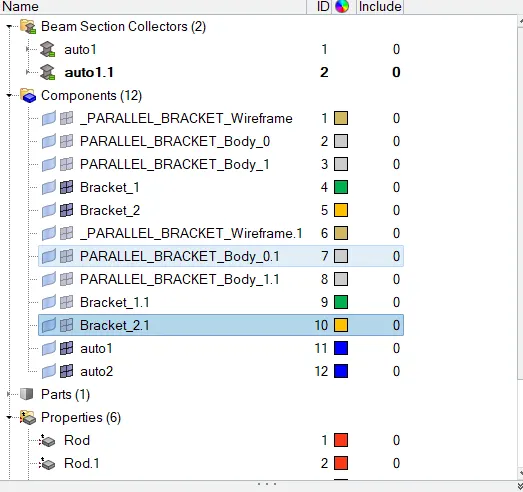
NOTE: In my model due to software glitch components are duplicated please ignore it.