Week 4-1D Element Creation Challenge
Objective :
Mesh the Given component with the Size of 5 Units. Create 1D elements on the following component with given cross-section and DOF
a. Rod element:- Translational DOF should be Constrained with RBE2 link
Cross-Section: BOX- Dimension a= 12 mm
dimension b=10 mm
Thickness t= 0.75 mm
b. Beam element:- All DOF should be constrained with RBE3 link
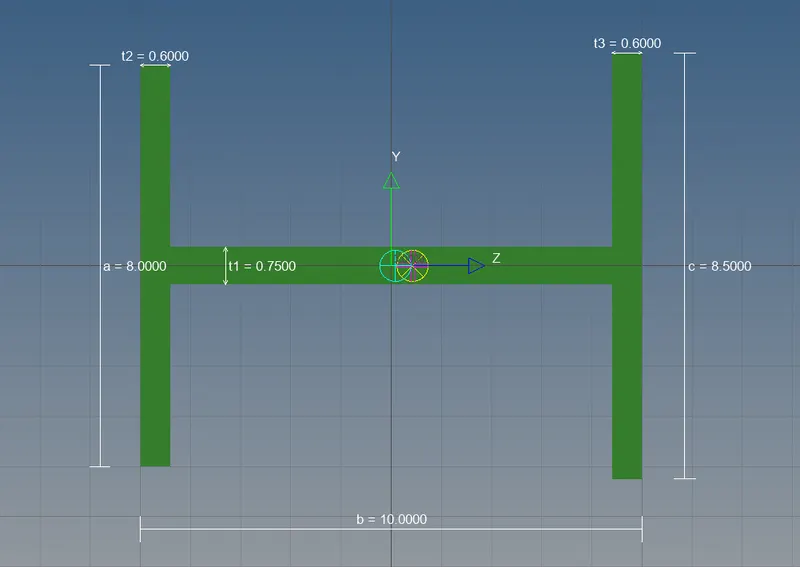
Cross-Section: I Section- Dimension a= 8 mm
Dimension b= 10 mm
Dimension c= 8.5 mm
Thickness t1= 0.75 mm
Thickness t2= .6 mm
Thickness t3= .6 mm
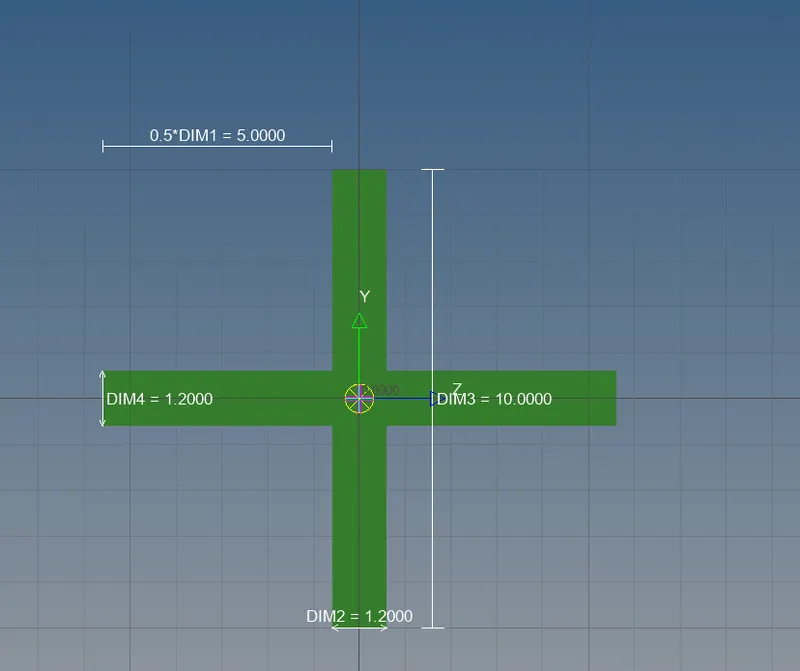
c. Bar element:- Constrain only x and y DOFs With RBE3 link
Cross-section: X section- Dimension DIM1= 5 mm
Thickness DIM2= 1.2 mm
Dimension DIM3= 10 mm
Thickness DIM4= 1.2mm
d. & e. Apply the mass of magnitude 10 with the RBE2 link
f. Join the two components with Spring elements.
Procedure :
- Clear all the topo error by auto-clear command or we can go by manual mode
- it clears the geometry errors and creates the washer surface around the circles so that the mesh should be fine
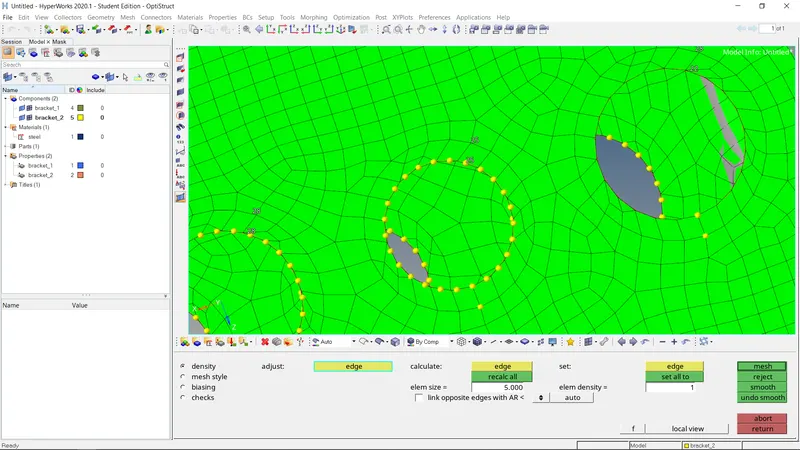
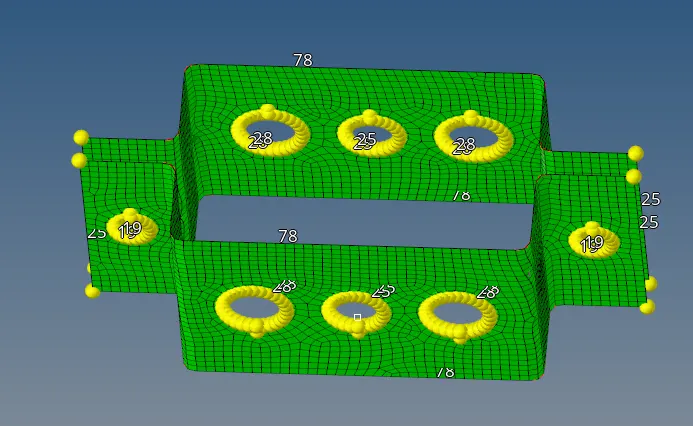
- Create a washer surface to the circles present on the mid surface to do meshing.
- We have to change the component colour for representation.
- Next step to do 2d shell meshing over the surface and eliminate the tria elements
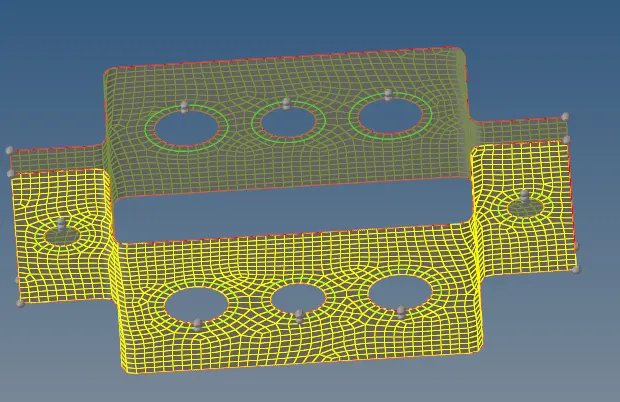 .
. - with given target element size.
- take care that there should not be any opposite trias, trias near-circular surface & trias on fillets.
- As there 'a' point is mentioned we have to allot RBE2 elements with only a translation degree of freedom.
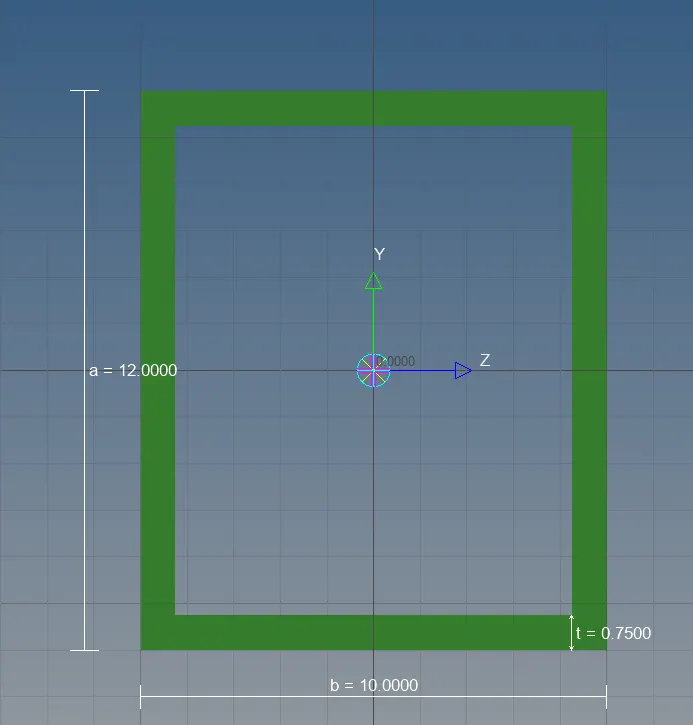
- And if their 'b' point is mentioned we have to provide RBE3 link with all degree of freedom.
- therefore 'c' point is mentioned we have to provide RBE3 link with only x and y degree of freedom.
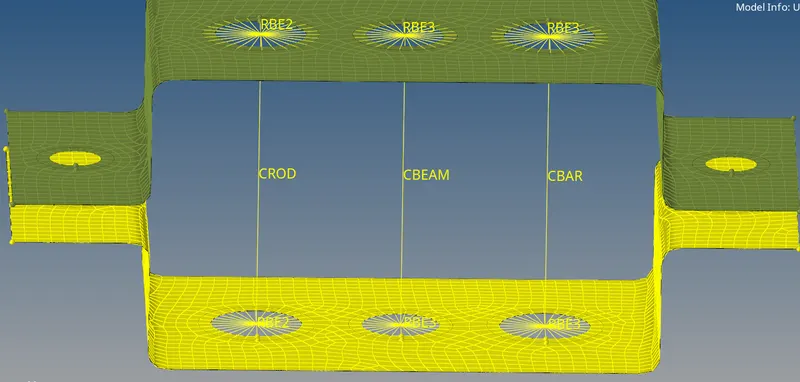
- we have done it by going to the 1D page and selecting the option of Rigid and RB3 respectively
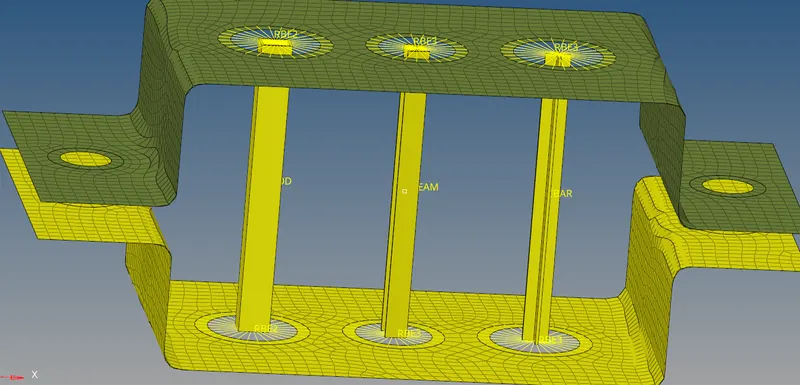
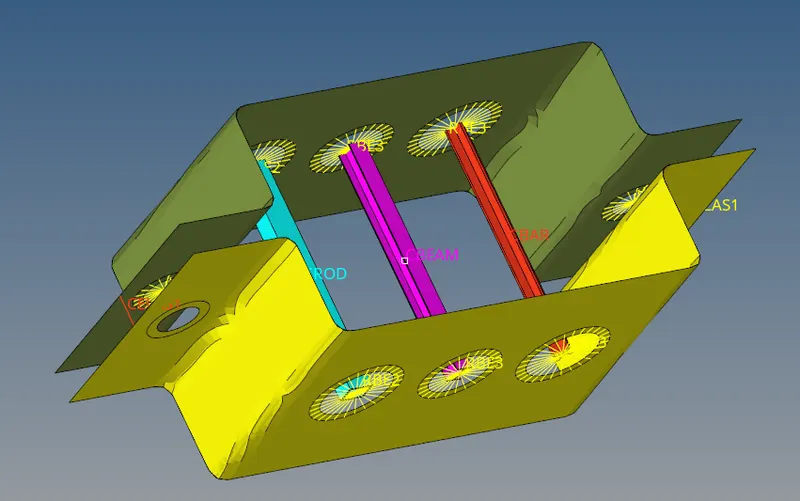
Connect both brackets with a rod, bar, beam, and spring 1D elements.
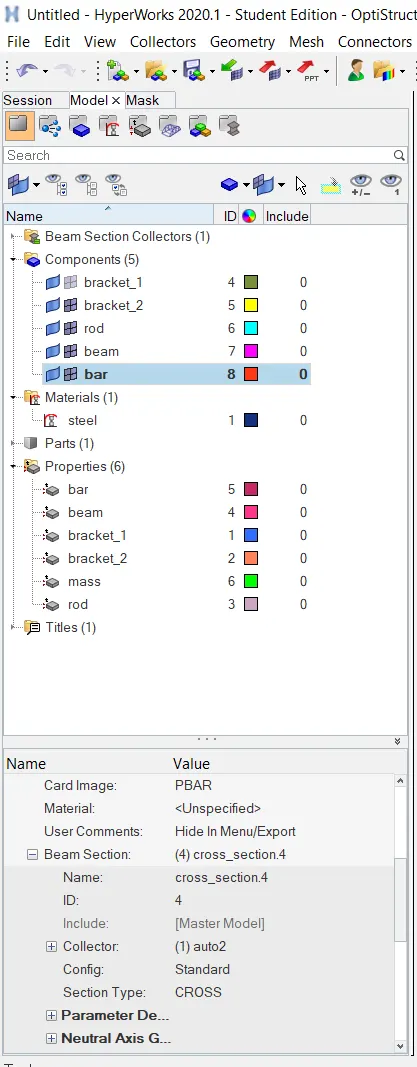
- And this is not been seen as the rod bar beam we need to change the view to 1D detail representation we can see the actual thickness given to the elements for that we need to assign material like steel and properties to be updated and assign the properties to them.
Conclusion:
- CREATED 1D elements over to join the surface
- Given thickness to them
- Created a property card and for representation given a different colour
- The function of the bar beam and rod understood.