Week 4-1D Element Creation Challenge
AIM: To Mesh the Given component with the Size of 5 Units & to Create 1D elements on the component with the given cross-section and DOF.
GIVEN:
Model - Model
Rod element: - Translational DOF should be Constrained with RBE2 link
- Cross-Section: BOX
- Dimension a= 12 mm
- Dimension b=10 mm
- Thickness t= 0.75 mm
Beam element: - All DOF should be constrained with RBE3 link
- Cross-Section: I Section
- Dimension a= 8 mm
- Dimension b= 10 mm
- Dimension c= 8.5 mm
- Thickness t1= 0.75 mm
- Tickness t2= 0.6 mm
- Thickness t3= .6 mm
Bar element: - Constrain only x and y DOFs With RBE3 link
- Cross-section: X section
- Dimension DIM1= 5 mm
- Thickness DIM2= 1.2 mm
- Dimension DIM3= 10 mm
- Thickness DIM4= 1.2mm
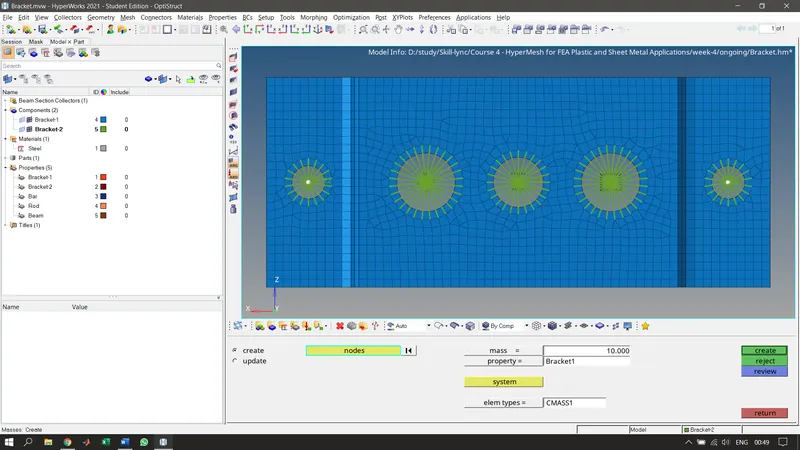
f & e. Apply the mass of magnitude 10 with the RBE2 link
Join the two components with Spring elements.
BODY:
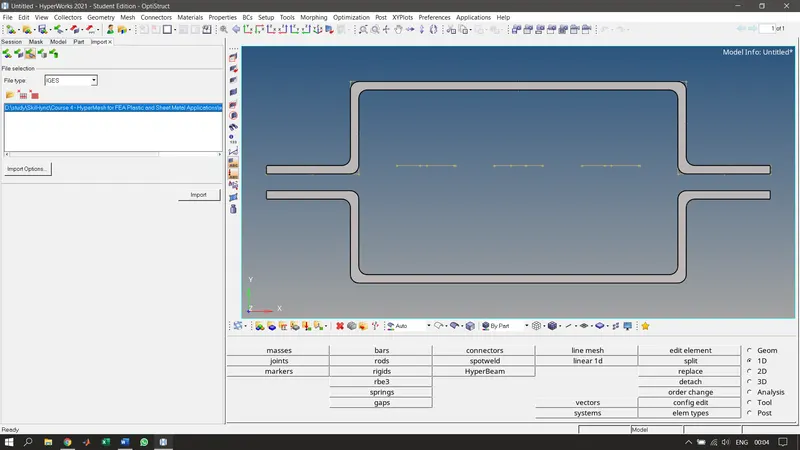
1. Importing the model.
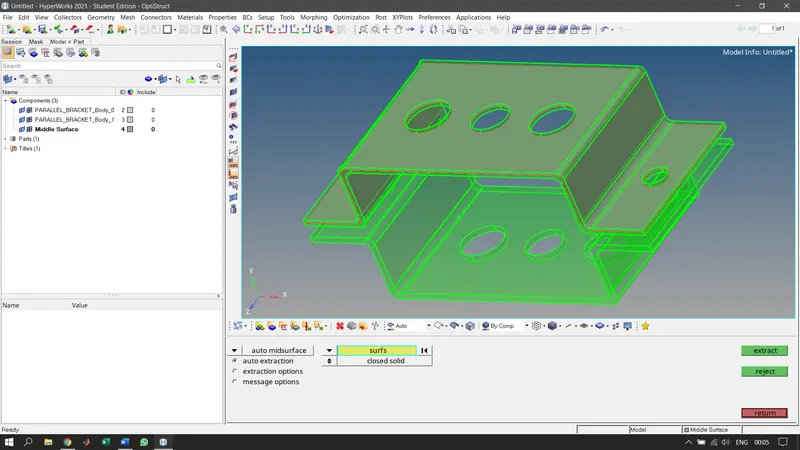
2. Creating midsurface using auto midsurface and skin offset.
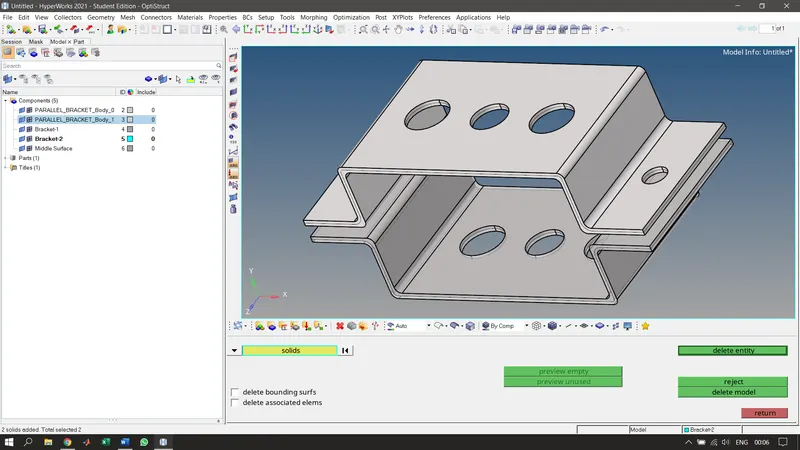
3. Re-arranging the components.
4. Creating material for the bracket, in this case, steel is used.
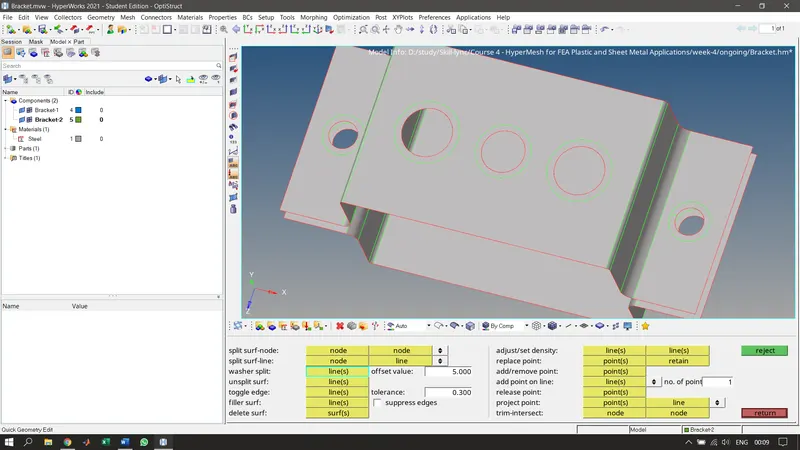
5. Adding washer split for better meshing.
6. Creating properties for each part of the bracket and giving required thickness and choosing the material to be steel.
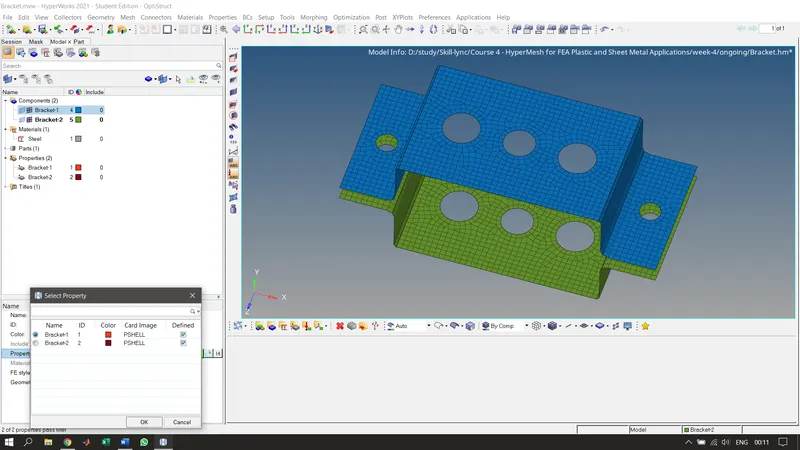
7. Creating rigid elements (RBE2) at a, d, and e with the required DOFs.
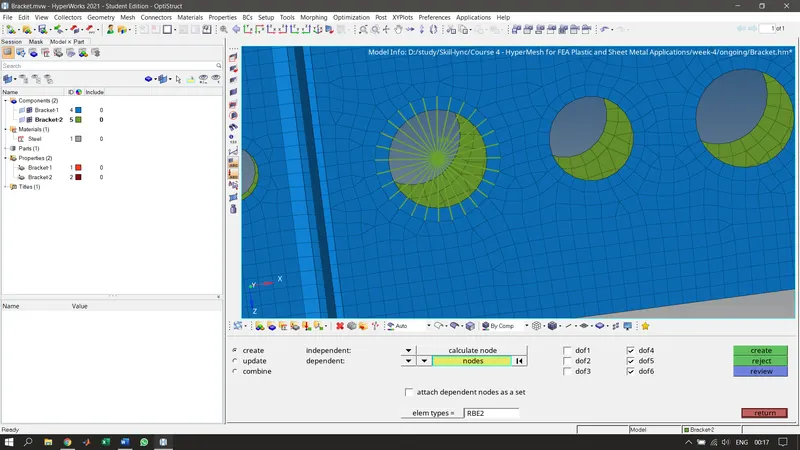
8. Creating rigid elements (RBE3) at b and c with the required DOFs.
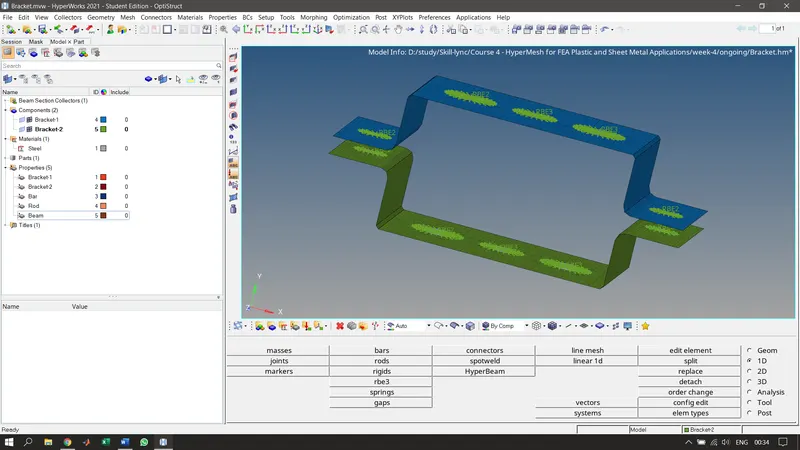
9. Creating required 1D elements with the given specifications using HyperBeam.
- Rod - To create this cross section, go to --> 1D --> Hyperbeam --> Create --> standard section ---> Hypermesh --> Thin-walled box.
- Beam - To create this cross section, go to --> 1D --> Hyperbeam --> Create --> standard section ---> Hypermesh --> I – section.
- Bar - To create this cross section, go to --> 1D --> Hyperbeam --> Create --> standard section ---> Optistruct --> CROSS.
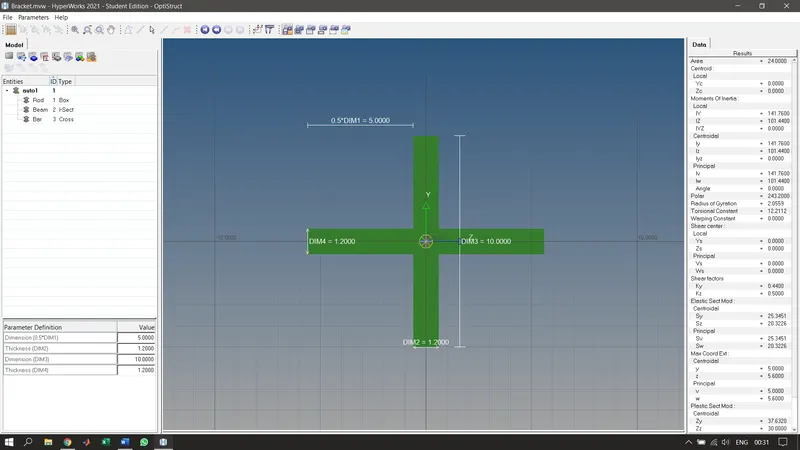
10. Creating properties for 1D elements (Bar, Rod, and Beam).
11. Creating required 1D elements and giving them their respective properties like Beam, Rod, and Bar.
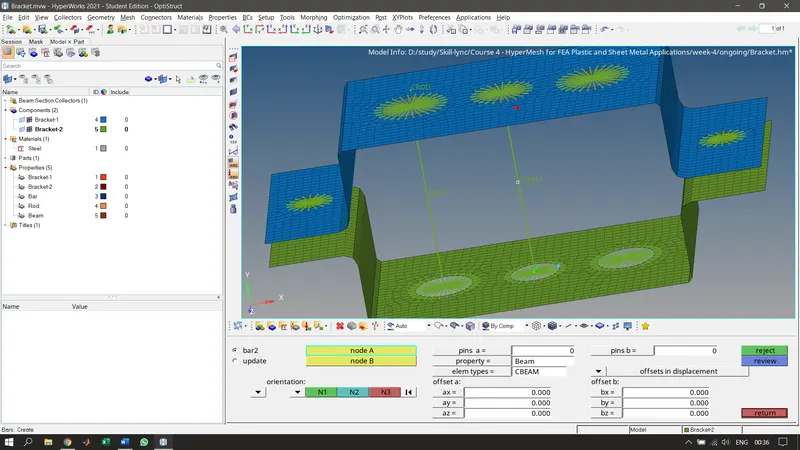
12. Adding masses at d and e.
13. Joining the two brackets at f using spring elements.
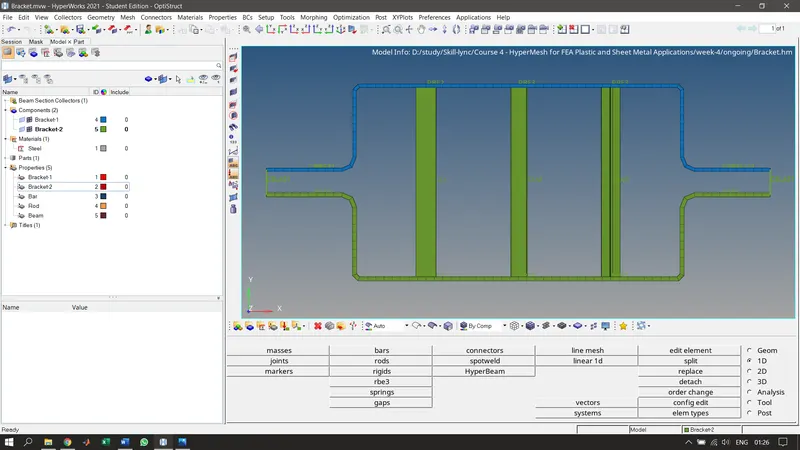
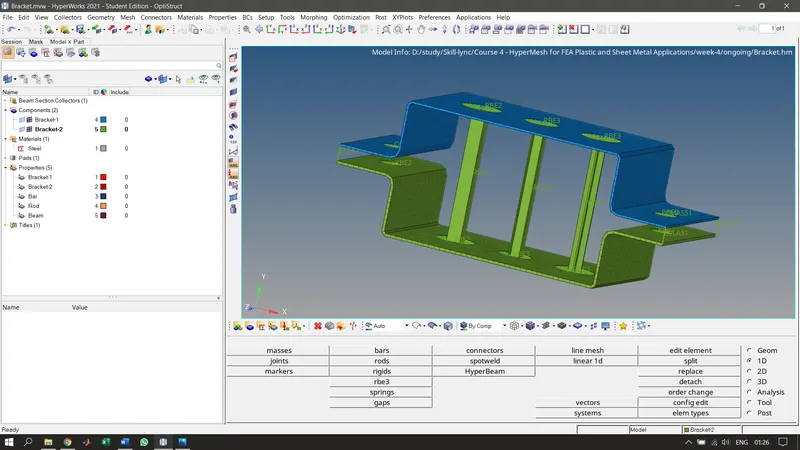
14. Finally, selecting 1D detailed element representation to view the cross-section of Bar, Rod, beam elements & Selecting 2D detailed element representation to view the thickness of the mid surface.
CONCLUSION:
The mesh & creation of 1D element has been successfully achieved as per the given inputs.