Week 4.1 - Solving second order ODEs
AIM:
- To create an animation of simple pendulum by using second order differential equation by using ode solver function.
- For simulation the second order equation of the simple pendulum is:
- To create a plot between angular velocity and displacement of simple pendulum by using ode45.
SIMPLE PENDULUM:
- For a simple pendulum with a damping factor, the equation of simple pendulum is
Where
b - damping coefficient (N-m/s)
g - gravitational acceleration (m/s)
m - mass of the bob (kg)
l - length of the string to connect bob (m)
- The above equation is having a differential power of order 2.
- To use ode45 solver which is developed on the basis of RK method which uses the simple differential equation to solve the higher order differential equations.
OBJECTIVE:
- By using ode45 solver which is an inbuilt solver in the MATLAB.
- The ode45 solver should require simple differential equation to solve any kind of higher order differential equation.
- By taking constants we can solve the higher order differential equation to a simple ordinary differential equation.
let us consider,
θ=θ1 ----(1)
dθ/dt=dθ1/dt=θ2 -----(2)
d2θ/dt2=dθ2/dt -----(3)
- By using these constants, the second order equation will become as:
dθ2/dt=−(b/m)*θ2−(g/l)*sinθ1.
- The simple differential equations are written in the form of a matrix
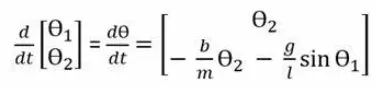
- By using the above equation and the ode45 solver we can animate the simple pendulum in the MATLAB by writing a code.
MATLAB CODE FOR SIMPLE PENDULUM:
close all
clear
clc
% second order ODE challenge
% ((d^2theta/dt^2)+((b/m)dtheta/dt)+((g/l)*sintheta)) = 0

% Inputs
l = 1; % length of the pendulum in 'm'
g = 9.81; % Gravity in 'm/s^2'
b = 0.05; % Damping coefficient
m = 1; % Mass of the ball in 'kg'

% Initial conditions
theta_0 = [0;3];
% angular displacement = 0
% Angular velocity = 3

t_span = linspace(0,20,500); % Time for which pendulum oscilates

% ode45 func is used to solve the second order ODE
[t,results] = ode45(@(t,theta) ode_func(t,theta,b,g,l,m),t_span,theta_0)


% plotting of angular velocity and displacement
figure(1)
plot(t,results(:,1))
hold on
plot(t,results(:,2))
grid on
title('motion of the pendulum')
xlabel('time(s)')
ylabel('Angular velocity(rad/s)/displacement(rad)')
legend('displacement','angular velocity')

angle = results(:,1);

% count command itteration
 ct = 1;
  for i =  1:length( angle)
      omega = angle(i);
      figure(2)
      title('motion of the pendulum')

      % fixed coordinates of one end of pendulum
      x0 = 0;
      y0 = 0;
% moving coordinates of both
x1 = l*cos((3*pi/2)+omega);
y1 = l*sin((3*pi/2)+omega);

% plotting of the bob motion
plot([x0 x1],[y0 y1],'LineWidth',4,'Color','r');
hold on
plot(x1,y1,'o','markers',15,'MarkerFaceColor','black');
hold on
plot([-3 3],[0 0],'LineWidth',3,'Color','b');
hold off
axis([-3 3 -2 2])
grid on
pause(0.3)
M(ct) = getframe(gcf);
ct = ct+1;
  end
% creating animation movie
movie(M)
videofile = VideoWriter('simple_pendulum.avi','Uncompressed AVI')
open(videofile)
writeVideo(videofile,M)
close(videofile)
ODE FUNCTION CODE :
function [dtheta_dt] = ode_func(t,theta,b,g,l,m)
theta1 = theta(1);
theta2 = theta(2);
dtheta1_dt = theta2;
dtheta2_dt = -(b/m)*theta2-(g/l)*sin(theta1);
dtheta_dt = [dtheta1_dt;dtheta2_dt];
end
PROGRAM EXPLANATION:
- Clear all, close all, clc are used to clear the work space, to clear the graphs that’s exists, and clear the command window.
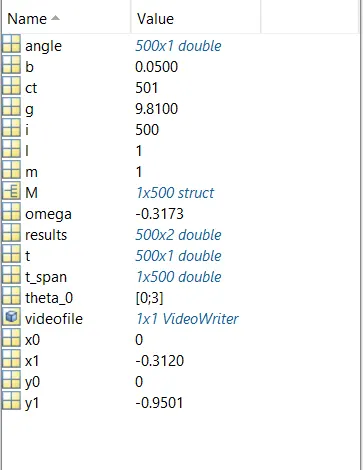
- The inputs are for the simple pendulum are specified and the b = damping coefficient = 0.05 (n-m/s), g = acceleration due to gravity = 9.81 (m/s), l = length of the string = 1(m), m = mass of the bob = 1 (kg).
- t_span is a command used in the ode45 solver which specifies the time span of the iterations that are going to solve the ordinary differential equation.
- ode45 is a function in MATLAB that solves ordinary or partial differential equations using a numerical method.
- In this problem the highest order is 2. So, we have to take two constant values so that the equation is changed to simple differential equation.
- The function should take at least 2 inputs to solve the equation to the approximate result.
- The ode45 function has a syntax in which we need to specify which should be ‘t’ and ‘results’ and the output may be of (t, results, args) and a time_span for the function to work and the initial value of the equation.
- Syntax of a ode45 solver
[t,results] = ode45(@(t,theta) ode_func(t,theta,b,g,l,m),t_span,theta_0)
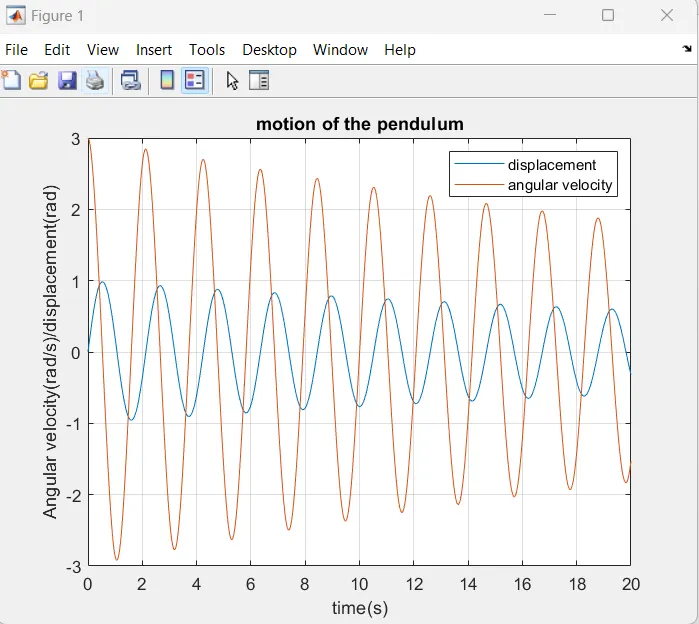
- Figure 1 is going to tell how the damping is done for the pendulum.
- The angular velocity and displacement will come to rest at end of the function.
- plotting the values for the angular velocity and the displacement by using plot command.
- The label command is used to label the X & Y axis.
- Legend command is used to label the angular velocity and the displacement.
- To animate the motion of simple pendulum, a for loop is used to create the specified set of points to keep the bob at different locations.
- x0 and y0 be the fixed point at one end of the string and x1 and y1 be the different position of the bob.
- At each and every point of the bob the ‘ct’ command which is used to count each and every position and stores the data.
- At the end of the for loop there will be set of positions for each and every point.
- Movie(M) is used to create a film of the stored data of the motion of the pendulum.
- videoWriter command specifies the name of the file and type of data is stored in it.
- Open command is used to open the file where the video is going to store.
- Writevideo command is used to create the video animation by using M file.
- Close command is used to close the video file.
ERRORS FACED:
1. SYNTAX ERROR
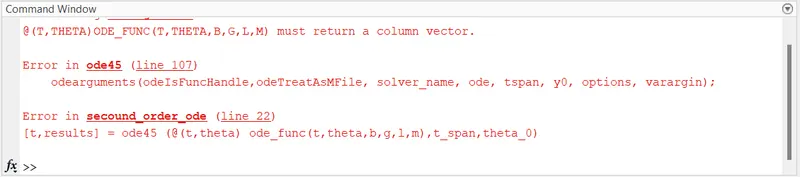
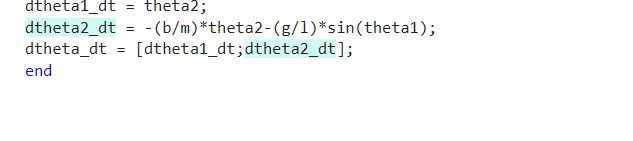
This syntax error is solved by replacing " ," with ";" in the funtion script (line 6)
2 . SYNTAX ERROR
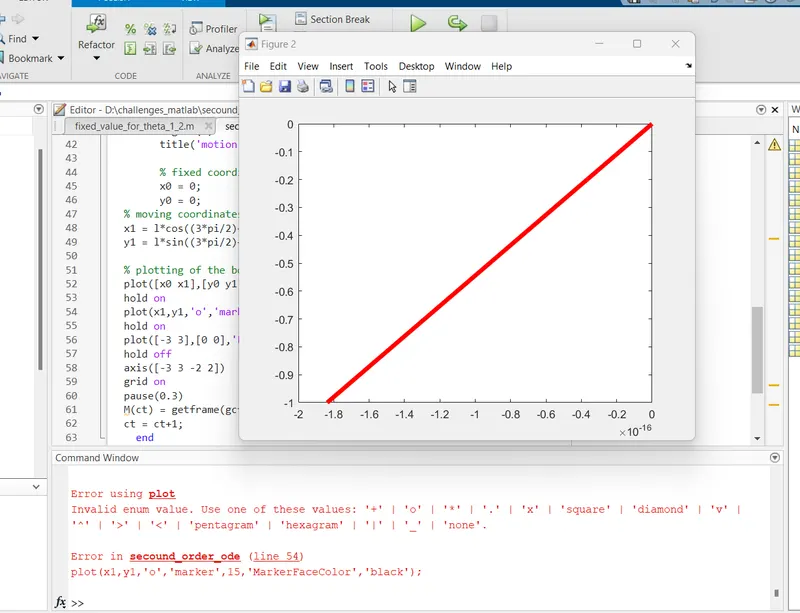
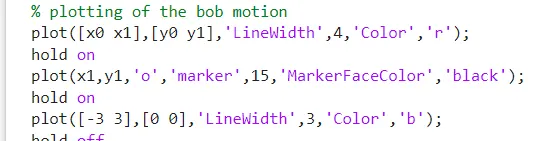
Here the error is instead of typing " markers" i typed "marker" and after changing the error is solved.
ANSWERS:
PLOT:
ANIMATION LINK:
CONCLUSION:
- We have animated the simple pendulum using the ode45 solver where the second order is reduced to a simple differential equation where it is easy to solve the given equation.
- The animation is made using the different points of the bob and the motion of the simple pendulum is created.