Week 3 - Solving second order ODEs
AIM : Writing a program to solve the second order ode to simulate simple pendulum using a matlab program.
INTRODUCTION : This second order ode is used to solve in the vehicle dynamics there suspension system can be modeled as a set of mass, springs and dampers, As we can solve the ode's to figure out the vehicle dynamics to be.
Some of the examples we use to solve this equations are
(1) simple pendulum
(2) motion of a spring damped systems
The fundamental ideal is to solve the ode's is both analytically and computationally is when we have higher order differential equation, Then we break it down in to the set of first order ode's.
EQUATIONS :
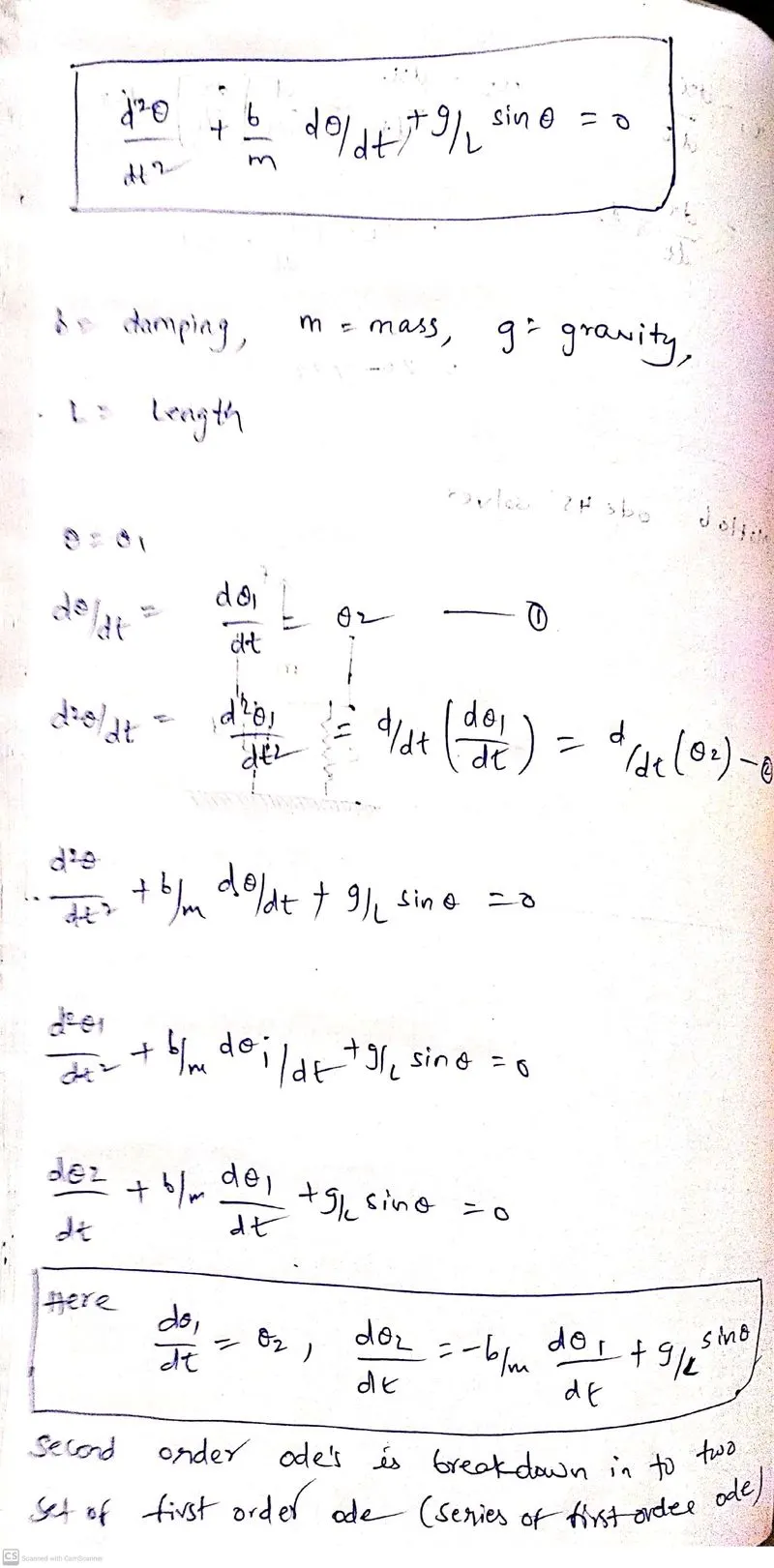
PROCEDURE : To simulate simple pendulum the equation is
d^2Θ/dt^2+b/m*dΘ/dt+g/l*sinΘ=0
the given values are b = 0.05; L = 1m; m = 1kg; g = 9.81m/s^2; s = 0; v = 3; t = 0;
In this program we are using ode45 solver to solve the non stiff differential equations
Syntax [t, y] = ode45(odefun, tspan, yΘ)
In the earlier study basis we studied runge-kutte method for 2nd order ode.
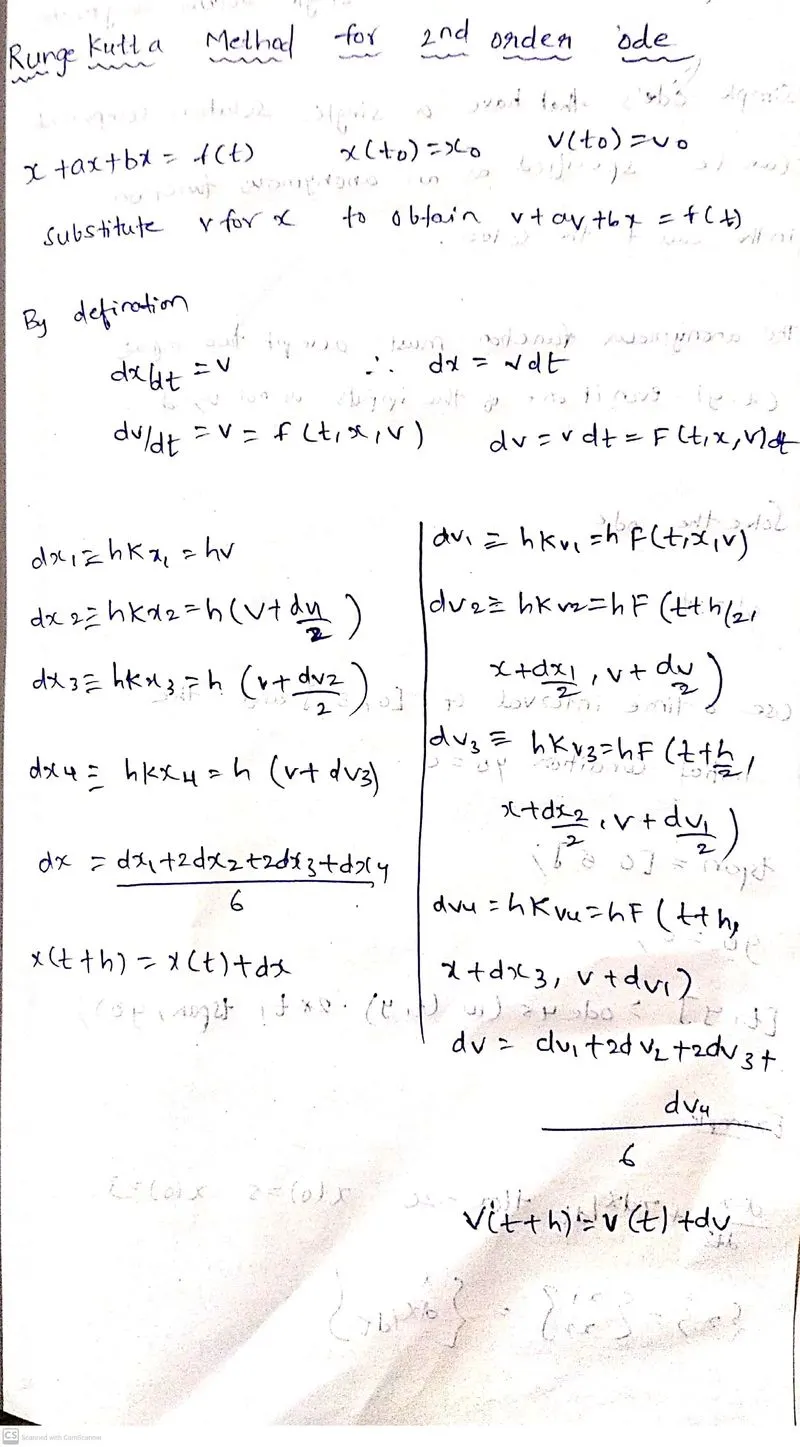
i In this program we should create a function and call the function. As we earlier challenge we studied that function is a piece of code that can be reused by its calling name in a right parameters.
After getting the output creating a movie for the animation using the movie command.
Function code :
function[dtheta_dt] = ode_func(t,theta,b,g,l,m)
theta1 = theta(1)
theta2 = theta(2)
dtheta1_dt = theta2;
dtheta2_dt = -(b/m)*theta2-(g/l)*sin(theta1);
dtheta_dt = [dtheta1_dt;dtheta2_dt];
end
Main code :
%initial condition
theta_0 = [0;3];
%time points
t_span = linspace(0,20,500);
%solve ODE
[t,results] = ode45(@(t,theta) ode_func(t,theta,b,g,l,m),t_span,theta_0);
figure (1)
hold on
plot(t,results(:,1))
plot(t,results(:,2))
ylabel('plot')
xlabel('time')
title('variation of angular displacement and angular velocity w.r.t','color','b')
theta2 = results(:,1);

for i = 1:length(theta2);
theta_x = theta2(i);

x0 = 0;
y0 = 0;

x1 = l*sin(theta_x);
y1 = -l*cos(theta_x);

%plot the pendulum motion

figure (2)
plot ([-0.5 0.5], [0 0],'color','b','linewidth',5);
hold on
plot([x0 x1], [y0 y1],'color','r','linewidth',2)
hold on
plot(x1,y1, 'o', 'markers', 15, 'markerfacecolor', 'y')
hold off
grid on
axis([-1.5 1.5 -1.5 0.5]);
pause(0.002)
M(ct) = getframe(gcf);
ct = ct+1;
end

movie(M)
videofile = VideoWriter('secondode.avi','Uncompressed AVI');
open(videofile)
writeVideo(videofile,M)
close(videofile)
After solving the code by using the matlabprogram the output is
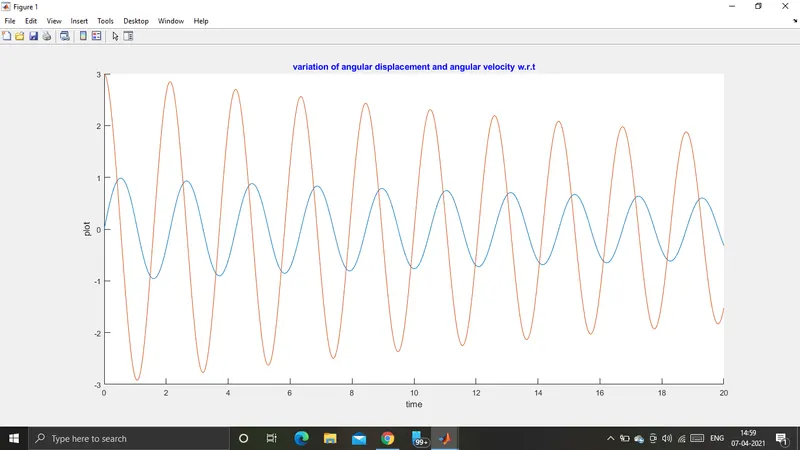
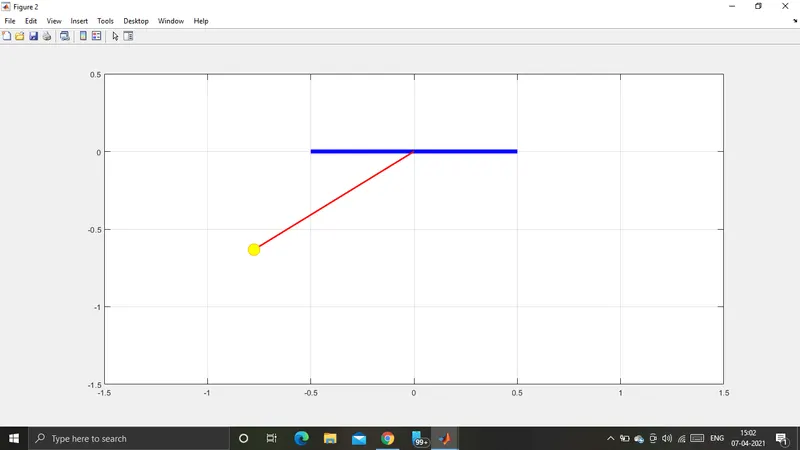
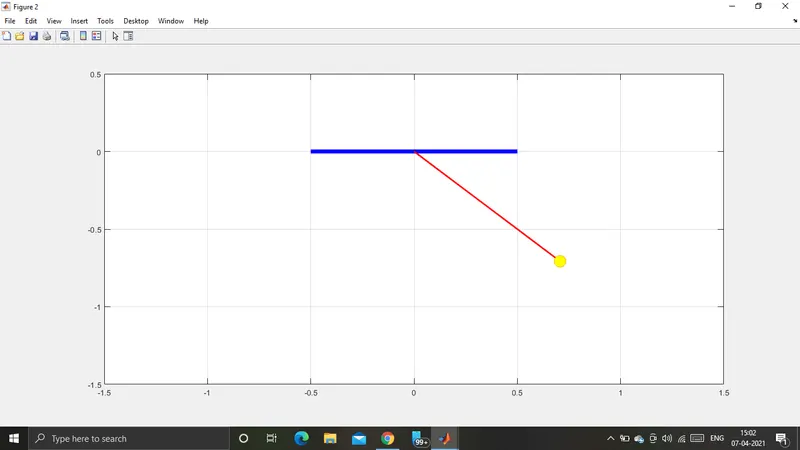
CONCLUSION : By this program we have simulated the simple pendulum using second order ode's and created a animation of the oscillated simple pendulum.
https://drive.google.com/file/d/19abAwSwykj7EIIVZjurZsws-EHIMvGBt/view?usp=sharing
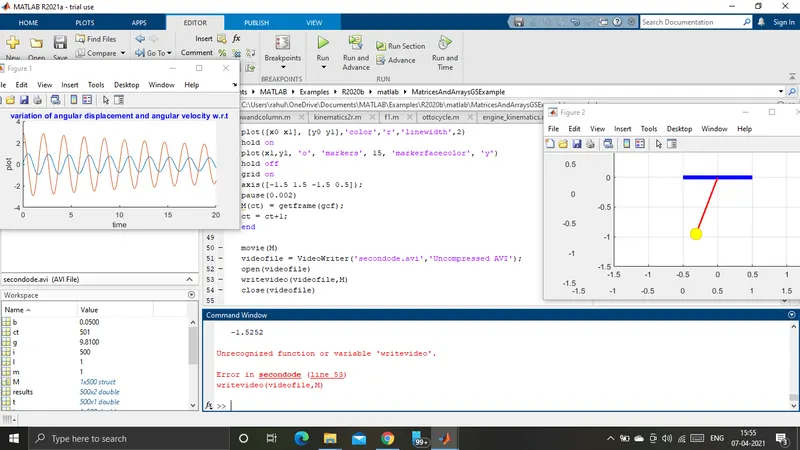
ERRORS : In the program while coding i find a small error in creating the movie there should be the same frames. But i used small case in the place of upper case. Here is the screenshot of error
After fixing the error the correct output is
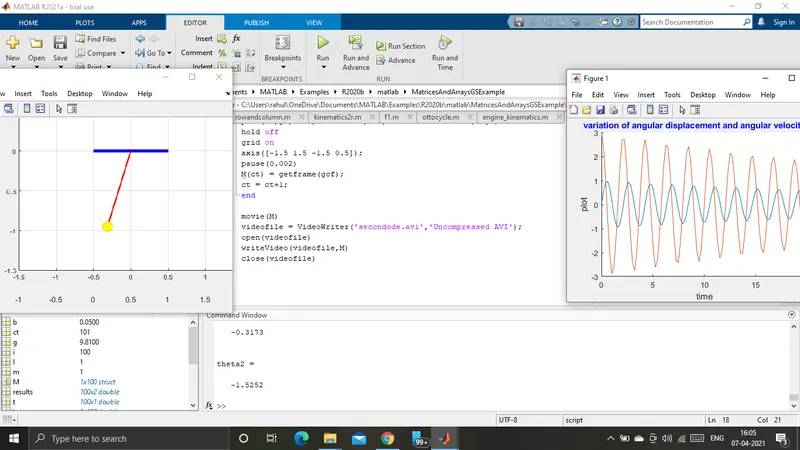
We should be more concern while coding a program for small mistake using lower case the error is given. so we should be more detail while coding a program.