Week 3 - Solving second order ODEs
Aim – Write a program to solve ODE equation & represent the equation of motion of a simple pendulum with damping.
Theory-
An ordinary differential equation (also abbreviated as ODE), in Mathematics, is an equation which consists of one or more functions of one independent variable along with their derivatives. A differential equation is an equation that contains a function with one or more derivatives.
By using the 2nd order differential equation will make a program for a simple pendulum and show the pendulum movement with respect to time.
Objective of project-
To create a code for simple pendulum to show a graph of angular velocity and displacement with respect to time. And after that make a movie of simple pendulum animation.
Ordinary Differential equation
`(d^2theta) / dt^2 + (b/m) (d theta)/dt + (g/l)sin theta = 0`
It is a 2nd order equation.
# FUNCTION
Commands used in program
close all used for close all graph open in background
clear all used for clear all values saved in workspace
clc used for clear screen
% Used to write comment
; Used to save value in workspace but not print in command
Linspace command (Here we define only length of vector and it's interval)
Linewidth used for show thickness of line
Color command is used show different color line
Figure command used for show figure
Hold on command is used for hold multi plot in one figure
plot command is used for plot a graph between given array
grid command is used for show grid (horizontal & vertical line) in a graph
axis command is used for give a limit to axis
xlabel & ylabel command is used for write in x axis & y axis.
%input
B damping coefficient
G stands for gravity
M stands for mass
L stands for length of rope
# Body Of the Content:
First Code
clear all
close all
clc

b=0.05;   %damping coefficient
g=9.81;   %gravity in m/s2,
m=1;    %mass of the ball in kg,
l=1;      %length of the pendulum in m,

%initial condition
theta0 = [0; 3];

%time point
t_span=linspace(0,20,500);

%solve ODE
[t,result]=ode45(@(t,theta)ode_function(b, g, m, l, t,theta),t_span,theta0);


figure(1)
plot(t,result(:,1))
hold on
plot(t,result(:,2))
grid on
title('Simple Hatmonic Motion')
xlabel('Time')
ylabel('displacement & angular velocity')
legend('displacement','velocity')
Function_code:
function [dtheta_dt] = ode_function(b, g, m, l, t, theta)

theta1 = theta(1)
theta2 = theta(2)

dtheta1_dt = theta2;
dtheta2_dt = -(b/m)*theta2 - (g/l)*sin(theta1);
dtheta_dt = [dtheta1_dt;dtheta2_dt];
end
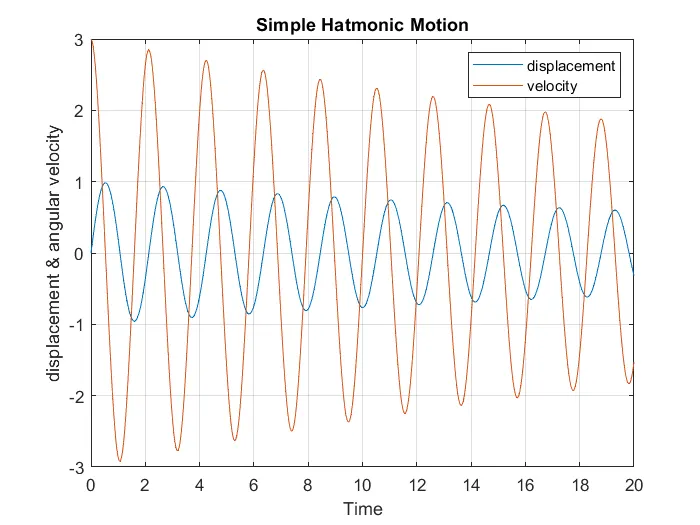
By use both code “first code & function code” then run the program
OUTPUT:
Main code for perform a movie of a simple pendulum motion:
clear all
close all
clc

b=0.05;   %damping coefficient
g=9.81;   %gravity in m/s2,
m=1;      %mass of the ball in kg,
l=1;      %length of the pendulum in m,

%initial condition
theta0 = [0;3];

%time point
t_span=linspace(0,20,500);

%solve ODE
[t,result]=ode45(@(t,theta)ode_function(b, g, m, l, t,theta),t_span,theta0);

ct=1
for i= 1:length(t_span)
    x0=0;
    y0=0;

    x = 1*sin(result(i, l));
    y = -1*cos(result(i, 1));


    plot([x0 x],[y0 y],[-0.3 0.3],[0 0],'linewidth',3)
    text(0.5, 0,'Fix Point')
    hold on
    plot(x,y,'marker','o','markersize',25,'markerfacecolor','r','markeredgecolor','k')
    hold off
    axis([-1.5 1.5 -1.5 0.1])
    title('SIMPLE PENDULUM')
    pause(0.01)
    grid on
    M(ct)=getframe(gcf);
    ct=ct+1;

end

 movie(M)
 pandulum=VideoWriter('pedulum.avi')
 open(pandulum)
 writeVideo(pandulum,M)
 close(pandulum)
OUTPUT:
Youtube video link share below
COMMENTS:
- The first code is for to plot a graph of angular displacement & angular velocity with respect tot time.
Here take take the value of damping coefficient, gravity, mass, length as a input.
Initial condition is taken as theta0 & t_span is time for plot graph.
For solving a Oedinary Differential Equation need a ode45 equation
Functions to solve, specified as a function handle that defines the functions to be integrated.
The function dydt = odefun(t,y), for a scalar t and a column vector y, must return a column vector dydt of data
type single or double that corresponds to f(t,y). odefun must accept both input arguments t and y, even if one of
the arguments is not used in the function
And by using a plot command make a plot between t and result.
- 2nd code is a function code, in this code find value of theta1 & theta2 by using theta then make formula by using a differential equation.
find a value of dtheta1_dt & dtheta2_dt
then end the program. THIS FUNCTION PROGRAM SHOULD BE SAVED IN SAME FOLDER WHERE MAIN CODE IS SAVED.
- This code is for perform a pplot and a movie
First take value of b, g, m, l as a input. Initial condition as a theta0 and t_span for time point
Solve ODE equation using ode45 and take function command from ode_function
Plot figure(1) between t & angular displacement and t & angular velocity.
FOR MOVIE
Ct is for counter
Using a for loop for count one on one
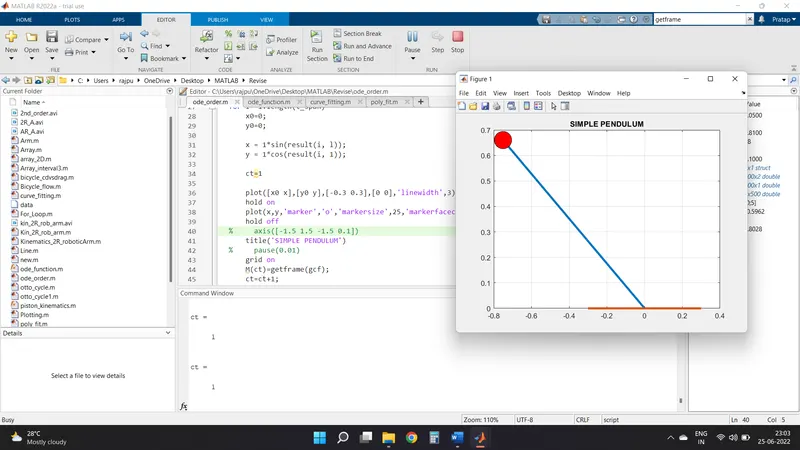
Initial point as (0, 0) one end of rope and find value of x, y i.e. point of other end of rope
And plot a graph take axis for fix length and a width
Title wili shown above the movie
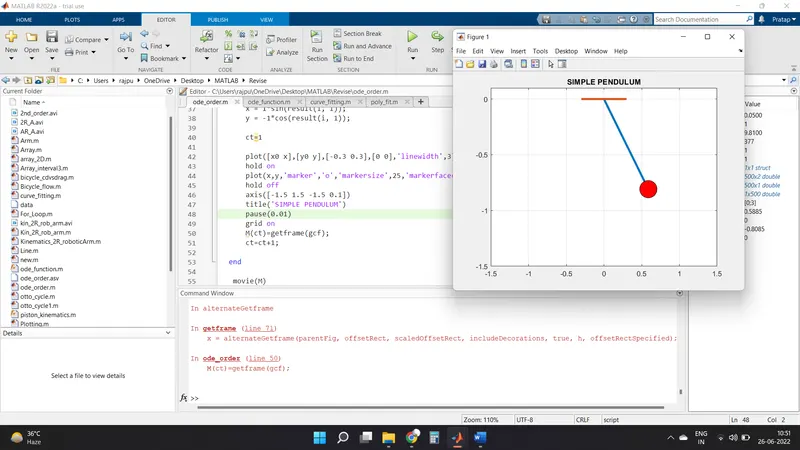
For create a movie use frame ct. USE getframe for get animation
VideoWriter is for create a plain video
Now open video
And writeVideo to make mavie and then close it
So movie will create
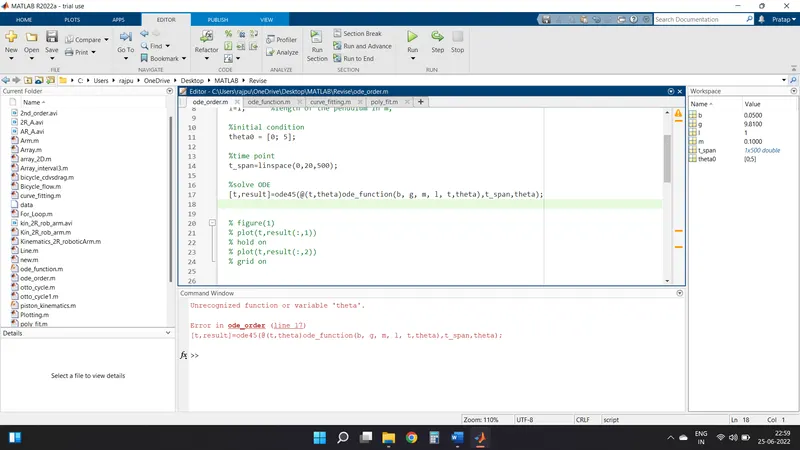
ERRORS:
Error in code theta
Value for find X,Y
Get error in getframe command
NOTE:
- Calling function file name and function name should be the same.
- The first program and second program should be saved in the same folder
CONCLUSION:
- Various plot which generate is shown as OUTPUT of program after body of code.