2R Robotic Arm Challenge
Forward Kinematics of 2R Robotic Arm Manipulator
Commands used in program
close all used for close all graph open in background
clear all used for clear all values saved in workspace
clc used for clear screen
% Used to write comment
; Used to save value in workspace but not print in command
Linspace command (Here we define only length of vector and it's interval)
For_loop used to repeat input in specified no of times
Line command is used for print a line
Linewidth used for show thickness of line
Color command is used show different color line
ct used for counter
Pause use for give interval between print two line
plot command is used for plot a graph between given array
grid command is used for show grid (horizontal & vertical line) in a graph
axis command is used for give a limit to axis
xlabel & ylabel command is used for write in x axis & y axis.
#INPUTS
L1 = length of link 1
L2 = length of link 2
theta1 = no of angles of link1
theta2 = no of angles of link2
THETA1 = angle of 1st link after executing loop
THETA2 = angle of 2nd link after executing loop
%Coordinate
x0 =starting point of link1
y0 =starring point of link1
x1 =ending point of link1 & starting point of link2
y1 =ending point of link1 & starring point of link2
x2 =ending point of link2
y2 =ending point of link2
Code Explanation
Specify Length of both link and give different angle by using variable theta.
Taking number of value of theta by using linspace ccommand
Then specify all coordinate point of movable link
Using for loop for taking different value of theta every time.
Find the value of all coordinates x0 y0,x1 y1,x2 y2 by using Pythagoras theorem
Using cosd (it take angle in drgree) & if is cos (it take angle in radians)
Plotting graph by using plot command
Using getframe(gcf) for save animation
Using VideoWriter for create plane video
Opening video then writing a video and after video will close and save in same folder where program is saved.
CODE:
clear all
close all
clc

L1=1;
L2=0.5;

theta1=linspace(0,90,10);
theta2=linspace(0,90,10);

ct=1
for i=1:length(theta1)
    THETA1=theta1(i)
    for j=1:length(theta2)
        THETA2=theta2(j)

        x0=0;
        y0=0;

        x1=L1*cosd(THETA1);
        y1=L1*sind(THETA1);

        x2=x1+L2*cosd(THETA2);
        y2=y1+L2*sind(THETA2);

        %PLOTTING

        plot([x0 x1],[y0 y1],[x1 x2],[y1 y2],'linewidth',3)
        axis([0 2 0 2])
        xlabel('X axis')
        ylabel('Y axis')
        pause(0.001)
        M(ct)=getframe(gcf)
        ct=ct+1

    end
end
movie(M)
v=VideoWriter("2R_robotic.avi")
open(v)
writeVideo(v,M)
close(v)
#Get error in run for loop
Solution forget I used 2 for but give only 1 end So I get error
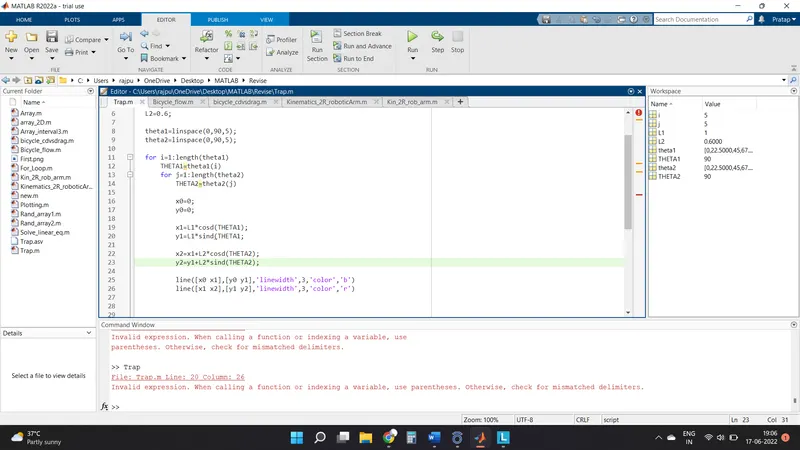
Forget to write bracket in line 20
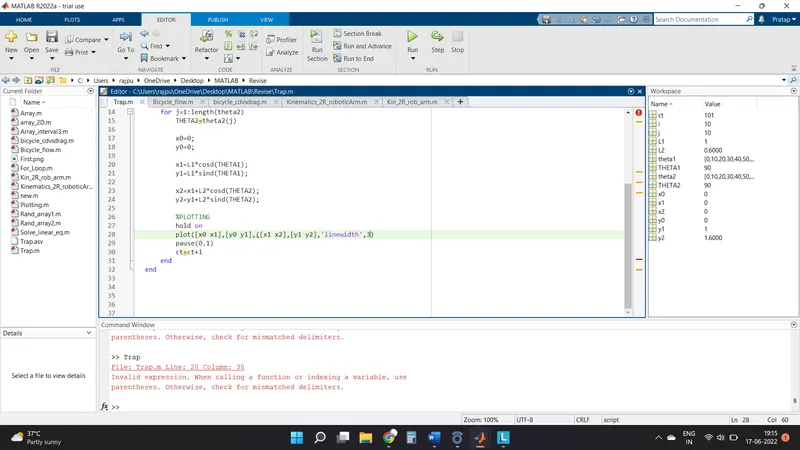
Put extra bracket so command isn’t working
Animation Upload on youtube
Link:- https://youtu.be/n6O_VvLFsxo