Week 3 - Solving second order ODEs
clear all
close all
clc

% constants
b = 0.05;   % Damping coefficient
g = 9.81;   % accln. due to gravity
l = 1;      % lenght of the pendulum
m = 0.1;    % mass

% Initial conditions
theta_0 = [0 5]; % Inital position of pendulum is 0; initial velocity is 5.

% time points
t_span = linspace(0,10,500); % 10 seconds

% Solving ODE
[t, results] = ode45(@(t,theta) ode_func(t,theta,b,g,l,m),t_span,theta_0);

% Plotting
figure(1)
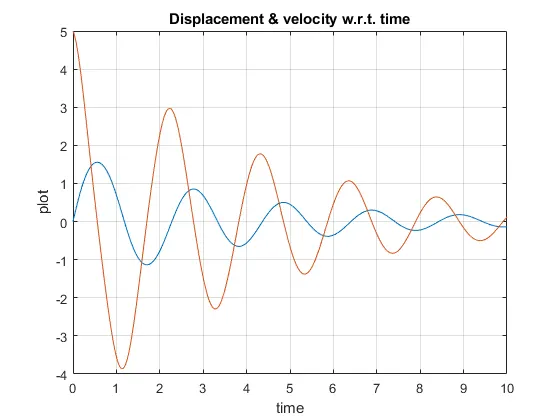
plot(t,results(:,1))
hold on
plot(t,results(:,2))
title('Displacement & velocity w.r.t. time')
xlabel('time')
ylabel('plot')
grid on
hold off

% Setting counter & figure size
figure(2)
set(gcf, 'Position',  [100, 100, 600, 500])
ct = 1;

% for loop is used to plot each frame & store in steucture, M
for i = 1:length(results(:,1))

    % start & end points of line representing length of pendulum
    x1 = 0;
    y1 = 0;
    x2 = l*sin(results(i,1));
    y2 = -1*cos(results(i,1));

    % plotting the pendulum
    plot([-1 1],[0 0],'linewidth',3)
    hold on
    plot([x1 x2],[y1 y2],'linewidth',2)
    hold on
    plot(x2,y2,'o','markersize',20,'markerfacecolor','b')
    axis([-1.5 1.5 -1.5 1.5])
    title('Animation of pendulum')
    xlabel('x')
    ylabel('y')
    grid on
    hold off

    % saving each frame
    M(ct) = getframe(gcf);
    ct = ct+1;
end

% Compiling all frames in M
movie(M)
videofile = VideoWriter('Anim_Pendulum.avi')
open(videofile)
writeVideo(videofile,M)
close(videofile)
ODE function:
function [dtheta_dt] = ode_func(t,theta,b,g,l,m)

        % Second order ODE is converted to two first order ODEs.
        theta1 = theta(1);
        theta2 = theta(2);
        dtheta1_dt = theta2;
        dtheta2_dt = -(b/m)*theta2 - (g/l)*sin(theta1);
        dtheta_dt = [dtheta1_dt;dtheta2_dt];
end
Gdrive link:
Stepwise explaination:
- Specify constants, b,g,l & m.
Set initial conditions of displacement & velocity in a row array.
Set time span 0-10 secs with 500 intervals using linspace. - Excecute the user defined function, ode_func, specifying time span & limits.
Convert second order ODE to two first order ODEs. - Plot displacement & velocity graphs on same axes.
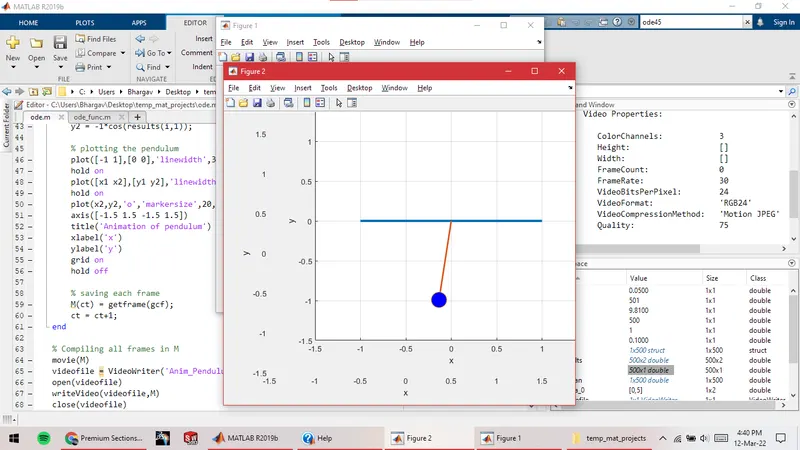
- Creating animation:
Plot pendulum using a line & marker for each position.
Save each frame in structure M using getframe - Use VideoWriter & writeVideo functions to stitch all the frames in M & make video out of it.
Errors faced:
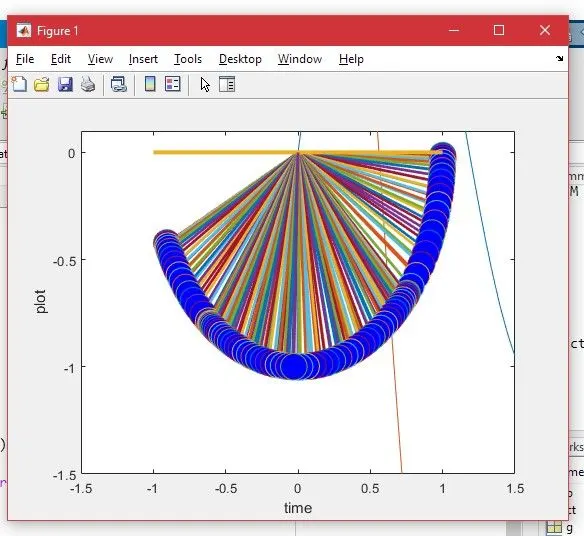
- Error in plotting pendulum: overlapped frames.
Fix: Used hold on command after plot function & figure(2) function before the loop.
2. Error in ode_func function: Invalid syntax
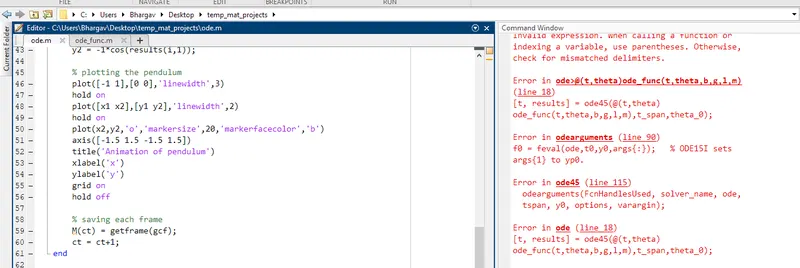
Fixed using Matlab documentation.