Week 3 - Solving second order ODEs
Aim :
1. To solve ODE that represents the motion of simple pendulum with damping.
2. To simulate the motion of pendulum
Governing Equation :
The Second Order Differential equation that represents the equation of motion is as below
Here b is the damping coeffitient
m is the mass suspended in kg
g is accleration due to gravity
L is the length of the string in meter
t is time in seconds
theta is the angular displacement
The motion of the simple pendulum is governed by Newton's Second Law of motion.
Law when written down gives the equation that describes the position of bob of simple pendulum WRT time.
To solve Ordinary differential equation in matlab we need to brake the above equation into linear equation. which can be done by defining a Function.
The mechanism to breakdown the Ordinary Differential Equation is made in the form of Matlab Code as below
function [dtheta_dt] = Pendulum_func(t,theta,b,g,l,m)

theta1 = theta(1);
theta2 = theta(2);
dtheta1_dt = theta2;
dtheta2_dt = -(b/m)*theta2 - (g/l)*sin(theta1);
dtheta_dt = [dtheta1_dt; dtheta2_dt];
end
The mechanism in the above code as below
θ=θ1
dθ1/dt=θ2
and this leads to following differential equations,
dθ1/dt=θ2
dθ2/dt=−(b/m)⋅θ2−(g/l)⋅sinθ1
Here all the values like Damping Coeff(b), Mass(m), Length of the string(l), Accleration due to gravity (g), Angular displacement (theta) are taken from Main Code which we discuss further.
Input Values from Challenge
L=1 metre,
m=1 kg,
b=0.05.
g=9.81 m/s2.
Angular Velocity, θ=0
angular velocity, dθ/dt=3
Main code to solve the Equation of motion of Simple pendulum is
clear all
close all
clc

%Input
b=0.05;
g=9.81;
l=1;
m=1;

% initial condition
theta_0 = [0;3];

 % time points
 t_span = linspace(0,20,500);

 % solve ODE
 [t, results] = ode45(@(t,theta) Pendulum_func(t,theta,b,g,l,m),t_span, theta_0);
here angular velocity will vary from 0 to 3 rad/sec
Time period of oscillation is 0 to 20 sec, and 500 values are taken in t_span to create simulation between 0 to 20sec
To solve the Second order differential equation a ODE solver which is in built in Matlab is used
ode45 is the command used to call the function.
This command solves higher order differential equation by numerical method. Higher order equation is discretised in to linear equation and is solved. This method is named as Runge Kutta Method.
There results of the solution are recorded in to results as an array with respect to time.
Now lets Plot the results and Create a animation of Oscillation of simple pendulum.
The code for the same is
% Ploting results
figure('NumberTitle','off','Name','Oscilation of A Simple Pendulum')
subplot(2,1,2);
plot(t,results(:,1),'color','b');
hold on;
plot(t,results(:,2),'color','r');
xlabel('Time (seconds)');
legend('Angular Displacement','Angular Velocity')
hold off;


%Creating animation
ct=1;
for i=1:length(results(:,1))
    x0=0;
    y0=0;
    x1=l*sin(results(i,1));
    y1=-l*cos(results(i,1));
    subplot(2,1,[1 1])
    plot([-2,2],[0,0],'linewidth',4,'color','k');
    hold on
    plot([x0 x1],[y0 y1],'linewidth',2,'color','b');
    hold on;
    plot(x1,y1,'.','markersize',70,'color','r')
    axis([-1 1 -1.5 1])
    pause(0.001)
    P(ct)=getframe(gcf);
    hold off

   ct=ct+1;
end

movie(P)
videofile=VideoWriter('Pendulum.avi','Uncompressed AVI');
open(videofile) %To select and open the file specified
writeVideo(videofile,P);  %Writes frames in F to file as vedio
close(videofile)
Here
For loop is used to create a series of Images of animation and is made as a movie with VideoWriter command as in code above.
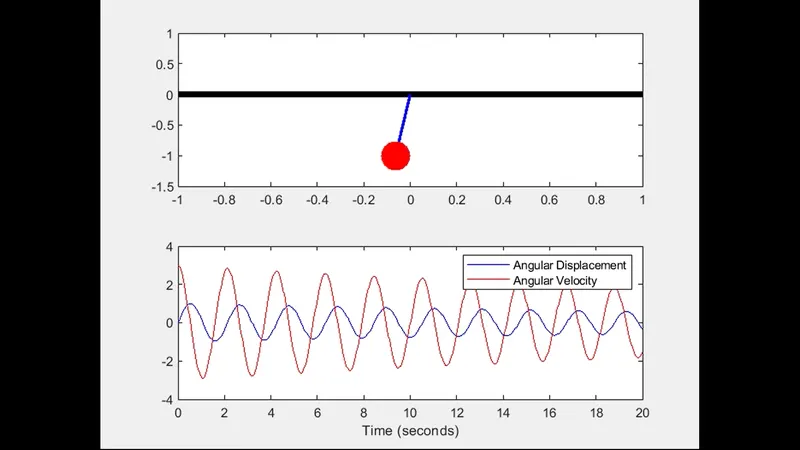
A graph is ploted showing Angular Displacement and Angular Velocity variation with respect to time.
The output plot which we get is
Before Looking in to animation Lets look into Few errors made while creating program.
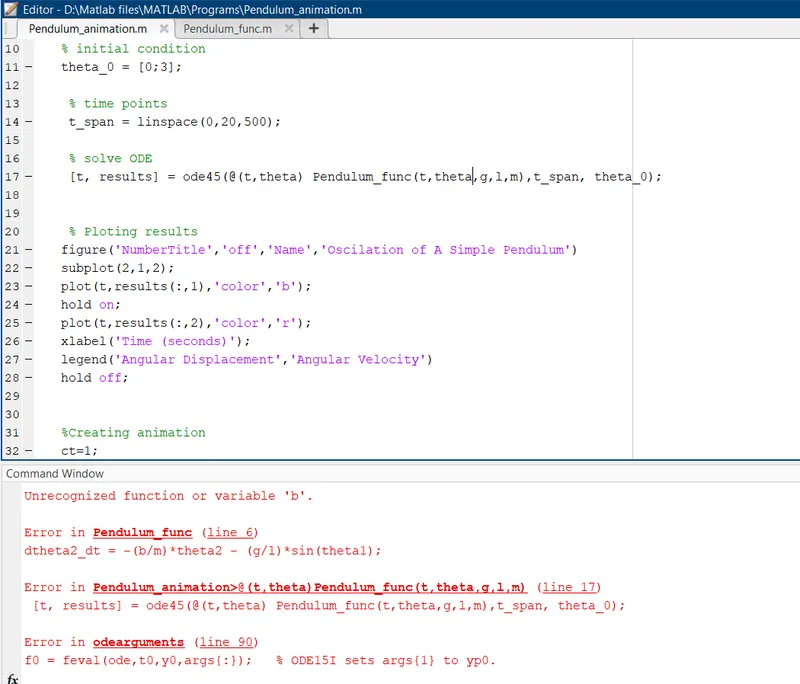
Error 1 :
Damping Coefficient was not defined in Pendulum_func and in ODE syntax. as this is easily identifiable, so fixed it by defining.
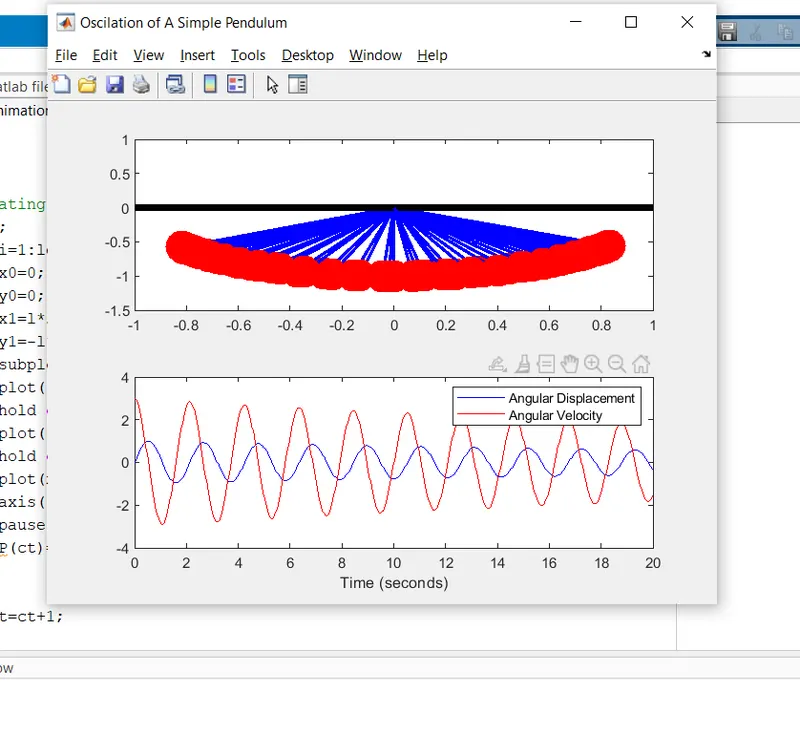
Error 2 :
Missed to use hold off Command in for loop and that led to animation failure as below. Did som reading in Matlab help and used hold off command to fix the issue
Error 3 :
Syntax to create a subplot was incorrect. Graph showing velocity and displacemen varition was not recorded. Below is the output obtaine with error. Did some reading to find the right syntax and tok help fro my support Engineer and fixed the issue.
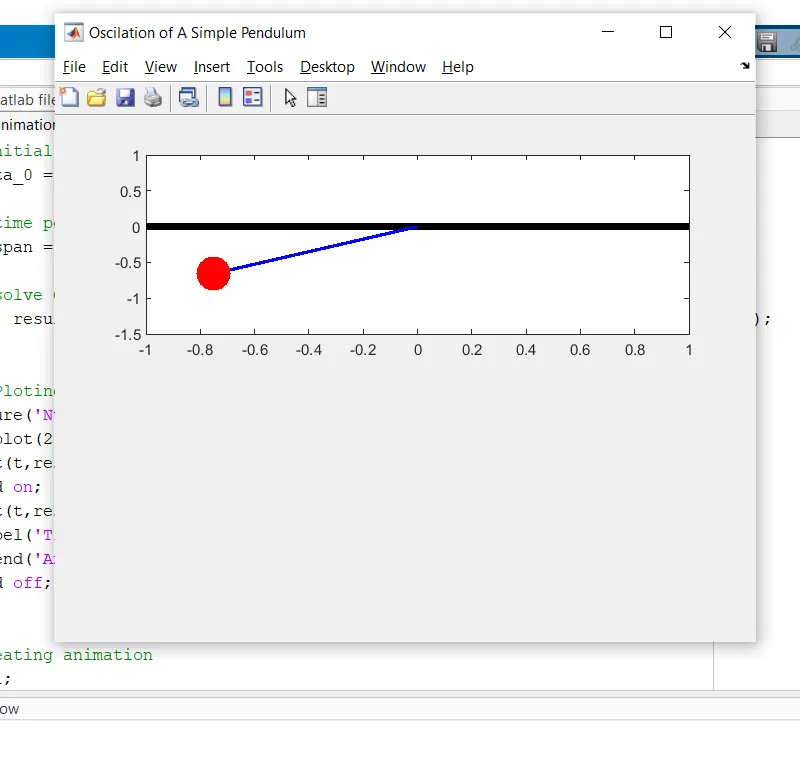
Finally all the code was ready with zero errors
Output Animation :
https://www.youtube.com/watch?v=lv-BJuO9dhg
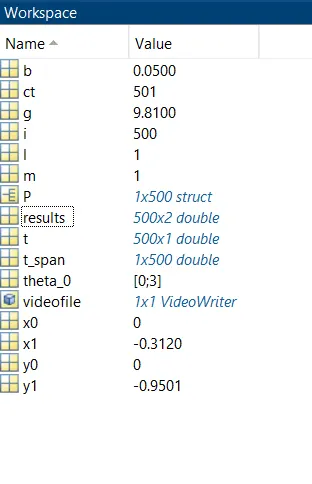
Workspace Image :