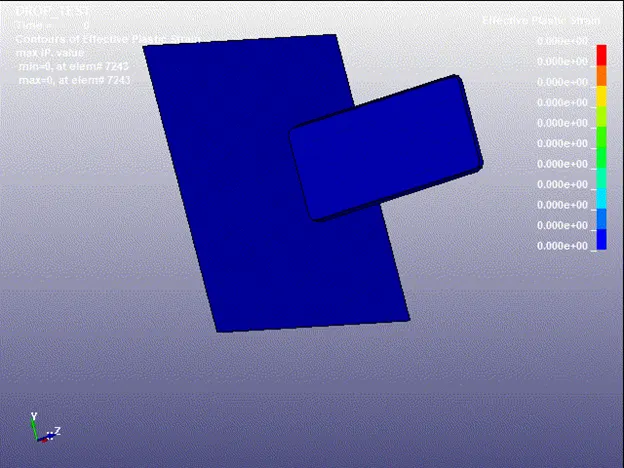
Week - 3 Drop test Challenge
OBJECTIVE:-
To run the simulation in LS Dyna and perform a Drop test of a cellphone. Achieve all the results required during the drop test of a cellphone and analyze its results.
STEPS:-
- Check for the parts and meshed model, rename accordingly.
- Creating suitable materials like(MAT_024 & MAT_020), Sections and sets.
- Initial velocity to be given as 10m/s along negative Z-direction as the cellphone will be travelling in that direction.
- Also the termination time to be given as 5 ms.
- Post creating all these setup save the file in .K format.
- Run this file in LS run and simulate.
- Get the contour plots for effective plastic strain and Von-mises VS time and plot it in report.
- Plot the energies VS time and comment.
PROCEDURE FOLLOWED:-
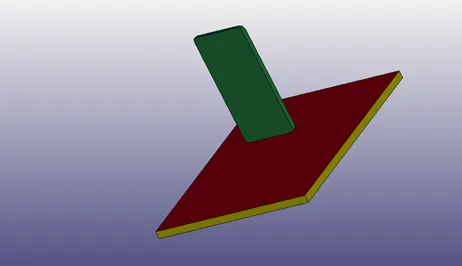
Import the given default .K file{open>LD-Dyna Keyword file>select.k file}, and for the given model check for the parts and rename the parts accordingly{Model & Part>Keyword manager>Part> rename>accept>done}. Also we will be requiring only the cellphone and the floor/plate surface and the bottom portion of the floor we will not be requiring, so we will be deleting that part.
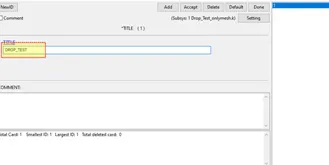
Adding title to the model.{model&part>keyword_manager>Title>accept>done}
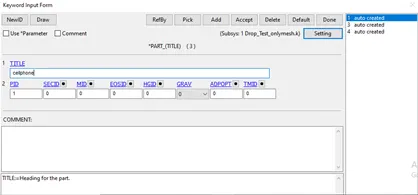
Renaming the parts according to the role they play in the model.
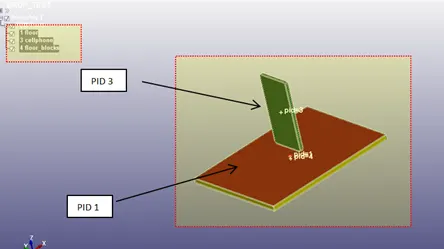
Also it can be seen that only the front part of the floor will be in use so deleting the block side of the model. The remaining model part can be viewed as:
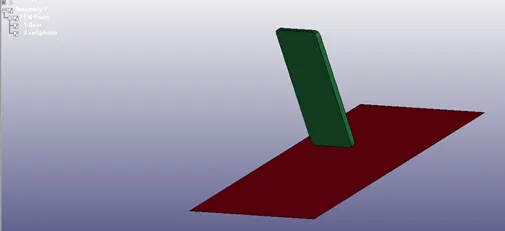
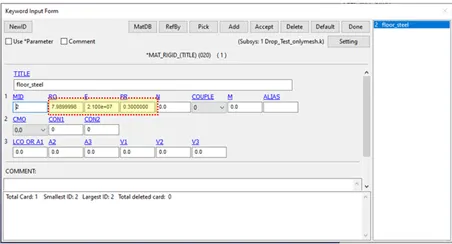
After the part and model. Now we have to add and assign the material to the given components. The floor/plate will be assigned steel and the cellphone to be assigned aluminium as the material. Model&part>keyword_manager>all>mat>020(rigid)&024(peacewise_material_plasticity)}
Assigning Steel to floor, also the units to be given to the various parameters are as follows:
{Model&part>keyword_manager>Mat>020_rigid>title>parameters(RO,E,PR)>accept>done}
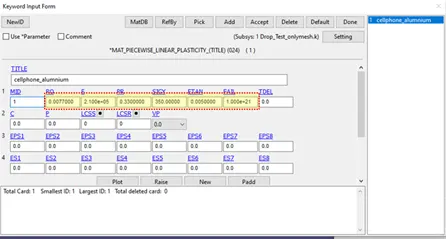
Assigning Aluminium to the cellphone,
{Model&part>keyword_manager>Mat>024_peacewise_material_plasticity>title>parameters(RO,E,PR,SIGY,ETAN)>accept>done}
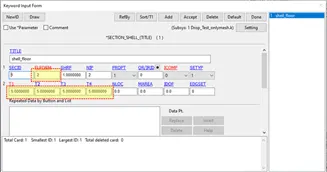
Now we will be creating section id for two types of mesh, Shell section ID & Solid section ID. Shell ID for the cellphone and the solid section ID for the floor/plate
Shell ID for the cellphone also the ELFORM =2, and also the T1 = 5 mm to be assigned,
{Model&part>keyword_manager>section>shell>title>ELFORM>T1>accept>done}
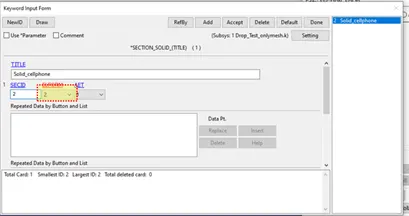
Solid ID for the floor and also ELFORM = 2
{Model&part>keyword_manager>section>solid>title>ELFORM> accept>done}
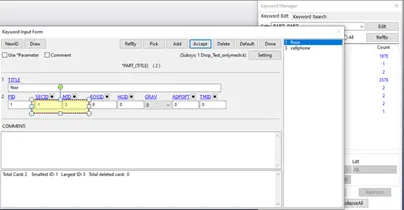
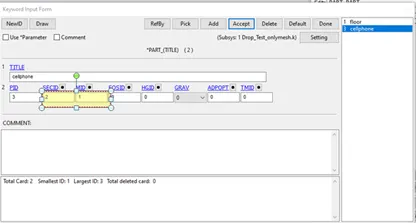
After creating the section and material now we will be assigning these sections and materials to the respective parts. Go to parts and assign respective material and mesh/section ID.
{Model&part>keyword_manager>model>part>SECID&MID>accept>done}
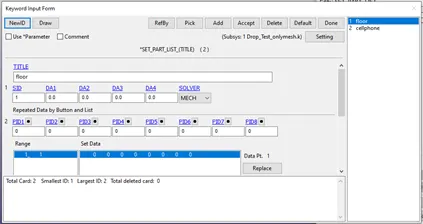
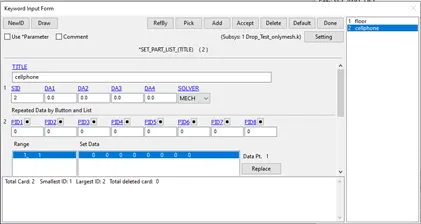
Creating set id and then it will be assigned to the contacts:
Set- floor
{model&part>keyword_manager>all>set>set_part_list>title>accept>done}
Set – cellphone
{model&part>keyword_manager>all>set>set_part_list>title>accept>done}
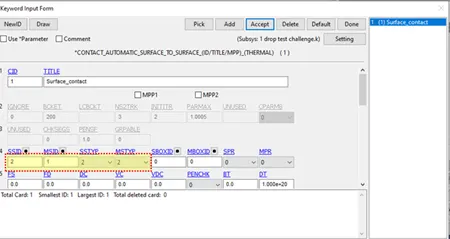
Now creating contacts>surface_to_surface, SSTYPE = 2 MSTYPE = 2, also SSTYPE = 2 and MSTYPE = 2, select the SLAVE SID and MASTER SID.
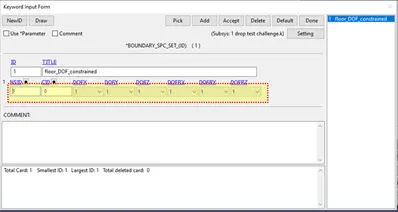
Post the contact we will be assigning boundary conditions to the floor/plate so that the DOF can be restricted in all the directions, translational as well as rotational. Here we have to create a new node set and assign it to this constrained DOF Boundary SPC Set
{model&part>Keyword_manager>all>boundary>SPC_Set>Parameters>accept>done}
Here parameters in the context mean NSID & DOF translational & rotational.
After the boundary set create a node list for phone and assign velocity to it.
Node list creation for cellphone
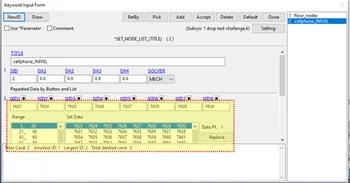
Assigning initial velocity to the cellphone, from the model it is clear that the cellphone will be travelling in the negative Z-direction to impact the floor. Thus giving -10mm/ms as the INIVEL.
{model&part>keyword_manager>all>initial>INIVEL>NSID>VZ} since the direction of travel will be in negative Z direction thus giving only velocity in Z-direction.
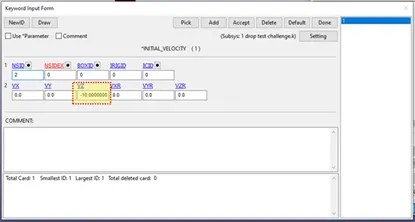
After all these assignments now we have to create termination card, control cards and ASCII options needed to conclude the output.
Database – ASCII option:{Model&part>keuword_manager>all>Database>ASCII_option>parameters}
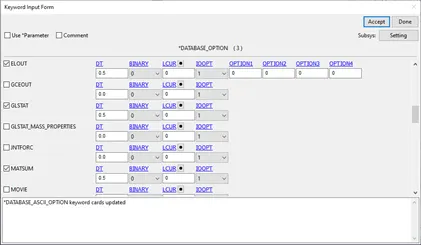
For every ASCII option the DT i.e. timestep to write the file is given 0.5 ms
Binary D3plot = for every 0.1 ms
{Model&part>keyword_manager>all>binary>D3plot>parameter>accept>done}
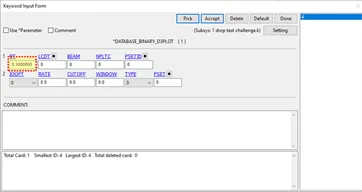
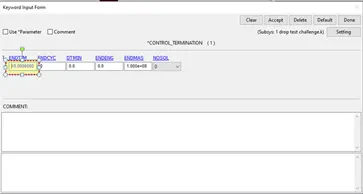
Setting up the termination time to 5 ms, this will give the cellphone enough time space to impact and rebound.
Running the file in LS run
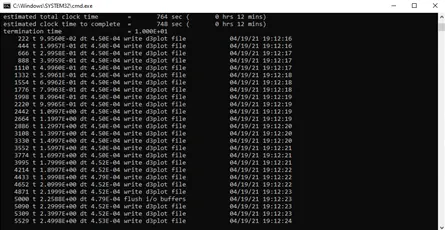
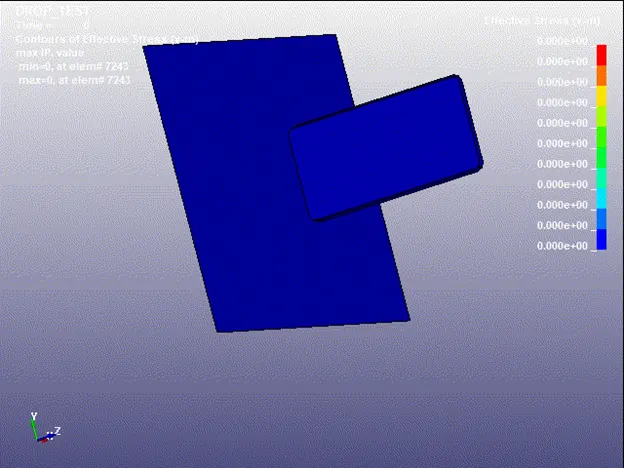
After the processing is done we got the stress results as:
CONCLUSION:-
The simulation is run with the required steps. Also the plots and contours have been plotted for better understanding.
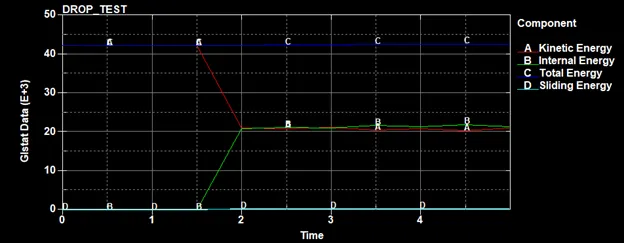
ENERGY VS TIME PLOTS
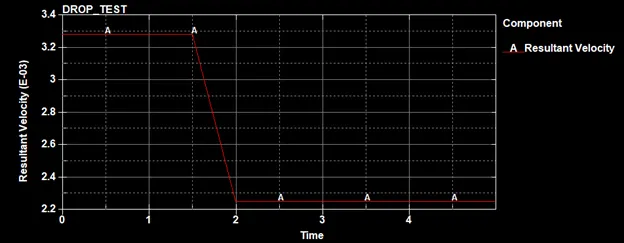
RESULTANT VELOCITY VS TIME PLOT
CONTOUR PLOT FOR VONMISES STRESS
CONTOUR FOR EFFECTIVE STRAIN