Week - 3 Drop test Challenge
AIM: To create complete simulation for the given meshed file containing rigid floor and cellphone and perform a drop test.
NOTE: Height of the drop test is assumed to be 1800mm and unit system used is kg, mm, ms
PROCEDURE:
Step 1: Open the given keyword file in LS Prepost. It should be opened using File > open > LS Dyna Keyword file. Meshed file is been shown below in isometric view.
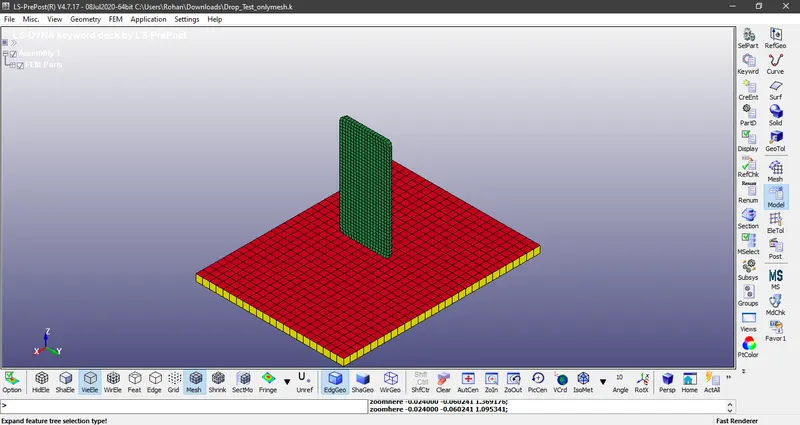
Basically it contains three parts. We can delete the part which is indicated with yellow colour, which will be of no use. (Keyword > Part > Select the part > Delete > accept > done). It is as shown below
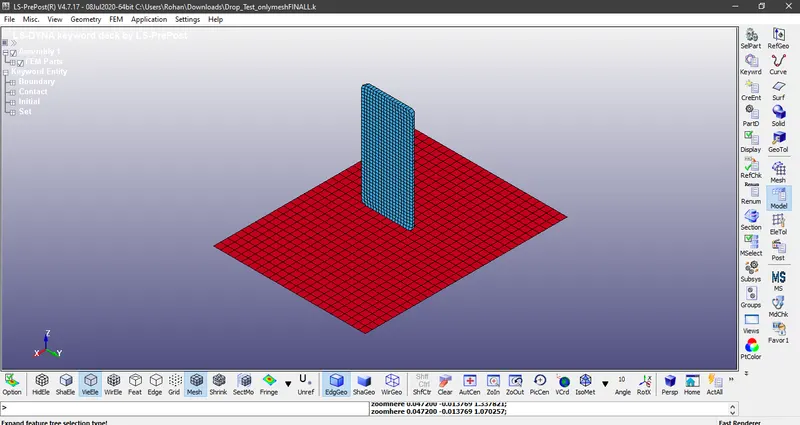
Step 2: Part definition which is basically defined by assigning section properties, material properties and assigning the selected materials to the parts.
(i)Section properties: In section properties we have to define section for Shell and Solid. The section properties of the floor is assigned as shell element with thickness of 1mm and ELFORM = 2. It is done by: Keyword manager > click all > Section > Shell. The section properties of the phone is assigned as solid element with ELFORM = 1. It is done by: Keyword manager > click all > Section > Solid.
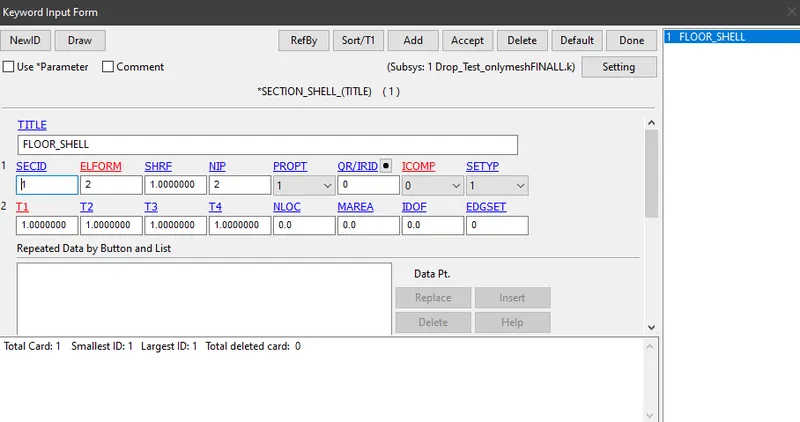
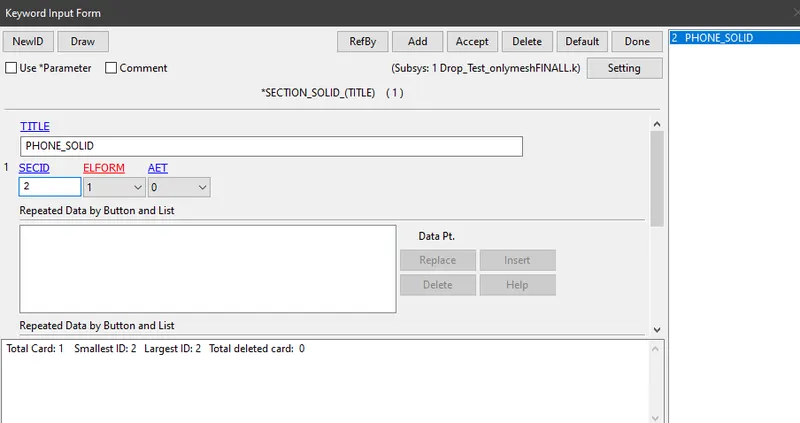
(ii) Material properties : The material for the floor is assigned as rigid material. It can be assigned by : Keyword manager > click all > MAT > 020-Rigid. The material for the phone is assigned as Aluminium. It can be assigned by Keyword manager > click all > MAT > 024-Piecewise Linear Plasticity.
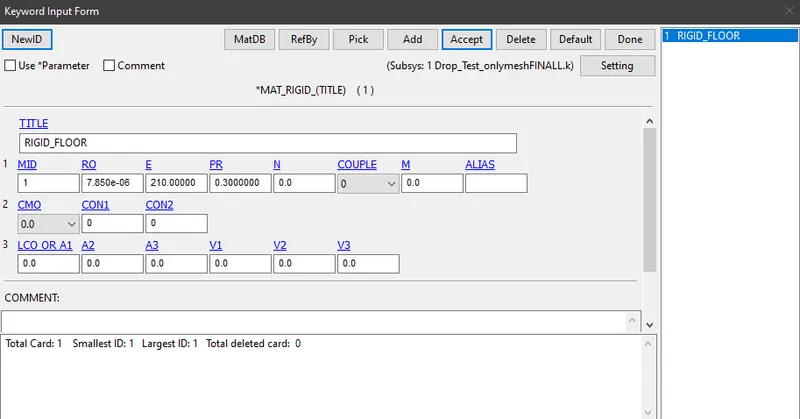
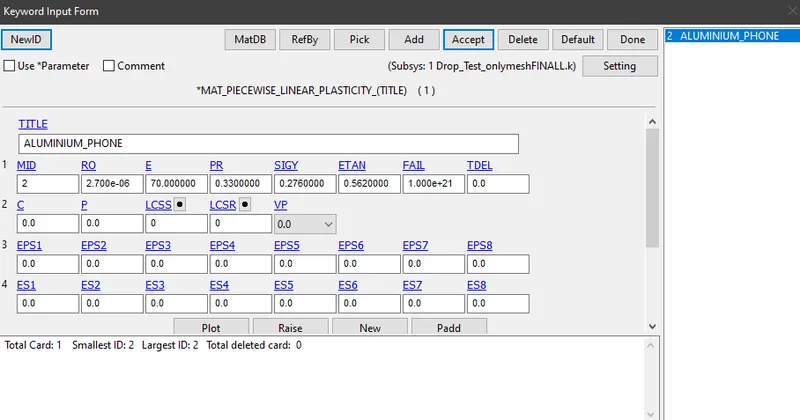
(iii) Assigning selected materials to the parts: It can be done by Keyword Manager > model > part.
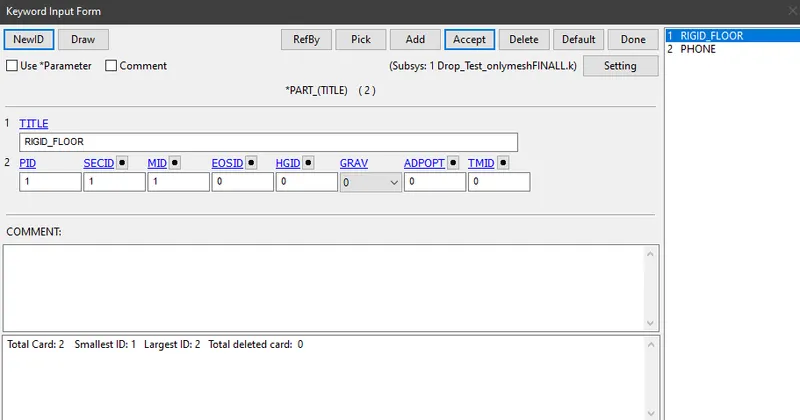
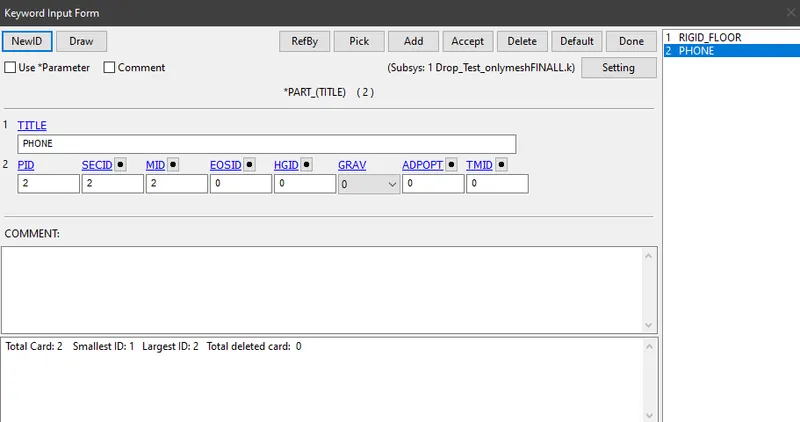
Step 3 : Applying boundary conditions to the floor and phone.
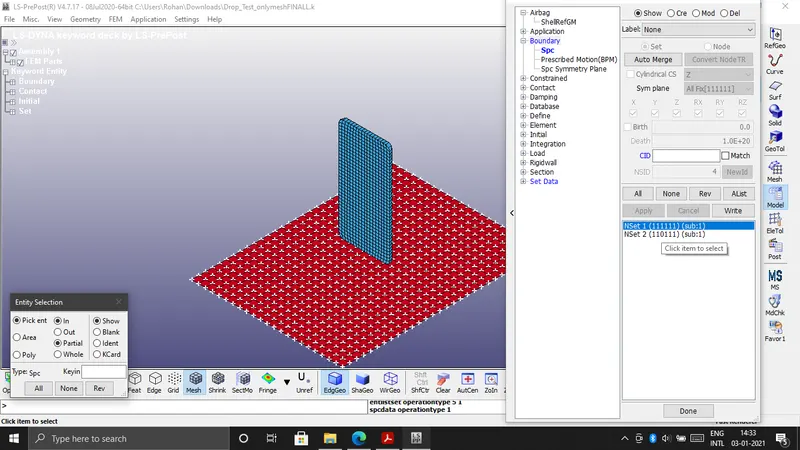
(i) Applying Boundary conditions to the floor: Create entity > Boundary > SPC > Click on create > Pick > By part > Click on the floor part > NSID = 1 > Apply > Done. Here all the degrees of freedom are constrained.
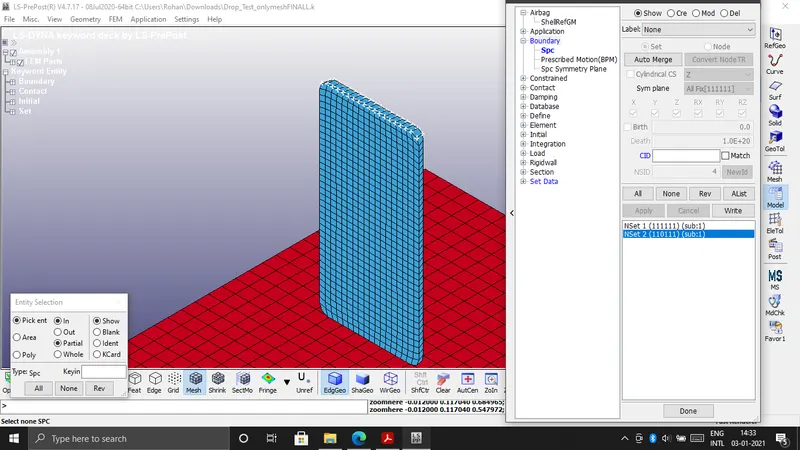
(ii) Applying Boundary conditions to the phone: Create entity > Boundary > SPC > Click on create > Pick > By element > Click on Prop > Click on the top face of the phone part > NSID = 2 > Apply > Done. Here all the degrees of freedom are constrained except DOF in Z-Direction
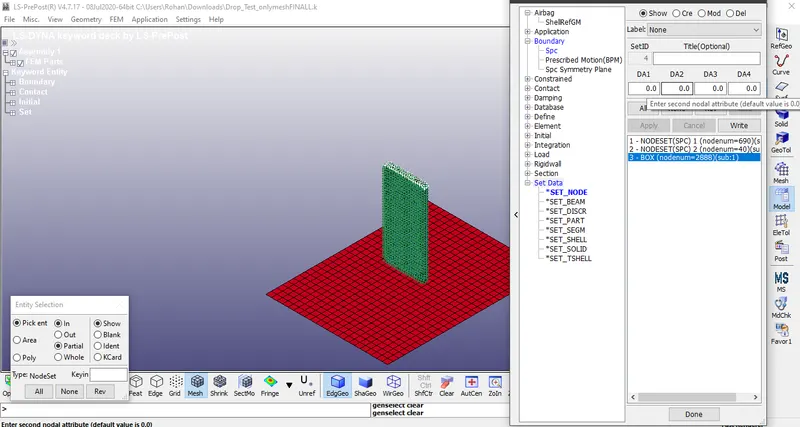
(iii) We have to define node sets for the phone. It is done by using Create entity > Set data > *SET_NODE > Click on Create > Pick > By Part > Click on the phone > Title = Box > Apply > done
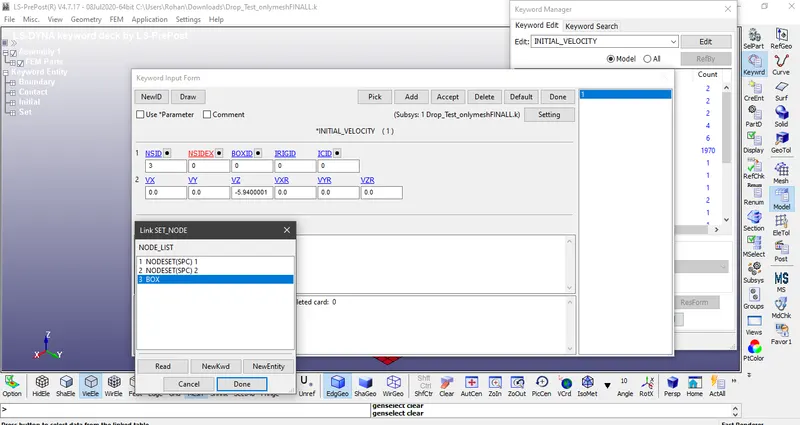
Step 4 : Define the velocity using Keyword manager > Click all > Initial > Velocity
Distance is assumed to be 1.8m = 1800mm
Velocity is calculated using, v = root of 2gh
so v = 5.94 mm/ms in negative Z-Direction
Step 5 : Creating contact interface between floor and phone.
Create "AUTOMATIC_SURFACE_TO_SURFACE" for the interaction between floor and phone.
Create "AUTOMATIC_SINGLE_SURFACE" for the self interaction between elements of phone.
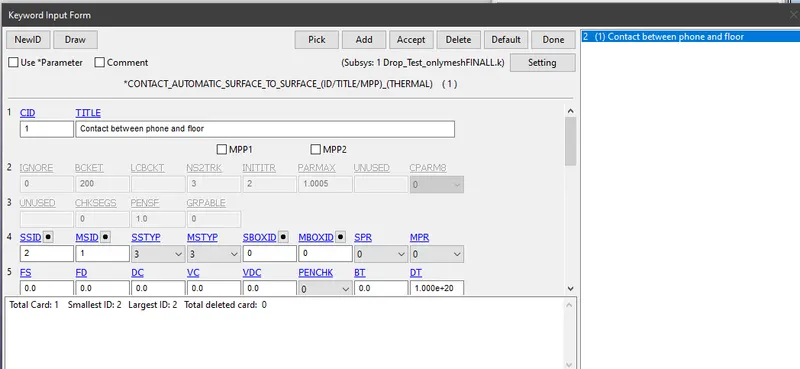
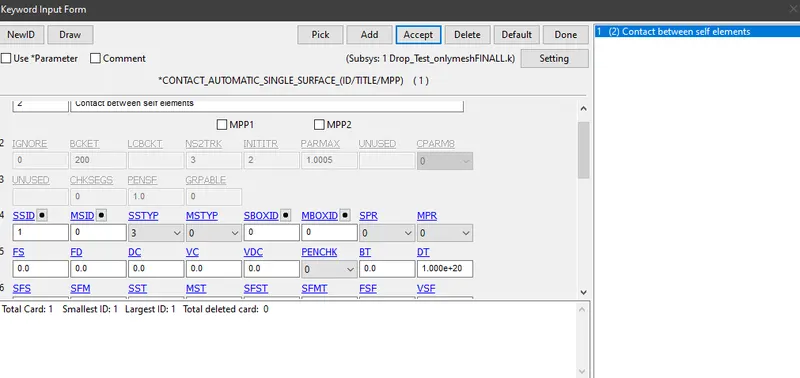
Step 6 : After creating all boundary conditions and contacts, create cards for Accuracy, Energy, Termination and Timestep.
(i)Accuracy : Keyword manager > click all > Control > Accuracy.
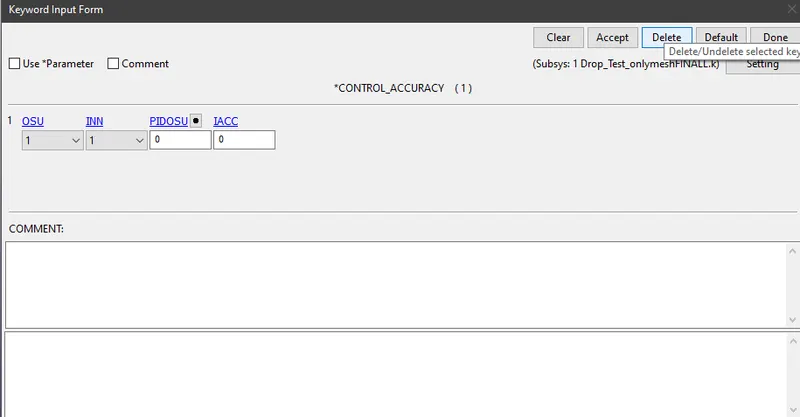
(ii)Energy : Keyword manager > click all > Control > Energy
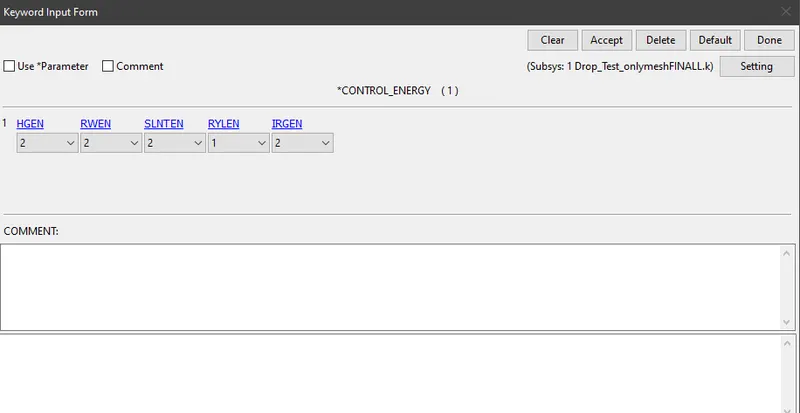
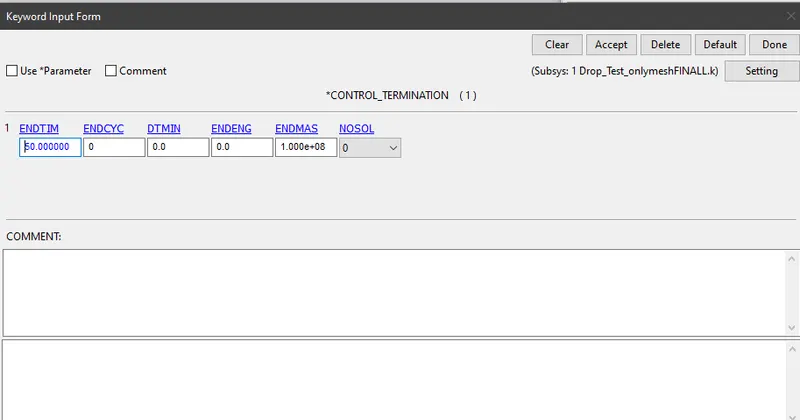
(iii)Termination : Keyword manager > click all > Control > Termination
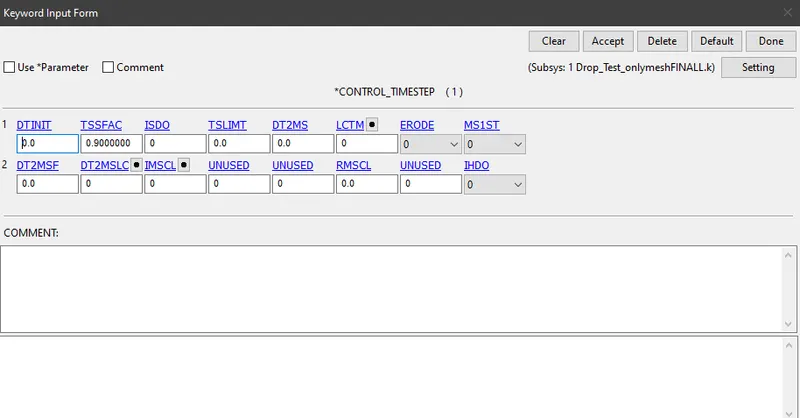
(iv) Time step : Keyword manager > click all > Control > Time step
Step 7 : Now after all the conditions we can generate output results.
(i)Keyword manager > click all > Database > ASCII
Load the value as 0.1 for GLSTAT, NCFORC, NODFOR, NODOUT
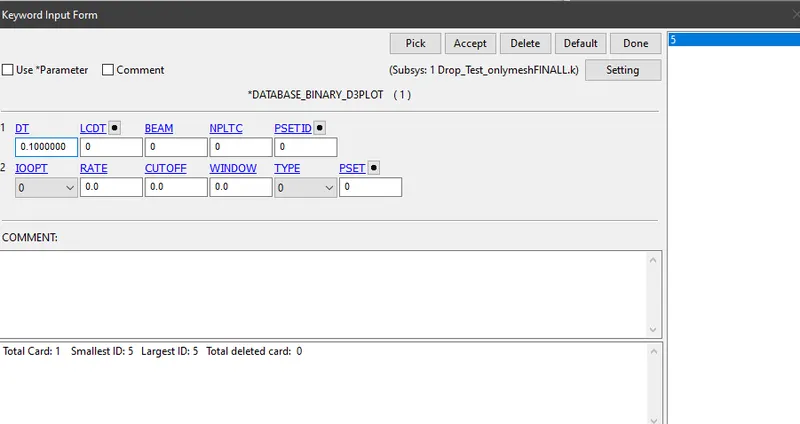
(ii)Keyword manager > click all > Database > Binary D3PLOT
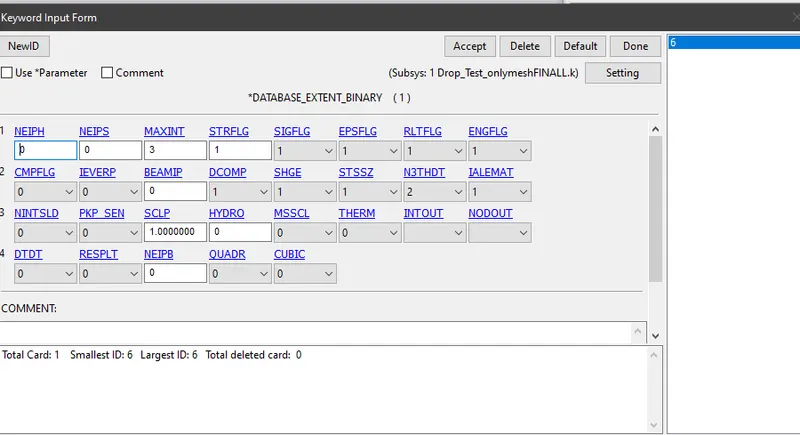
(iii)Keyword manager > click all > Database > Extent_Binary
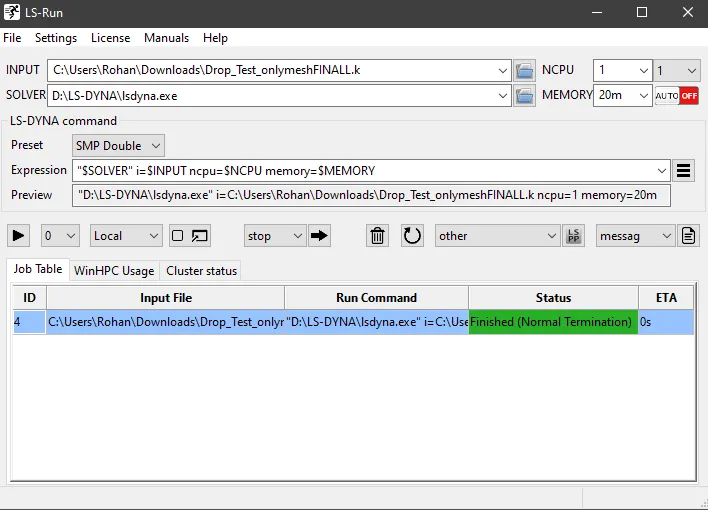
Step 8: Save the problem and run it
RESULTS:
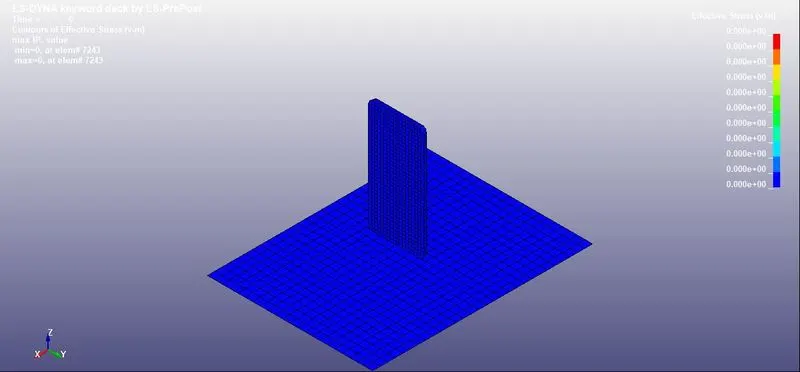
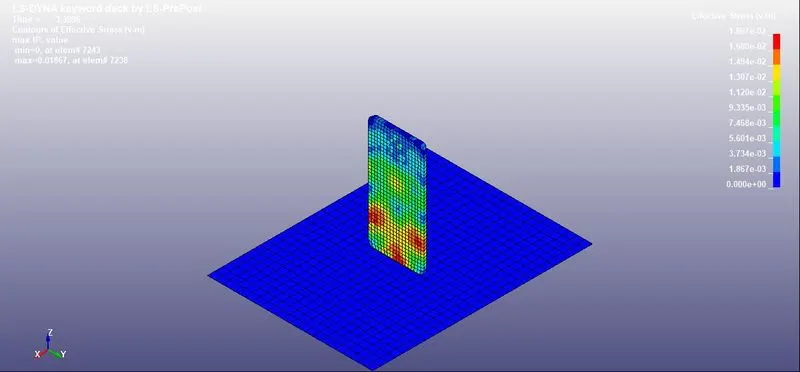
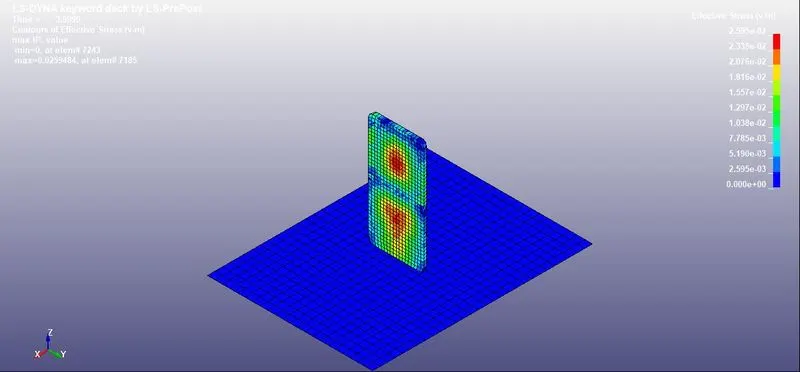
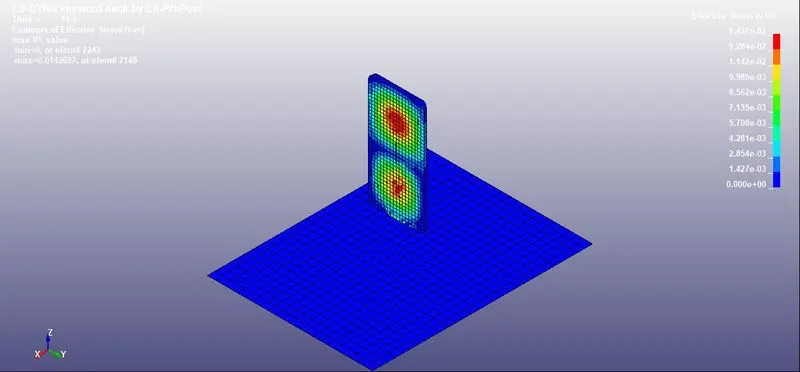
Von-Mises contours
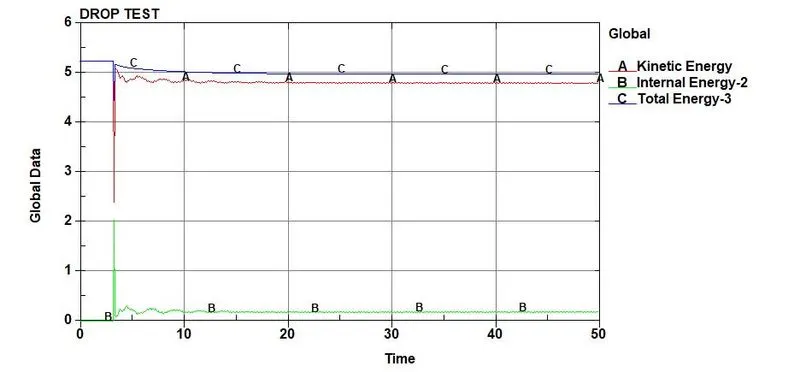
PLOT OF GLOBAL DATA AND TIME
1) Internal energy is zero at the beginning.
2) There will be a rise in internal energy from zero at the time of impact, which in turn decreases kinetic energy.
3) After impact, both Kinetic energy and Internal energy will be almost constant (not accurately)
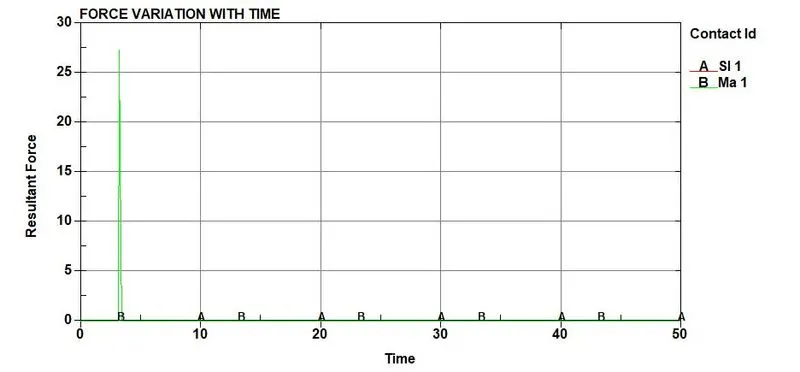
PLOT OF RESULTANT FORCE WITH TIME
When the impact takes place the maximum force will be around 28 KN
CONCLUSION: The Drop test of a cell phone is successfully completed with all the keywords which are necessary in getting a required outputs and graphs.
Simulated keyword file can be accessed using the link given below through Google drive
https://drive.google.com/file/d/1a1TyDcMdB2nUdAzWXjT8SvsYmVp0Rum3/view?usp=sharing